
TexoPic : Text on Photo
Rosy Apps Studio
4.2 ★
443 ratings
50,000+
downloads
Free
In this photo editing app, you can add and customize text, stickers, and effects on images. Includes options for font styles, color gradients, shadows, and multilingual text support.
AppRecs review analysis
AppRecs rating 4.2. Trustworthiness 62 out of 100. Review manipulation risk 55 out of 100. Based on a review sample analyzed.
★★★★☆
4.2
AppRecs Rating
Ratings breakdown
5 star
72%
4 star
0%
3 star
11%
2 star
5%
1 star
11%
What to know
✓
Authentic reviews
Natural distribution, no red flags
⚠
Questionable review patterns
55% review manipulation risk - some review patterns appear unusual
About TexoPic : Text on Photo
Texopic ,a photo editor, has been on the quest to provide its users with a number of interesting features of the text and picture editing.
Photos are the memories that we make over the years. With smartphones taking photos and saving memories has become easier. Time passes but all that stays with us are the memories which we save in our phones in the form of pictures. With the increasing trend of taking pictures and making memories, there are many android applications which make capturing memories more interesting and fun.
Texopic: text on the picture is one such application which allows its users to write text, add stickers, emojis, frames and colour filters to their pictures / photos. This way you make your pictures more memorable. Texopic is a photo editor application which gives words to the pictures. Add words to the photos and make your memories more memorable.
Text on picture:
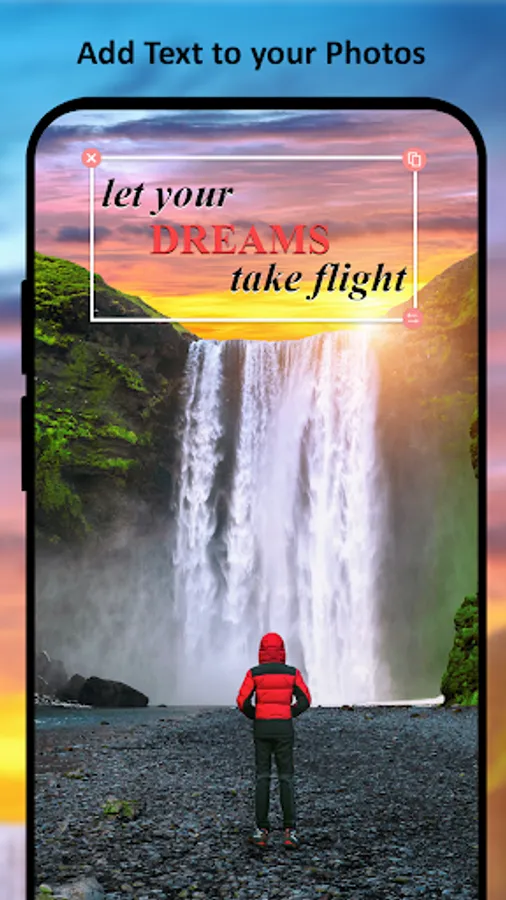
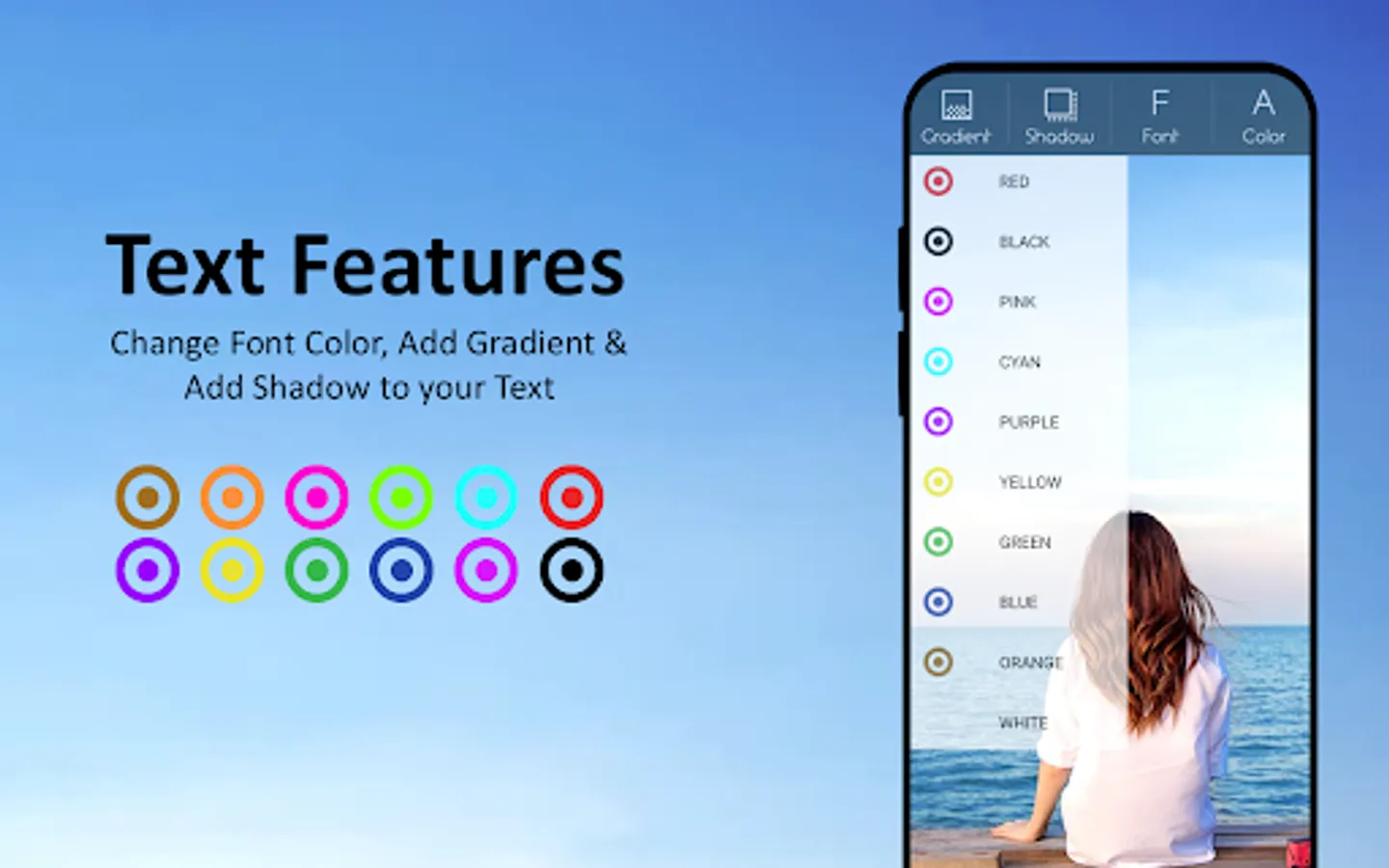
-. Add text on photos with a number of different colours.
-. Text can be easily edited, copied and pasted.
-. Text can be rotated and zoomed.
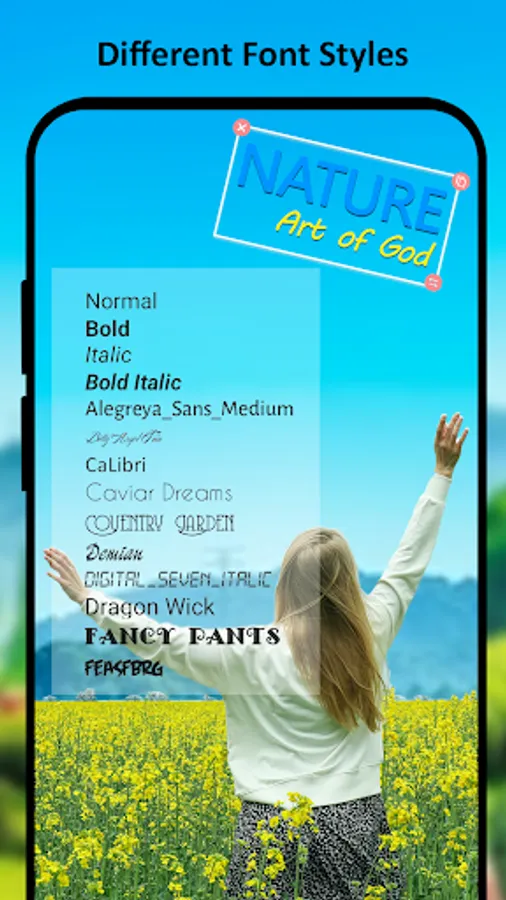
-. Change font of the text added on the photo.
-. Add a gradient to the text.
-. Select the colours of gradients of your own choice.
-. Add shadow to the text with a color of users’ own choice.
-. Users can add text style to be either bold, italic, bold italic or normal.
-. Users can write in any language they want to add more personalized effect to the images.
-. Write poetry to your photo
-. Converting your photo into a greeting card by adding text like
-Happy New Year
-Happy Christmas
-Happy Independence
-Happy birthday
-Happy wedding anniversary
-Good night
-Good morning etc
Complete features list:
Texopic : Photo editor has a number of features which allow its users to enjoy and play with their photos. It's not only necessary to add text on photos on special occasions but also other important elements so that it can be a fun leisure activity.
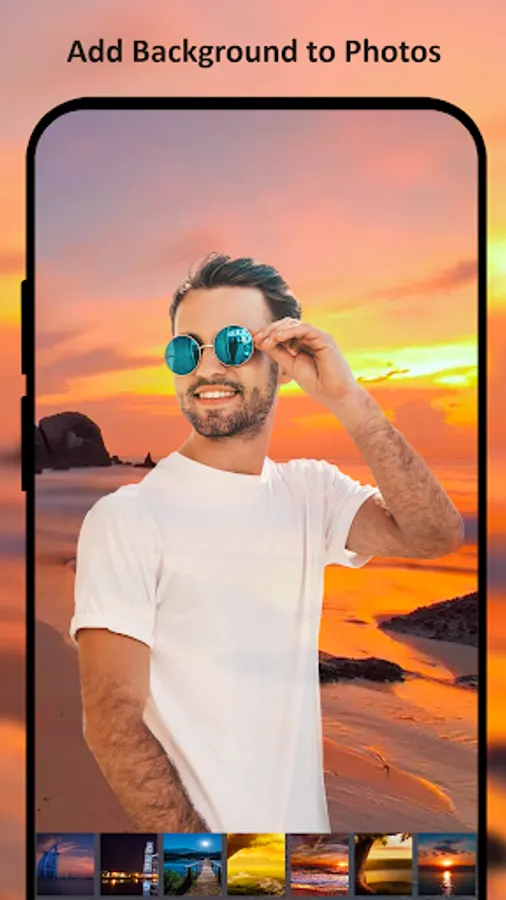
-. Select any background image from the app gallery or add photo using the mobile phone picture gallery or camera.
-. Select an image from the gallery of the phone or take a photo using the camera.
-. Add text to your photos
-. Image can be moved, rotated, flipped or deleted.
-. Users can add multiple images to the same background.
-. The background is changeable at any time before saving the image.
-. Apply photo colour filters to your photo.
-. Add emojis to your photo
-. Add beautiful frames to your photos
-. Write poetry or quotes to your photo
-. Add text and stickers to your photo like
-Happy New Year
-Happy Christmas
-Happy Independence
-Happy birthday
and many more....
to make your photo a greeting or invitation card
-. Share your beautifully edited photo to your loved ones on social media.
Texopic: text on photos is an image editor which allows users to give words to their photos. This simple but user-friendly application provides language to photos. With this photo editor text application not only, you can caption the photos but can also add quotes and poetry to the pictures to share them with your loved ones.
Photos are the memories that we make over the years. With smartphones taking photos and saving memories has become easier. Time passes but all that stays with us are the memories which we save in our phones in the form of pictures. With the increasing trend of taking pictures and making memories, there are many android applications which make capturing memories more interesting and fun.
Texopic: text on the picture is one such application which allows its users to write text, add stickers, emojis, frames and colour filters to their pictures / photos. This way you make your pictures more memorable. Texopic is a photo editor application which gives words to the pictures. Add words to the photos and make your memories more memorable.
Text on picture:
-. Add text on photos with a number of different colours.
-. Text can be easily edited, copied and pasted.
-. Text can be rotated and zoomed.
-. Change font of the text added on the photo.
-. Add a gradient to the text.
-. Select the colours of gradients of your own choice.
-. Add shadow to the text with a color of users’ own choice.
-. Users can add text style to be either bold, italic, bold italic or normal.
-. Users can write in any language they want to add more personalized effect to the images.
-. Write poetry to your photo
-. Converting your photo into a greeting card by adding text like
-Happy New Year
-Happy Christmas
-Happy Independence
-Happy birthday
-Happy wedding anniversary
-Good night
-Good morning etc
Complete features list:
Texopic : Photo editor has a number of features which allow its users to enjoy and play with their photos. It's not only necessary to add text on photos on special occasions but also other important elements so that it can be a fun leisure activity.
-. Select any background image from the app gallery or add photo using the mobile phone picture gallery or camera.
-. Select an image from the gallery of the phone or take a photo using the camera.
-. Add text to your photos
-. Image can be moved, rotated, flipped or deleted.
-. Users can add multiple images to the same background.
-. The background is changeable at any time before saving the image.
-. Apply photo colour filters to your photo.
-. Add emojis to your photo
-. Add beautiful frames to your photos
-. Write poetry or quotes to your photo
-. Add text and stickers to your photo like
-Happy New Year
-Happy Christmas
-Happy Independence
-Happy birthday
and many more....
to make your photo a greeting or invitation card
-. Share your beautifully edited photo to your loved ones on social media.
Texopic: text on photos is an image editor which allows users to give words to their photos. This simple but user-friendly application provides language to photos. With this photo editor text application not only, you can caption the photos but can also add quotes and poetry to the pictures to share them with your loved ones.
TexoPic : Text on Photo Screenshots



Tap to Rate:
Reviews for TexoPic : Text on Photo
Lakhan Kuril
8/25/2025
excellent excellent app
Mohamad
10/11/2024
the best