
About Contador de Dias
Tool that counts working and calendar days with and without holidays, adds or subtracts days from a date and informs which day of the week falls or falls.
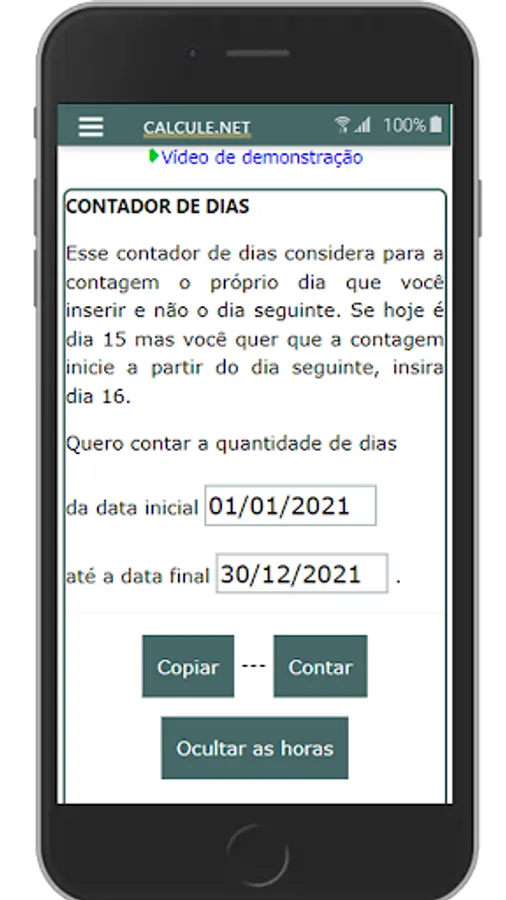
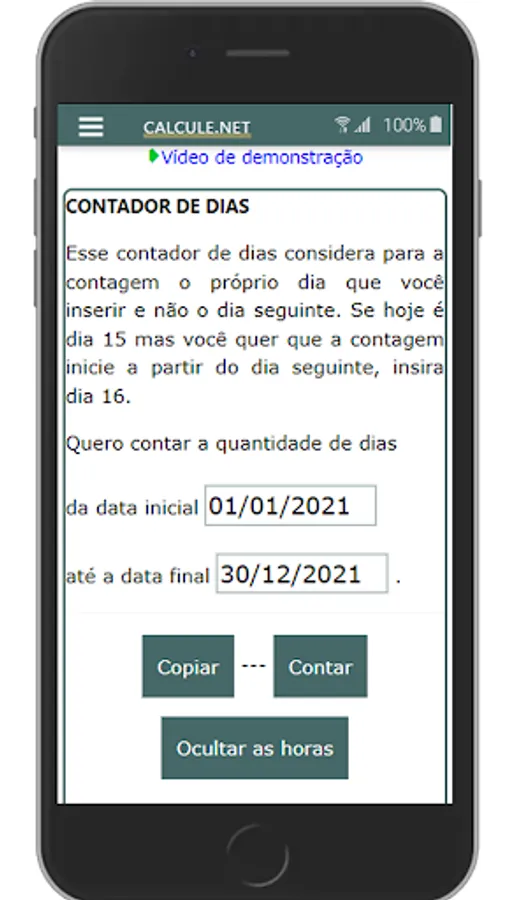
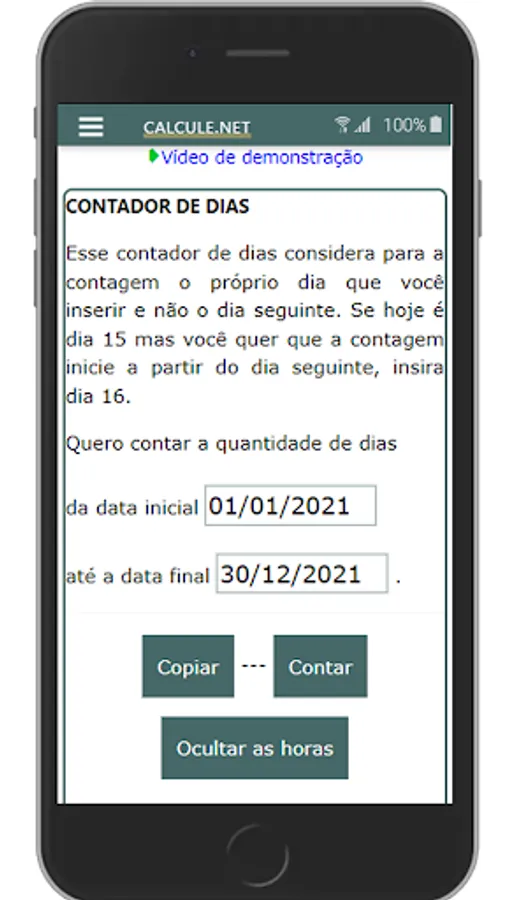
DAY COUNTER
This day counter counts the day you enter for the count and not the next day. If today is the 15th but you want the count to start from the next day, enter the 16th.
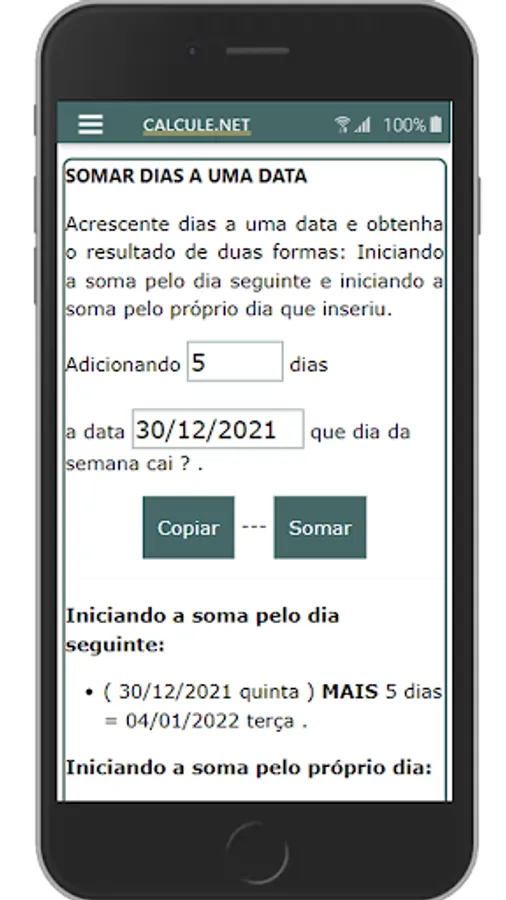
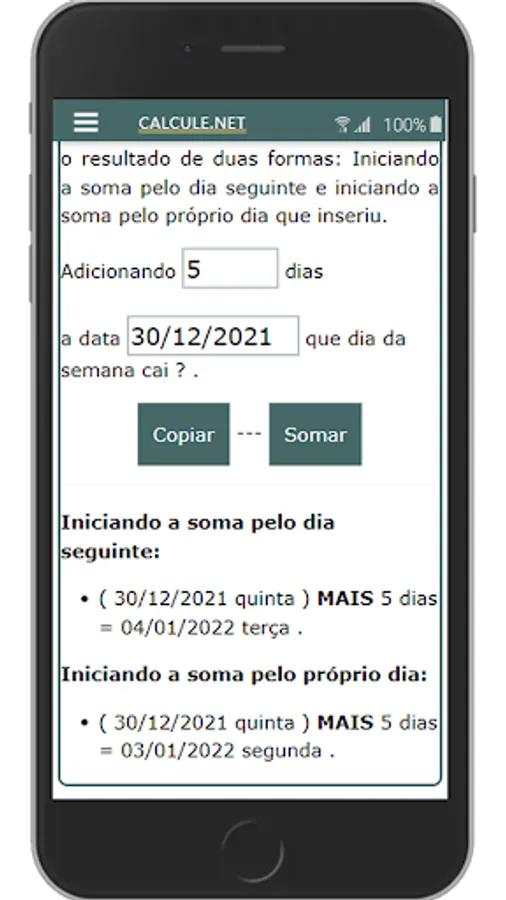
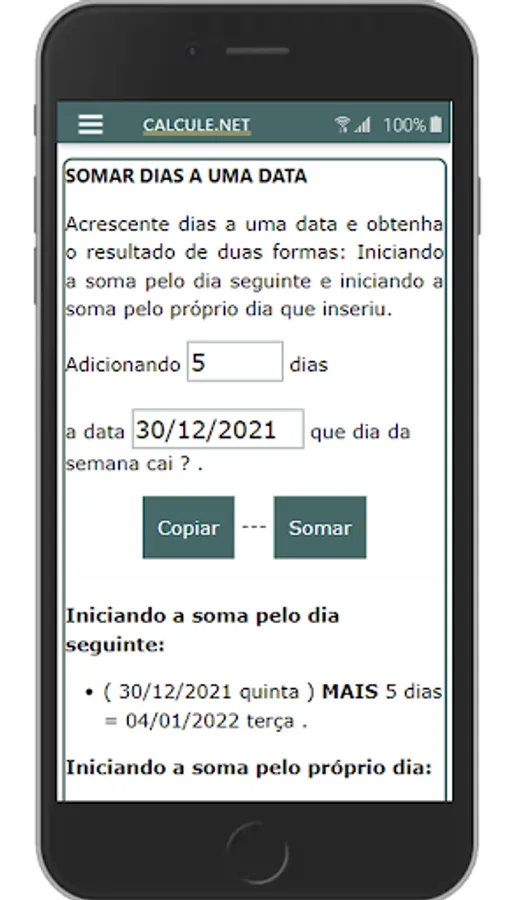
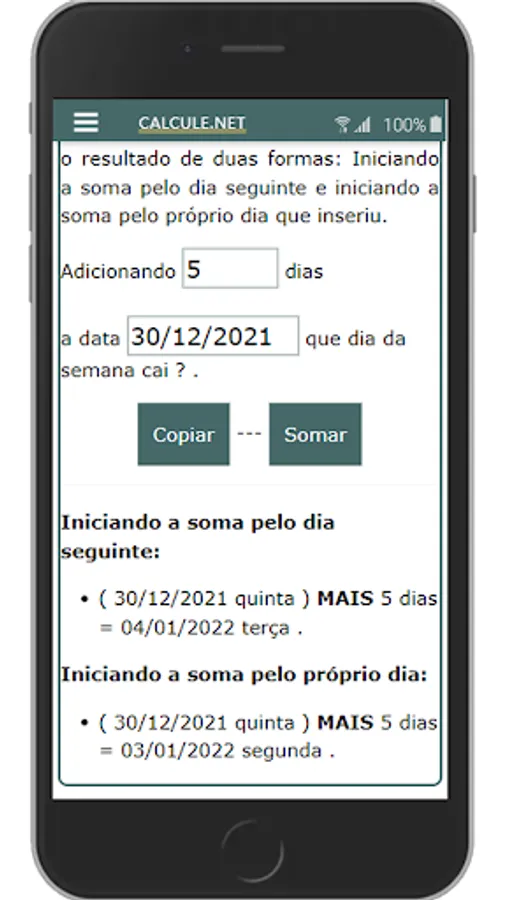
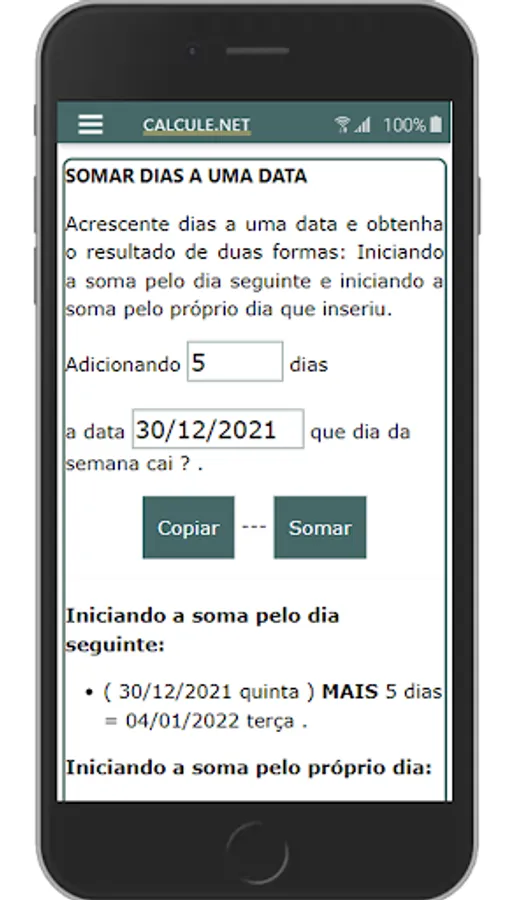
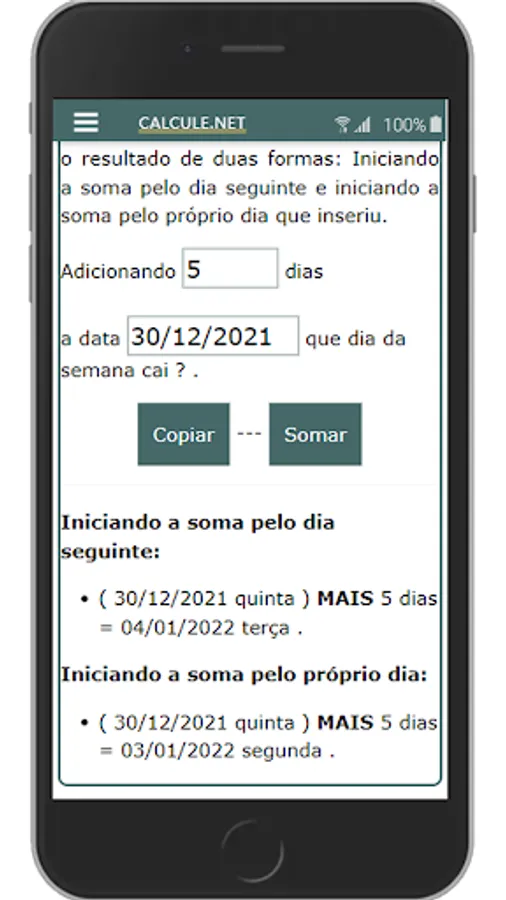
ADD DAYS TO A DATE
Add days to a date and get the result in two ways: Starting the sum for the next day and starting the sum for the day you entered.
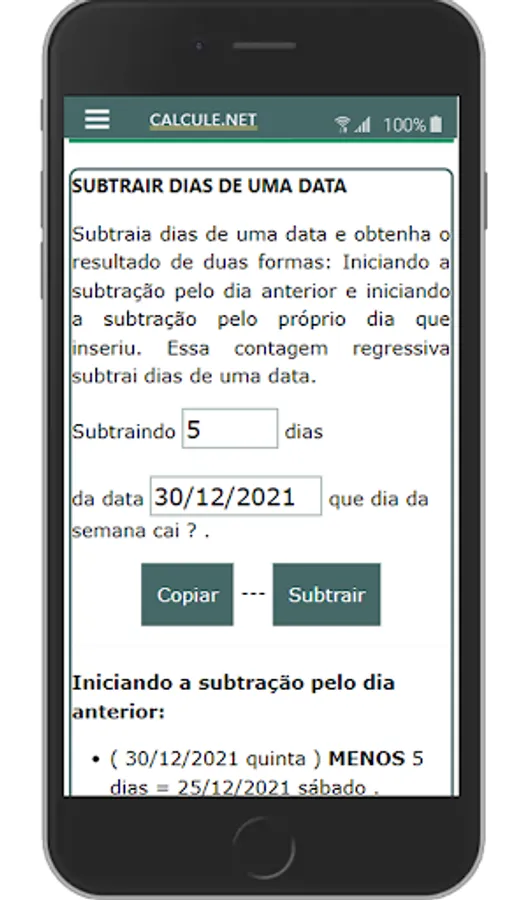
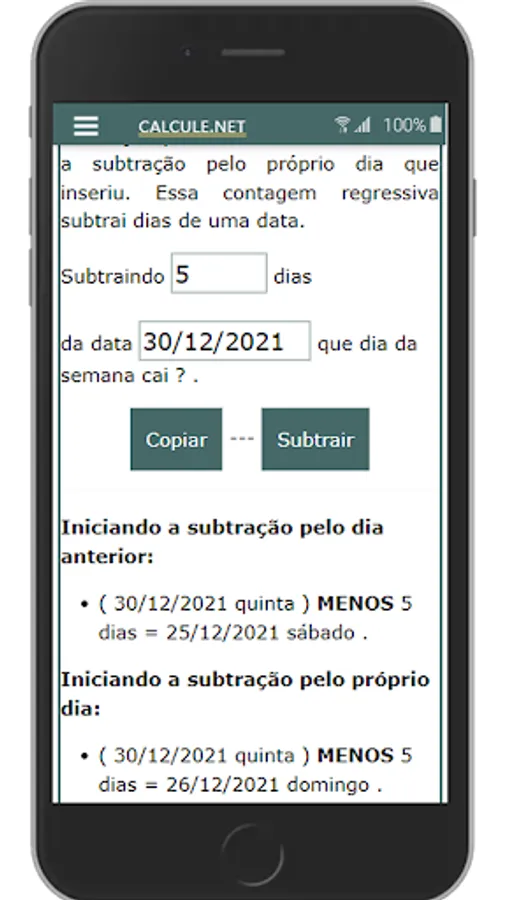
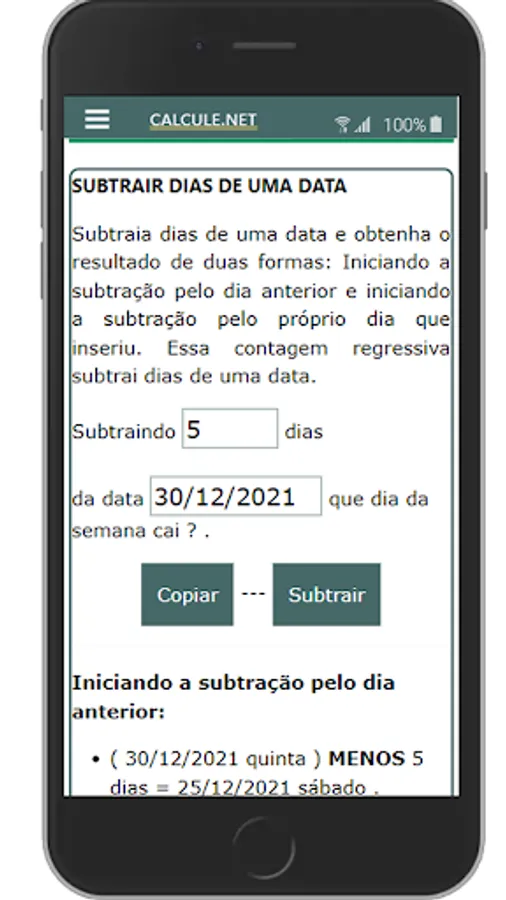
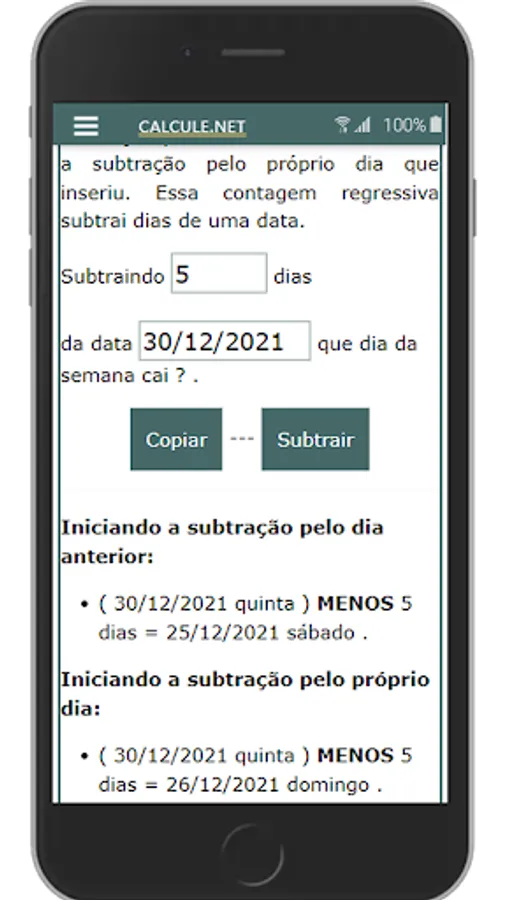
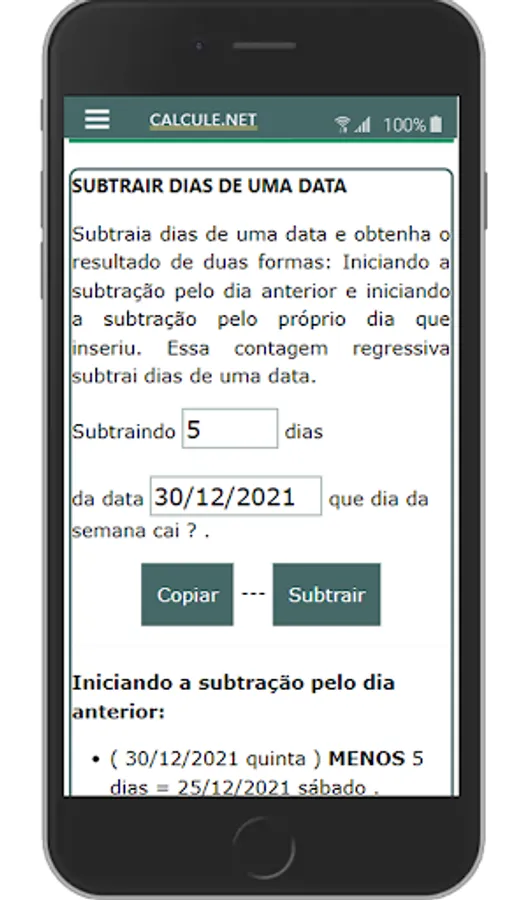
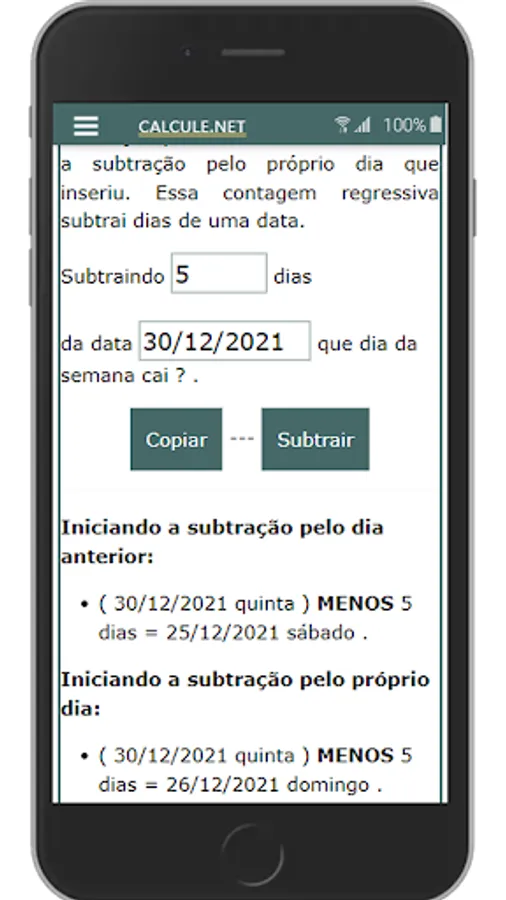
SUBTRACT DAYS FROM A DATE
Subtract days from a date and get the result in two ways: Starting the subtraction from the previous day and starting the subtraction from the day you entered. This countdown subtracts days from a date.
This tool was developed with the aim of making life easier for the user. Normally, to count days, the person opens the calendar and counts the days manually, depending on the number of days, it is very laborious. Our counter counts the days immediately, just insert the start date, end date and click count.
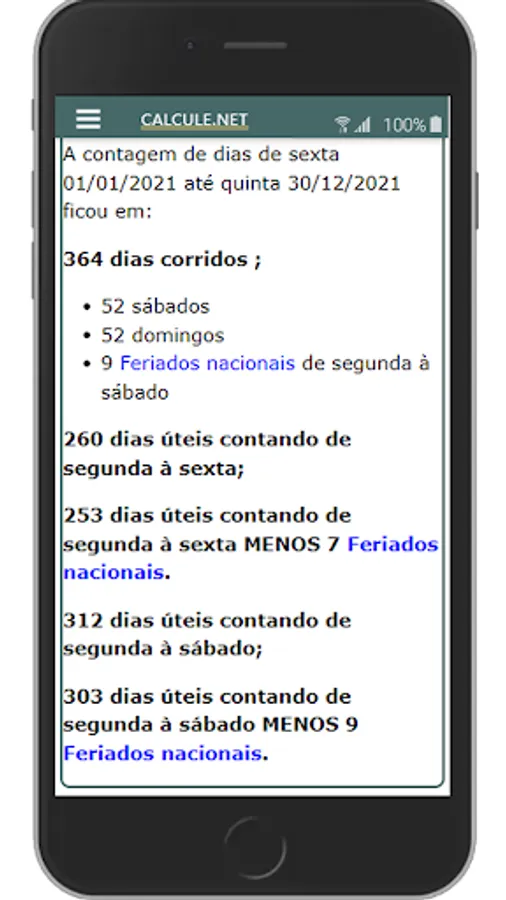
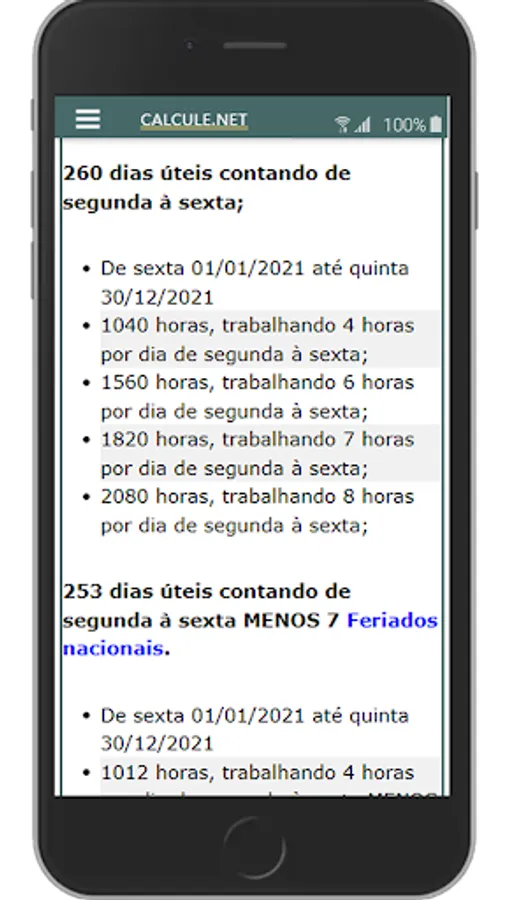
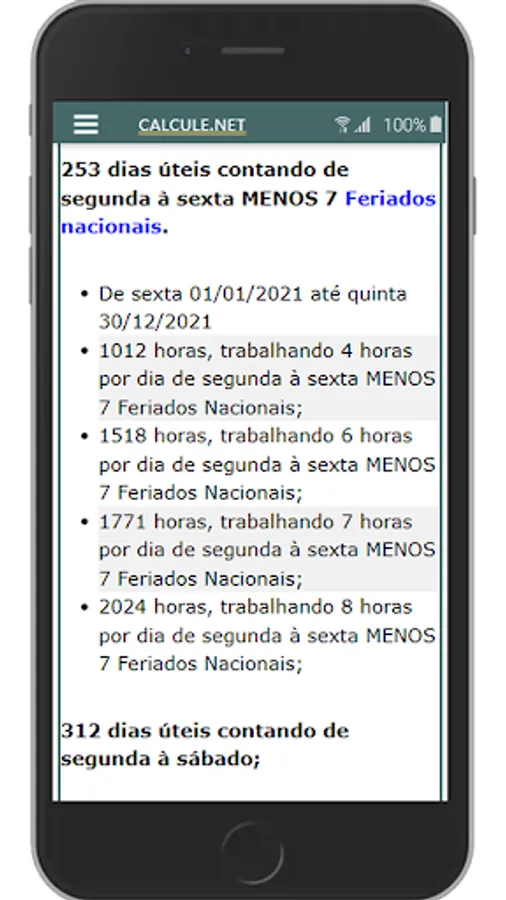
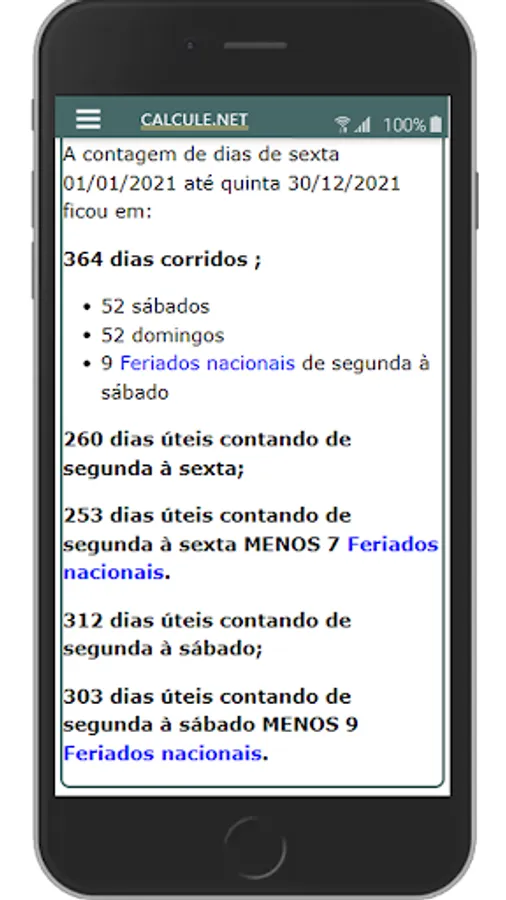
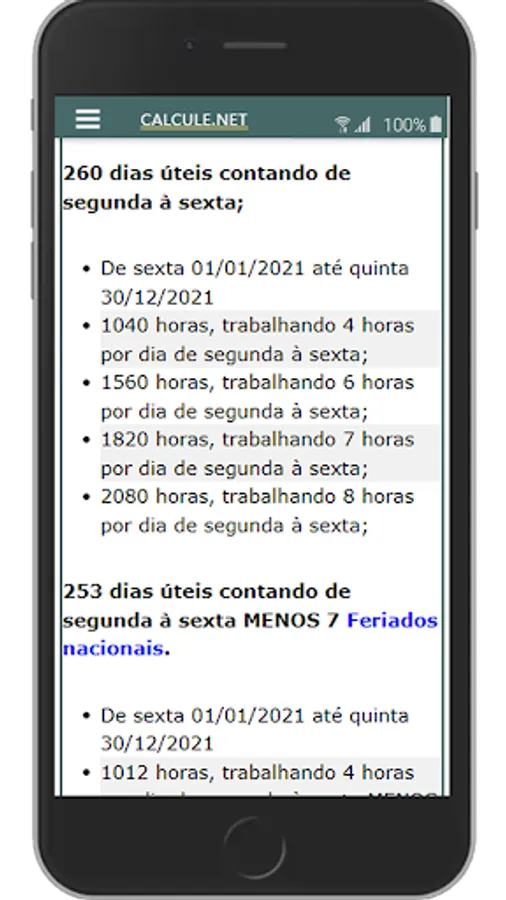
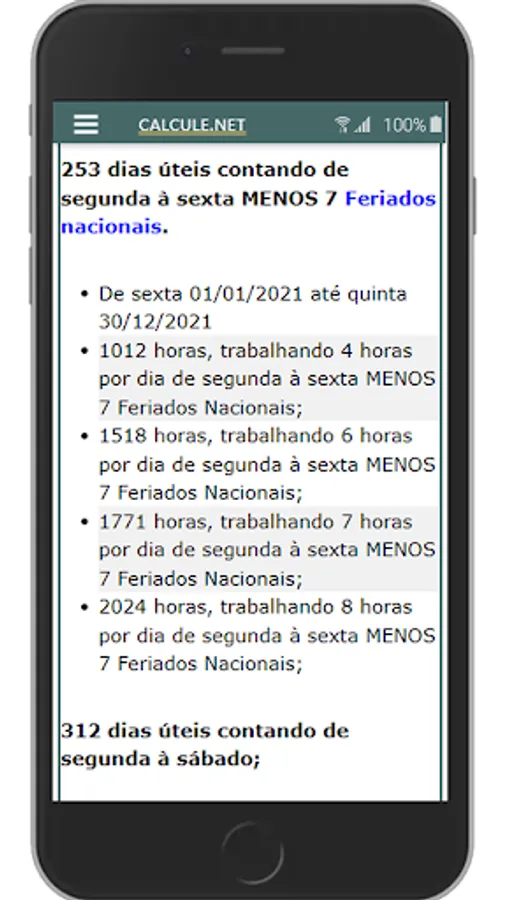
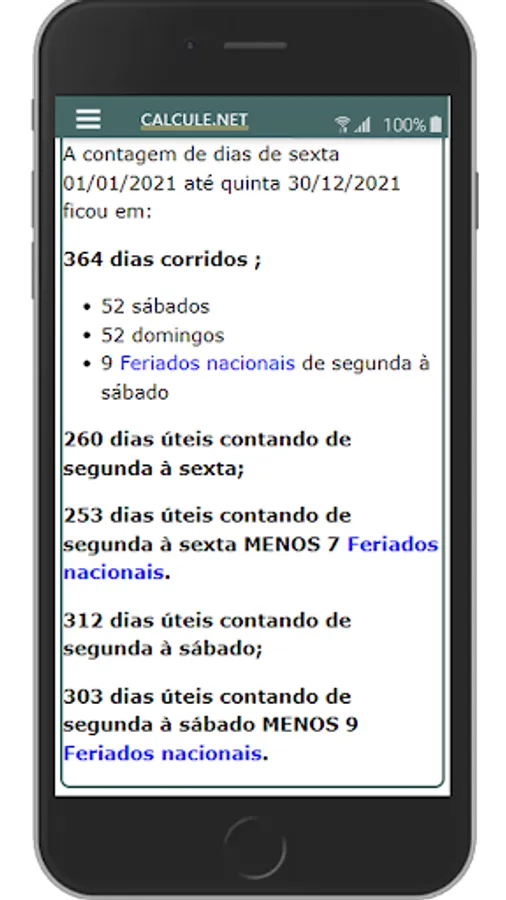
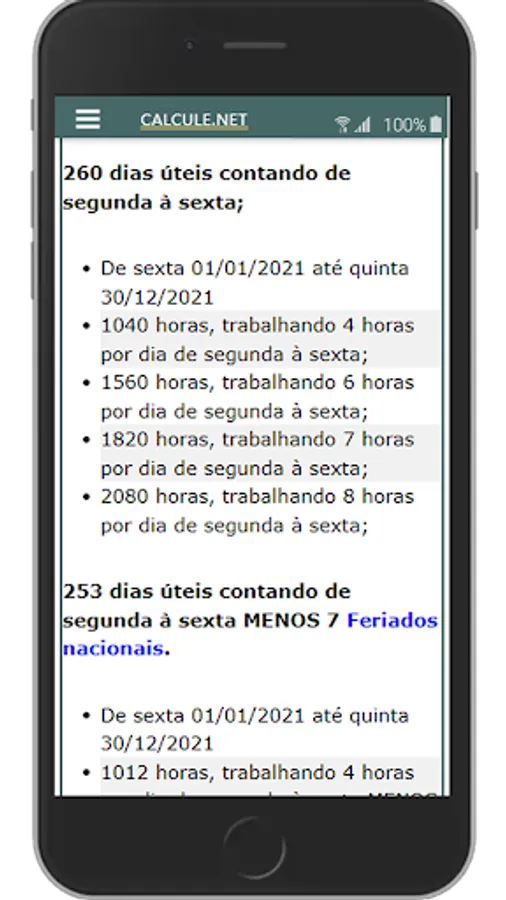
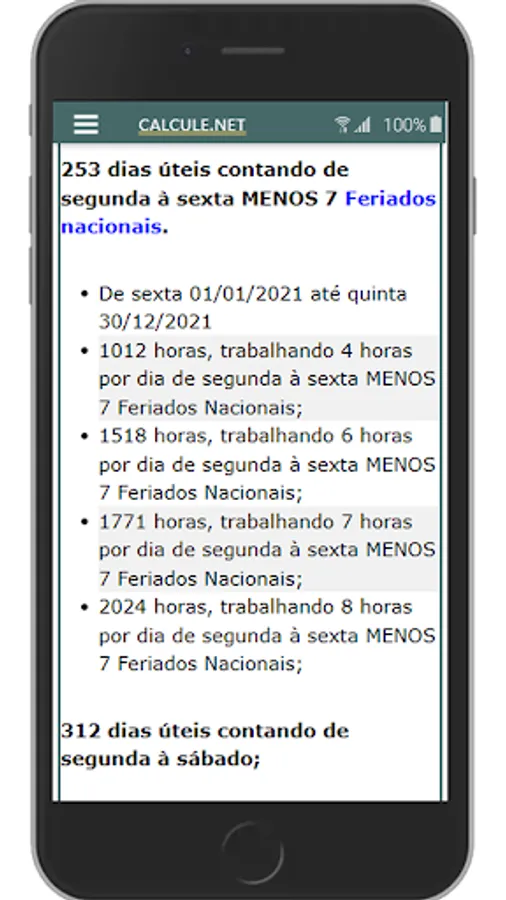
You will have the following information instantly: Calendar day count, weekdays Monday through Friday, business days Monday through Friday minus national holidays, business days Monday through Saturday, business days Monday through Saturday minus national holidays, number of Saturdays and Sundays, number of national holidays, working hours with a workload of 4, 6, 7 and 8 hours.
You can also use the counter to obtain other useful information of interest to you, for example:
How do I know how many days are left until Christmas?
To find out how many days are left until Christmas, just insert the current date as the start date and the end date with the 25th. end date and click count; calendar days will be how many days are left until Christmas.
How do I know how many days are left until New Year?
To find out how many days are left until the New Year, just insert the current date as the start date and the end date with the 1st of the following year. Assuming that today is 09/04/2021, just enter 09/04/2021 as the start date and 01/01/2022 as the end date and click count; calendar days will be how many days are left until New Year's.
You can use the above two examples to find out how many days are left until your birthday or celebration.
Adding days to a date can I use it for?
For an individual:
Assuming you only do a job every 10 days, it's useful to figure out which day of the week it's going to fall and organize your schedule.
For a legal entity:
Useful to know when an employee's notice expires or to know when a law that was published to take effect in 180 days for example comes into effect.
Subtract days from a date I can use for what?
For an individual:
Useful for retroacting a date, knowing what day of the week it was 10 days ago for example.
For a legal entity:
Useful to roll back an employee's notice and know the day it started.
The two functions Add days and Subtract days inform the exact day of the week numerically and in writing. Example: The day fell on 10/24/2021, the result shown will be 10/24/2021 Sunday.
National holidays and optional points
DAY COUNTER
This day counter counts the day you enter for the count and not the next day. If today is the 15th but you want the count to start from the next day, enter the 16th.
ADD DAYS TO A DATE
Add days to a date and get the result in two ways: Starting the sum for the next day and starting the sum for the day you entered.
SUBTRACT DAYS FROM A DATE
Subtract days from a date and get the result in two ways: Starting the subtraction from the previous day and starting the subtraction from the day you entered. This countdown subtracts days from a date.
This tool was developed with the aim of making life easier for the user. Normally, to count days, the person opens the calendar and counts the days manually, depending on the number of days, it is very laborious. Our counter counts the days immediately, just insert the start date, end date and click count.
You will have the following information instantly: Calendar day count, weekdays Monday through Friday, business days Monday through Friday minus national holidays, business days Monday through Saturday, business days Monday through Saturday minus national holidays, number of Saturdays and Sundays, number of national holidays, working hours with a workload of 4, 6, 7 and 8 hours.
You can also use the counter to obtain other useful information of interest to you, for example:
How do I know how many days are left until Christmas?
To find out how many days are left until Christmas, just insert the current date as the start date and the end date with the 25th. end date and click count; calendar days will be how many days are left until Christmas.
How do I know how many days are left until New Year?
To find out how many days are left until the New Year, just insert the current date as the start date and the end date with the 1st of the following year. Assuming that today is 09/04/2021, just enter 09/04/2021 as the start date and 01/01/2022 as the end date and click count; calendar days will be how many days are left until New Year's.
You can use the above two examples to find out how many days are left until your birthday or celebration.
Adding days to a date can I use it for?
For an individual:
Assuming you only do a job every 10 days, it's useful to figure out which day of the week it's going to fall and organize your schedule.
For a legal entity:
Useful to know when an employee's notice expires or to know when a law that was published to take effect in 180 days for example comes into effect.
Subtract days from a date I can use for what?
For an individual:
Useful for retroacting a date, knowing what day of the week it was 10 days ago for example.
For a legal entity:
Useful to roll back an employee's notice and know the day it started.
The two functions Add days and Subtract days inform the exact day of the week numerically and in writing. Example: The day fell on 10/24/2021, the result shown will be 10/24/2021 Sunday.
National holidays and optional points
Contador de Dias Screenshots
Tap to Rate: