In this network management app, you can securely access and control your FRITZ!Box and home devices remotely. Includes VPN connectivity, device management, and notification features.
AppRecs review analysis
AppRecs rating 3.8. Trustworthiness 85 out of 100. Review manipulation risk 16 out of 100. Based on a review sample analyzed.
★★★☆☆
3.8
AppRecs Rating
Ratings breakdown
5 star
52%
4 star
18%
3 star
12%
2 star
6%
1 star
12%
What to know
✓
Low review manipulation risk
16% review manipulation risk
✓
Credible reviews
85% trustworthiness score from analyzed reviews
✓
Good user ratings
70% positive sampled reviews
About MyFRITZ!App
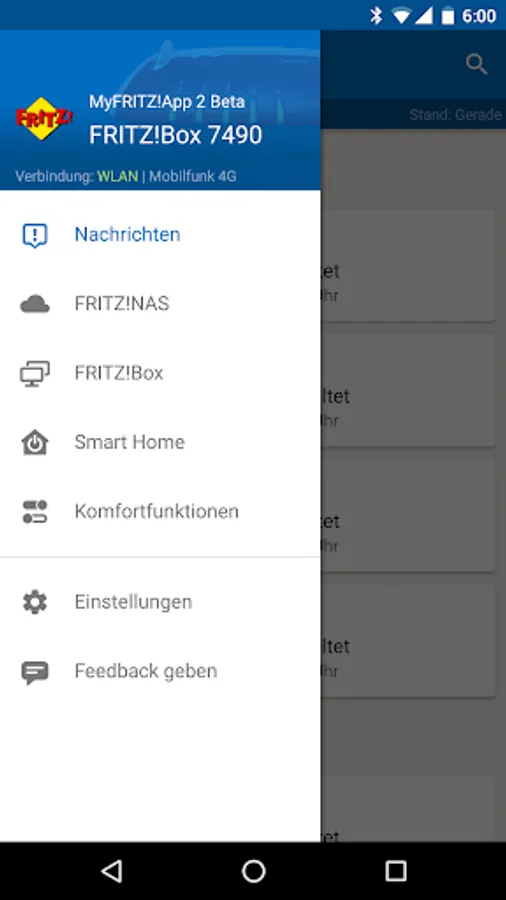
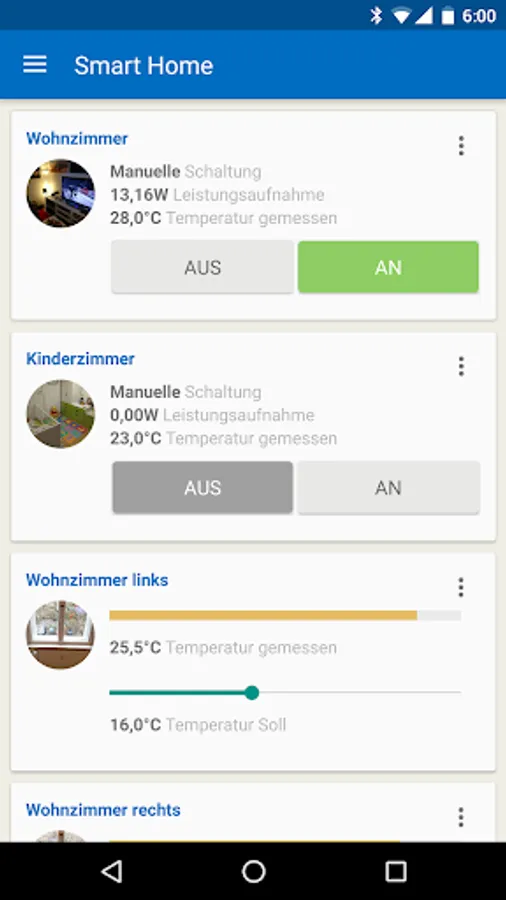
With MyFRITZ!App you have easy and secure access to your FRITZ!Box and your home network at home or on the go. Through the protected, private VPN connection you can access and control the devices and data in your home network with the MyFRITZ!App. The app notifies you within seconds about calls, voice messages and other events. Enjoy mobile access from everywhere to your photos, music and other data stored on your FRITZ!Box. Control conveniently answering machines, call diversions and other home network devices connected with your FRITZ!Box - wherever you are.
Prerequisite for using the MyFRITZ!App: FRITZ!Box with FRITZ!OS version 6.50 or higher.
Prerequisite for full scope of functions of the MyFRITZ!App: FRITZ!Box with FRITZ!OS version 7.39 or higher.
If you also want to use all of the functions when you are on the go, the FRITZ!Box must be connected to the internet and have a public IPv4 address.
Frequently asked questions
Question: How can I log into a different FRITZ!Box?
The MyFRITZ!App supports operation of one particular FRITZ!Box. If you would like to switch FRITZ!Boxes, select "Log in again" in the settings. For login with the FRITZ!Box you must be connected with the Wi-Fi network of your FRITZ!Box.
Question: How can I access my home network when I am away from home?
If you enable the home network connection in the settings of the MyFRITZ!App, it is simple to establish a secure VPN connection to your home network with the switch at the top rights of the "Home Network" page. Through the protected, private VPN connection you can access and control the devices and data in your home network with the MyFRITZ!App.
Question: Why can't I access my FRITZ!Box when I am away from home?
Make sure that you enabled "Enable use from on the go" in the settings.
If you are using an Android device with the EMUI 4 Android interface, open "Settings / Advanced Settings / Battery Manager / Protected Apps". Enable the setting there for the MyFRITZ!App.
Some internet service providers (including many cable providers) provide connections that do not allow you to access the home connection from the internet or certain restrictions apply because no public IPv4 address is provided. The MyFRITZ!App normally recognizes that type of connection automatically and displays a corresponding message. These types of connections are called "DS Lite", "Dual Stack Lite" and "Carrier Grade NAT (CGN)". You can ask your provider whether you can receive a public IPv4 address.
Question: How long do messages remain available in the MyFRITZ!App?
The app keeps the last 400 messages of any type available for you, so that you can access older messages as needed using the search function. Older messages are deleted automatically.
Question: If I have suggestions for improving the app or discover an error, how can I tell FRITZ! ?
We always welcome feedback! Send us a short description via the navigation bar and "Give Feedback". A log is automatically attached to your message to help us analyze errors.
Prerequisite for using the MyFRITZ!App: FRITZ!Box with FRITZ!OS version 6.50 or higher.
Prerequisite for full scope of functions of the MyFRITZ!App: FRITZ!Box with FRITZ!OS version 7.39 or higher.
If you also want to use all of the functions when you are on the go, the FRITZ!Box must be connected to the internet and have a public IPv4 address.
Frequently asked questions
Question: How can I log into a different FRITZ!Box?
The MyFRITZ!App supports operation of one particular FRITZ!Box. If you would like to switch FRITZ!Boxes, select "Log in again" in the settings. For login with the FRITZ!Box you must be connected with the Wi-Fi network of your FRITZ!Box.
Question: How can I access my home network when I am away from home?
If you enable the home network connection in the settings of the MyFRITZ!App, it is simple to establish a secure VPN connection to your home network with the switch at the top rights of the "Home Network" page. Through the protected, private VPN connection you can access and control the devices and data in your home network with the MyFRITZ!App.
Question: Why can't I access my FRITZ!Box when I am away from home?
Make sure that you enabled "Enable use from on the go" in the settings.
If you are using an Android device with the EMUI 4 Android interface, open "Settings / Advanced Settings / Battery Manager / Protected Apps". Enable the setting there for the MyFRITZ!App.
Some internet service providers (including many cable providers) provide connections that do not allow you to access the home connection from the internet or certain restrictions apply because no public IPv4 address is provided. The MyFRITZ!App normally recognizes that type of connection automatically and displays a corresponding message. These types of connections are called "DS Lite", "Dual Stack Lite" and "Carrier Grade NAT (CGN)". You can ask your provider whether you can receive a public IPv4 address.
Question: How long do messages remain available in the MyFRITZ!App?
The app keeps the last 400 messages of any type available for you, so that you can access older messages as needed using the search function. Older messages are deleted automatically.
Question: If I have suggestions for improving the app or discover an error, how can I tell FRITZ! ?
We always welcome feedback! Send us a short description via the navigation bar and "Give Feedback". A log is automatically attached to your message to help us analyze errors.
MyFRITZ!App Screenshots
Tap to Rate:
Reviews for MyFRITZ!App
Eleftherios Ifantidis
12/23/2025
The menu options should be more easily located. For example, to disable Wi-Fi, the option is not under the Wi-Fi menu.
Mustafa Alali
12/11/2025
really easy to use