Blur Photo, Face & Background
7afidi
1,000+
downloads
Free
AppRecs review analysis
AppRecs rating 5.0. Trustworthiness 55 out of 100. Review manipulation risk 20 out of 100. Based on a review sample analyzed.
★★★★★
5.0
AppRecs Rating
Ratings breakdown
5 star
100%
4 star
0%
3 star
0%
2 star
0%
1 star
0%
What to know
✓
High user satisfaction
100% of sampled ratings are 5 stars
About Blur Photo, Face & Background
BlurQ: Blur Face, Background & Censor Photo Editor
Transform your photos with BlurQ, the ultimate blur photo editor designed for privacy protection and aesthetic enhancement. Whether you need to blur face details for anonymity or blur background clutter to create a stunning portrait mode effect, our advanced AI tools handle it instantly.
BlurQ combines powerful auto blur technology with manual precision, making it the best app to censor sensitive info, pixelate faces, and remove background distractions.
🚀 Key Features
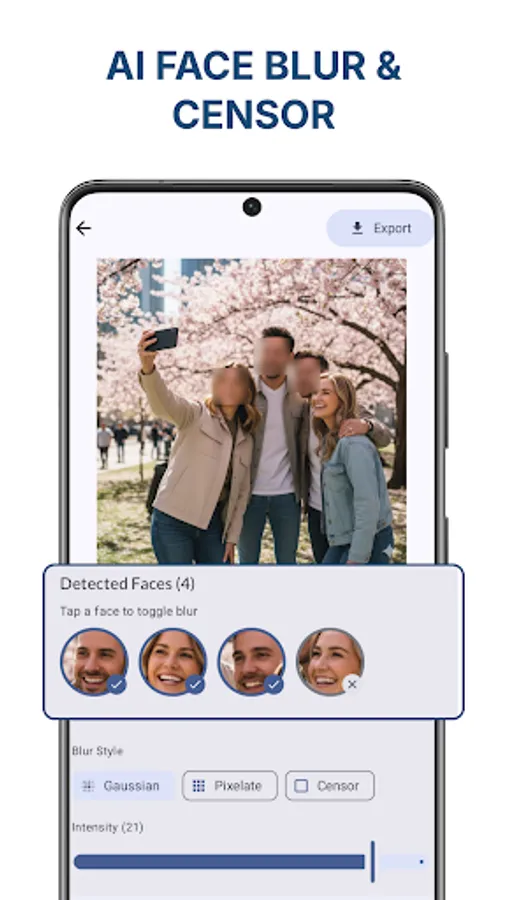
1. Auto Face Blur (AI Precision) Protect privacy effortlessly. Our intelligent AI detects faces in crowd shots, selfies, and street photography instantly.
Auto Blur: Apply a soft, aesthetic blur to all faces with one tap.
Pixelate & Mosaic: Choose the classic pixelate or mosaic style to hide identity while keeping the photo stylish.
Censor Bar: Use black bars for complete anonymity—perfect for news or sensitive sharing.
Eyes-Only Censor: A unique feature that masks only the eyes, preserving the facial expression while securing identity.
2. Smart Background Blur (DSLR Effect) Turn ordinary snapshots into professional-looking photos.
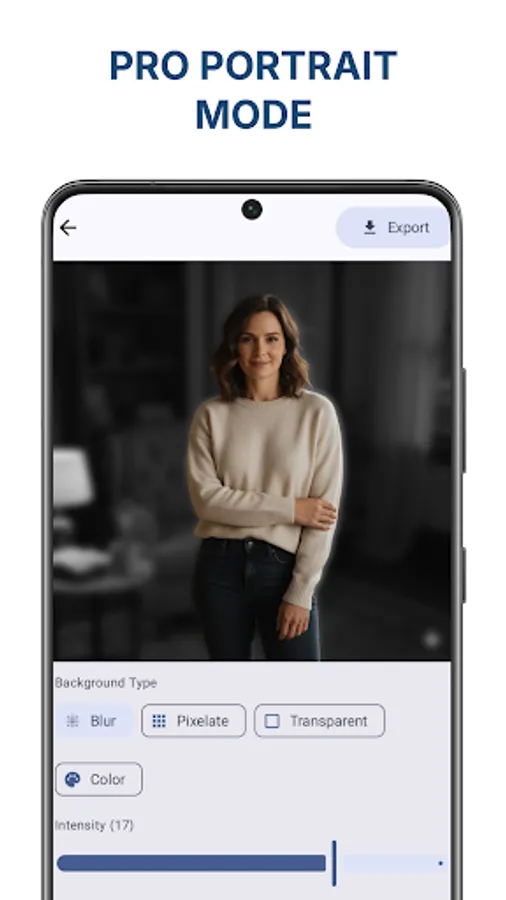
Blur Background: Automatically separate the subject from the background to apply a depth effect like a DSLR camera.
Portrait Mode: Create high-quality portraits by softening the backdrop.
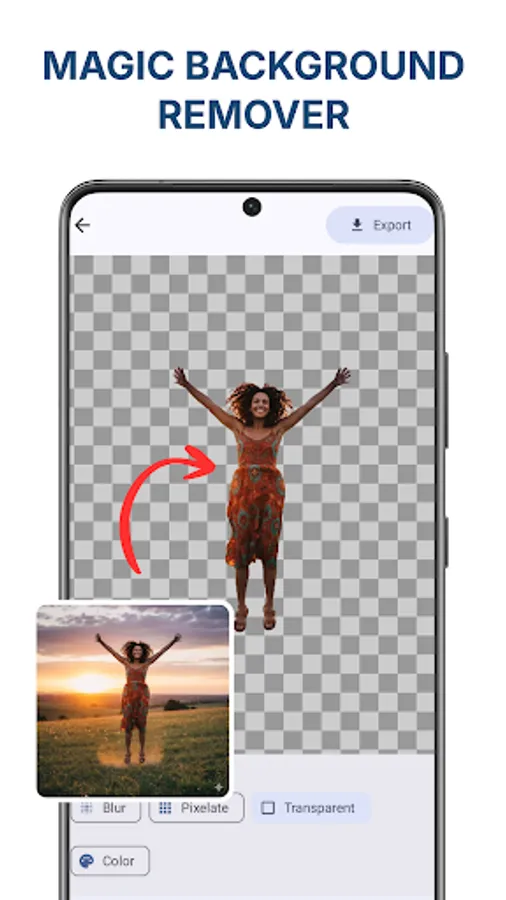
Remove Background: Don't just blur it—remove it! Replace messy backgrounds with transparency, solid colors, or new images using our background changer tools.
3. Manual Blur & Censor Tools For total control, use our manual editing tools to hide specific details.
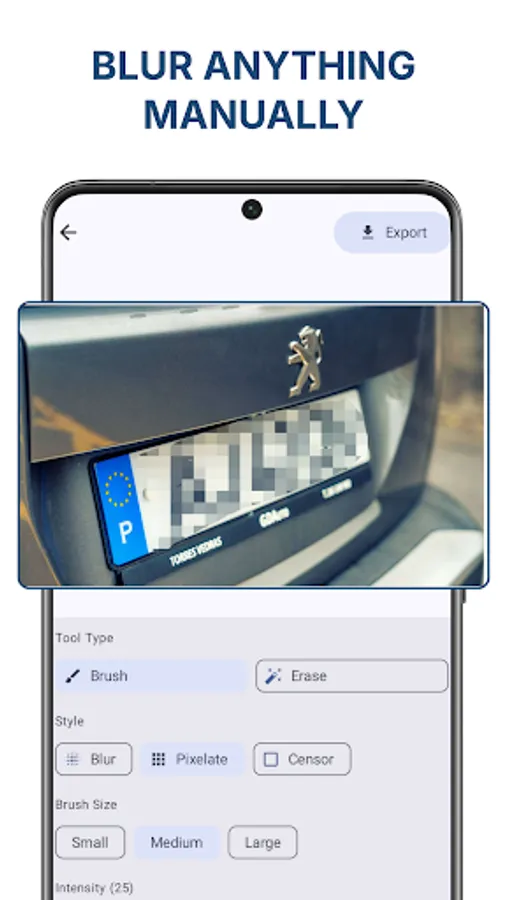
Point Blur: Simply touch to blur any area. Perfect for hiding license plates, credit card numbers, or documents.
Custom Intensity: Adjust the strength of the blur, pixelate, or mosaic effect.
Zoom & Edit: Pinch to zoom in for pixel-perfect editing on small details.
🌟 Why Use BlurQ?
Protect Your Privacy on Social Media Before you post to Instagram, TikTok, or Facebook, ensure you censor strangers or sensitive data. BlurQ is the essential privacy app for influencers, parents, and street photographers.
Professional Photo Editing You don't need an expensive camera to get that bokeh effect. Use our blur photo editor to fix focus and emphasize your subject. It’s the easiest way to edit background noise out of your favorite memories.
Fast & Easy to Use
One-Tap Auto Blur: Let AI do the hard work.
High Resolution: Export your edited photos in HD quality.
No Watermark: Clean, professional results.
🔍 Who is this app for?
Influencers: Who need to hide faces of bystanders in their vlogs or travel photos.
Parents: Who want to share family photos but blur face details of their children for safety.
Sellers: Who need to remove background or pixelate personal info on items they are selling online.
Everyone: Who wants a powerful, free photo background editor.
BlurQ is more than just a blur app; it is a complete privacy and design tool. From mosaic pixelate effects to background eraser capabilities, we give you the power to control what you show and what you hide.
Download BlurQ now to secure your photos and create beautiful portraits in seconds. The best face blur and background blur experience is just a tap away!
Transform your photos with BlurQ, the ultimate blur photo editor designed for privacy protection and aesthetic enhancement. Whether you need to blur face details for anonymity or blur background clutter to create a stunning portrait mode effect, our advanced AI tools handle it instantly.
BlurQ combines powerful auto blur technology with manual precision, making it the best app to censor sensitive info, pixelate faces, and remove background distractions.
🚀 Key Features
1. Auto Face Blur (AI Precision) Protect privacy effortlessly. Our intelligent AI detects faces in crowd shots, selfies, and street photography instantly.
Auto Blur: Apply a soft, aesthetic blur to all faces with one tap.
Pixelate & Mosaic: Choose the classic pixelate or mosaic style to hide identity while keeping the photo stylish.
Censor Bar: Use black bars for complete anonymity—perfect for news or sensitive sharing.
Eyes-Only Censor: A unique feature that masks only the eyes, preserving the facial expression while securing identity.
2. Smart Background Blur (DSLR Effect) Turn ordinary snapshots into professional-looking photos.
Blur Background: Automatically separate the subject from the background to apply a depth effect like a DSLR camera.
Portrait Mode: Create high-quality portraits by softening the backdrop.
Remove Background: Don't just blur it—remove it! Replace messy backgrounds with transparency, solid colors, or new images using our background changer tools.
3. Manual Blur & Censor Tools For total control, use our manual editing tools to hide specific details.
Point Blur: Simply touch to blur any area. Perfect for hiding license plates, credit card numbers, or documents.
Custom Intensity: Adjust the strength of the blur, pixelate, or mosaic effect.
Zoom & Edit: Pinch to zoom in for pixel-perfect editing on small details.
🌟 Why Use BlurQ?
Protect Your Privacy on Social Media Before you post to Instagram, TikTok, or Facebook, ensure you censor strangers or sensitive data. BlurQ is the essential privacy app for influencers, parents, and street photographers.
Professional Photo Editing You don't need an expensive camera to get that bokeh effect. Use our blur photo editor to fix focus and emphasize your subject. It’s the easiest way to edit background noise out of your favorite memories.
Fast & Easy to Use
One-Tap Auto Blur: Let AI do the hard work.
High Resolution: Export your edited photos in HD quality.
No Watermark: Clean, professional results.
🔍 Who is this app for?
Influencers: Who need to hide faces of bystanders in their vlogs or travel photos.
Parents: Who want to share family photos but blur face details of their children for safety.
Sellers: Who need to remove background or pixelate personal info on items they are selling online.
Everyone: Who wants a powerful, free photo background editor.
BlurQ is more than just a blur app; it is a complete privacy and design tool. From mosaic pixelate effects to background eraser capabilities, we give you the power to control what you show and what you hide.
Download BlurQ now to secure your photos and create beautiful portraits in seconds. The best face blur and background blur experience is just a tap away!