aShell - Your Local ADB Shell
sunilpaulmathew
4.2 ★
store rating
10,000+
downloads
$0.99
With this app, you can execute ADB commands directly on your Android device, view real-time outputs, and save command results. Includes command examples, output search, and theme support.
AppRecs review analysis
AppRecs rating 4.3. Trustworthiness 83 out of 100. Review manipulation risk 19 out of 100. Based on a review sample analyzed.
★★★★☆
4.3
AppRecs Rating
Ratings breakdown
5 star
64%
4 star
23%
3 star
0%
2 star
0%
1 star
14%
What to know
✓
Low review manipulation risk
19% review manipulation risk
✓
Credible reviews
83% trustworthiness score from analyzed reviews
✓
High user satisfaction
86% of sampled ratings are 4+ stars (4.2★ average)
About aShell - Your Local ADB Shell
📌 Important Notes
📱 Shizuku Dependency: aShell requires a fully functional Shizuku environment. If you're unfamiliar with Shizuku or prefer not to use it, this app may not be suitable for you (Learn more at: shizuku.rikka.app).
🧠 Basic ADB Knowledge Recommended: While aShell includes examples of common ADB commands, some familiarity with ADB/Linux command-line operations will enhance your experience.
🖥️ Introduction
aShell is a lightweight, open-source ADB shell designed for Android devices running Shizuku. It enables you to execute ADB commands directly from your phone, eliminating the need for a PC. Ideal for developers, power users, and enthusiasts seeking full control over their device's internals.
⚙️ Key Features
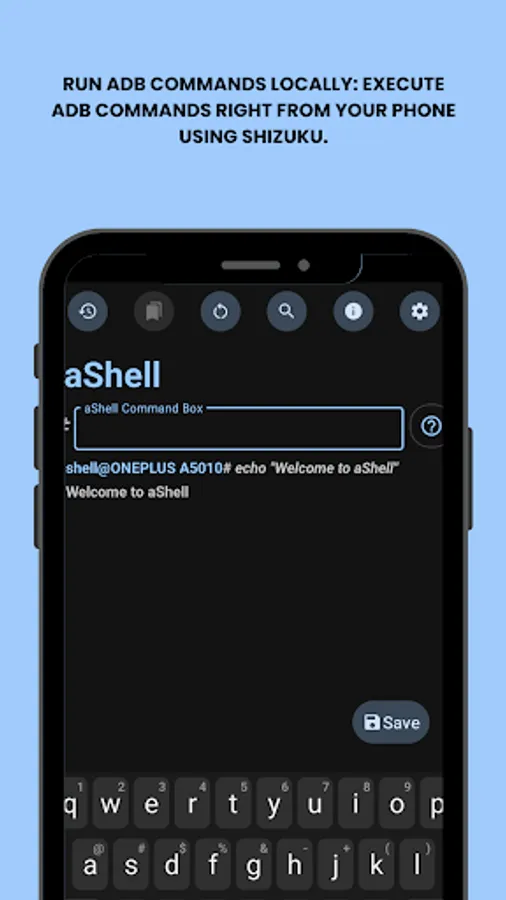
🧑💻 Run ADB Commands Locally: Execute ADB commands right from your phone using Shizuku.
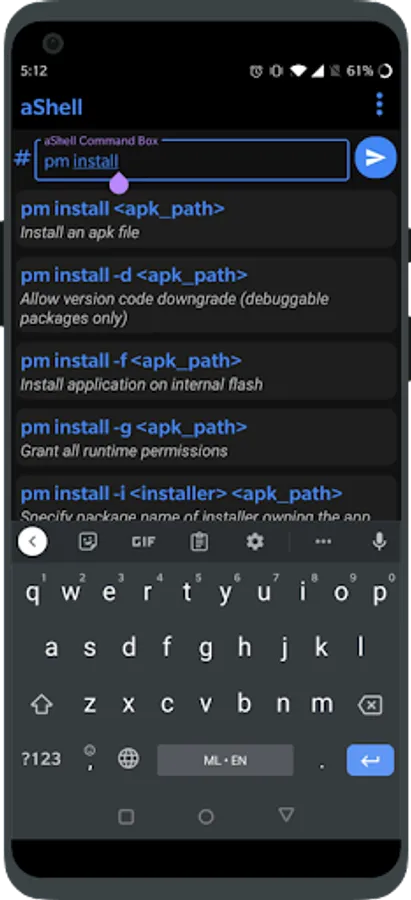
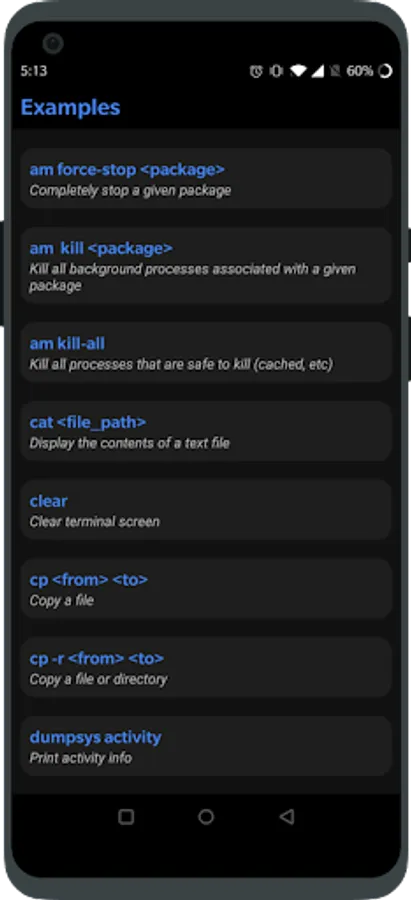
📂 Preloaded Command Examples: Handy examples to help you get started fast.
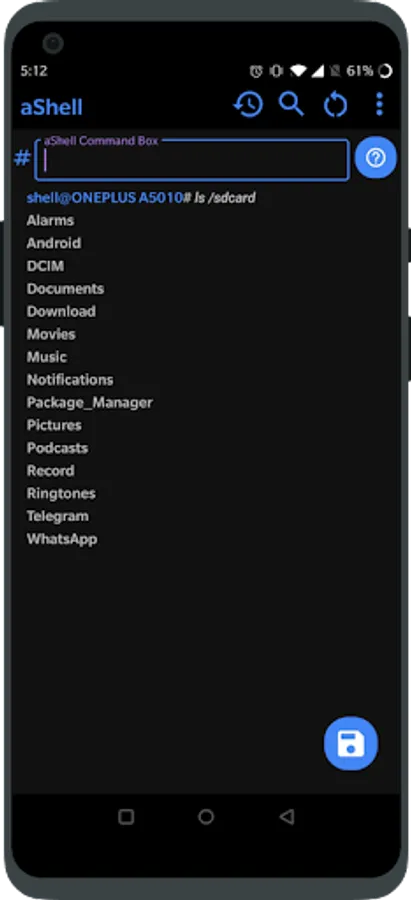
🔄 Live Command Output: Supports continuous commands like logcat or top.
🔍 Search Within Output: Easily find what you're looking for in command results.
💾 Save Output to File: Export outputs to .txt for reference or sharing.
🌙 Dark/Light Mode Support: Automatically adapts to your system theme.
⭐ Bookmark Your Commands: Save frequently used commands for quick access.
🔗 Additional Resources
🔗 Source Code: https://gitlab.com/sunilpaulmathew/ashell
🐞 Issue Tracker: https://gitlab.com/sunilpaulmathew/ashell/-/issues
🌍 Translations: https://poeditor.com/join/project/20PSoEAgfX
➡️ Learn Shizuku: https://shizuku.rikka.app/
🛠️ Build It Yourself
Don’t want to purchase aShell? Build it yourself! The full source code is available at GitLab: https://gitlab.com/sunilpaulmathew/ashell
📱 Shizuku Dependency: aShell requires a fully functional Shizuku environment. If you're unfamiliar with Shizuku or prefer not to use it, this app may not be suitable for you (Learn more at: shizuku.rikka.app).
🧠 Basic ADB Knowledge Recommended: While aShell includes examples of common ADB commands, some familiarity with ADB/Linux command-line operations will enhance your experience.
🖥️ Introduction
aShell is a lightweight, open-source ADB shell designed for Android devices running Shizuku. It enables you to execute ADB commands directly from your phone, eliminating the need for a PC. Ideal for developers, power users, and enthusiasts seeking full control over their device's internals.
⚙️ Key Features
🧑💻 Run ADB Commands Locally: Execute ADB commands right from your phone using Shizuku.
📂 Preloaded Command Examples: Handy examples to help you get started fast.
🔄 Live Command Output: Supports continuous commands like logcat or top.
🔍 Search Within Output: Easily find what you're looking for in command results.
💾 Save Output to File: Export outputs to .txt for reference or sharing.
🌙 Dark/Light Mode Support: Automatically adapts to your system theme.
⭐ Bookmark Your Commands: Save frequently used commands for quick access.
🔗 Additional Resources
🔗 Source Code: https://gitlab.com/sunilpaulmathew/ashell
🐞 Issue Tracker: https://gitlab.com/sunilpaulmathew/ashell/-/issues
🌍 Translations: https://poeditor.com/join/project/20PSoEAgfX
➡️ Learn Shizuku: https://shizuku.rikka.app/
🛠️ Build It Yourself
Don’t want to purchase aShell? Build it yourself! The full source code is available at GitLab: https://gitlab.com/sunilpaulmathew/ashell