
Menu Button (No root)
Jetpof Apps
4.0 ★
8K ratings
1,000,000+
downloads
Free
+ in-app
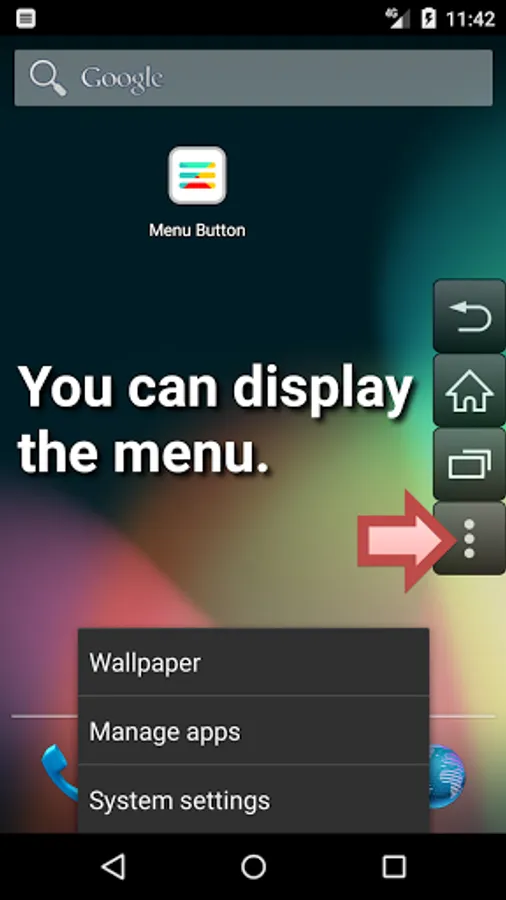
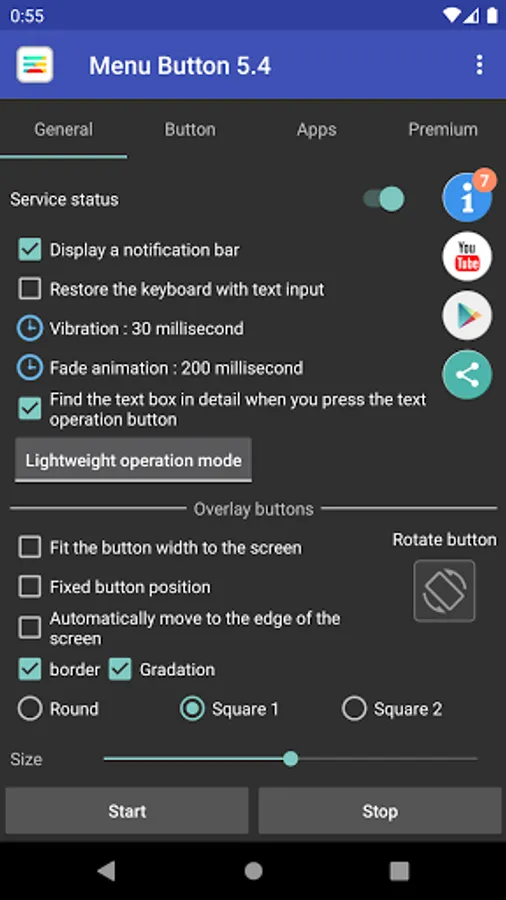
With this app, you can restore missing menu buttons on Android devices and customize their appearance and behavior. Includes customizable button size, transparency, icons, and specific key functions.
AppRecs review analysis
AppRecs rating 3.8. Trustworthiness 80 out of 100. Review manipulation risk 31 out of 100. Based on a review sample analyzed.
★★★☆☆
3.8
AppRecs Rating
Ratings breakdown
5 star
60%
4 star
10%
3 star
11%
2 star
4%
1 star
15%
What to know
✓
Credible reviews
80% trustworthiness score from analyzed reviews
✓
Good user ratings
70% positive sampled reviews
⚠
Ad complaints
Many low ratings mention excessive ads
About Menu Button (No root)
Restores menu buttons that have disappeared from Android. No root required.
You can regain the function of the application that the menu can no longer be displayed.
The "Home, Back, Recently Used Apps" button is useful when a physical button breaks down.
🌟 Main functions
Show menu button
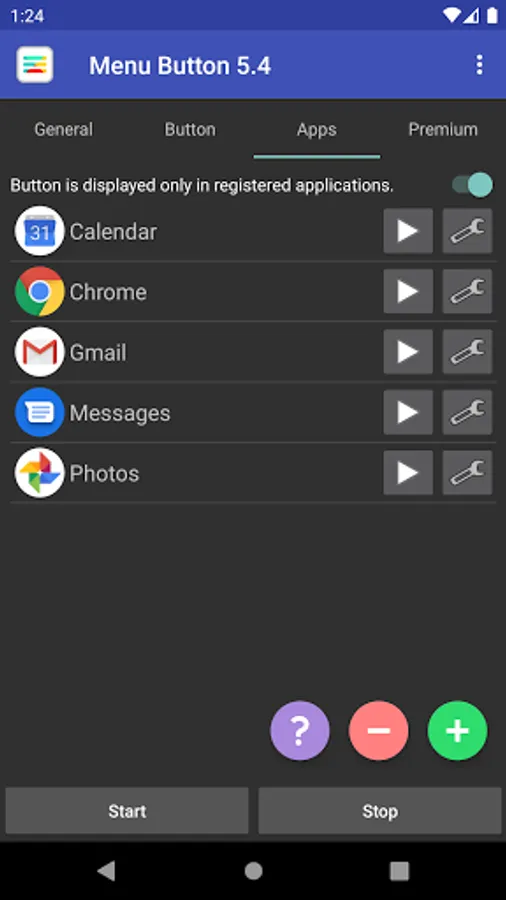
Registration of application to use
Customize the buttons to your liking
(Size, transparency, color, icon, position)
🌟 Features
Buttons can be added freely.
You can customize the behavior when tapping and holding down.
🌟 Other buttons
back button
Home button
Recently used app button
Power button
Volume up button
Volume down button
Mute button
Enter key button
Space bar button
Arrow key button
TAB key button
Page up button
Page down button
🌟 Remarks
This app adds a keyboard.
Due to technical issues, a keyboard is required to execute the menu keys.
Used to enter a key when the button is pressed.
This app uses the AccessibilityService API.
The purpose of use is as follows.
Display of buttons that can invoke home, back, power menu, etc.
Reflect user settings when the displayed app changes.
No data is collected or shared through this API.
This app uses the QUERY_ALL_PACKAGES permission. Uses are as follows.
User can register favorite apps and use them as app launchers.
Automatically activate this app's features when you launch your favorite app.
🌟 Link
Twitter : https://twitter.com/jetpof
YouTube : https://www.youtube.com/channel/UCWn5bZ8h_ptMRsvqWi2UUrw
You can regain the function of the application that the menu can no longer be displayed.
The "Home, Back, Recently Used Apps" button is useful when a physical button breaks down.
🌟 Main functions
Show menu button
Registration of application to use
Customize the buttons to your liking
(Size, transparency, color, icon, position)
🌟 Features
Buttons can be added freely.
You can customize the behavior when tapping and holding down.
🌟 Other buttons
back button
Home button
Recently used app button
Power button
Volume up button
Volume down button
Mute button
Enter key button
Space bar button
Arrow key button
TAB key button
Page up button
Page down button
🌟 Remarks
This app adds a keyboard.
Due to technical issues, a keyboard is required to execute the menu keys.
Used to enter a key when the button is pressed.
This app uses the AccessibilityService API.
The purpose of use is as follows.
Display of buttons that can invoke home, back, power menu, etc.
Reflect user settings when the displayed app changes.
No data is collected or shared through this API.
This app uses the QUERY_ALL_PACKAGES permission. Uses are as follows.
User can register favorite apps and use them as app launchers.
Automatically activate this app's features when you launch your favorite app.
🌟 Link
Twitter : https://twitter.com/jetpof
YouTube : https://www.youtube.com/channel/UCWn5bZ8h_ptMRsvqWi2UUrw
Menu Button (No root) Screenshots

Tap to Rate:
Reviews for Menu Button (No root)
Tom Jones
12/26/2025
work's great 👍
Michael Bucci
11/9/2025
Does not get permission to run on android 14 regular os. sets up fine to that point but when turning on permission for some reason it turns right back off not allowing any use of the app as it gets stuck in setup.