□ How to use
1. Let's download the app of this Gigafoto.
2. Press the "Add an event", you enter the appropriate code.
Or, let's read the QR code of flyers in the QR code.
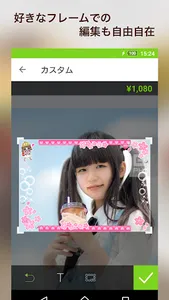
3. Taking the appropriate code, because the photo is seen, let's buy your favorite photos.
4. Depending on the event, it may be able to purchase the original goods in addition to the photo.
Please contact the organizer for more information.
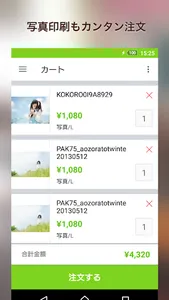
5. Let's wait for the If we place an order for goods to arrive.
1. Let's download the app of this Gigafoto.
2. Press the "Add an event", you enter the appropriate code.
Or, let's read the QR code of flyers in the QR code.
3. Taking the appropriate code, because the photo is seen, let's buy your favorite photos.
4. Depending on the event, it may be able to purchase the original goods in addition to the photo.
Please contact the organizer for more information.
5. Let's wait for the If we place an order for goods to arrive.
Show More