YDS Controller
Yamaha Corporation
3.8 ★
592 ratings
10,000+
downloads
Free
In this app, you can customize instrument settings and edit sounds for the YDS-150/120. Includes voice editing, fingering customization, and instrument parameter adjustments.
AppRecs review analysis
AppRecs rating 1.1. Trustworthiness 20 out of 100. Review manipulation risk 80 out of 100. Based on a review sample analyzed.
★☆☆☆☆
1.1
AppRecs Rating
Ratings breakdown
5 star
65%
4 star
4%
3 star
0%
2 star
4%
1 star
27%
What to know
⚠
Questionable review trustworthiness
20% trustworthiness - reviews show concerning patterns
⚠
Review quality concerns
50% of sampled 5-star reviews are very short
⚠
High review manipulation risk
High risk of manipulated reviews (80%)
About YDS Controller
【NOTE】
- We have confirmed BLE connection issue on some devices using Android 13.
- The latest OS security patch (TQ2A.230305.008.C1) fixes this defect. Please contact each vendor for Android OS security patch support status.
- The following devices (*1) have been tested with Android 13.
- Pixel7
- Pixel6
- Pixel6a
- Pixel5
- Pixel5a
- Pixel4a
(*1)Use the latest security patch TQ2A.230305.008.C1
--------------------------------------------------------------------------------
This dedicated app enhances the performance of the YDS-150/120 and further expands the range of sound creation—and includes instrument settings and sound editing. You can make detailed settings intuitively and visually from the app, that cannot be done on the instrument itself.
≪Function≫
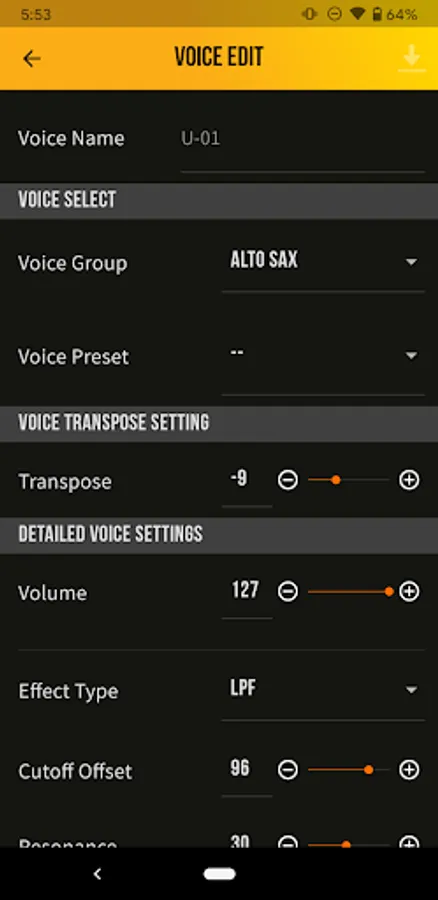
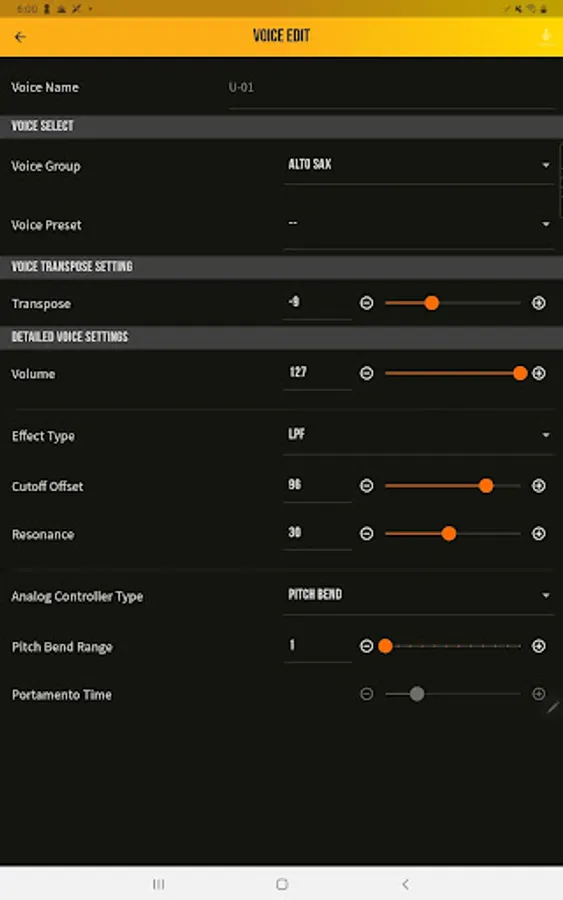
Editing voices
You can easily change saxophone tones such as alto, soprano, tenor, and baritone tones,
as well as synthesizer tones and shakuhachi tones. You can also adjust effects and make detailed sounds.
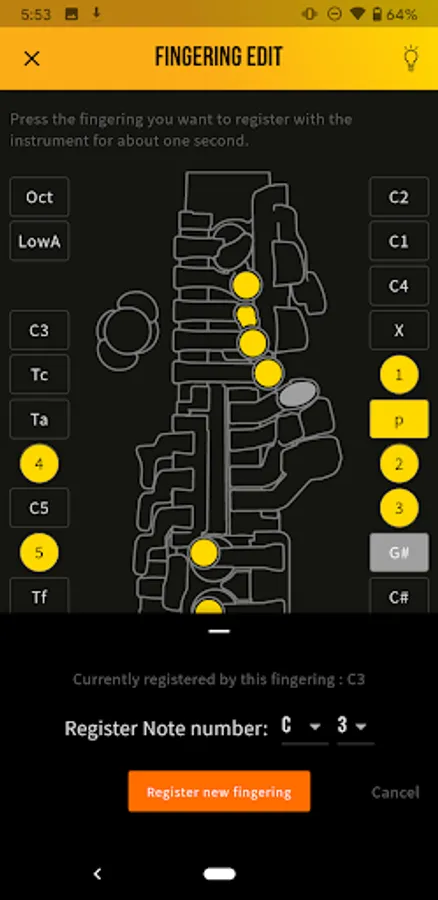
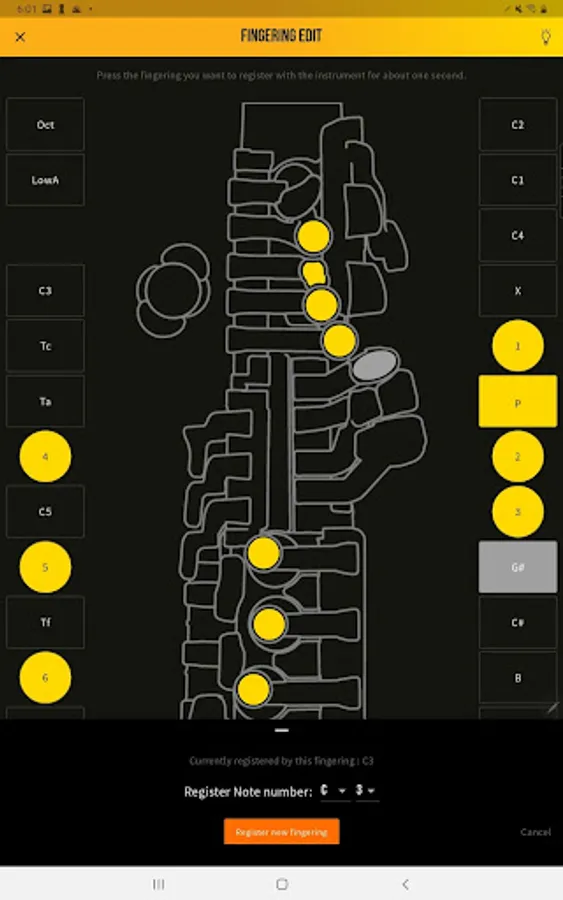
Edit fingering
You can customize the fingertips by changing them or adding new ones.
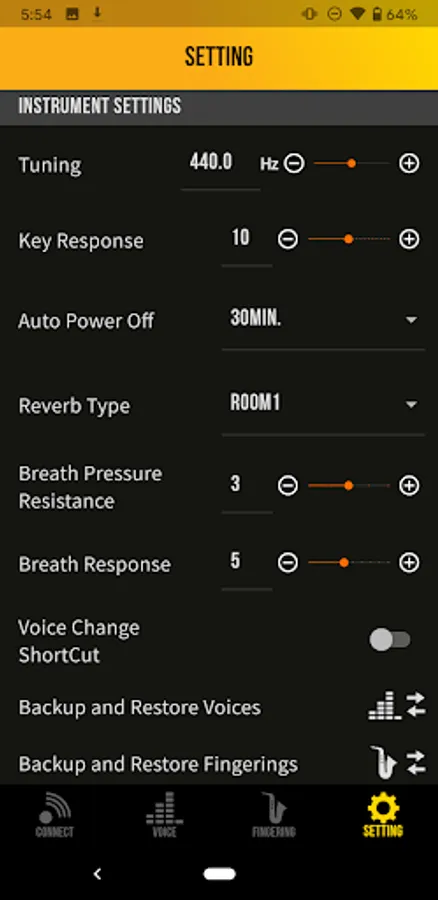
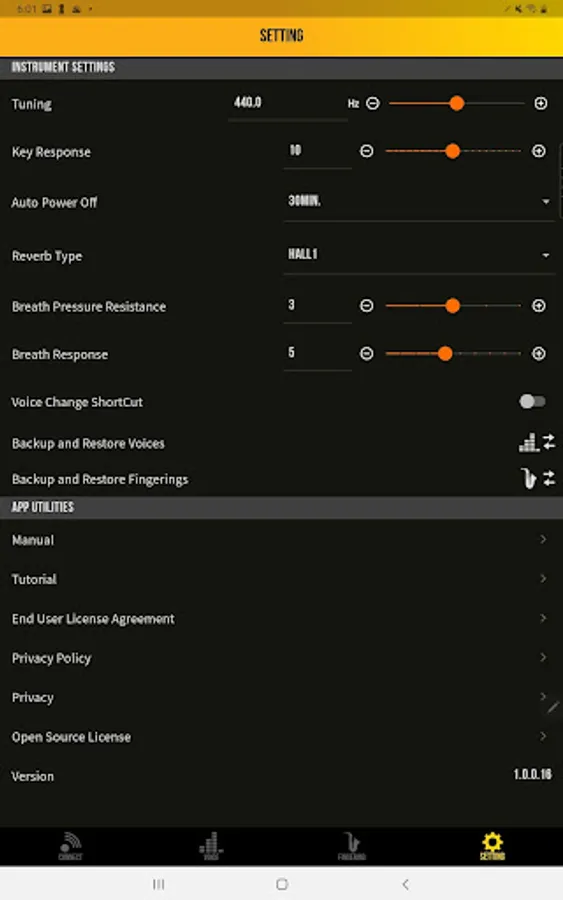
Instrument settings
You can adjust the blowing feeling such as breath resistance and response, and change the settings such as tuning.
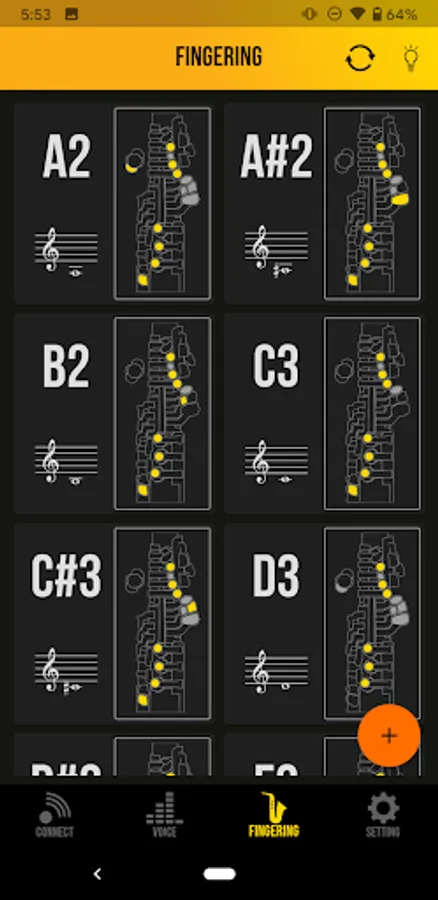
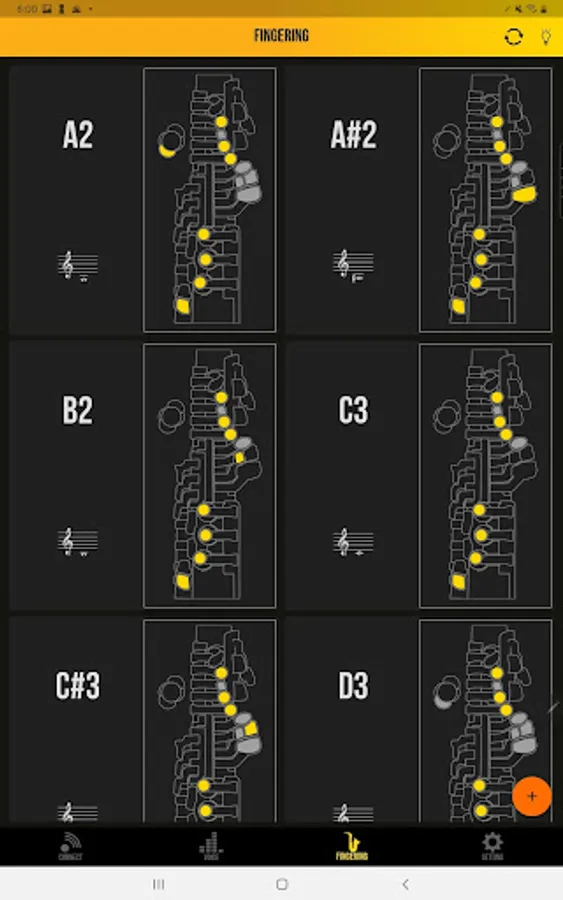
Fingering list
It is possible to display the registered fingers in a list. It is useful to check the fingering.
- We have confirmed BLE connection issue on some devices using Android 13.
- The latest OS security patch (TQ2A.230305.008.C1) fixes this defect. Please contact each vendor for Android OS security patch support status.
- The following devices (*1) have been tested with Android 13.
- Pixel7
- Pixel6
- Pixel6a
- Pixel5
- Pixel5a
- Pixel4a
(*1)Use the latest security patch TQ2A.230305.008.C1
--------------------------------------------------------------------------------
This dedicated app enhances the performance of the YDS-150/120 and further expands the range of sound creation—and includes instrument settings and sound editing. You can make detailed settings intuitively and visually from the app, that cannot be done on the instrument itself.
≪Function≫
Editing voices
You can easily change saxophone tones such as alto, soprano, tenor, and baritone tones,
as well as synthesizer tones and shakuhachi tones. You can also adjust effects and make detailed sounds.
Edit fingering
You can customize the fingertips by changing them or adding new ones.
Instrument settings
You can adjust the blowing feeling such as breath resistance and response, and change the settings such as tuning.
Fingering list
It is possible to display the registered fingers in a list. It is useful to check the fingering.