In this driving safety app, users receive alerts for drowsiness, distraction, and other risky behaviors while driving. Includes sensor data analysis, real-time alerts, and customizable recommendations.
AppRecs review analysis
AppRecs rating 4.8. Trustworthiness 79 out of 100. Review manipulation risk 41 out of 100. Based on a review sample analyzed.
★★★★☆
4.8
AppRecs Rating
Ratings breakdown
5 star
80%
4 star
20%
3 star
0%
2 star
0%
1 star
0%
What to know
✓
Authentic reviews
Natural distribution, no red flags
⚠
Questionable review patterns
41% review manipulation risk - some review patterns appear unusual
⚠
Rating authenticity concerns
High rating concentration (80% 5-star) in sampled ratings
About Drive Safely
The application recognizes driver’s:
• Drowsiness
• Distraction
• Belt presence
• Phone usage
• Eating
• Smoking
• Camera sabotage
It provides audible and textual alerts and generates relevant context-based recommendations for a driver to avoid possible road accidents to pay attention on the situation. The application uses a front-facing camera and sensors built into smartphone, including GPS, accelerometer, gyroscope, magnetometer and microphone. Depending on the situation in which driver finds itself and information of its profile, the application generates context-based recommendations, that aid to reduce the accident rate and increase the ride comfort while driving.
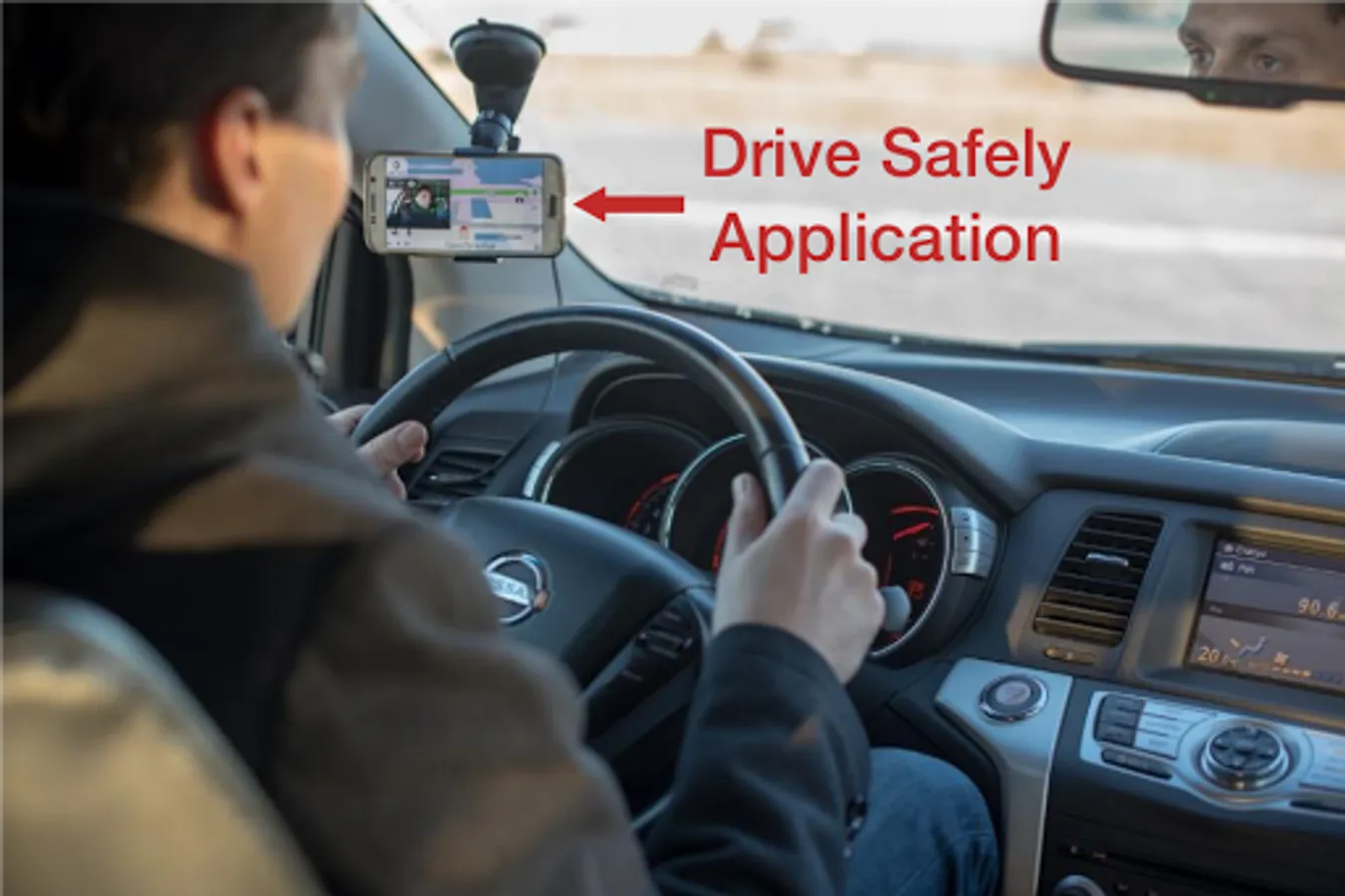
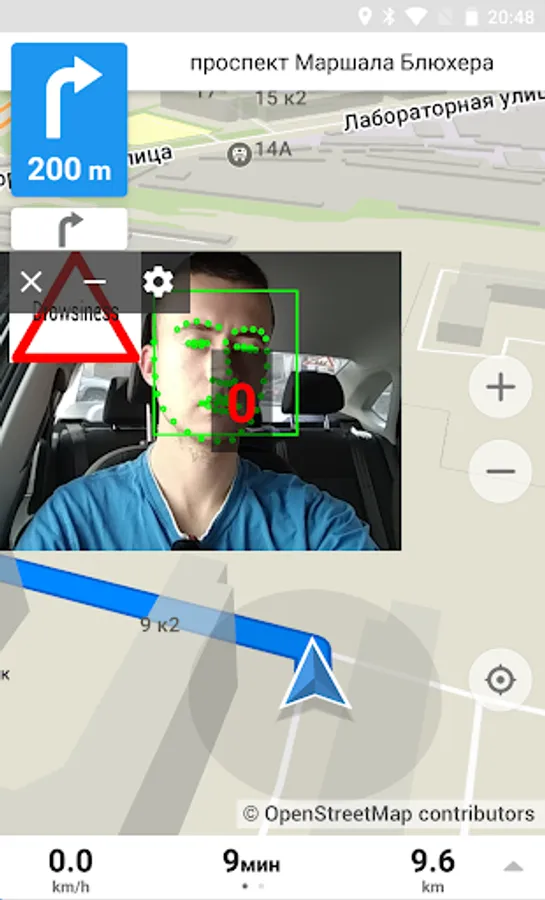
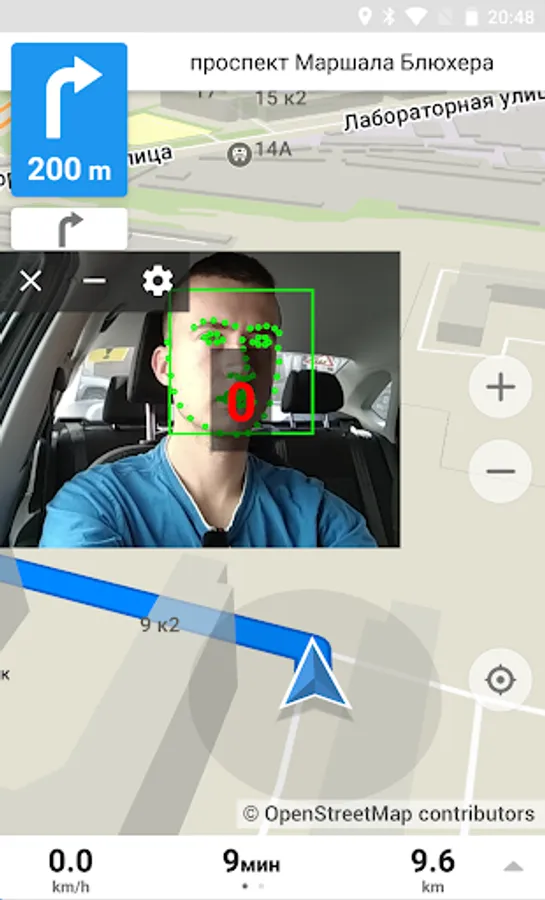
The application works in parallel with the user navigation system installed on the smartphone and does not interfere with the receiving incoming calls and messages. The first time the driver is asked to calibrate the position of the head. To calibrate you need to mount smartphone on the windshield for further use, press the calibration button, and look forward to the road for 10 seconds. After launching the application window in a standalone overlay mode, the user will see the usual navigation system and the application window on top of it (which can be hidden from the screen so as not to overlap the map or other applications).
The application overlays alert icons to the screen and plays warning sounds that correspond to dangerous driving events. It helps driver to be notified of the dangerous event occurrence and reduce the probability of the traffic accident.
*The smartphone needs to be plugged into the car charger to prevent the battery from full discharge during the trip.
Learn more at https://mobiledrivesafely.com
• Drowsiness
• Distraction
• Belt presence
• Phone usage
• Eating
• Smoking
• Camera sabotage
It provides audible and textual alerts and generates relevant context-based recommendations for a driver to avoid possible road accidents to pay attention on the situation. The application uses a front-facing camera and sensors built into smartphone, including GPS, accelerometer, gyroscope, magnetometer and microphone. Depending on the situation in which driver finds itself and information of its profile, the application generates context-based recommendations, that aid to reduce the accident rate and increase the ride comfort while driving.
The application works in parallel with the user navigation system installed on the smartphone and does not interfere with the receiving incoming calls and messages. The first time the driver is asked to calibrate the position of the head. To calibrate you need to mount smartphone on the windshield for further use, press the calibration button, and look forward to the road for 10 seconds. After launching the application window in a standalone overlay mode, the user will see the usual navigation system and the application window on top of it (which can be hidden from the screen so as not to overlap the map or other applications).
The application overlays alert icons to the screen and plays warning sounds that correspond to dangerous driving events. It helps driver to be notified of the dangerous event occurrence and reduce the probability of the traffic accident.
*The smartphone needs to be plugged into the car charger to prevent the battery from full discharge during the trip.
Learn more at https://mobiledrivesafely.com