Font Converter - Convert OTF t
SmartApps38
4.6 ★
2K ratings
100,000+
downloads
Free
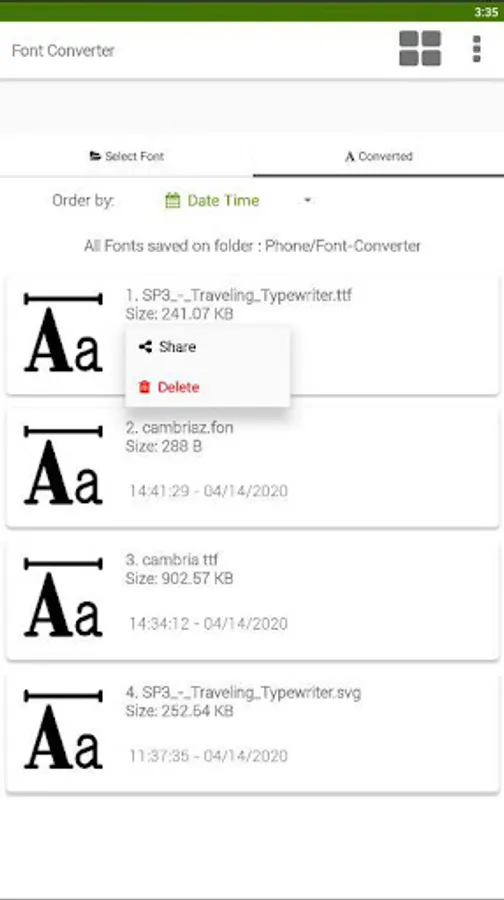
With this font converter app, you can convert font files between multiple formats including OTF, TTF, and exotic types. It also supports autohinting for improved font rendering on PC. Includes support for various font formats for Android and PC, as well as size limits and additional conversion options.
AppRecs review analysis
AppRecs rating 4.6. Trustworthiness 75 out of 100. Review manipulation risk 35 out of 100. Based on a review sample analyzed.
★★★★☆
4.6
AppRecs Rating
Ratings breakdown
5 star
84%
4 star
5%
3 star
2%
2 star
0%
1 star
9%
What to know
✓
Credible reviews
75% trustworthiness score from analyzed reviews
✓
High user satisfaction
84% of sampled ratings are 5 stars
About Font Converter - Convert OTF t
This converter app allows you to convert one font format into another, including many exotic formats.
We support most common font file formats for Android and PC.
No more hassle with exotic font file formats!!
- Support convert otf to ttf
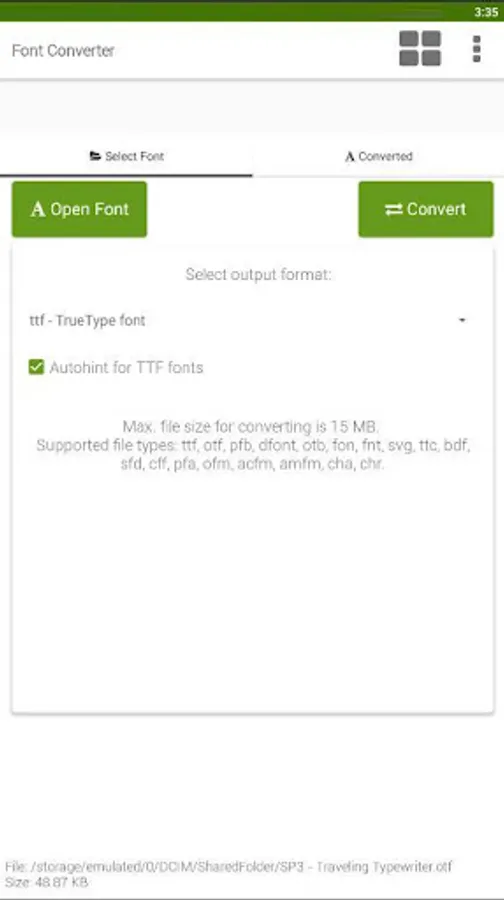
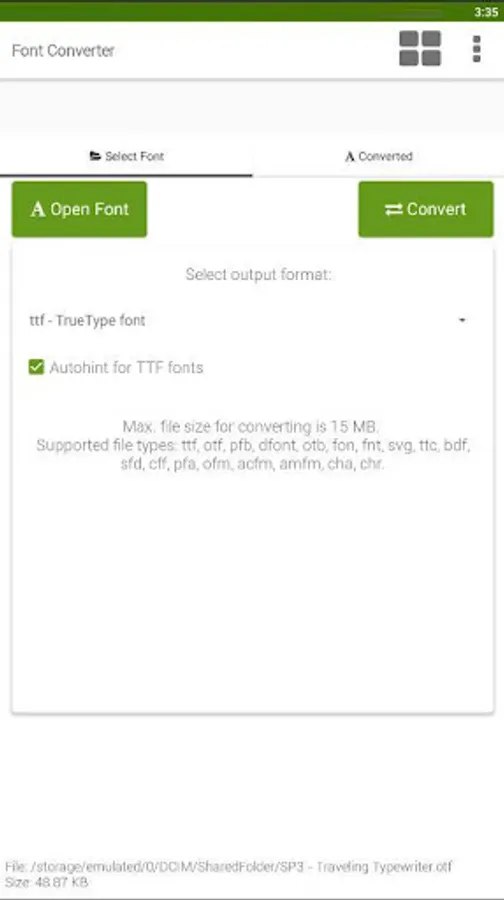
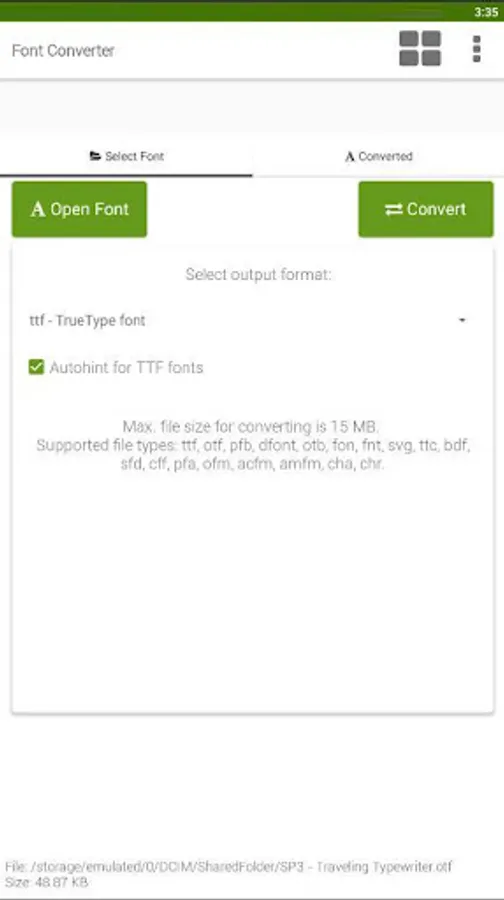
- Supported file types: ttf, otf, pfb, dfont, otb, fon, fnt, svg, ttc, bdf, sfd, cff, pfa, ofm, acfm, amfm, cha, chr.
- Max. file size for converting is 15 MB.
- Support autohinting for TTF fonts improves the font rendering on PC.
What can I do with this font converter?
Do you have a font file in a format that your tools cannot handle? With this font converter you can convert even exotic font file formats into commonly used formats like TTF or OTF.
If you do not know which format is suitable for your software, try using .ttf as the output format.
1. Supported font formats
Font Converter can read the following font files:
TrueType, PostScript (Type 1 font), TeX Bitmap Fonts, OTB (X11 bitmap only sfnt), BDF (Glyph Bitmap Distribution Format), FON (Windows), FNT (Windows), OTF OpenType font, SVG, TTC, ABF (Adobe Binary Screen Font), AFM (Adobe Font Metrics File) , BDF (Glyph Bitmap Distribution Format), DFONT (Mac OS X Data Fork Font)
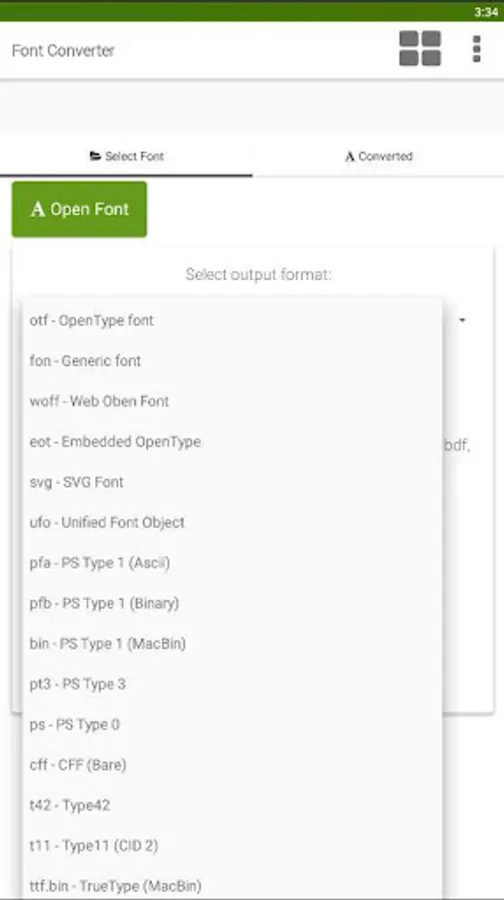
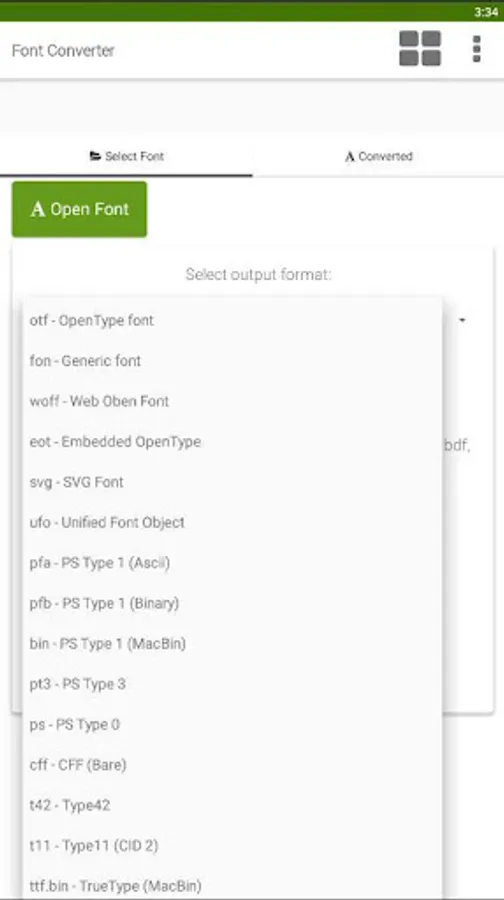
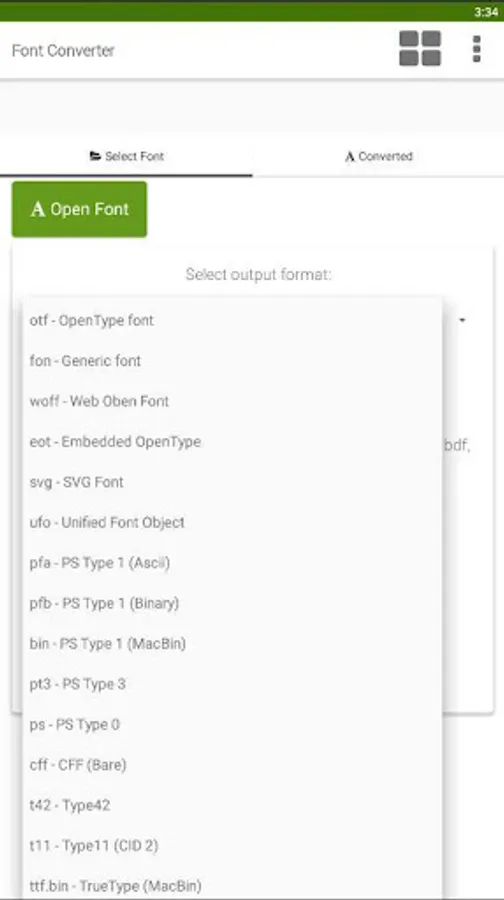
2. The following output formats are supported:
ttf - TrueType font
otf - OpenType font
woff - Web Oben Font
svg - SVG Font
ufo - Unified Font Object
eot - Embedded OpenType
pfa - PS Type 1 (Ascii)
pfb - PS Type 1 (Binary)
bin - PS Type 1 (MacBin)
pt3 - PS Type 3
ps - PS Type 0
cff - CFF (Bare)
fon - Generic font
t42 - Type42
t11 - Type11 (CID 2)
ttf.bin - TrueType (MacBin)
We support most common font file formats for Android and PC.
No more hassle with exotic font file formats!!
- Support convert otf to ttf
- Supported file types: ttf, otf, pfb, dfont, otb, fon, fnt, svg, ttc, bdf, sfd, cff, pfa, ofm, acfm, amfm, cha, chr.
- Max. file size for converting is 15 MB.
- Support autohinting for TTF fonts improves the font rendering on PC.
What can I do with this font converter?
Do you have a font file in a format that your tools cannot handle? With this font converter you can convert even exotic font file formats into commonly used formats like TTF or OTF.
If you do not know which format is suitable for your software, try using .ttf as the output format.
1. Supported font formats
Font Converter can read the following font files:
TrueType, PostScript (Type 1 font), TeX Bitmap Fonts, OTB (X11 bitmap only sfnt), BDF (Glyph Bitmap Distribution Format), FON (Windows), FNT (Windows), OTF OpenType font, SVG, TTC, ABF (Adobe Binary Screen Font), AFM (Adobe Font Metrics File) , BDF (Glyph Bitmap Distribution Format), DFONT (Mac OS X Data Fork Font)
2. The following output formats are supported:
ttf - TrueType font
otf - OpenType font
woff - Web Oben Font
svg - SVG Font
ufo - Unified Font Object
eot - Embedded OpenType
pfa - PS Type 1 (Ascii)
pfb - PS Type 1 (Binary)
bin - PS Type 1 (MacBin)
pt3 - PS Type 3
ps - PS Type 0
cff - CFF (Bare)
fon - Generic font
t42 - Type42
t11 - Type11 (CID 2)
ttf.bin - TrueType (MacBin)
Font Converter - Convert OTF t Screenshots
Tap to Rate:
Reviews for Font Converter - Convert OTF t
Paramananda Behera
11/24/2025
awesome 😎👍
Christopher Miracle
11/5/2025
good but ads is to much