My Work Clock - Hours Tracker
NRS Magic LTD
4.6 ★
26K ratings
1,000,000+
downloads
Free
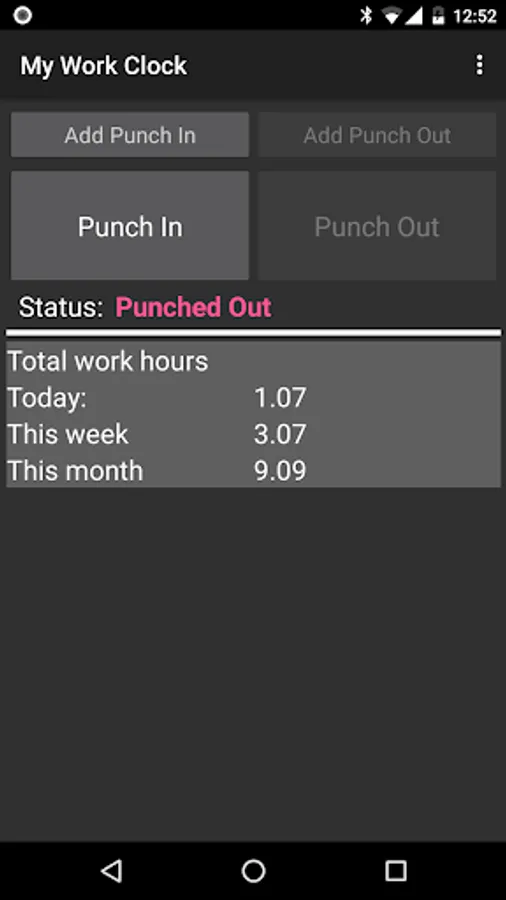
With this time tracking app, you can punch in and out, manage multiple jobs, and view reports. Includes calendar synchronization, CSV export, and overtime support.
AppRecs review analysis
AppRecs rating 4.6. Trustworthiness 68 out of 100. Review manipulation risk 31 out of 100. Based on a review sample analyzed.
★★★★☆
4.6
AppRecs Rating
Ratings breakdown
5 star
73%
4 star
19%
3 star
4%
2 star
1%
1 star
3%
What to know
✓
High user satisfaction
73% of sampled ratings are 5 stars
✓
Authentic reviews
Natural distribution, no red flags
About My Work Clock - Hours Tracker
Simple punch-in/punch-out clock & widget for tracking the time at work.
Features (very partial list):
* Overtime support
* Multiple jobs support
* Calendar update [Job Setting] add records to the calendar (it's recommended to open a separate calendar for 'My Work Clock'). ONE WAY-SYNC ONLY.
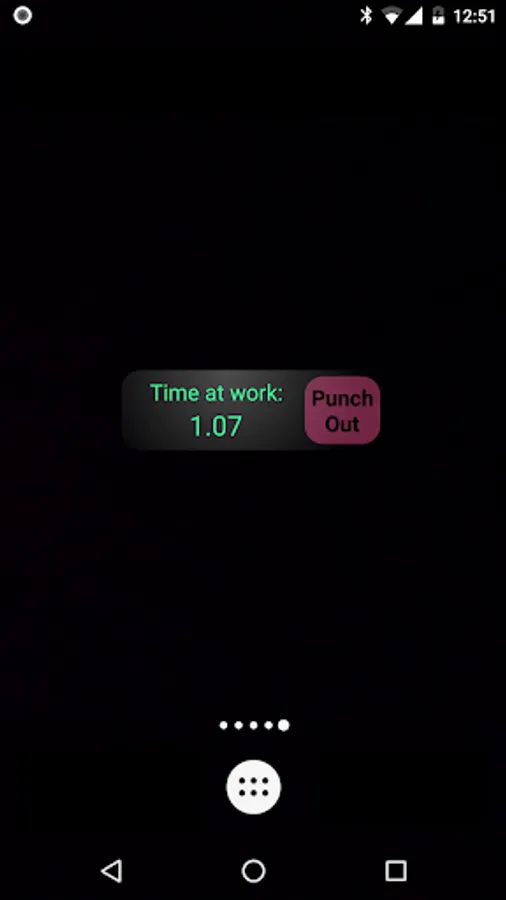
* Punch in/out directly from the widget
* Quick day, week & month information
* Simple reports
* Send to mail as CSV
* Add/remove/edit records
* Multiple overtime and report periods: daily, weekly, bi-weekly, monthly and more.
NOTES:
* If the widget stops updating: make sure the application appears in your task killer 'white list'.
* No move-to-SD option: widgets do not work when an app is on the SD. We got many error reports from users so we disabled this option.
Required permissions reasoning:
*. READ CALENDAR EVENTS PLUS CONFIDENTIAL INFORMATION
*. ADD OR MODIFY CALENDAR EVENTS AND SEND EMAIL TO GUESTS WITHOUT OWNERS' KNOWLEDGE
== Required for Google calendar sync
*. MODIFY/DELETE SD CARD CONTENTS
== Required to save CSV before sending by e-mail backup.
*. FULL INTERNET ACCESS & VIEW NETWORK STATE
== Required for bug report, analytics & ads.
Features (very partial list):
* Overtime support
* Multiple jobs support
* Calendar update [Job Setting] add records to the calendar (it's recommended to open a separate calendar for 'My Work Clock'). ONE WAY-SYNC ONLY.
* Punch in/out directly from the widget
* Quick day, week & month information
* Simple reports
* Send to mail as CSV
* Add/remove/edit records
* Multiple overtime and report periods: daily, weekly, bi-weekly, monthly and more.
NOTES:
* If the widget stops updating: make sure the application appears in your task killer 'white list'.
* No move-to-SD option: widgets do not work when an app is on the SD. We got many error reports from users so we disabled this option.
Required permissions reasoning:
*. READ CALENDAR EVENTS PLUS CONFIDENTIAL INFORMATION
*. ADD OR MODIFY CALENDAR EVENTS AND SEND EMAIL TO GUESTS WITHOUT OWNERS' KNOWLEDGE
== Required for Google calendar sync
*. MODIFY/DELETE SD CARD CONTENTS
== Required to save CSV before sending by e-mail backup.
*. FULL INTERNET ACCESS & VIEW NETWORK STATE
== Required for bug report, analytics & ads.
My Work Clock - Hours Tracker Screenshots
Tap to Rate:
Reviews for My Work Clock - Hours Tracker
Joe Sapienza
2/23/2026
has worked flawlessly for a decade, and been indispensable across multiple jobs and fields of employment.
Gregory Lynch
2/14/2026
Perfect for tracking hours at work.