Widgets - CPU | RAM | Battery
PowerAudio Team
3.8 ★
7K ratings
500,000+
downloads
$0.99
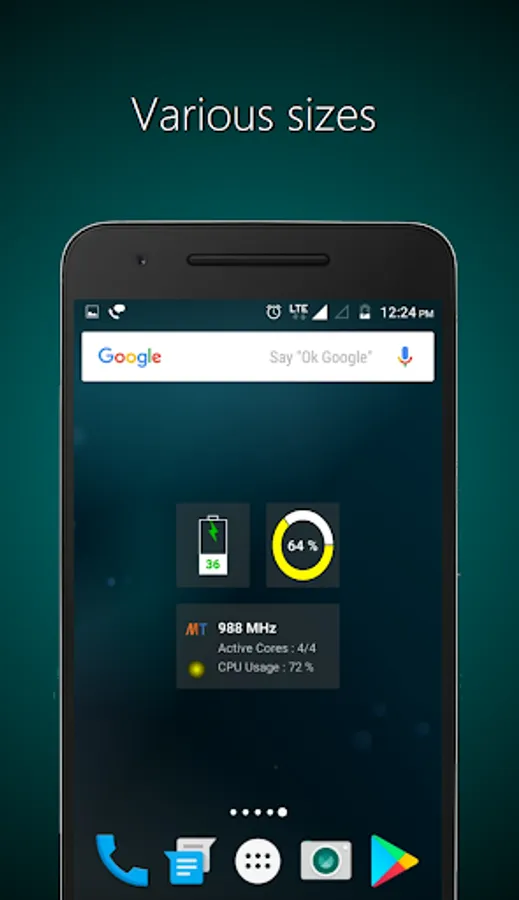
With this widget app, you can monitor CPU, RAM, and Battery status on your Homescreen, viewing live data and usage indicators. Includes live device statistics, widget sizes, and system information displays.
AppRecs review analysis
AppRecs rating 3.8. Trustworthiness 0 out of 100. Review manipulation risk 0 out of 100. Based on a review sample analyzed.
★★★☆☆
3.8
AppRecs Rating
Ratings breakdown
5 star
46%
4 star
20%
3 star
13%
2 star
5%
1 star
16%
What to know
✓
Good user ratings
66% positive sampled reviews
✓
Authentic reviews
Natural distribution, no red flags
About Widgets - CPU | RAM | Battery
CPU Widgets is a collection of CPU, RAM and Battery widgets showing live information right on your Homescreen. CPU Widgets app contains 10 widgets of 4x2, 4x1, 2x2, 2x1 and 1x1 sizes.
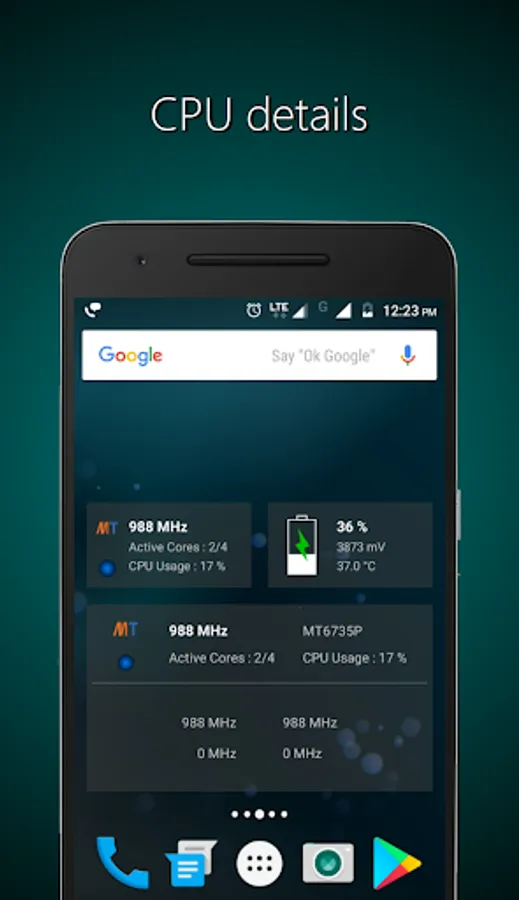
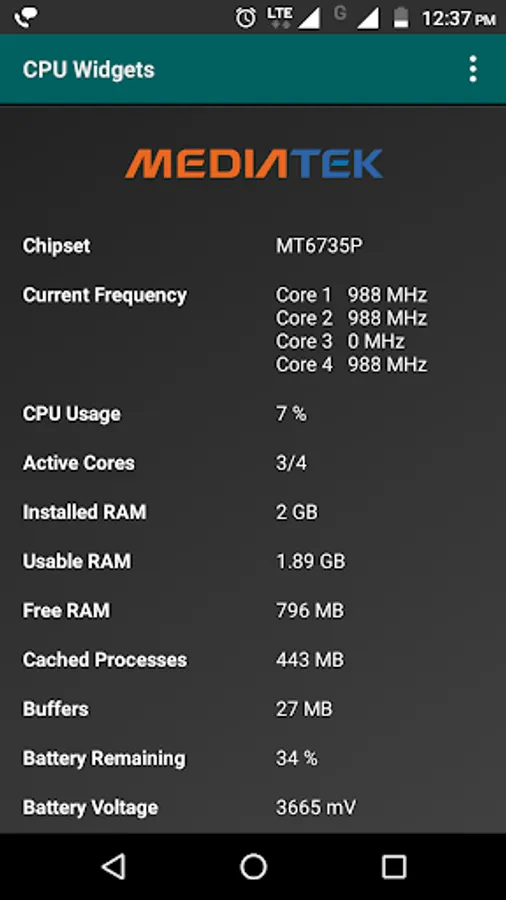
1. CPU Widgets :- show current CPU frequency, CPU usage and active cores along with chipset name, image and CPU usage indicator.
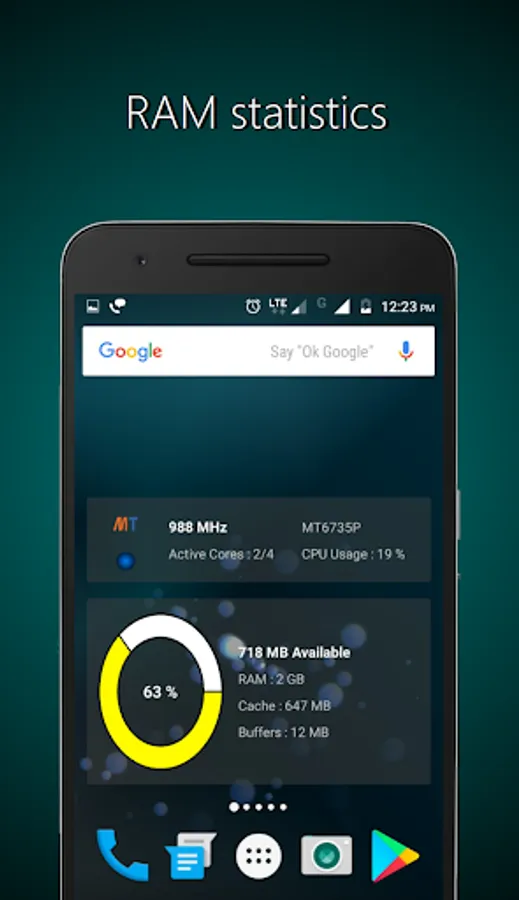
2. RAM Widgets :- show free RAM, cached processes, buffers along with Installed RAM, Usable RAM and RAM usage wheel on your Homescreen.
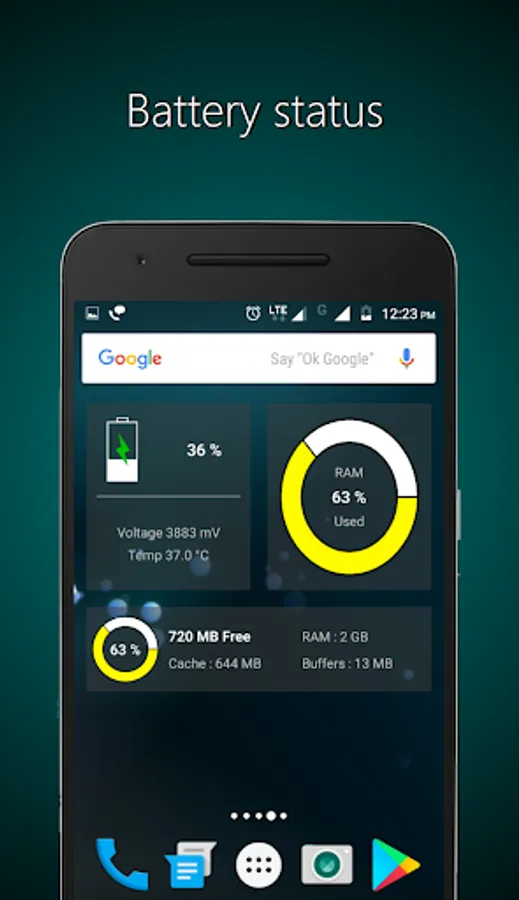
3. Battery Widgets :- show remaining battery capacity, current battery temperature and battery voltage along with charging indicator.
For feedback and suggestions, choose 'Send feedback' from within the app. For Error reporting and other problems, choose 'Report a problem' from within the app.
System requirements :-
-Android 4.1 or later
Required permissions :-
CPU Widgets does not require any special permission.
1. CPU Widgets :- show current CPU frequency, CPU usage and active cores along with chipset name, image and CPU usage indicator.
2. RAM Widgets :- show free RAM, cached processes, buffers along with Installed RAM, Usable RAM and RAM usage wheel on your Homescreen.
3. Battery Widgets :- show remaining battery capacity, current battery temperature and battery voltage along with charging indicator.
For feedback and suggestions, choose 'Send feedback' from within the app. For Error reporting and other problems, choose 'Report a problem' from within the app.
System requirements :-
-Android 4.1 or later
Required permissions :-
CPU Widgets does not require any special permission.
Widgets - CPU | RAM | Battery Screenshots
Tap to Rate: