Engine OBD - Car Diagnostics
SMART Technologies GmBH
3.7 ★
rating
$4.99
With this vehicle diagnostics app, you can connect to an OBD2 scanner, run diagnostics, and view engine data. Includes support for OBD-2 standards and customizable scan lists.
About Engine OBD - Car Diagnostics
Engine OBD is an application for vehicle diagnostics to OBD-2 standards
How to use:
- Plug ELM327 WIFI Scanner into vehicle's OBD2 port. (Port is usually found on the driver side dashboard under the steering wheel.)
- Turn ON ignition. (This is one step before engine is powered.)
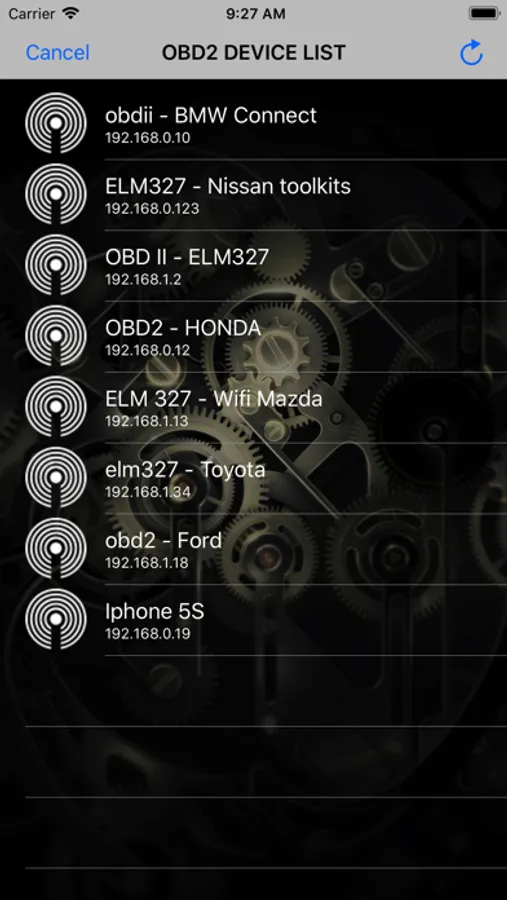
- Launch your Engine OBD App. Click "Settings" for scan list OBD2 device and select correct your OBD device for diagnostics. (default is 192.168.0.10 or 192.168.0.123)
We would greatly appreciate the feedback on the app. Please send us an email about your experiences, opinions or suggestions.
How to use:
- Plug ELM327 WIFI Scanner into vehicle's OBD2 port. (Port is usually found on the driver side dashboard under the steering wheel.)
- Turn ON ignition. (This is one step before engine is powered.)
- Launch your Engine OBD App. Click "Settings" for scan list OBD2 device and select correct your OBD device for diagnostics. (default is 192.168.0.10 or 192.168.0.123)
We would greatly appreciate the feedback on the app. Please send us an email about your experiences, opinions or suggestions.
Engine OBD - Car Diagnostics Screenshots

Tap to Rate: