
In this FasciaYoga app, you can select body areas to watch fascia stretching videos and explore the Body Map view or all videos. Includes body area selection, video playback, and navigation features.
AppRecs review analysis
AppRecs rating 4.3. Trustworthiness 80 out of 100. Review manipulation risk 24 out of 100. Based on a review sample analyzed.
★★★★☆
4.3
AppRecs Rating
Ratings breakdown
5 star
70%
4 star
9%
3 star
6%
2 star
0%
1 star
16%
What to know
✓
Low review manipulation risk
24% review manipulation risk
✓
Credible reviews
80% trustworthiness score from analyzed reviews
✓
High user satisfaction
79% of sampled ratings are 4+ stars (4.2★ average)
About Ashley Black's FasciaYoga
Welcome to FasciaYoga! Where fascia therapy meets yoga techniques to take your movement to a new level. Join Ashley Black as she guides you through each traction and stretch, taking your knowledge of fascia to the next level! To purchase the FasciaYoga Ball used in the videos, visit: https://www.fasciablaster.com/products/ashley-blacks-exercise-ball .
Quick How To:
When you first open the app, the introduction video will play. To exit out of this video, click the "x" at the top left corner of your screen. Once in the app you're able to choose from two main views: "Body Map" view or "All Videos"
Body Map View:
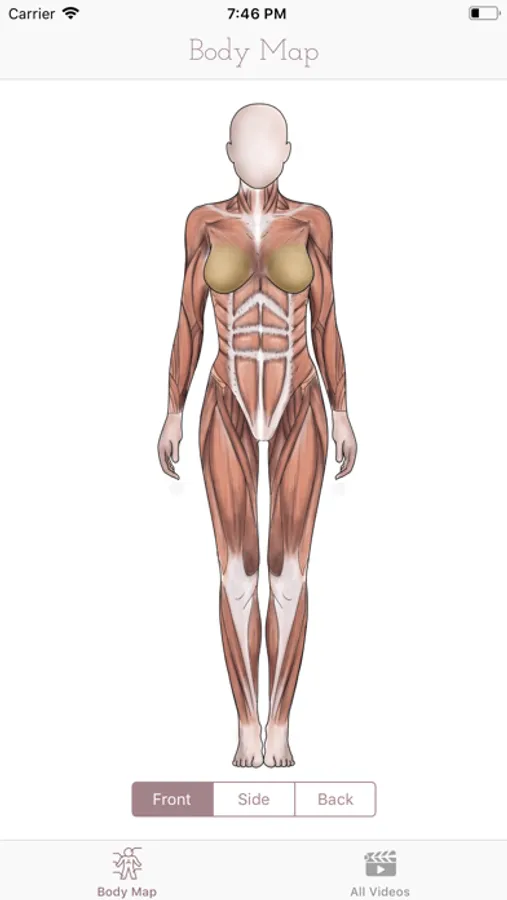
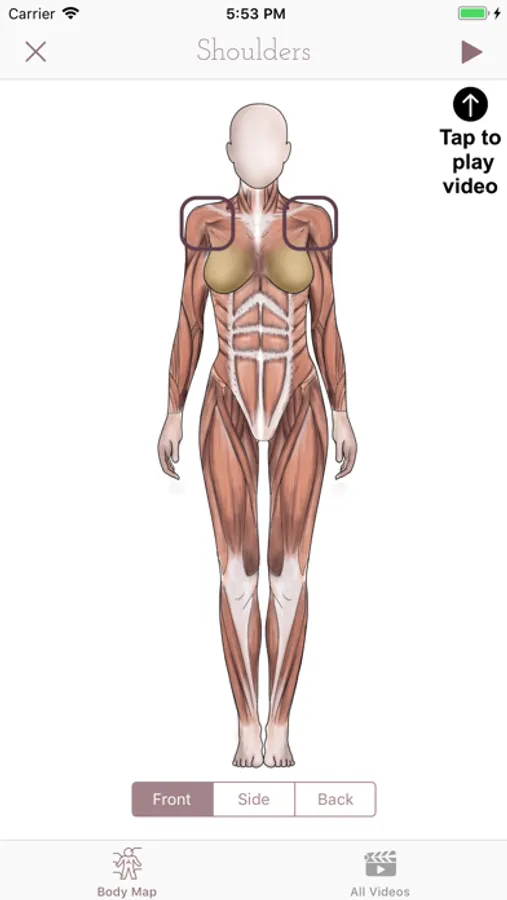
In this view you're able to toggle the body image between 3 different angles using the buttons below the body image: Front, Side, and Back. Tap different areas of the body that you'd like to stretch. When you tap an area of the body, a box will surround the area you've chosen and the name will appear at the top of your screen. To watch the video, click the play button (▶) at the top right corner of your screen. Once the video is done playing, you can watch it again or click the "x" at the top left of your screen to go back to the Body Map View.
All Videos:
In this view you're able to see all the areas of the body that we have FasciaYoga videos available for, as well as the intro video. You can click to watch each individually, or click the "All Videos" tab to play all videos we currently have available. Once the video(s) have finished, click the "x" at the top left of your screen to return back to the grid of available videos.
Quick How To:
When you first open the app, the introduction video will play. To exit out of this video, click the "x" at the top left corner of your screen. Once in the app you're able to choose from two main views: "Body Map" view or "All Videos"
Body Map View:
In this view you're able to toggle the body image between 3 different angles using the buttons below the body image: Front, Side, and Back. Tap different areas of the body that you'd like to stretch. When you tap an area of the body, a box will surround the area you've chosen and the name will appear at the top of your screen. To watch the video, click the play button (▶) at the top right corner of your screen. Once the video is done playing, you can watch it again or click the "x" at the top left of your screen to go back to the Body Map View.
All Videos:
In this view you're able to see all the areas of the body that we have FasciaYoga videos available for, as well as the intro video. You can click to watch each individually, or click the "All Videos" tab to play all videos we currently have available. Once the video(s) have finished, click the "x" at the top left of your screen to return back to the grid of available videos.
Ashley Black's FasciaYoga Screenshots
Tap to Rate:
Reviews for Ashley Black's FasciaYoga
FitFem
Fascia NEEDS Movement
I have found the perfect combo to more mobility and flexibility comes from fascia blasting and yoga. The use of the Ashley Black yoga ball is a massive game changer.
Gabbi100
Practical and easy to follow
Simple enough to stretch daily after massage using Ashley’s Yoga Ball