
AppRecs review analysis
AppRecs rating 4.3. Trustworthiness 0 out of 100. Review manipulation risk 0 out of 100. Based on a review sample analyzed.
★★★★☆
4.3
AppRecs Rating
Ratings breakdown
5 star
50%
4 star
33%
3 star
17%
2 star
0%
1 star
0%
What to know
✓
High user satisfaction
83% of sampled ratings are 4+ stars (4.3★ average)
About Monies Expense Tracker
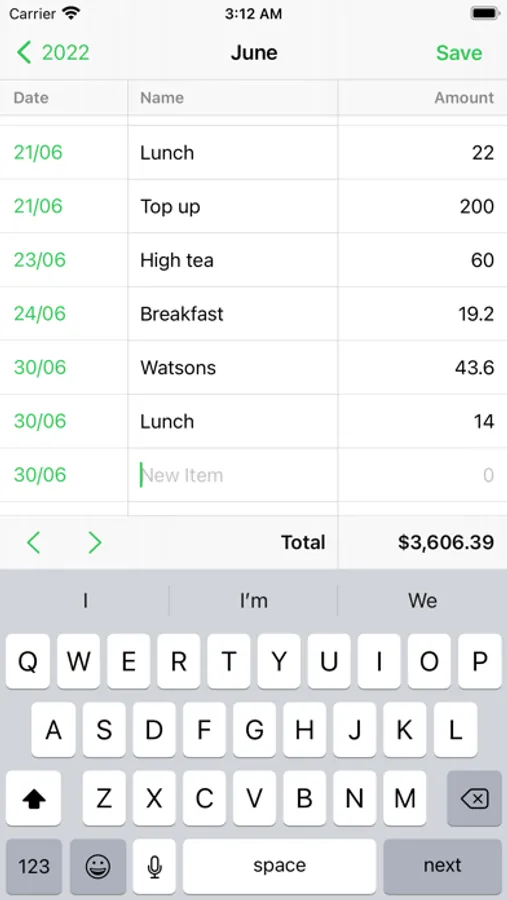
The whole point of the interface is to let you add items quickly. Just tap anywhere to start editing, then tap next on the keyboard to jump to the next cell. To delete an item, just clear its price and name, then tap Save.
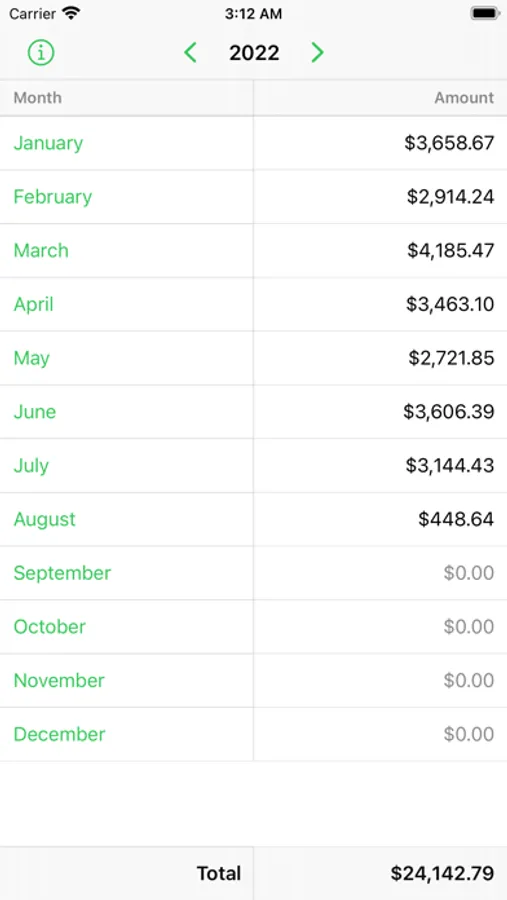
There are no fancy features like linking bank accounts, charts, or even a settings screen. It is available for free on iPhone and iPad, and it syncs via iCloud. I hope you find it useful.
Monies Expense Tracker Screenshots
Tap to Rate:
Reviews for Monies Expense Tracker
YesImHereToHelp
Awesome all around
I'm tired of wasting my time on complex apps. I started using Numbers and LOVE it, but the lack of multitasking on iOS makes that a really annoying process. So, I need a separate app. Introducing Monies! I would like to see a little more refinement: if you change the year, it displays the current year and allows you to snap back to the current Year, however I wish I could also snap to the current Month then the current Day. This little improvement definitely IS necessary. I also found it a little painful that there is absolutely zero way to select or edit or delete multiple items simultaneously. This is a good mode for security, and it's not necessary since I'm using this as a Ledger for all expenses not tracked by my Wallet, but I thought I'd throw the suggestion out there in case the author's wife were to decide it is necessary. Personally, I love that there are only three fields per item, however I have found myself needing to come up with a sort of naming scheme in order to know what my expense is referencing - sometimes an item is associated with specific images (receipts even), or might require some sort of category or comments. I would like to be able to add another column, or enable a "show details" button in order to allow me to horizontally scroll through as many additional columns as I want to create, and still be able to hide those columns when I just want to see the main three columns. The Amount column is big enough for Apple Inc to be using, but my Amounts usually won't exceed 3 digits for a normal transaction, so it would be great if the columns were user-adjustable in width. Amazing app all-around. I will definitely be sticking to this so I can don't have to fight with one extra spreadsheet on numbers.