AppRecs review analysis
AppRecs rating . Trustworthiness 81 out of 100. Review manipulation risk 26 out of 100. Based on a review sample analyzed.
★
AppRecs Rating
Ratings breakdown
5 star
40%
4 star
0%
3 star
0%
2 star
0%
1 star
60%
What to know
✓
Low review manipulation risk
26% review manipulation risk
✓
Credible reviews
81% trustworthiness score from analyzed reviews
⚠
Mixed user feedback
Average 2.6★ rating suggests room for improvement
About Elevation Survey
Make leveling surveys smarter and easier.
【Key Features】
Automatically calculate instrument height (HI) and ground height (GH) from benchmark elevation and staff readings
Enter design elevation to instantly compute staff readings needed for layout work (batter boards, stakes, etc.)
Insert or delete rows as needed
Input values and calculation results are color-coded for better readability
Add notes for each site/project
Export survey data as CSV and open in Excel
Switch between Standard Mode and Staff Mode for flexible data entry
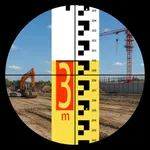
Staff Mode allows intuitive entry as if reading the staff directly through the level
Duplicate, delete, or edit past survey data with ease
Terms of Use (Apple Standard EULA): https://www.apple.com/legal/internet-services/itunes/dev/stdeula/
Built-in tutorial explains both app usage and the HI method in detail for beginnersWith the Level Survey app, you no longer need a field notebook, calculator, or pencil. Simply enter staff readings and the app automatically performs all calculations, helping you complete surveying tasks efficiently and smoothly. Results are saved in the app and can be exported as CSV or images. Share instantly with colleagues via email when quick delivery is required. Supports the Instrument Height (HI) method, with an in-app guide that explains both app usage and basic surveying methods for beginners.
Terms of Use (Apple Standard EULA): https://www.apple.com/legal/internet-services/itunes/dev/stdeula/
【Key Features】
Automatically calculate instrument height (HI) and ground height (GH) from benchmark elevation and staff readings
Enter design elevation to instantly compute staff readings needed for layout work (batter boards, stakes, etc.)
Insert or delete rows as needed
Input values and calculation results are color-coded for better readability
Add notes for each site/project
Export survey data as CSV and open in Excel
Switch between Standard Mode and Staff Mode for flexible data entry
Staff Mode allows intuitive entry as if reading the staff directly through the level
Duplicate, delete, or edit past survey data with ease
Terms of Use (Apple Standard EULA): https://www.apple.com/legal/internet-services/itunes/dev/stdeula/
Built-in tutorial explains both app usage and the HI method in detail for beginnersWith the Level Survey app, you no longer need a field notebook, calculator, or pencil. Simply enter staff readings and the app automatically performs all calculations, helping you complete surveying tasks efficiently and smoothly. Results are saved in the app and can be exported as CSV or images. Share instantly with colleagues via email when quick delivery is required. Supports the Instrument Height (HI) method, with an in-app guide that explains both app usage and basic surveying methods for beginners.
Terms of Use (Apple Standard EULA): https://www.apple.com/legal/internet-services/itunes/dev/stdeula/
Elevation Survey Screenshots


Tap to Rate:
Reviews for Elevation Survey
JazzBass56
Only in Metric
Useless
Niche Nennen
Use it every day
This is my most used app I have. It works great and eliminates the need to carry around a book, calculator, and pencil.