Found 20 search results.
お絵かき
It is a drawing app that allows you to use your own pictures as stamps within the app. There are 20 basic colors, and you can also create new colors. The newly created color can be deleted by long pressing You can change the color of the background and lines, and you can also change the thickness o
お絵かき
You can draw using all eight kinds of color pens and change the thickness of the pen. There is also an eraser so it is safe to make a mistake!
黒板 簡易お絵かきアプリ
It is a chalkboard-style handwritten notepad app. You can use it for notes and drawing. It is a handwritten memo pad application that can change the five colors of white, black, red, blue, yellow and line thickness on a dark green background. You can also save what you wrote as an image. *This ap
ショッキングお絵かき
The more you solve it, the more shocking you will start drawing! ● How to play ・ Read the problem statement carefully ・ Let's draw a picture that you think is the correct answer with a single brush (Be careful because if you release your finger on the way, the answer will be incorrect.) ・ If you an

シンプルお絵かき
No difficult operations! Anyone can easily draw with their fingers, and the drawn pictures can be saved and viewed in the gallery. The screen is fixed in horizontal size. You can draw widely. ・ 24 colors can be selected The colors that can be selected are White / Canary / Lemon / Red / Salmon

お絵かきテレパシー
■ Preparation 1. All participants should install the app 2. The representative creates a room, and others enter the room by entering the room ID. ■ How to proceed with the game 1. Random or representative decides an ambiguous subject (for example, red one) that cannot be decided on one 2.

お絵かきサイコパステスト
Psychopath test that you can understand by drawing! It reveals your hidden nature. ◆ How to play ◆ ⑴ Read the theme and draw a picture with your finger ⑵ Tap the answer button! ⑶ Compare with Psychopath's answer! ◆ Recommended situations ◆ ・ With friends! ・ With your lover! ・ One person too! * Th
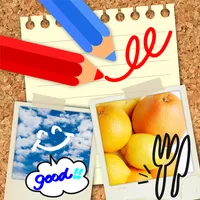
Let's Draw お絵かき お絵描き 落書きアプリ
Let's Draw is a free "drawing" app that features simple and nimble operation. Simple but convenient functions such as 45 colors, 5 types of pen thickness, and text input are provided. You can enjoy drawing and scribbling on photos, as well as sharing edited images with your friends via email or Twit
お題でお絵かき
It is an application that draws easily with just the issue that was issued.
絵かき
I write in color.
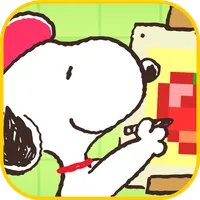
スヌーピーお絵かきパズル
スヌーピーと仲間たちの可愛いイラストのステージが満載の「お絵かきパズル」が登場。数字を読み解いてマス目を塗りつぶしていくと、スヌーピーたちの可愛い絵が現れるよ。 初めてお絵かきパズルをプレイする初心者でも、ルールや説明があるので安心して楽しめるよ!困った時に使えるお助けアイテムも充実、少しずつコツをつかんで楽しくプレイ! 《難易度》 各ステージのマスの大きさに合わせて、最大3種類「イージー」、「ノーマル」、「ハード」があるので、初心者から上級者まで楽しめるよ。 《こんな方にオススメ》 - 暇な時に、時間つぶしに楽しみたい方 - 脳トレ系ゲームが好きで頭を使ったゲームが好きな方 - とにか

お絵かきメンヘラ診断
Menhera psychological test that you can understand by drawing! Your Menhera personality It will be revealed by drawing! ?? ◆ How to play ◆ ⑴ Read the theme and draw a picture ⑵ Tap the answer button! ⑶ It will be a surprising answer! !! ◆ Recommended situations ◆ ・ At a family restaurant with
簡単お絵かき
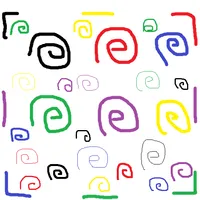
This simple drawing software. I will be saved in the folder oekaki3.
おえかき
Completely free of a simple painting app. Draw a line, change the color, change the size of the pen, you can save a single return, the drawn picture. It can also be used in children because there is no advertising in the easy-to-understand simple design. It is also useful when you want to take a qui
お絵描きアプリ
It's a paint app. Functions include line thickness (thin, thick), line color, eraser, clear all, save image, create line color, and glow mode.
お絵描きクイズオンライン
The painter (parent) draws a picture based on the theme. Other players can see the picture they are drawing and guess the title! ・Number of players (2-4) ・There is a time limit (120 seconds) ・Matching format ① Random matching -Randomly match someone else. ② Room matching -Create or join a room. If y
イライラ お絵描き
It's a drawing app, but it's not just a drawing! The position of the pen is fixed! Move the paper and draw a picture! !! Whether you are good at painting or not, we invite you to a new world of painting! !! Take on the challenge! !!
e黒板
This app is intended to take a combination of digital construction photos and site photos. How to use First, write the letters on the fixed blackboard and save. After that, release the shutter while looking at the construction blackboard displayed on the screen and the screen to shoot. Then you can
ダイエット黒板ウィジェット
After installation, press and hold the home screen to display the widget and place the diet blackboard on the home. First, touch "Eraser" to set your height and target weight. After that, touch the current weight every day to update today's weight. Records are by date. If you enter it a second time

黒板カメラ for Next
[Shooting size] ・ VGA size only [Camera function] ・ Light adjustment ·zoom ·auto focus It is a simple and easy camera app. Optimal cooperation is possible with apps provided by Sanyu and other apps that require shooting.