
Matrix Calculator (Matrices)
Pantelis Bouboulis
2.7 ★
238 ratings
100,000+
downloads
Free
In this calculator app, you can input matrices and perform operations such as addition, multiplication, and inversion. It also provides detailed computation steps and supports setting custom matrix sizes. Includes features like matrix memory storage, fraction-based calculations, and detailed results with computation history.
AppRecs review analysis
AppRecs rating 2.5. Trustworthiness 73 out of 100. Review manipulation risk 44 out of 100. Based on a review sample analyzed.
★★☆☆☆
2.5
AppRecs Rating
Ratings breakdown
5 star
40%
4 star
0%
3 star
6%
2 star
0%
1 star
53%
What to know
⚠
Ad complaints
Many low ratings mention excessive ads
⚠
Questionable review patterns
44% review manipulation risk - some review patterns appear unusual
⚠
Mixed user feedback
Average 2.7★ rating suggests room for improvement
About Matrix Calculator (Matrices)
MatCalc is a simple matrix calculator. It has an easy and elegant matrix input and makes precise and analytic algebraic calculations
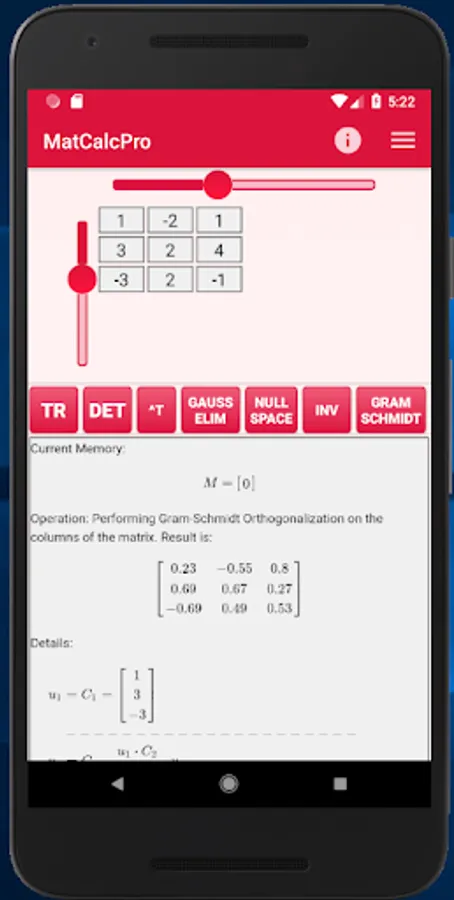
With MatCalc you can make all basic operations between matrices including:
addition, multiplication, exponentiation,
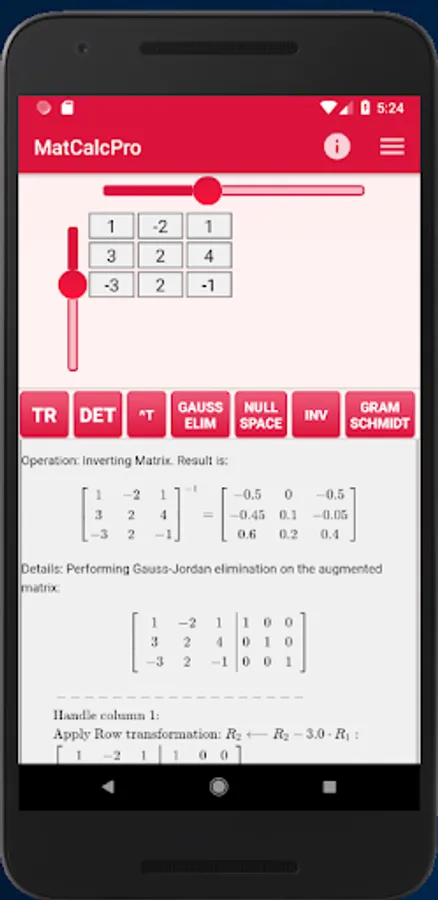
inversion,
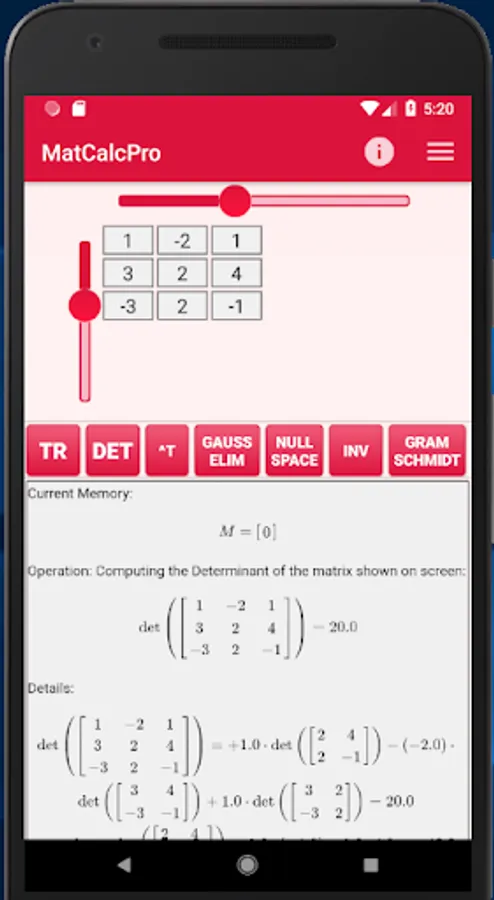
determinant computation/calculator
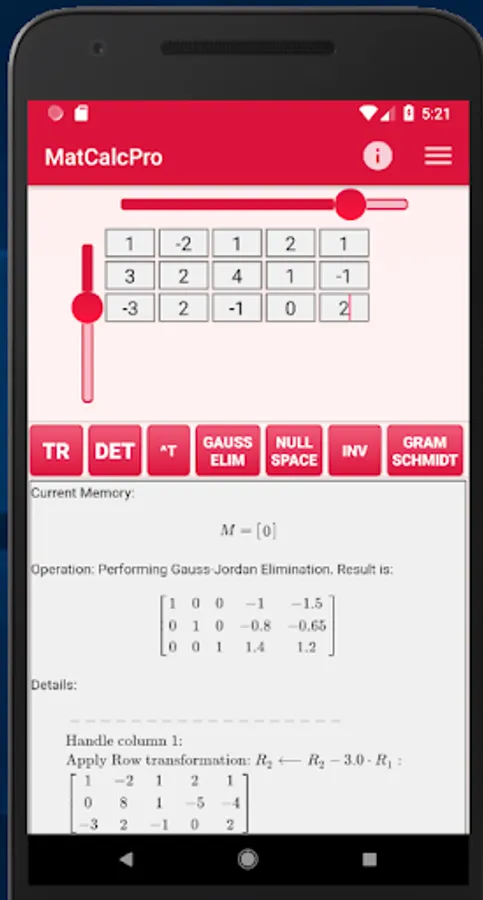
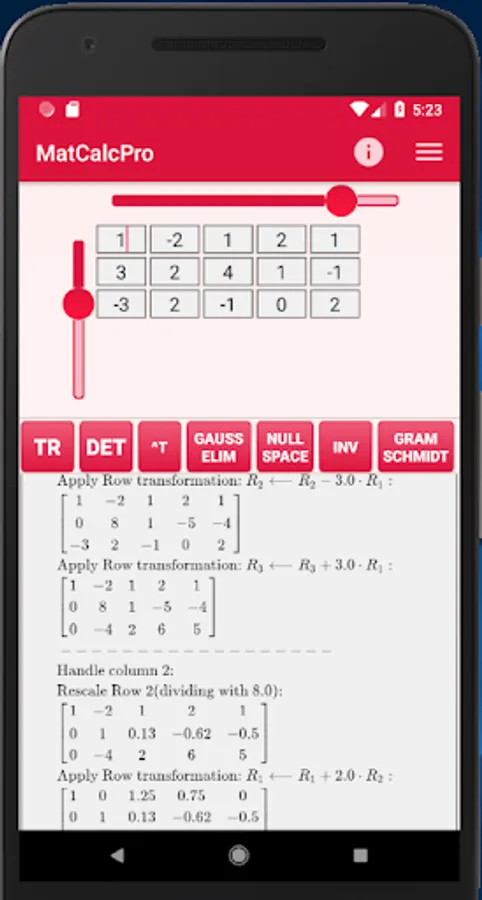
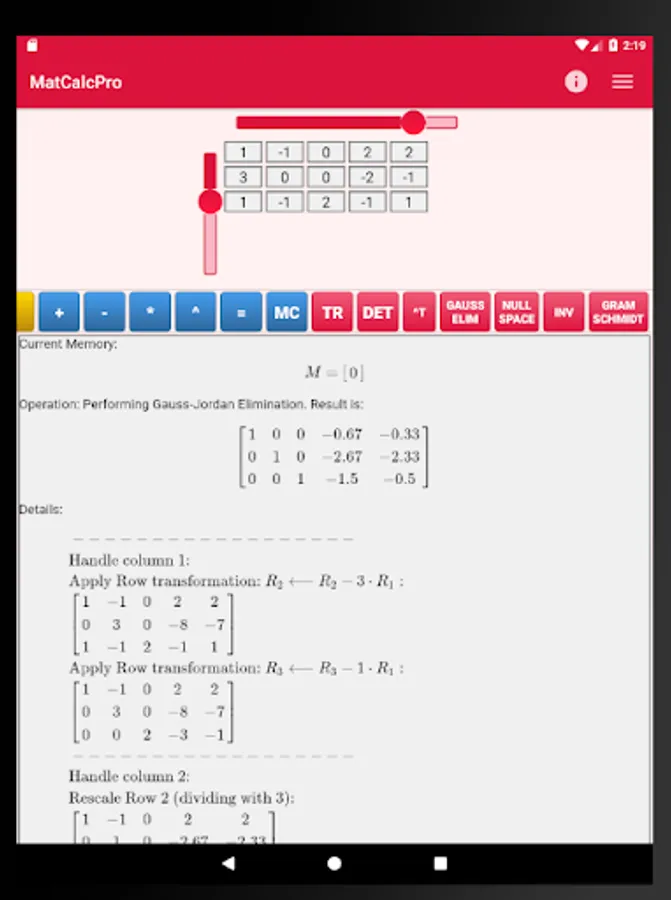
Gauss - Jordan Elimination calculator
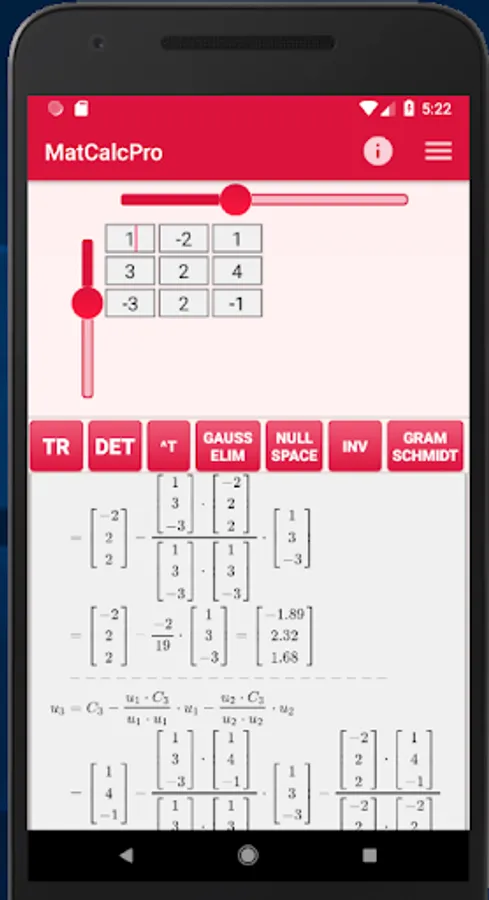
Gram - Schmidt normalization
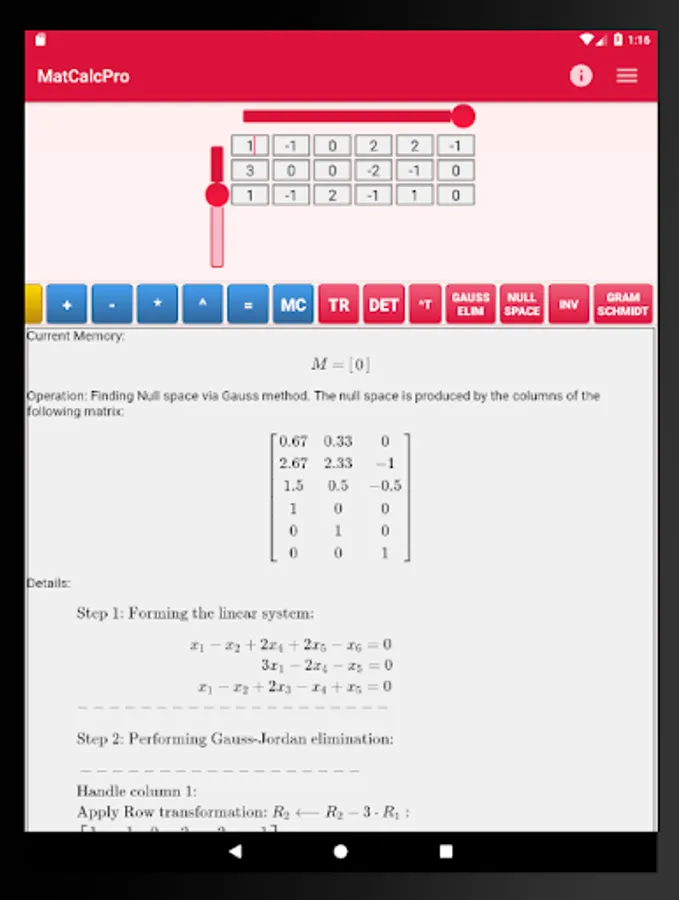
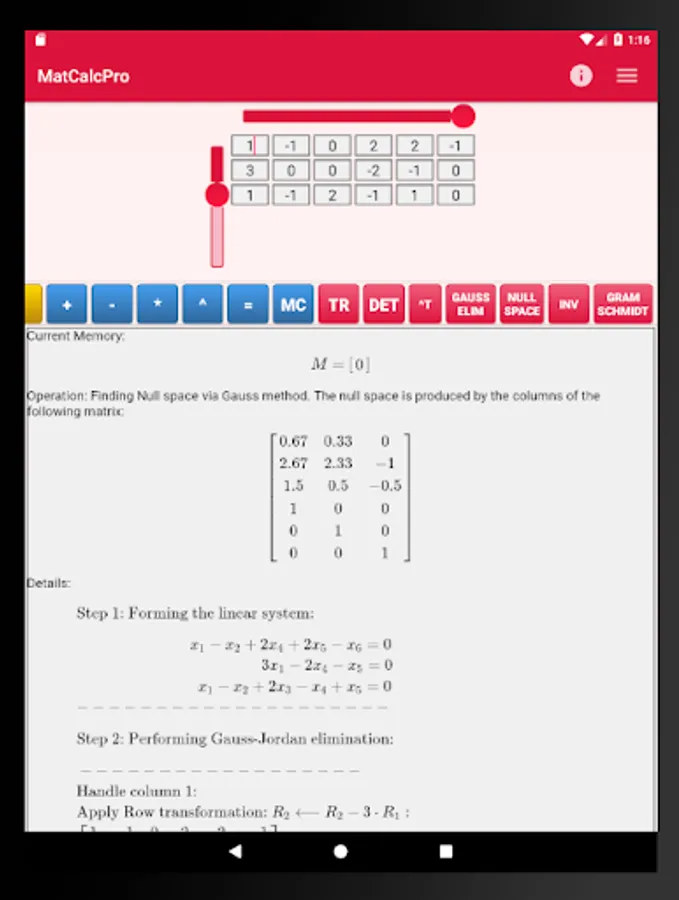
Null space computation
Characteristic polynomial computation
Eigenvalues computation
Eigenvectors computation
e.t.c.
Perfect for students that study linear algebra or matrices!
MataCalc calculator uses fractions to make precise computations.
Besides the actual result, the calculator provides details for all performed computations.
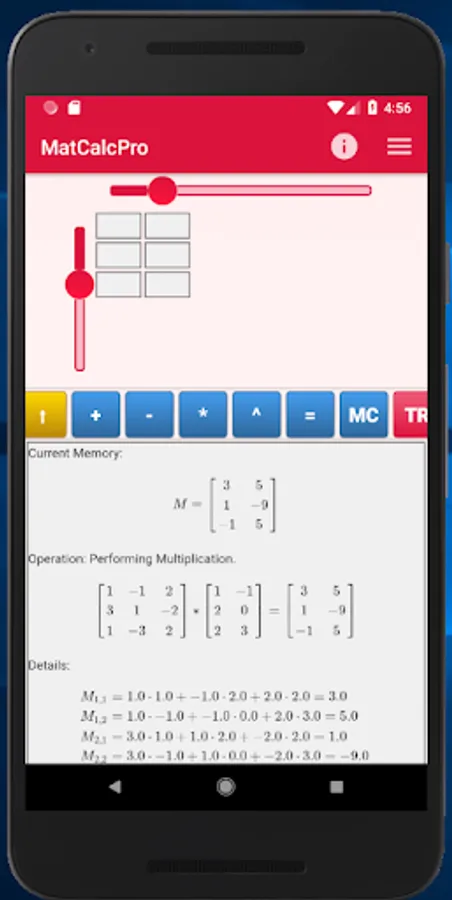
You can set the matrix dimensions using the scrollbars and then you can input the matrix elements by typing in each cell (the cells become active/inactive once you move the respective scrollbar). You can move to another cell either by pressing the NEXT key on the soft keyboard, or by tapping the desired cell. You don't have to enter zero values. Just leave the respective cell empty.
After you have entered the entries of the desired matrix, you can press one of the available buttons (described below) to perform an operation on the given matrix, or store the given matrix in memory and give a second matrix to perform an operation between the two matrices. Note, that GOLD buttons have an effect on the actual contents of the given matrix, the BLUE buttons change the contents of the matrix stored in memory, while RED buttons perform computations on the given matrix and show the result on screen (below the buttons).
This calculator app contains ads. Sometimes (if you press a button to perform an operation) an ad will appear. If you don't want to see the ad, or you don't want to click on that ad, you can simply close it (e.g. by pressing the back button) and see the result of the desired operation on screen. If you don't want to see ads, please consider upgrading to the Pro version of the calculator.
#matrix #matrices #eigenvalues #gauss #calculator
With MatCalc you can make all basic operations between matrices including:
addition, multiplication, exponentiation,
inversion,
determinant computation/calculator
Gauss - Jordan Elimination calculator
Gram - Schmidt normalization
Null space computation
Characteristic polynomial computation
Eigenvalues computation
Eigenvectors computation
e.t.c.
Perfect for students that study linear algebra or matrices!
MataCalc calculator uses fractions to make precise computations.
Besides the actual result, the calculator provides details for all performed computations.
You can set the matrix dimensions using the scrollbars and then you can input the matrix elements by typing in each cell (the cells become active/inactive once you move the respective scrollbar). You can move to another cell either by pressing the NEXT key on the soft keyboard, or by tapping the desired cell. You don't have to enter zero values. Just leave the respective cell empty.
After you have entered the entries of the desired matrix, you can press one of the available buttons (described below) to perform an operation on the given matrix, or store the given matrix in memory and give a second matrix to perform an operation between the two matrices. Note, that GOLD buttons have an effect on the actual contents of the given matrix, the BLUE buttons change the contents of the matrix stored in memory, while RED buttons perform computations on the given matrix and show the result on screen (below the buttons).
This calculator app contains ads. Sometimes (if you press a button to perform an operation) an ad will appear. If you don't want to see the ad, or you don't want to click on that ad, you can simply close it (e.g. by pressing the back button) and see the result of the desired operation on screen. If you don't want to see ads, please consider upgrading to the Pro version of the calculator.
#matrix #matrices #eigenvalues #gauss #calculator
Matrix Calculator (Matrices) Screenshots

Tap to Rate:
Reviews for Matrix Calculator (Matrices)
Sanjna Maduranga
9/23/2025
Superb app
Cranky Monkey
1/26/2025
HAS ADs. You're required to say so!