In this app, you can monitor FIAT vehicle parameters in real-time using advanced sensor data with Torque Pro. Includes ECU scanning and sensor management features.
AppRecs review analysis
AppRecs rating 2.8. Trustworthiness 56 out of 100. Review manipulation risk 34 out of 100. Based on a review sample analyzed.
★★☆☆☆
2.8
AppRecs Rating
Ratings breakdown
5 star
33%
4 star
0%
3 star
0%
2 star
33%
1 star
33%
What to know
✓
Authentic reviews
Natural distribution, no red flags
⚠
Mixed user feedback
Average 2.7★ rating suggests room for improvement
⚠
High negative review ratio
67% of sampled ratings are 1–2 stars
About Advanced LT for FIAT
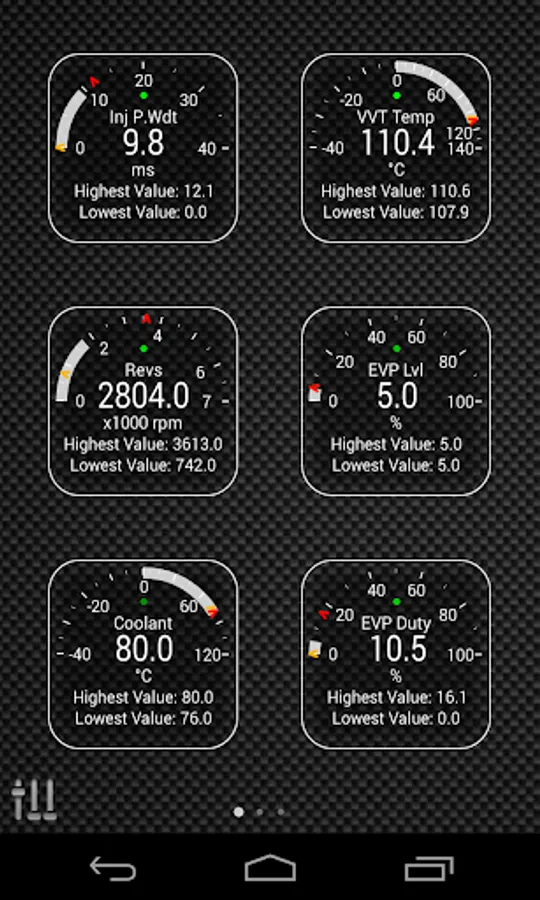
Monitor specific FIAT parameters in real-time, including engine and automatic transmission advanced sensor data by adding this plugin to Torque Pro.
Advanced LT is a plugin for Torque Pro, extending the PID/Sensor list with specific parameters from FIAT vehicles, allowing you to try the plugin with limited sensors before buying. This version does not include calculated sensors like Injector Duty Cycle (%) or VVT mode.
*PLEASE NOTE* that other FIAT models/engines may be supported, but the plugin was tested only on the following models/engines: (CAN BUS ONLY)
* 500 1.2 Fire 8V
* 500 1.4 MultiAir 16V
* 500 1.3 MultiJet 16V
* Bravo 1.4 T-Jet 16V
* Doblo 1.3 MultiJet 16V
* Giulietta 1.4 MultiAir 16V
* MiTo 1.2 Fire 8V
* MiTo 1.4 MultiAir 16V
* MiTo 1.3 MultiJet 16V
* Punto 1.2 Fire 8V
* Punto 1.4 Fire 8V
* Punto 1.4 MultiAir 16V
* Punto 1.4 T-Jet 16V
* Punto 1.3 MultiJet 16V
* Qubo 1.2 Fire 8V
* Qubo 1.3 MultiJet 16V
* Ypsilon 1.2 Fire 8V
* Ypsilon 1.3 MultiJet 16V
The plugin also includes an ECU Scanner which is very useful for searching specific sensors on FIAT engines that are not yet supported by the plugin. You just need to record at least 1000 samples and send the logs to the developer.
Advanced LT requires the latest version of Torque Pro installed in order to function. This is *NOT* a standalone application and will *NOT* work without Torque Pro.
Plugin Installation
-------------------------
1) After downloading the plugin on Google Play, make sure that you see the plugin listed on your Android device installed applications list.
2) Launch Torque Pro and click on the "Advanced LT" icon
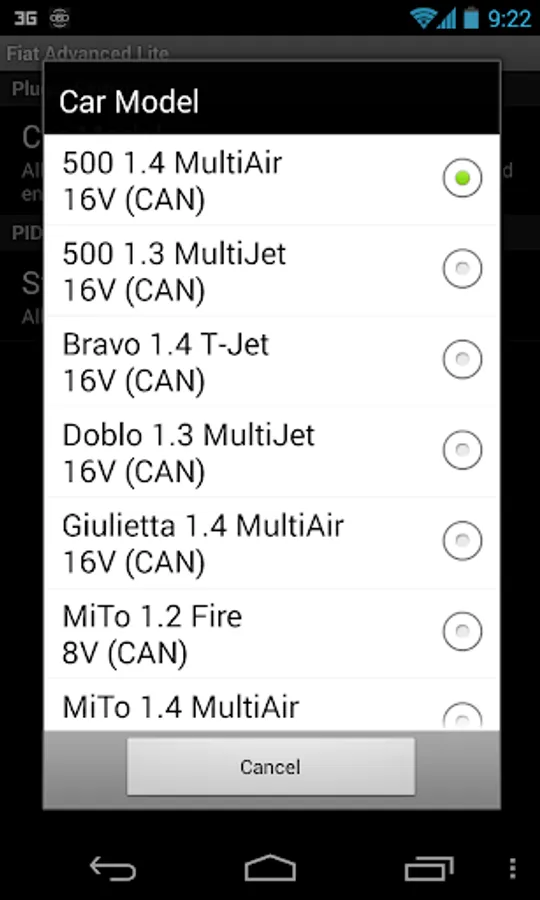
3) Select the appropriate engine type and return to Torque Pro main screen
4) Go to Torque Pro "Settings"
5) Make sure that you can see the plugin listed also on Torque Pro by clicking "Settings" > "Plugins"> "Installed Plugins".
6) Scroll down to "Manage extra PIDs/Sensors"
7) Usually this screen will not display any entries, unless you have added any pre-defined or custom PIDs in the past.
8) From the menu, choose "Add predefined set"
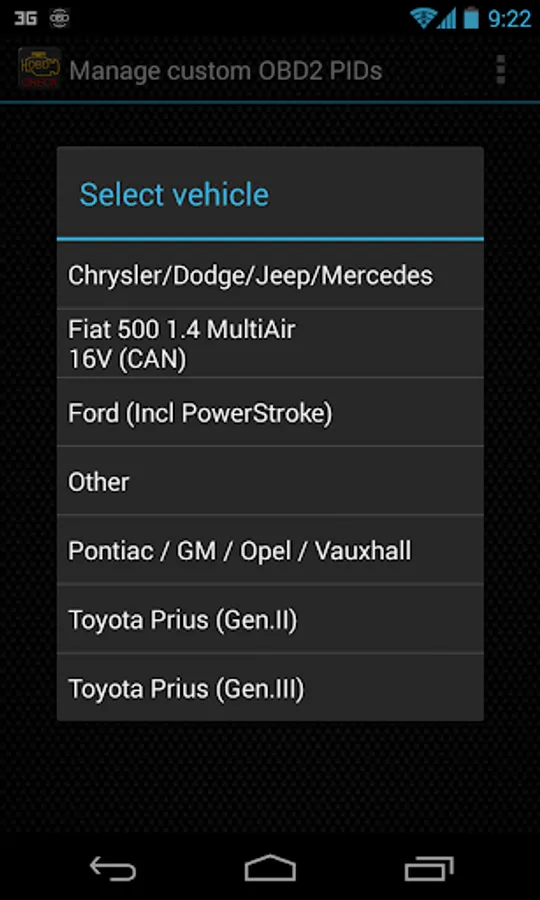
9) You may see predefined sets for other FIAT engine types, so make sure you pick the right one.
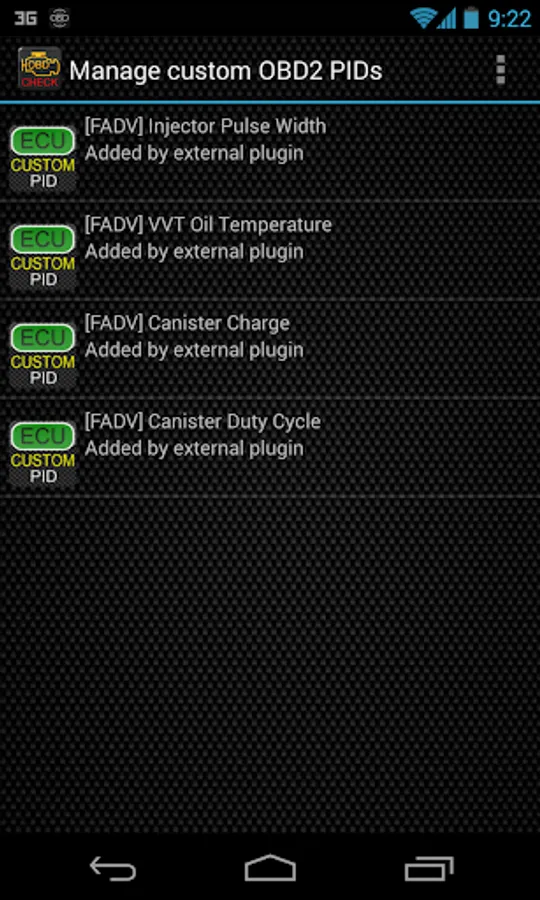
10) After clicking on the entry from the previous step, you should see additional entries on the Extra PIDs/Sensors list.
Adding Displays
------------------------
1) After adding the additional sensors, go to the Realtime Information/Dashboard.
2) Press the menu key and then click on "Add Display"
3) Select the appropriate display type (Dial, Bar, Graph, Digital Display, etc)
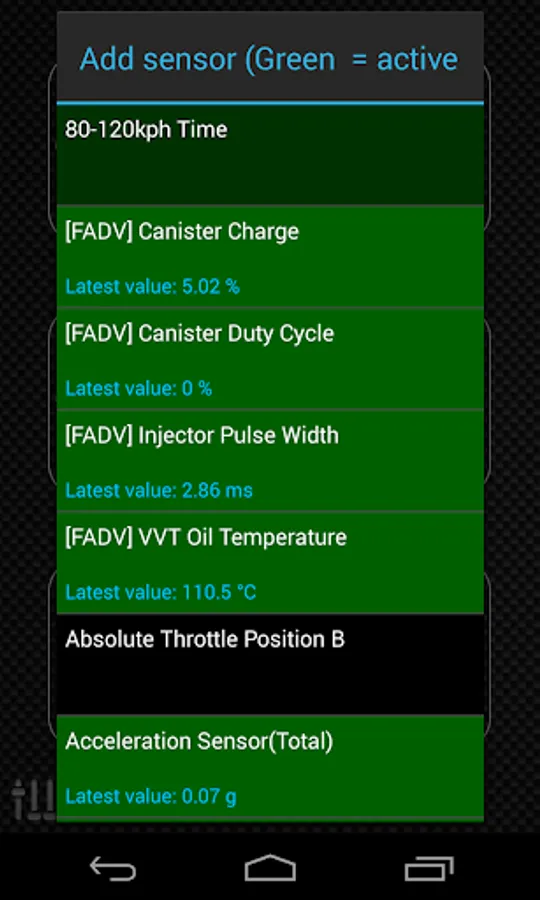
4) Select the appropriate sensor from the list. Sensors provided by Advanced LT begins with "[FADV]" and should be listed right after the time sensors in the top of the list.
More features/parameters will be added in further releases. If you have comments and/or suggestions please just let me know.
Advanced LT is a plugin for Torque Pro, extending the PID/Sensor list with specific parameters from FIAT vehicles, allowing you to try the plugin with limited sensors before buying. This version does not include calculated sensors like Injector Duty Cycle (%) or VVT mode.
*PLEASE NOTE* that other FIAT models/engines may be supported, but the plugin was tested only on the following models/engines: (CAN BUS ONLY)
* 500 1.2 Fire 8V
* 500 1.4 MultiAir 16V
* 500 1.3 MultiJet 16V
* Bravo 1.4 T-Jet 16V
* Doblo 1.3 MultiJet 16V
* Giulietta 1.4 MultiAir 16V
* MiTo 1.2 Fire 8V
* MiTo 1.4 MultiAir 16V
* MiTo 1.3 MultiJet 16V
* Punto 1.2 Fire 8V
* Punto 1.4 Fire 8V
* Punto 1.4 MultiAir 16V
* Punto 1.4 T-Jet 16V
* Punto 1.3 MultiJet 16V
* Qubo 1.2 Fire 8V
* Qubo 1.3 MultiJet 16V
* Ypsilon 1.2 Fire 8V
* Ypsilon 1.3 MultiJet 16V
The plugin also includes an ECU Scanner which is very useful for searching specific sensors on FIAT engines that are not yet supported by the plugin. You just need to record at least 1000 samples and send the logs to the developer.
Advanced LT requires the latest version of Torque Pro installed in order to function. This is *NOT* a standalone application and will *NOT* work without Torque Pro.
Plugin Installation
-------------------------
1) After downloading the plugin on Google Play, make sure that you see the plugin listed on your Android device installed applications list.
2) Launch Torque Pro and click on the "Advanced LT" icon
3) Select the appropriate engine type and return to Torque Pro main screen
4) Go to Torque Pro "Settings"
5) Make sure that you can see the plugin listed also on Torque Pro by clicking "Settings" > "Plugins"> "Installed Plugins".
6) Scroll down to "Manage extra PIDs/Sensors"
7) Usually this screen will not display any entries, unless you have added any pre-defined or custom PIDs in the past.
8) From the menu, choose "Add predefined set"
9) You may see predefined sets for other FIAT engine types, so make sure you pick the right one.
10) After clicking on the entry from the previous step, you should see additional entries on the Extra PIDs/Sensors list.
Adding Displays
------------------------
1) After adding the additional sensors, go to the Realtime Information/Dashboard.
2) Press the menu key and then click on "Add Display"
3) Select the appropriate display type (Dial, Bar, Graph, Digital Display, etc)
4) Select the appropriate sensor from the list. Sensors provided by Advanced LT begins with "[FADV]" and should be listed right after the time sensors in the top of the list.
More features/parameters will be added in further releases. If you have comments and/or suggestions please just let me know.
Advanced LT for FIAT Screenshots
Tap to Rate:
Reviews for Advanced LT for FIAT
Alvin Brinson
2/8/2025
Missing key PIDs needed for tuning such as Spark Advance Reduction per cylinder and Airflow. These are available in other Fiat products for PC, but not in this app. No longer recommended.
walter leonardo
3/4/2023
Muy locos morelos de fiat. El mio un freemont no tiene. Dinero perdido. Tiene sue poker la lists de soportados