Advanced EX for HYUNDAI
Dare Apps
2.4 ★
337 ratings
10,000+
downloads
$5.99
In this vehicle monitoring app, you can view real-time HYUNDAI sensor data including transmission and engine parameters. Includes support for advanced parameters like turbo pressure, lockup percentage, and fuel duty cycle.
AppRecs review analysis
AppRecs rating 2.4. Trustworthiness 70 out of 100. Review manipulation risk 34 out of 100. Based on a review sample analyzed.
★★☆☆☆
2.4
AppRecs Rating
Ratings breakdown
5 star
23%
4 star
6%
3 star
6%
2 star
11%
1 star
53%
What to know
✓
Authentic reviews
Natural distribution, no red flags
⚠
Mixed user feedback
Average 2.4★ rating suggests room for improvement
⚠
High negative review ratio
64% of sampled ratings are 1–2 stars
About Advanced EX for HYUNDAI
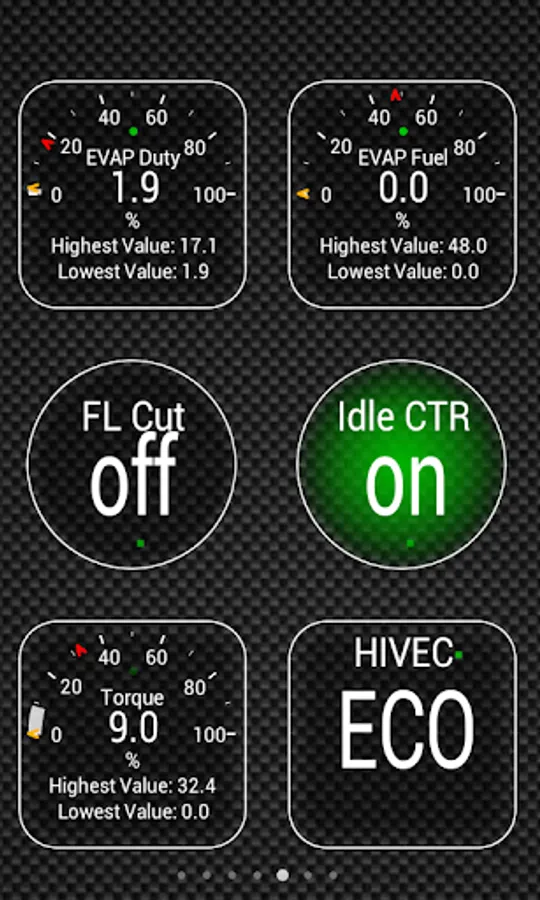
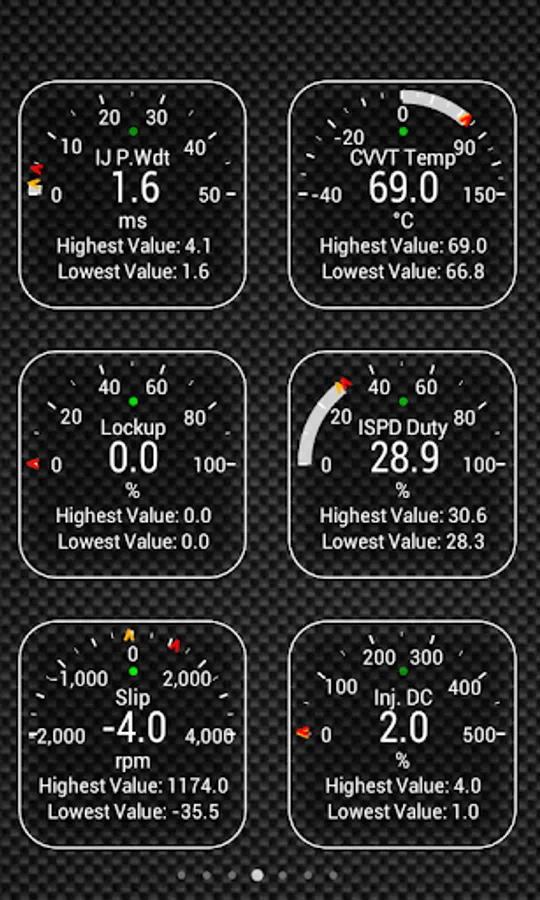
Monitor specific HYUNDAI parameters in real-time, including engine and automatic transmission advanced sensor data by adding this plugin to Torque Pro.
Advanced EX is a plugin for Torque Pro, extending the PID/Sensor list with more than 10 specific parameters from HYUNDAI vehicles, including:
* AT Turbine and Output Speed (*)
* AT Oil Temperature (*)
* AT Damper Clutch Lockup (*)
* AT HIVEC Mode (*)
* AT Current Gear (*)
* CVVT Oil Temperature
* Fuel Injector Pulse Width / Duty Cycle
* Knock Retard (*)
* Wastegate Duty Cycle (*)
* Turbo Boost Pressure (*)
Sensors marked with (*) are not available on all cars, as it depends on special engine/parts like Turbo and/or Automatic Transmission.
For cars with automatic transmission, Lockup is really cool to monitor during a long road trip or even while driving in the city. As described on HYUNDAI Service Manuals, the Damper Clutch Lockup shows in real-time the actual Torque Converter lockup percentage, and as it approaches 100% the slip should be near zero.
*PLEASE NOTE* that other HYUNDAI models/engines may be supported, but the plugin was tested only on the following models/engines:
* Accent 1.4/1.6 MPI
* Accent/Solaris 1.4/1.6 GDI
* Accent/Solaris 1.6 CRDI
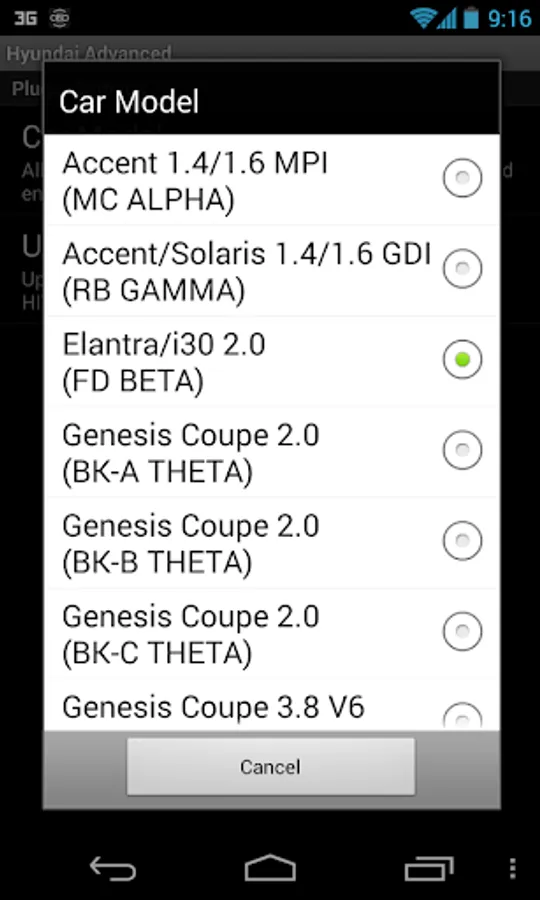
* Elantra/i30 2.0
* Genesis Coupe 2.0 MPI/GDI
* Genesis Coupe 3.8 V6
* Getz 1.5 CRDI
* Getz 1.6/1.4/1.3 MPI
* i30 1.6 GDI
* i30 1.6 CRDI
* i40 2.0 MPI
* i40 1.6 GDI
* i40 1.7 CRDI
* SantaFe 3.3 V6
* SantaFe 2.0 CRDI
* SantaFe 2.4 MPI/GDI
* SantaFe 2.7 V6
* SantaFe 2.0/2.2 CRDI
* SantaFe 3.3 V6
* Sonata 2.0/2.4 MPI/GDI
* Sonata/i45 2.0/2.4 MPI/GDI
* Sonata 2.0 T-GDI
* Tiburon 2.0 MPI
* Tiburon 2.7 V6
* Terracan 2.9 CRDI
* Tucson 2.0 CRDI
* Tucson 2.0 MPI
* Tucson 2.7 V6
* Tucson/ix35 2.0/2.4 MPI/GDI
* Tucson/ix35 2.0 CRDI
* Veloster 1.6 MPI/GDI
* Veloster 1.6 T-GDI
* Veracruz/ix55 3.8 V6
* Veracruz/ix55 3.0 CRDI
For more information about HYUNDAI engines, visit http://en.wikipedia.org/wiki/List_of_HYUNDAI_engines
Advanced EX requires the latest version of Torque Pro installed in order to function. This is *NOT* a standalone application and will *NOT* work without Torque Pro.
Plugin Installation
-------------------------
1) After purchasing the plugin on Google Play, make sure that you see the plugin listed on your Android device installed applications list.
2) Launch Torque Pro and click on the "Advanced EX" icon
3) Select the appropriate engine type and return to Torque Pro main screen
4) Go to Torque Pro "Settings"
5) Make sure that you can see the plugin listed also on Torque Pro by clicking "Settings" > "Plugins"> "Installed Plugins".
6) Scroll down to "Manage extra PIDs/Sensors"
7) Usually this screen will not display any entries, unless you have added any pre-defined or custom PIDs in the past.
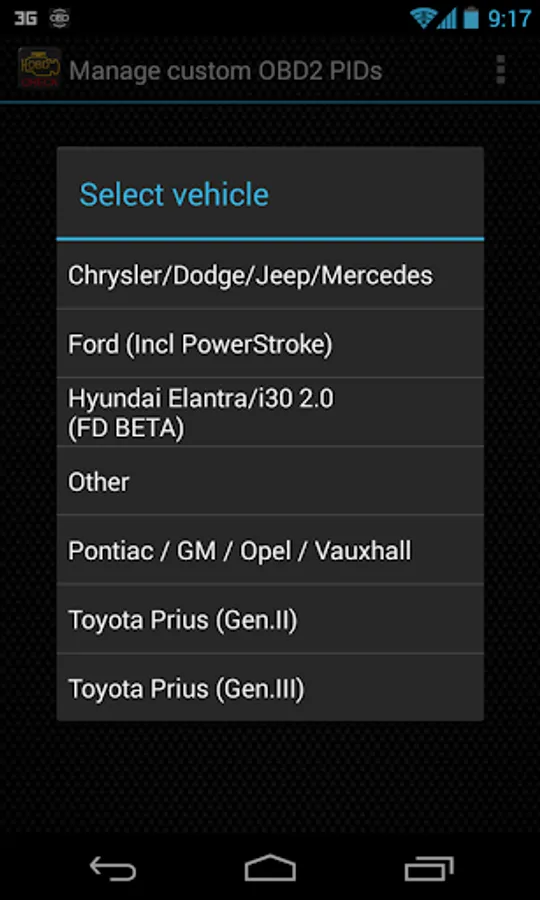
8) From the menu, choose "Add predefined set"
9) If your license is validated on Google Play you should see an entry for your engine. You may see predefined sets for other engine types, so make sure you pick the right one. If you don't see anything, probably you have an installation problem or validation error on Google Play. In this case, go back and repeat the installation procedure.
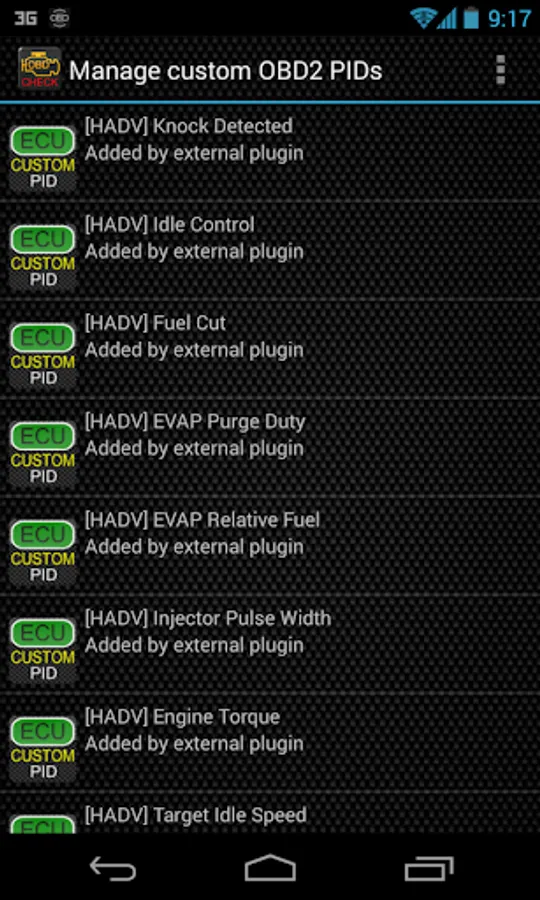
10) After clicking on the entry from the previous step, you should see several entries added to the Extra PIDs/Sensors list.
Note: Some sensors will be calculated real-time based on others. Make sure that you keep all sensors to avoid calculation errors.
Adding Displays
------------------------
1) After adding the additional sensors, go to the Realtime Information/Dashboard.
2) Press the menu key and then click on "Add Display"
3) Select the appropriate display type
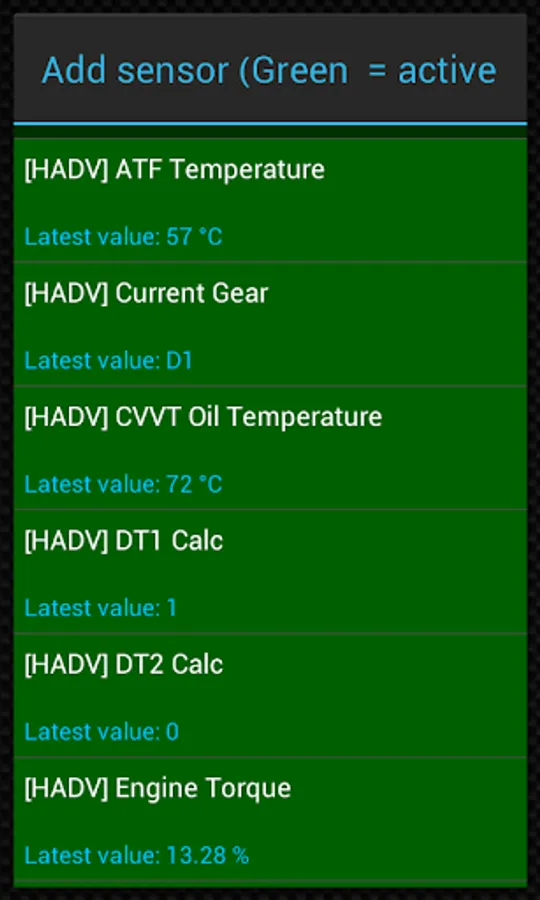
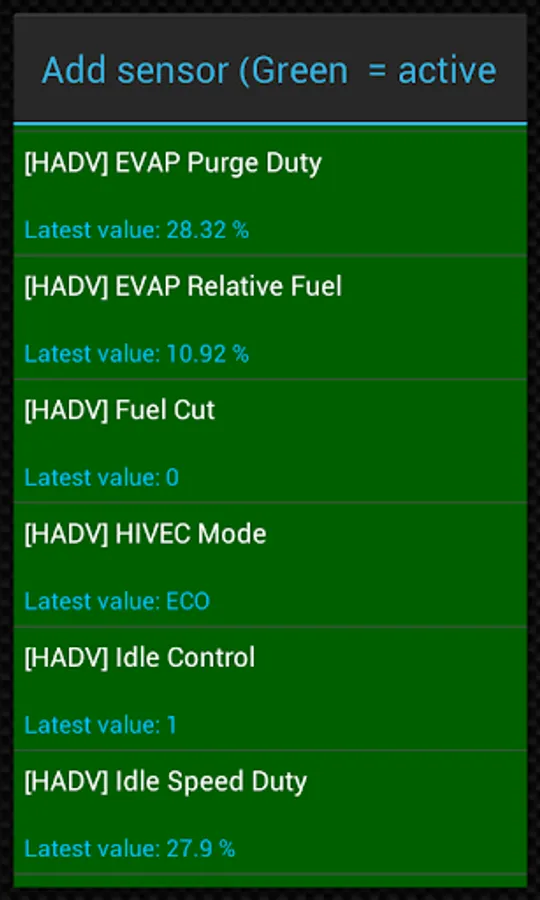
4) Select the appropriate sensor from the list. Sensors provided by Advanced EX begins with "[HADV]" and should be listed right after the time sensors in the top of the list.
More features/parameters will be added in further releases. If you have comments and/or suggestions please just let me know.
Advanced EX is a plugin for Torque Pro, extending the PID/Sensor list with more than 10 specific parameters from HYUNDAI vehicles, including:
* AT Turbine and Output Speed (*)
* AT Oil Temperature (*)
* AT Damper Clutch Lockup (*)
* AT HIVEC Mode (*)
* AT Current Gear (*)
* CVVT Oil Temperature
* Fuel Injector Pulse Width / Duty Cycle
* Knock Retard (*)
* Wastegate Duty Cycle (*)
* Turbo Boost Pressure (*)
Sensors marked with (*) are not available on all cars, as it depends on special engine/parts like Turbo and/or Automatic Transmission.
For cars with automatic transmission, Lockup is really cool to monitor during a long road trip or even while driving in the city. As described on HYUNDAI Service Manuals, the Damper Clutch Lockup shows in real-time the actual Torque Converter lockup percentage, and as it approaches 100% the slip should be near zero.
*PLEASE NOTE* that other HYUNDAI models/engines may be supported, but the plugin was tested only on the following models/engines:
* Accent 1.4/1.6 MPI
* Accent/Solaris 1.4/1.6 GDI
* Accent/Solaris 1.6 CRDI
* Elantra/i30 2.0
* Genesis Coupe 2.0 MPI/GDI
* Genesis Coupe 3.8 V6
* Getz 1.5 CRDI
* Getz 1.6/1.4/1.3 MPI
* i30 1.6 GDI
* i30 1.6 CRDI
* i40 2.0 MPI
* i40 1.6 GDI
* i40 1.7 CRDI
* SantaFe 3.3 V6
* SantaFe 2.0 CRDI
* SantaFe 2.4 MPI/GDI
* SantaFe 2.7 V6
* SantaFe 2.0/2.2 CRDI
* SantaFe 3.3 V6
* Sonata 2.0/2.4 MPI/GDI
* Sonata/i45 2.0/2.4 MPI/GDI
* Sonata 2.0 T-GDI
* Tiburon 2.0 MPI
* Tiburon 2.7 V6
* Terracan 2.9 CRDI
* Tucson 2.0 CRDI
* Tucson 2.0 MPI
* Tucson 2.7 V6
* Tucson/ix35 2.0/2.4 MPI/GDI
* Tucson/ix35 2.0 CRDI
* Veloster 1.6 MPI/GDI
* Veloster 1.6 T-GDI
* Veracruz/ix55 3.8 V6
* Veracruz/ix55 3.0 CRDI
For more information about HYUNDAI engines, visit http://en.wikipedia.org/wiki/List_of_HYUNDAI_engines
Advanced EX requires the latest version of Torque Pro installed in order to function. This is *NOT* a standalone application and will *NOT* work without Torque Pro.
Plugin Installation
-------------------------
1) After purchasing the plugin on Google Play, make sure that you see the plugin listed on your Android device installed applications list.
2) Launch Torque Pro and click on the "Advanced EX" icon
3) Select the appropriate engine type and return to Torque Pro main screen
4) Go to Torque Pro "Settings"
5) Make sure that you can see the plugin listed also on Torque Pro by clicking "Settings" > "Plugins"> "Installed Plugins".
6) Scroll down to "Manage extra PIDs/Sensors"
7) Usually this screen will not display any entries, unless you have added any pre-defined or custom PIDs in the past.
8) From the menu, choose "Add predefined set"
9) If your license is validated on Google Play you should see an entry for your engine. You may see predefined sets for other engine types, so make sure you pick the right one. If you don't see anything, probably you have an installation problem or validation error on Google Play. In this case, go back and repeat the installation procedure.
10) After clicking on the entry from the previous step, you should see several entries added to the Extra PIDs/Sensors list.
Note: Some sensors will be calculated real-time based on others. Make sure that you keep all sensors to avoid calculation errors.
Adding Displays
------------------------
1) After adding the additional sensors, go to the Realtime Information/Dashboard.
2) Press the menu key and then click on "Add Display"
3) Select the appropriate display type
4) Select the appropriate sensor from the list. Sensors provided by Advanced EX begins with "[HADV]" and should be listed right after the time sensors in the top of the list.
More features/parameters will be added in further releases. If you have comments and/or suggestions please just let me know.
Advanced EX for HYUNDAI Screenshots
Tap to Rate:
Reviews for Advanced EX for HYUNDAI
Diana Bratean
8/8/2025
Not suitable for Kona or Bayon models.
Ken Roberts (Venture TW)
11/23/2024
No engine data for santa fe 2010 engine is not liated abs info is not available either prwtty useless without those info