AppRecs review analysis
AppRecs rating . Trustworthiness 61 out of 100. Review manipulation risk 16 out of 100. Based on a review sample analyzed.
★
AppRecs Rating
Ratings breakdown
5 star
0%
4 star
0%
3 star
0%
2 star
50%
1 star
50%
What to know
✓
Low review manipulation risk
16% review manipulation risk
⚠
Mixed user feedback
Average 1.5★ rating suggests room for improvement
About EcoDrive for NISSAN
EcoDrive for NISSAN is the ultimate tool to help people improve their driving habits and enhance fuel efficiency by observing the leaf color response to driving practices.
It reads the fuel consumption data from the car computer in real-time, improving the reading accuracy, since most fuel economy applications on the market estimates the fuel consumption rate by reading the air intake.
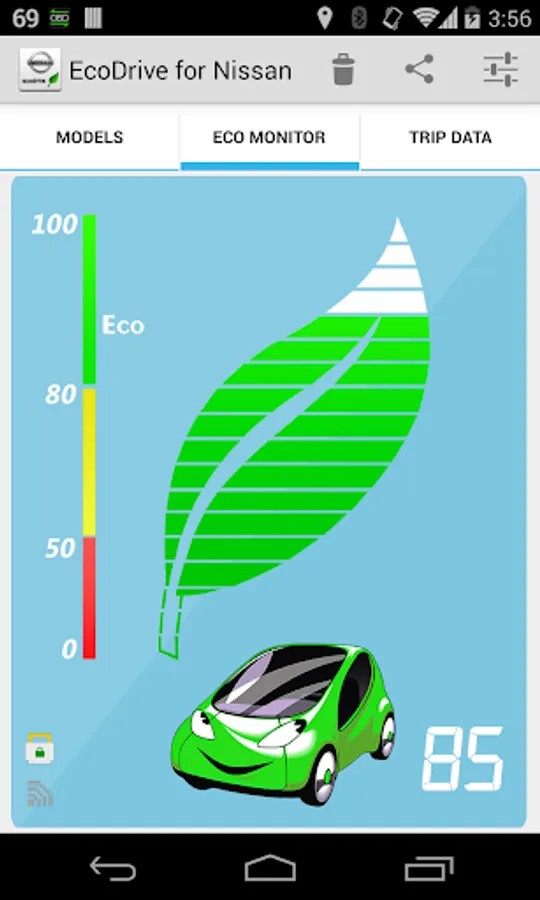
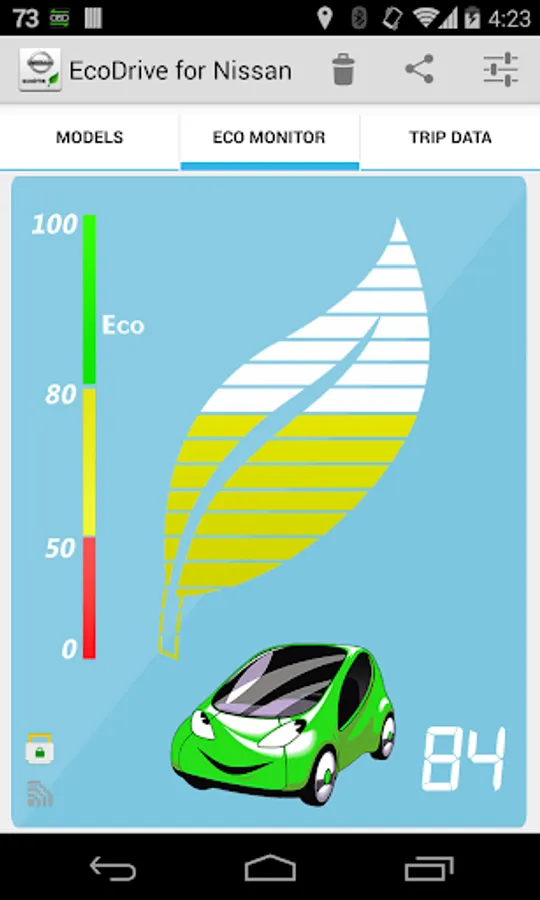
Fuel-saving behaviors like smooth acceleration make the leaf meter glow green, while inefficient driving behaviors will turn the leaf indicator to yellow or red.
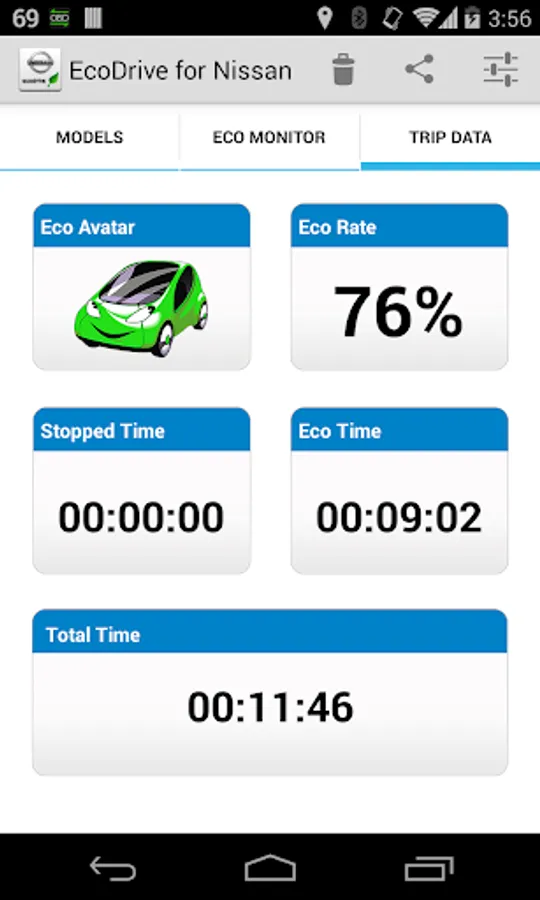
You can also share your current status (ECO Avatar and ECO Rate) on the social networks, allowing family and friends to keep up with your current progress.
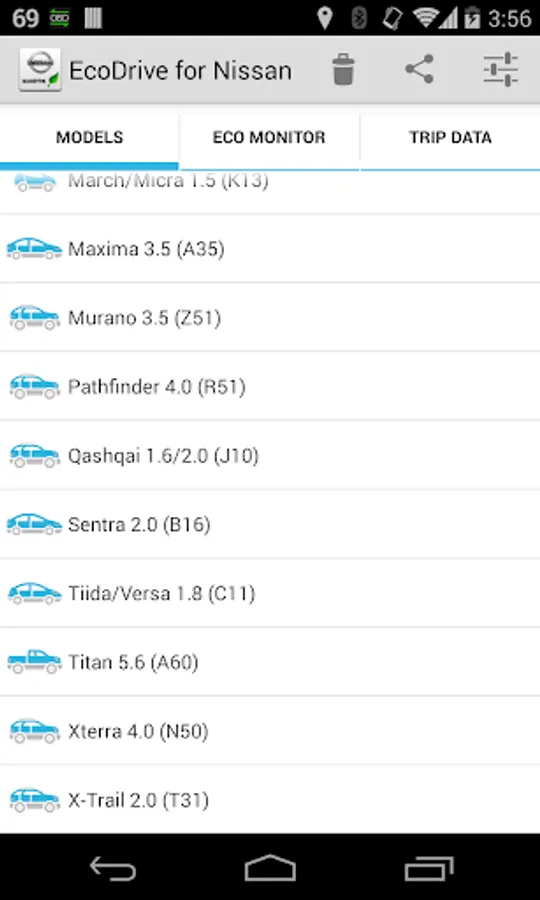
*PLEASE NOTE* that other NISSAN models may be supported, but the plugin was tested only on the following models:
* 350Z 3.5 (Z33)
* 370Z 3.7 (Z34)
* Altima 2.5/3.5 (L32)
* Armada 5.6 (TA60)
* Frontier 4.0 (D40)
* Juke 1.6/3.8 (F15)
* March/Micra 1.5 (K13)
* Maxima 3.5 (A35)
* Murano 3.5 (Z51)
* Pathfinder 4.0 (R51)
* Qashqai 1.6/2.0 (J10)
* Sentra 2.0 (B16)
* Tiida/Versa 1.8 (C11)
* Titan 5.6 (A60)
* Xterra 4.0 (N50)
* X-Trail 2.0 (T31)
EcoDrive for NISSAN requires the latest version of Torque Pro installed in order to function. This is *NOT* a standalone application and will *NOT* work without Torque Pro.
Installation
-------------------
1) After purchasing the application on Google Play, make sure that you see it listed on your Android device installed applications list.
2) Launch Torque and go to "Settings"
3) Make sure that you can see the plugin listed also on Torque Pro by clicking "Settings" > "Plugins"> "Installed Plugins".
4) Mark the "Allow plugins full access" box, since EcoDrive for NISSAN needs access to the OBD adapter.
5) Click on the plugin icon and select your car model on the MODEL tab and confirm
6) The app will display the ECO Leaf real-time information on the ECO MONITOR tab
7) Timers and detailed trip information will be displayed on the TRIP DATA tab
More features/parameters will be added in further releases. If you have comments and/or suggestions please just let me know.
It reads the fuel consumption data from the car computer in real-time, improving the reading accuracy, since most fuel economy applications on the market estimates the fuel consumption rate by reading the air intake.
Fuel-saving behaviors like smooth acceleration make the leaf meter glow green, while inefficient driving behaviors will turn the leaf indicator to yellow or red.
You can also share your current status (ECO Avatar and ECO Rate) on the social networks, allowing family and friends to keep up with your current progress.
*PLEASE NOTE* that other NISSAN models may be supported, but the plugin was tested only on the following models:
* 350Z 3.5 (Z33)
* 370Z 3.7 (Z34)
* Altima 2.5/3.5 (L32)
* Armada 5.6 (TA60)
* Frontier 4.0 (D40)
* Juke 1.6/3.8 (F15)
* March/Micra 1.5 (K13)
* Maxima 3.5 (A35)
* Murano 3.5 (Z51)
* Pathfinder 4.0 (R51)
* Qashqai 1.6/2.0 (J10)
* Sentra 2.0 (B16)
* Tiida/Versa 1.8 (C11)
* Titan 5.6 (A60)
* Xterra 4.0 (N50)
* X-Trail 2.0 (T31)
EcoDrive for NISSAN requires the latest version of Torque Pro installed in order to function. This is *NOT* a standalone application and will *NOT* work without Torque Pro.
Installation
-------------------
1) After purchasing the application on Google Play, make sure that you see it listed on your Android device installed applications list.
2) Launch Torque and go to "Settings"
3) Make sure that you can see the plugin listed also on Torque Pro by clicking "Settings" > "Plugins"> "Installed Plugins".
4) Mark the "Allow plugins full access" box, since EcoDrive for NISSAN needs access to the OBD adapter.
5) Click on the plugin icon and select your car model on the MODEL tab and confirm
6) The app will display the ECO Leaf real-time information on the ECO MONITOR tab
7) Timers and detailed trip information will be displayed on the TRIP DATA tab
More features/parameters will be added in further releases. If you have comments and/or suggestions please just let me know.
EcoDrive for NISSAN Screenshots
Tap to Rate:
Reviews for EcoDrive for NISSAN
Bhuds Uy
11/7/2021
This was not working to me
A Google user
4/18/2019
It's very simple and works. The only problem is with android auto lock screen.