
Mississippi Mobile ID
Idemia R&D
4.7 ★
2K ratings
100,000+
downloads
Free
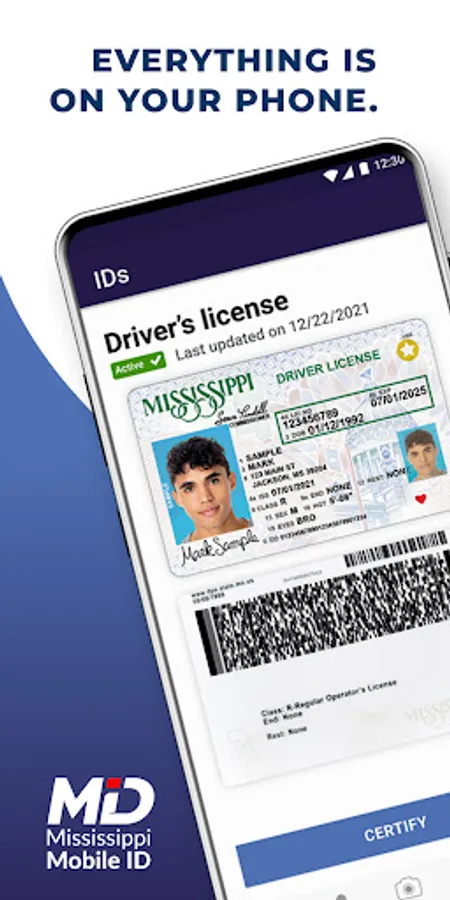
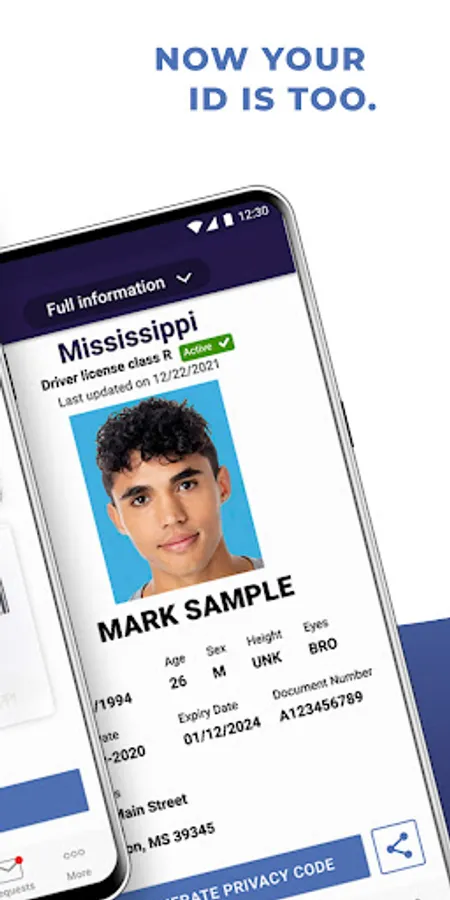
With this mobile ID app, you can verify your identity contactlessly using facial recognition or PIN and control your shared information during transactions. Includes security layers, privacy controls, and easy registration steps.
AppRecs review analysis
AppRecs rating 4.4. Trustworthiness 0 out of 100. Review manipulation risk 0 out of 100. Based on a review sample analyzed.
★★★★☆
4.4
AppRecs Rating
Ratings breakdown
5 star
87%
4 star
3%
3 star
5%
2 star
2%
1 star
2%
What to know
✓
High user satisfaction
87% of sampled ratings are 5 stars
About Mississippi Mobile ID
Including layers of security and privacy controls, Mississippi Mobile ID is a contactless, convenient way to verify your identity from your phone.
Mississippi Mobile ID allows you to control what information you share during a transaction. For example, when buying age-restricted items, the app can confirm you are of legal age without having to share your birth date or address.
Intuitive and easy-to-use, Mobile ID is unlocked by a selfie match to verify identity, or by using a self-selected pin or TouchID/FaceID so your personal information is always protected.
In five simple steps, you can register for your Mississippi mID:
1. Download the app and set permissions
2. Verify access to your phone number
3. Use your device camera to scan the front and back of your driver’s license or ID card
4. Follow the app’s registration steps to take a selfie
5. Set up app security and you’re good to go!
Please note: Mississippi Mobile ID is considered an official state-issued ID, serving as a companion to your physical ID. Please continue to carry your physical ID because not all entities are able to verify mID yet.
For more information, please visit www.dps.ms.gov/mobile-ID.
This app requires an Android 7 and newer. Android 10-based EMUI 10 devices are NOT supported.
Mississippi Mobile ID allows you to control what information you share during a transaction. For example, when buying age-restricted items, the app can confirm you are of legal age without having to share your birth date or address.
Intuitive and easy-to-use, Mobile ID is unlocked by a selfie match to verify identity, or by using a self-selected pin or TouchID/FaceID so your personal information is always protected.
In five simple steps, you can register for your Mississippi mID:
1. Download the app and set permissions
2. Verify access to your phone number
3. Use your device camera to scan the front and back of your driver’s license or ID card
4. Follow the app’s registration steps to take a selfie
5. Set up app security and you’re good to go!
Please note: Mississippi Mobile ID is considered an official state-issued ID, serving as a companion to your physical ID. Please continue to carry your physical ID because not all entities are able to verify mID yet.
For more information, please visit www.dps.ms.gov/mobile-ID.
This app requires an Android 7 and newer. Android 10-based EMUI 10 devices are NOT supported.
Mississippi Mobile ID Screenshots
Tap to Rate:
Reviews for Mississippi Mobile ID
Willie McCollum
12/31/2025
absolutely love this app, so incredibly useful for all the right things you need when you got to use you id 🆔
Shelle Bass
12/30/2025
Great