GPS Photo Viewer
JK.Fantasy
4.4 ★
5K ratings
1,000,000+
downloads
Free
+ in-app
In this photo viewer app, you can check and edit GPS information in JPEG images and launch Google Maps to navigate to photo locations. Includes support for multiple photo editing, Google Maps layers, and location searching.
AppRecs review analysis
AppRecs rating 4.5. Trustworthiness 70 out of 100. Review manipulation risk 45 out of 100. Based on a review sample analyzed.
★★★★☆
4.5
AppRecs Rating
Ratings breakdown
5 star
70%
4 star
13%
3 star
7%
2 star
5%
1 star
5%
What to know
✓
Authentic reviews
Natural distribution, no red flags
⚠
Questionable review patterns
45% review manipulation risk - some review patterns appear unusual
⚠
Review quality concerns
75% of sampled 5-star reviews are very short
About GPS Photo Viewer
Please watch the teach video to know how to use it. (Have description if watch video from PC or Notebook.)
When you go to travel and take a picture, I suggest you to enable camera's GPS.
After you enable camera's GPS function, then the GPS latitude and longitude will record in the captured photo.
This application is help you to check the photo have a GPS info or not. And help to launch the Google map.
If your photo (jpeg file) doesn't have a GPS info, this application also can help you to edit it. So you can know where to take this picture.
A few years later, you also know where this place is.
Memories are important thing in our life.
So remember enable GPS when take a picture!!!
Function :
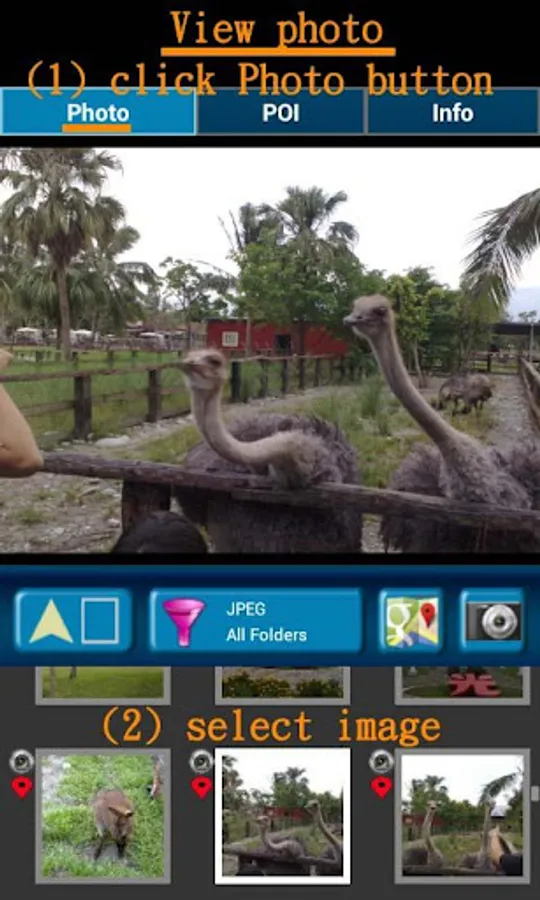
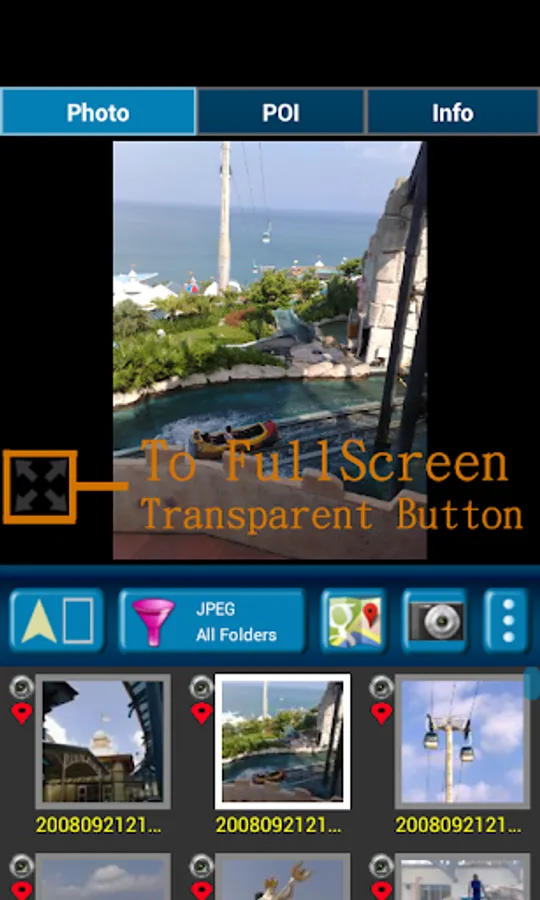
1. Fast check/edit photo's GPS information.
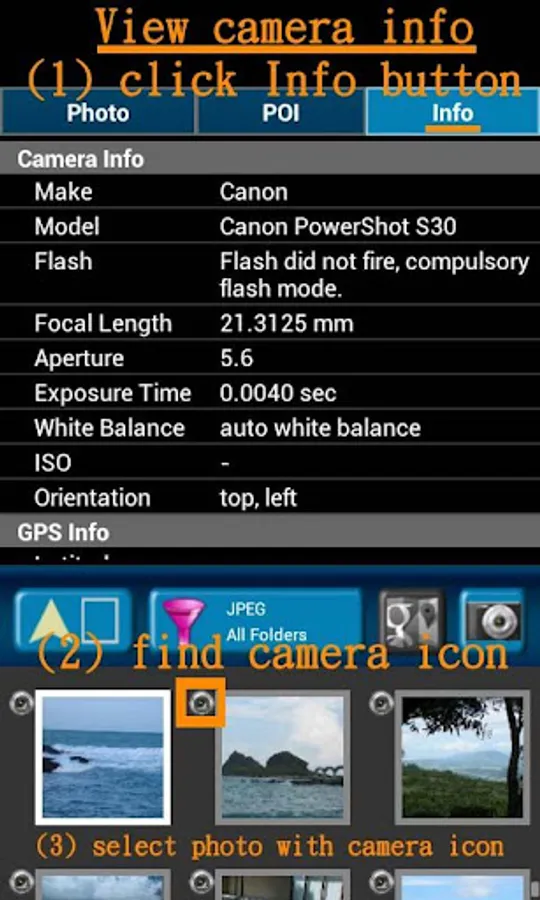
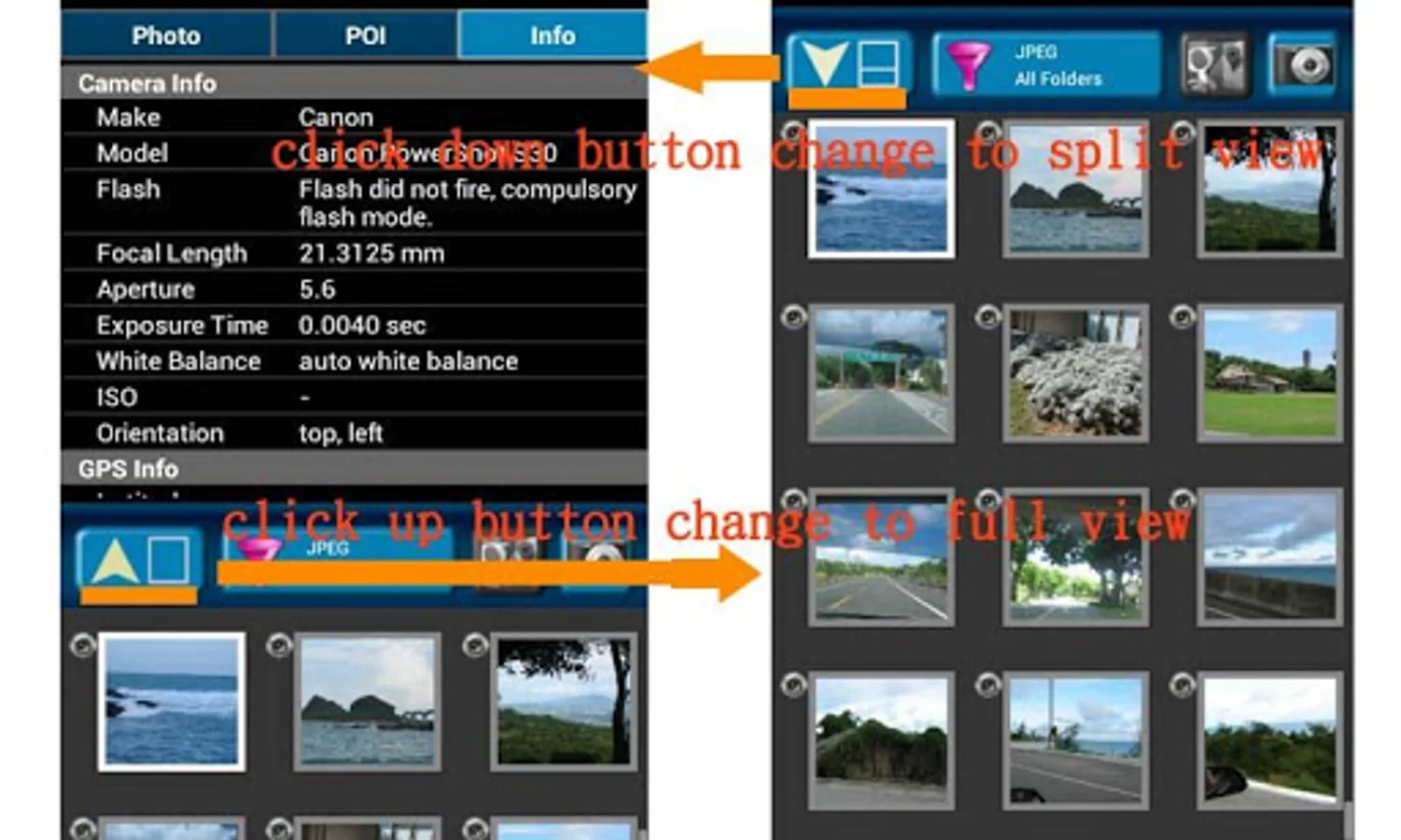
2. Fast check photo's camera information.
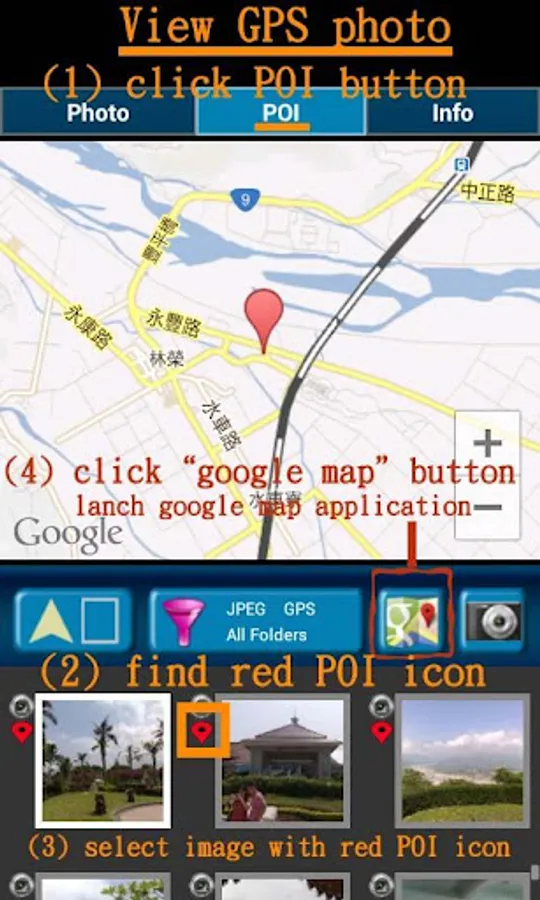
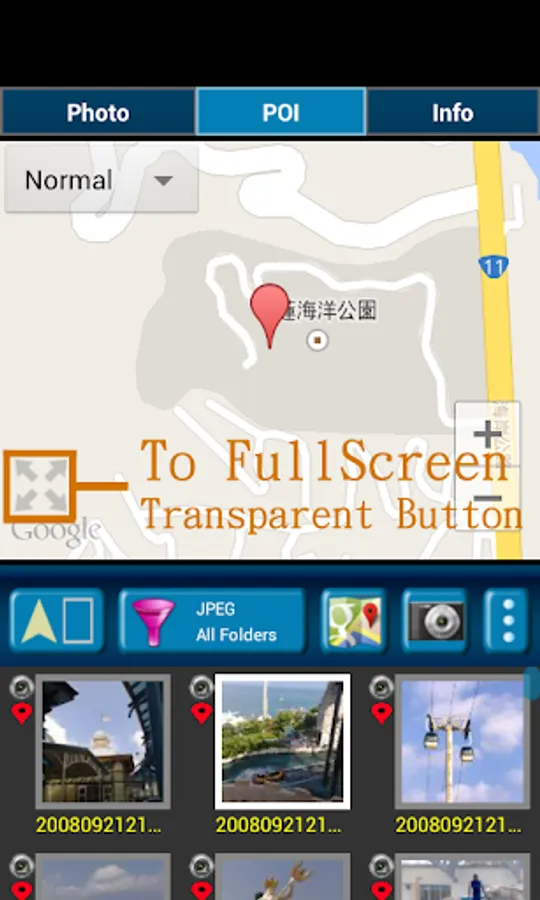
3. Navigate GPS-POI in google map.
4. Launch to "google map application" with photo's GPS location.
5. When launch this application, the final selected photo will be shown. So it is quickly to index the final selected photo. It is convenient!
Purpose :
1. You can copy your GPS photos to your friends, and then they can go there if they are interest.
2. Want to know where to take the picture. (Take a GPS photo when park your car, you will find your car easily.)
3. Want to know the "focal length", "aperture", "ISO" value in the photo.
V1.1.0:
1. change MAP to google map V3.
a) support traffic/weather/panoramio layer.
b) support street view.
c) support place search.
V1.1.1:
1. Support edit photo's latitude/longitude. (Only JPEG file can edit latitude/longitude)
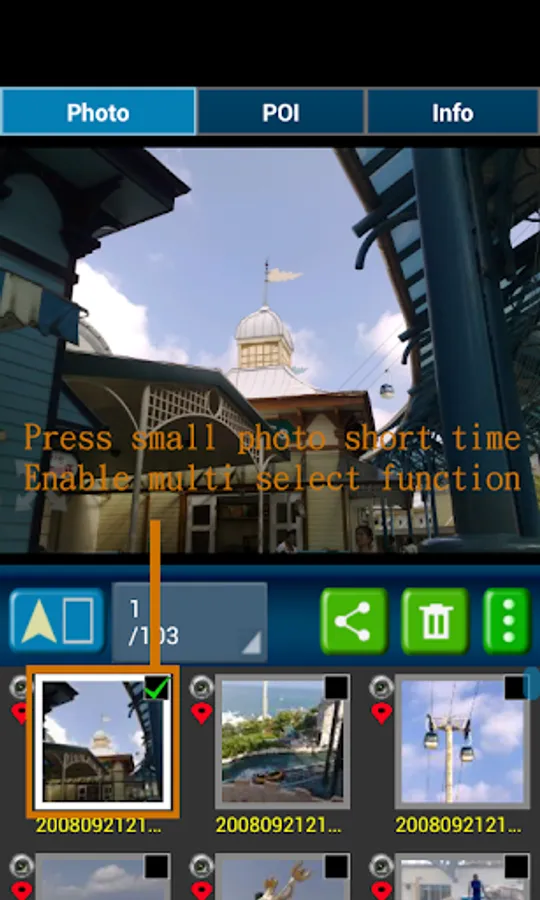
(a-1) Press the small photo a long time to enable photo multi-select.
(a-2) Select photos. (up to 20 photos)
(a-3) Select option button, then tap "edit poi" button to enter edit-page.
Others :
1. It could be slow at first time loading image. After decoding finish, it will be fast.
2. Remember turn on GPS funtion when you take a picture. And the photo will contail GPS info.
3. Your phone need already install "google map application" and "google play service" before run this application.
4. Tap the small picture for some time, share/delete/rename/rotate function will enable.
PS: In the Line/Facebook photo sharing, latitude and longitude info will be removed. If you want to share the latitude and longitude info, we recommend to use email/Gmail.
[Q&A] :
1. How to capture a photo that contain a GPS tag?
Ans:
1) Enable `Use wireless networks` and `Use GPS satellites` in `Location services` page.
2) Enable WIFI or 3G/4G network for fast locaton search.
3) Enable GPS function in the camera application.
【PS】
Please like us on Facebook. Give us the power of love.
https://www.facebook.com/jkfantasy
When you go to travel and take a picture, I suggest you to enable camera's GPS.
After you enable camera's GPS function, then the GPS latitude and longitude will record in the captured photo.
This application is help you to check the photo have a GPS info or not. And help to launch the Google map.
If your photo (jpeg file) doesn't have a GPS info, this application also can help you to edit it. So you can know where to take this picture.
A few years later, you also know where this place is.
Memories are important thing in our life.
So remember enable GPS when take a picture!!!
Function :
1. Fast check/edit photo's GPS information.
2. Fast check photo's camera information.
3. Navigate GPS-POI in google map.
4. Launch to "google map application" with photo's GPS location.
5. When launch this application, the final selected photo will be shown. So it is quickly to index the final selected photo. It is convenient!
Purpose :
1. You can copy your GPS photos to your friends, and then they can go there if they are interest.
2. Want to know where to take the picture. (Take a GPS photo when park your car, you will find your car easily.)
3. Want to know the "focal length", "aperture", "ISO" value in the photo.
V1.1.0:
1. change MAP to google map V3.
a) support traffic/weather/panoramio layer.
b) support street view.
c) support place search.
V1.1.1:
1. Support edit photo's latitude/longitude. (Only JPEG file can edit latitude/longitude)
(a-1) Press the small photo a long time to enable photo multi-select.
(a-2) Select photos. (up to 20 photos)
(a-3) Select option button, then tap "edit poi" button to enter edit-page.
Others :
1. It could be slow at first time loading image. After decoding finish, it will be fast.
2. Remember turn on GPS funtion when you take a picture. And the photo will contail GPS info.
3. Your phone need already install "google map application" and "google play service" before run this application.
4. Tap the small picture for some time, share/delete/rename/rotate function will enable.
PS: In the Line/Facebook photo sharing, latitude and longitude info will be removed. If you want to share the latitude and longitude info, we recommend to use email/Gmail.
[Q&A] :
1. How to capture a photo that contain a GPS tag?
Ans:
1) Enable `Use wireless networks` and `Use GPS satellites` in `Location services` page.
2) Enable WIFI or 3G/4G network for fast locaton search.
3) Enable GPS function in the camera application.
【PS】
Please like us on Facebook. Give us the power of love.
https://www.facebook.com/jkfantasy
GPS Photo Viewer Screenshots
Tap to Rate:
Reviews for GPS Photo Viewer
H H Kong
6/19/2025
This is one of the few that I like. To easily link geo-tag photos onto Google Map or any other maps.
SAMIR PURKAIT
11/30/2023
I me happy