HPCL DU Tagging
Hindustan Petroleum Corporation Limited
100+
downloads
Free
About HPCL DU Tagging
For Dealers:
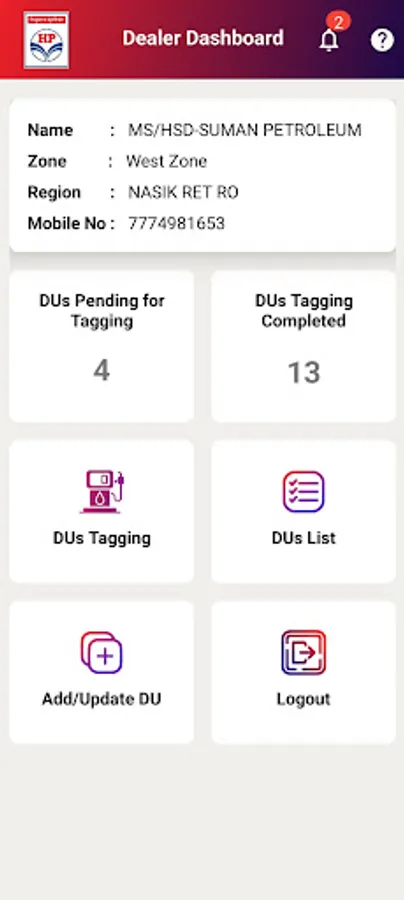
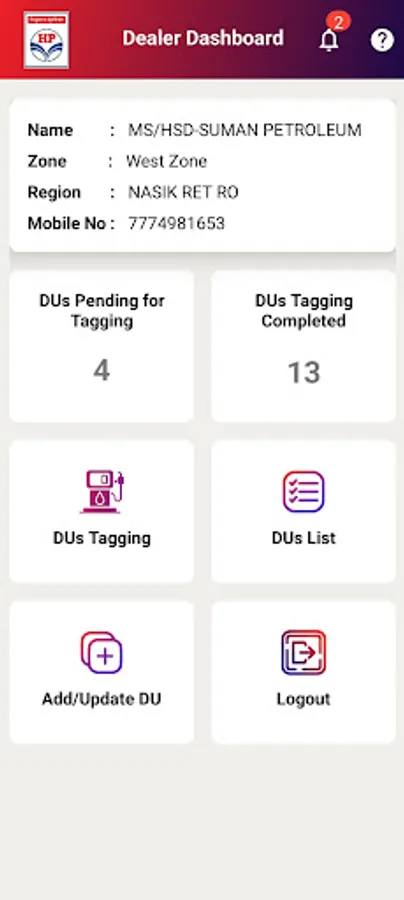
The application opens to a user-friendly dashboard that displays key information such as the number of DUs pending for tagging, completed DU registrations, and rejected submissions – with alerts via a notification bell icon.
Dealers can:
•Access the DU Tagging screen
•Select DU serial number, nozzle type, and product type
•Scan the RFID QR code
•Capture DU image
•Enter stamping date and remarks
•Submit DU for approval
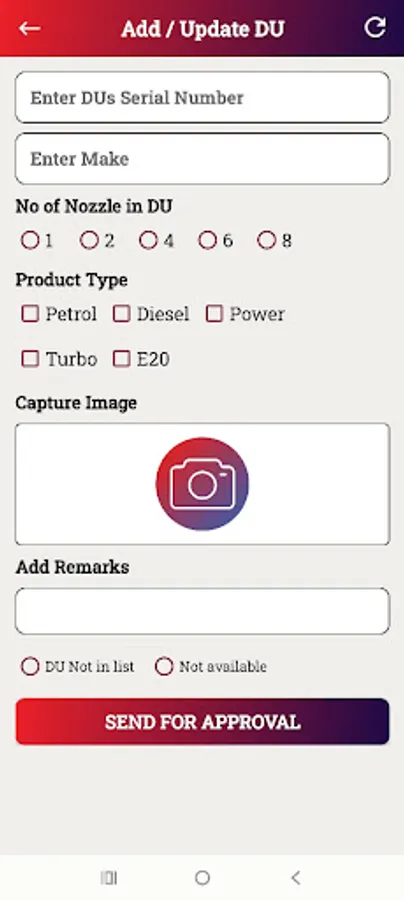
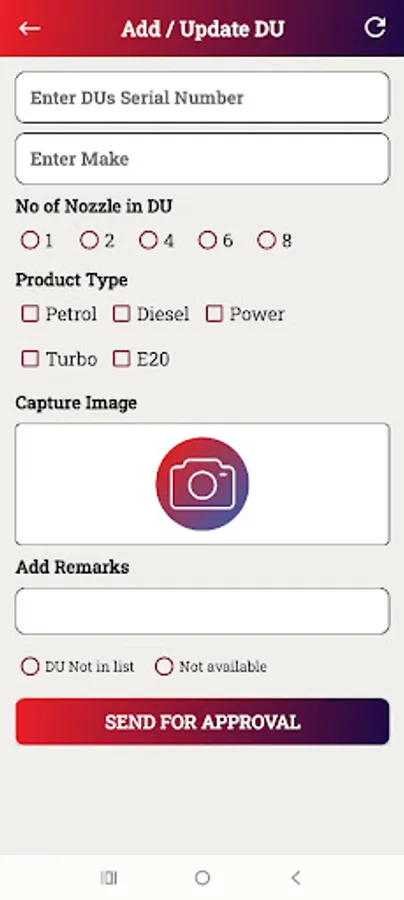
If a DU is missing from the list, they can use the Add/Update DU feature to:
•Register manually with serial number and make
•Mark as “DU Not in List” or “DU Not Available”
•Submit to approver for verification
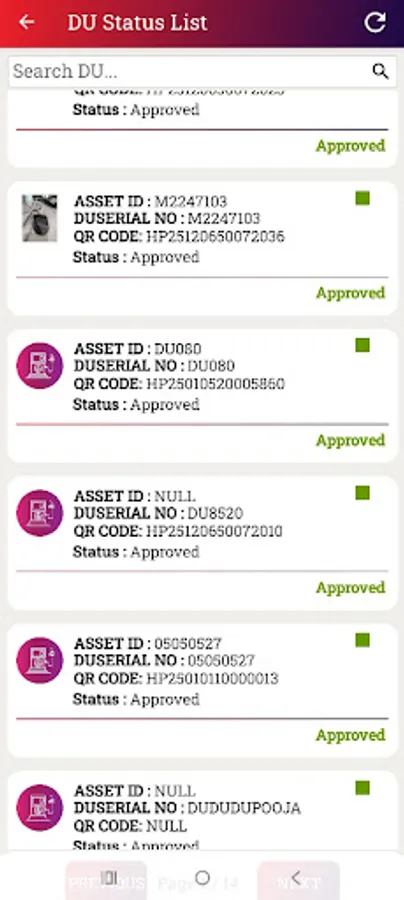
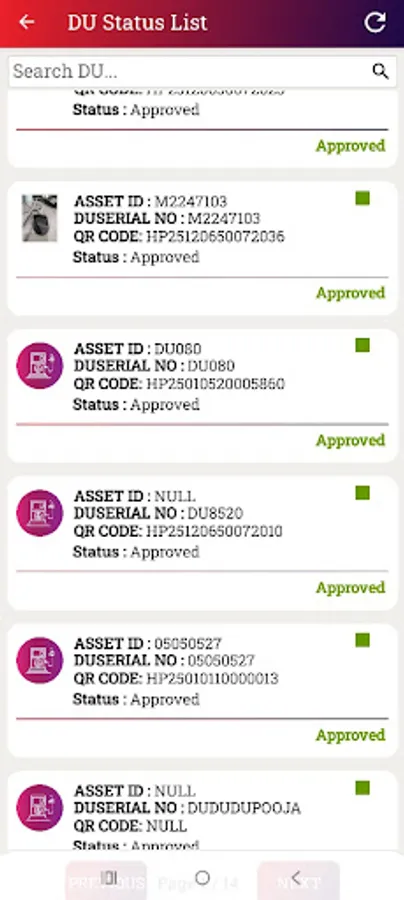
They can also view and manage all registered DUs, categorized as Approved, Pending, or Rejected. Rejected entries can be edited and resubmitted.
For Approvers:
The Approver Dashboard shows:
•Counts of Pending, Approved, and Rejected DUs
•Full DU list segmented by status
•Detailed DU popups for review (image, remarks, etc.)
•Approvers can add remarks and Approve or Reject the submissions
The application opens to a user-friendly dashboard that displays key information such as the number of DUs pending for tagging, completed DU registrations, and rejected submissions – with alerts via a notification bell icon.
Dealers can:
•Access the DU Tagging screen
•Select DU serial number, nozzle type, and product type
•Scan the RFID QR code
•Capture DU image
•Enter stamping date and remarks
•Submit DU for approval
If a DU is missing from the list, they can use the Add/Update DU feature to:
•Register manually with serial number and make
•Mark as “DU Not in List” or “DU Not Available”
•Submit to approver for verification
They can also view and manage all registered DUs, categorized as Approved, Pending, or Rejected. Rejected entries can be edited and resubmitted.
For Approvers:
The Approver Dashboard shows:
•Counts of Pending, Approved, and Rejected DUs
•Full DU list segmented by status
•Detailed DU popups for review (image, remarks, etc.)
•Approvers can add remarks and Approve or Reject the submissions
HPCL DU Tagging Screenshots
Tap to Rate: