AppRecs review analysis
AppRecs rating . Trustworthiness 82 out of 100. Review manipulation risk 28 out of 100. Based on a review sample analyzed.
★
AppRecs Rating
Ratings breakdown
5 star
50%
4 star
17%
3 star
0%
2 star
33%
1 star
0%
What to know
✓
Low review manipulation risk
28% review manipulation risk
✓
Credible reviews
82% trustworthiness score from analyzed reviews
✓
Good user ratings
67% positive sampled reviews
About Add-on for Planet dvice.
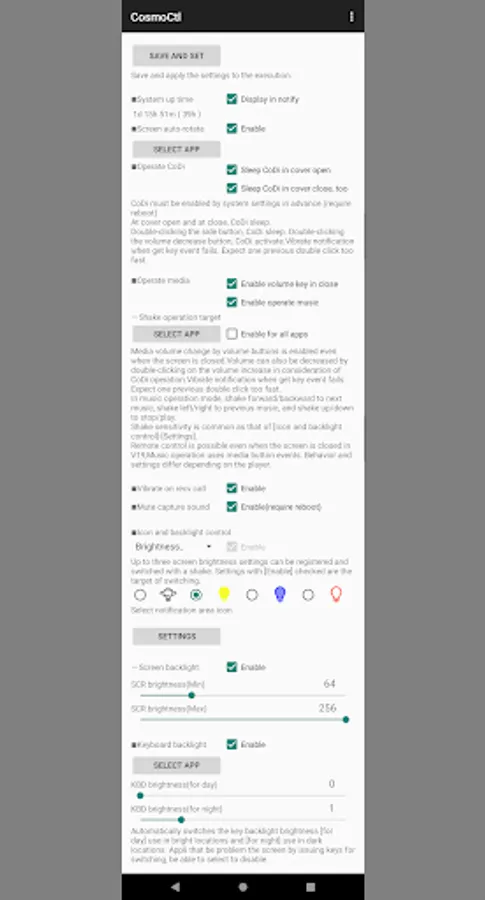
PlanetCtl adds the following features to Cosmo Communicator and Astro Slide 5G. Each function can be used or not used.
Common
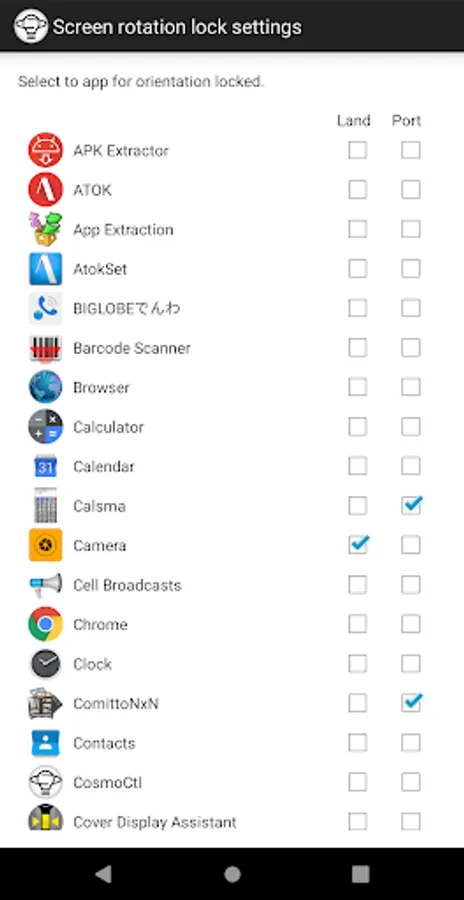
- Forced auto-rotation of the screen.
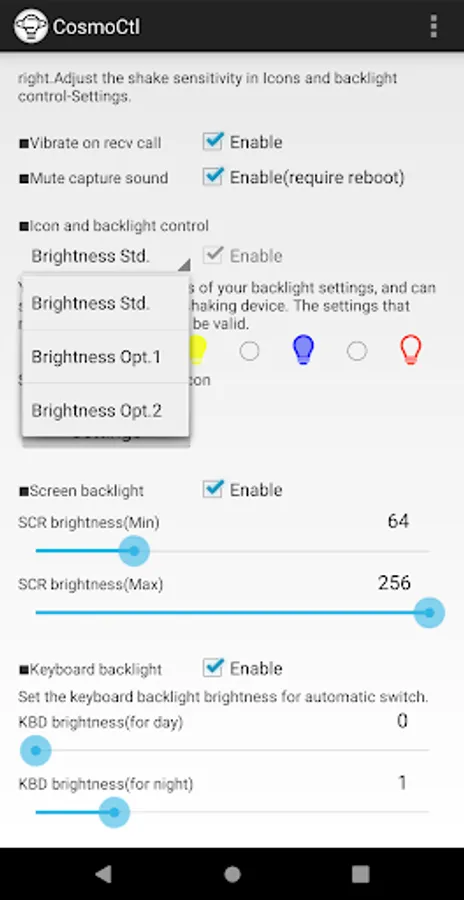
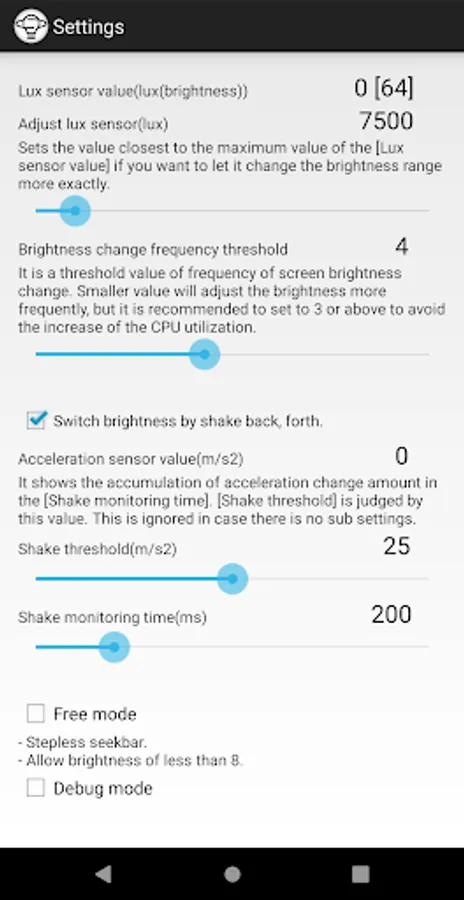
- Screen brightness adjustment range can be set arbitrarily, registered multiple times, and switched by shaking the screen.
- Automatic keyboard backlight when it gets dark. (root required)
- Display of system uptime
Astro Slide 5G
- 360-degree screen rotation
- Input application switching by opening/closing the screen (soft keyboard display or not by opening/closing the screen) (requires root)
- Volume, playback stop, and song forward/backward controls when screen is off
- Reduction of wired earphone noise (requires root)
Cosmo Communicator
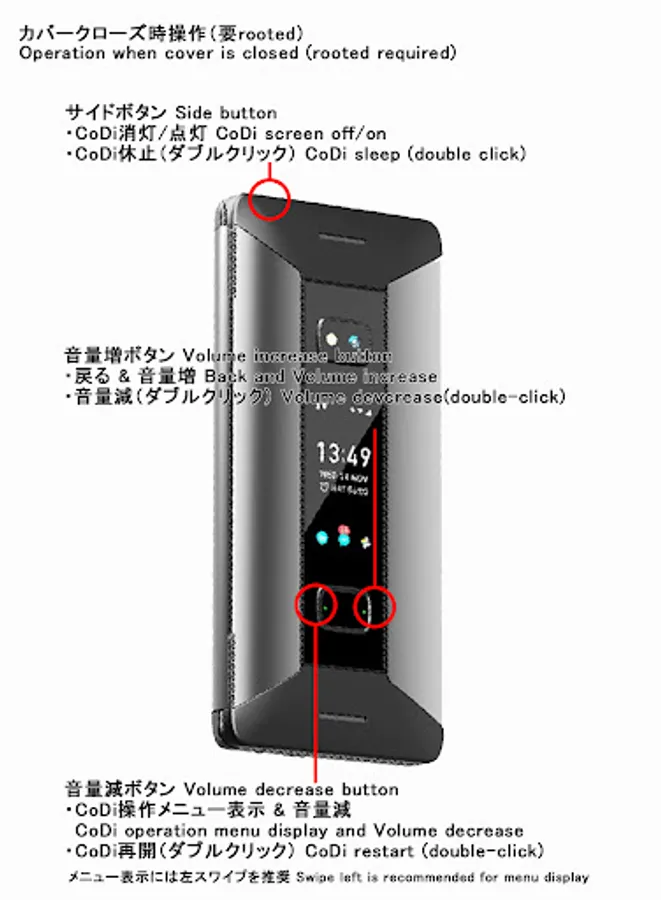
- CoDi sleep/activate operation and CoDi auto control when cover is closed (requires root)
- Volume control when cover is closed. (root is required to use volume buttons)
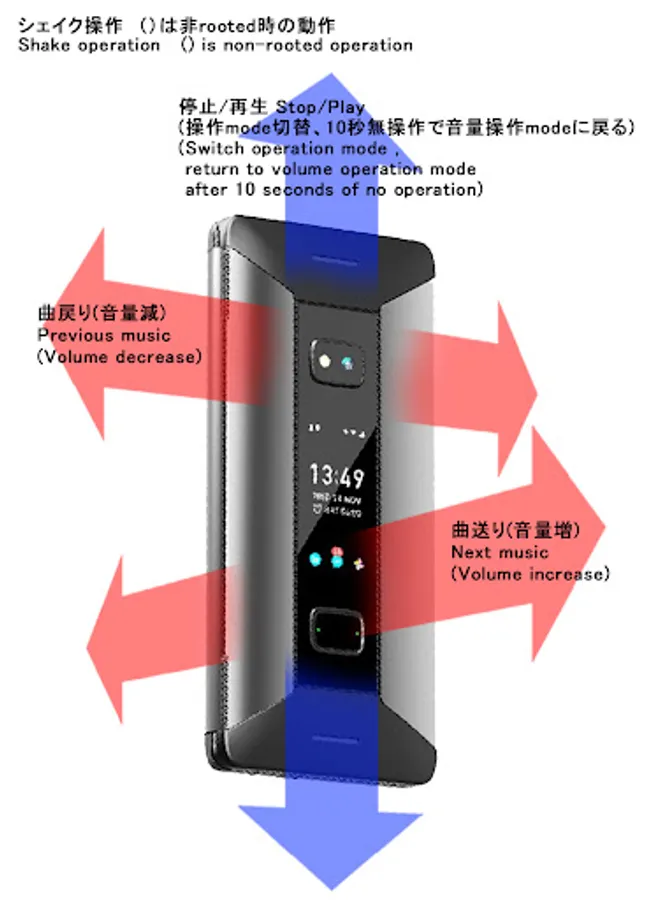
- Stop playback and forward/backward song when cover is closed.
- Mute capture sound. (Requires root)
- Keep vibrating on incoming calls.
(Notes)
Operate CoDi
- Root privileges are required.
- CoDi system settings must be turned on in advance.
- Battery consumption of CoDi during sleep is almost negligible.
- The restart time is about 2 seconds.
- By linked to StopSyncPro, notifications and incoming calls that received while CoDi is sleeping can be displayed.
- When CoDi is sleeped, CoDi settings are cleared.
- Sometimes CoDi will restart on its own, but CoDi sleep automatic after a few seconds.
Operate volume key
- With CoDi enabled and the cover closed, pressing the volume decrease button three times in a row will redial. The volume increase button can be pressed any number of times, so double-clicking the volume increase button can decrease the volume. (It is needless when CoDi is locked or stopped.)
- The media volume changes even when the button is pressed as a CoDi operation.
Operate media
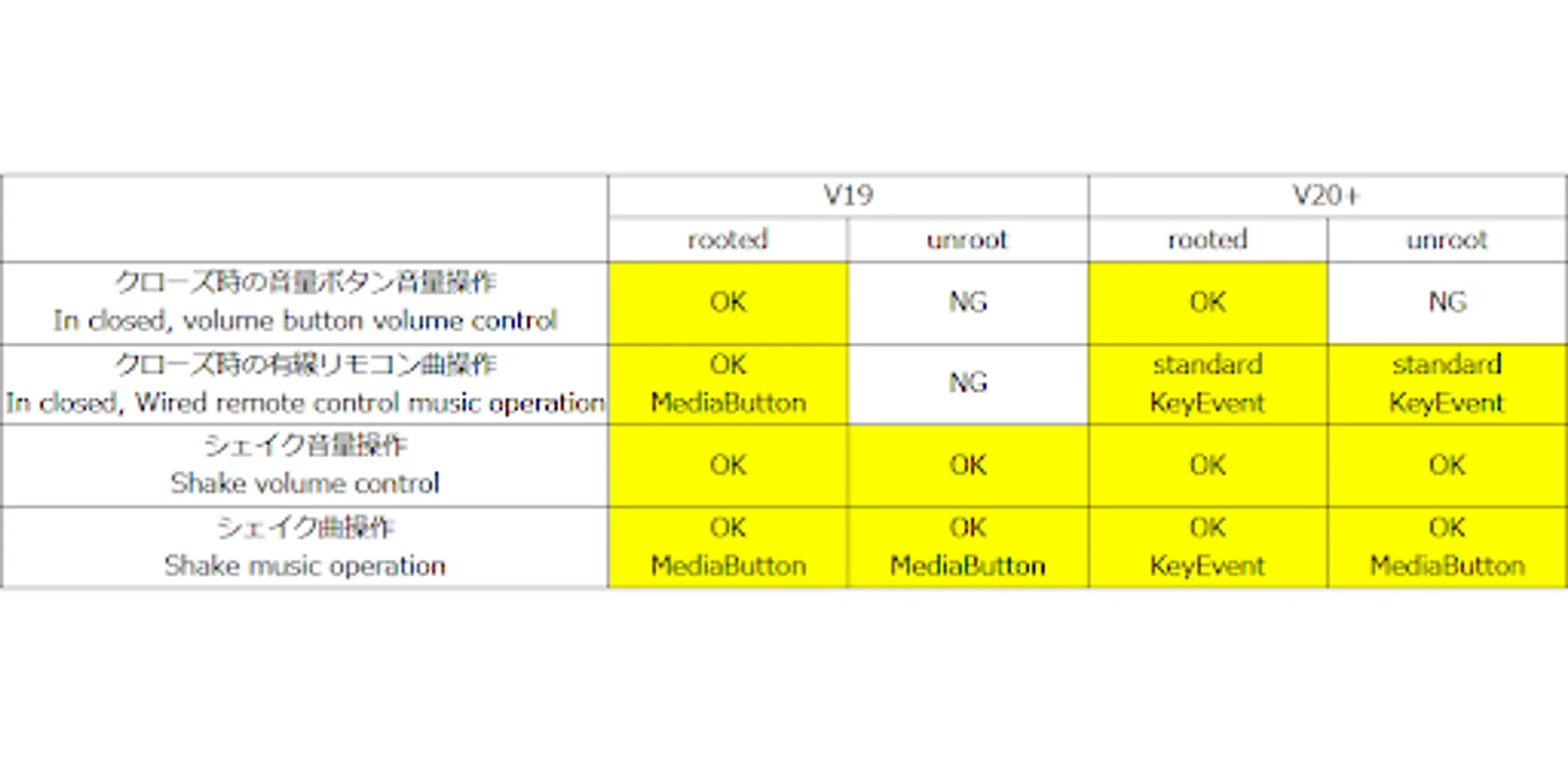
- All but rooted V20+ Cosmo Communicator use MediaButton to control music. you may experience strange behavior, such as only certain players responding if you have multiple players installed, or players that have not been started suddenly playing, etc. These are Android and player specifications.
- Vibrate notification when get key event fails. Expect one previous double click too fast.
Keyboard backlight
The keyboard backlight turns on automatically when the illuminance sensor value falls below a set threshold.
Common
- Forced auto-rotation of the screen.
- Screen brightness adjustment range can be set arbitrarily, registered multiple times, and switched by shaking the screen.
- Automatic keyboard backlight when it gets dark. (root required)
- Display of system uptime
Astro Slide 5G
- 360-degree screen rotation
- Input application switching by opening/closing the screen (soft keyboard display or not by opening/closing the screen) (requires root)
- Volume, playback stop, and song forward/backward controls when screen is off
- Reduction of wired earphone noise (requires root)
Cosmo Communicator
- CoDi sleep/activate operation and CoDi auto control when cover is closed (requires root)
- Volume control when cover is closed. (root is required to use volume buttons)
- Stop playback and forward/backward song when cover is closed.
- Mute capture sound. (Requires root)
- Keep vibrating on incoming calls.
(Notes)
Operate CoDi
- Root privileges are required.
- CoDi system settings must be turned on in advance.
- Battery consumption of CoDi during sleep is almost negligible.
- The restart time is about 2 seconds.
- By linked to StopSyncPro, notifications and incoming calls that received while CoDi is sleeping can be displayed.
- When CoDi is sleeped, CoDi settings are cleared.
- Sometimes CoDi will restart on its own, but CoDi sleep automatic after a few seconds.
Operate volume key
- With CoDi enabled and the cover closed, pressing the volume decrease button three times in a row will redial. The volume increase button can be pressed any number of times, so double-clicking the volume increase button can decrease the volume. (It is needless when CoDi is locked or stopped.)
- The media volume changes even when the button is pressed as a CoDi operation.
Operate media
- All but rooted V20+ Cosmo Communicator use MediaButton to control music. you may experience strange behavior, such as only certain players responding if you have multiple players installed, or players that have not been started suddenly playing, etc. These are Android and player specifications.
- Vibrate notification when get key event fails. Expect one previous double click too fast.
Keyboard backlight
The keyboard backlight turns on automatically when the illuminance sensor value falls below a set threshold.
Add-on for Planet dvice. Screenshots
Tap to Rate:
Reviews for Add-on for Planet dvice.
Robert Snoulton
5/16/2023
fab for orientation control on non rooted machine or cover display on rooted
Pankaj Sudheer
2/28/2022
Extremly simple and minimalistic app but very effectively. Fulfills the purpose effectively.