
In this app, you can manage network usage and synchronize settings to conserve battery life. Includes account synchronization control and network management options.
AppRecs review analysis
AppRecs rating 4.1. Trustworthiness 75 out of 100. Review manipulation risk 34 out of 100. Based on a review sample analyzed.
★★★★☆
4.1
AppRecs Rating
Ratings breakdown
5 star
69%
4 star
10%
3 star
0%
2 star
5%
1 star
16%
What to know
✓
Credible reviews
75% trustworthiness score from analyzed reviews
✓
High user satisfaction
79% of sampled ratings are 4+ stars (4.1★ average)
✓
Authentic reviews
Natural distribution, no red flags
About Battery Saver EcoCtl
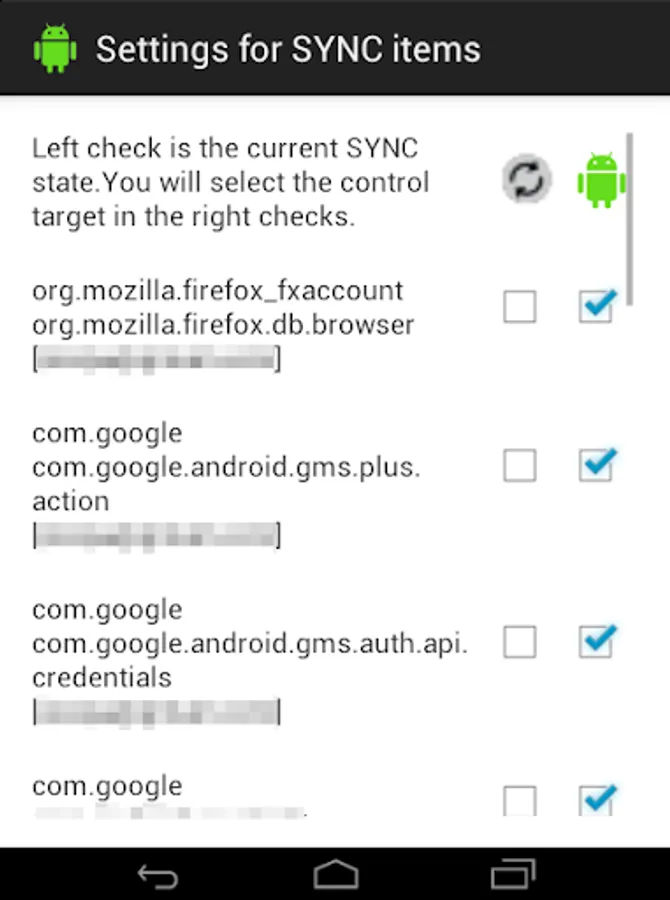
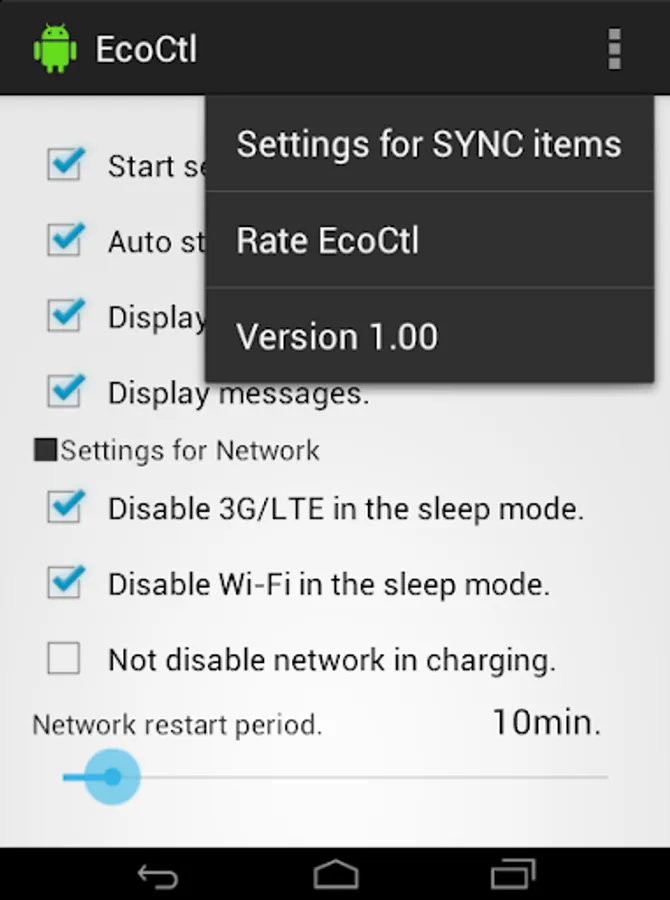
This app uses android.permission.GET_ACCOUNTS to get synchronisation account information. This information is used to set the synchronisation control target item from the [Settings for SYNC items] in the upper right menu. It is a part of functions that reduce battery use.
The information is only used to display the settings screen and save settings. It is not send or shared externally.
On Android 5.0 +, root authority is required for use [Disable 3G/LTE in screen off].
On Android 10.0 +, root authority is required for use [Disable Wi-Fi in screen off].
1.
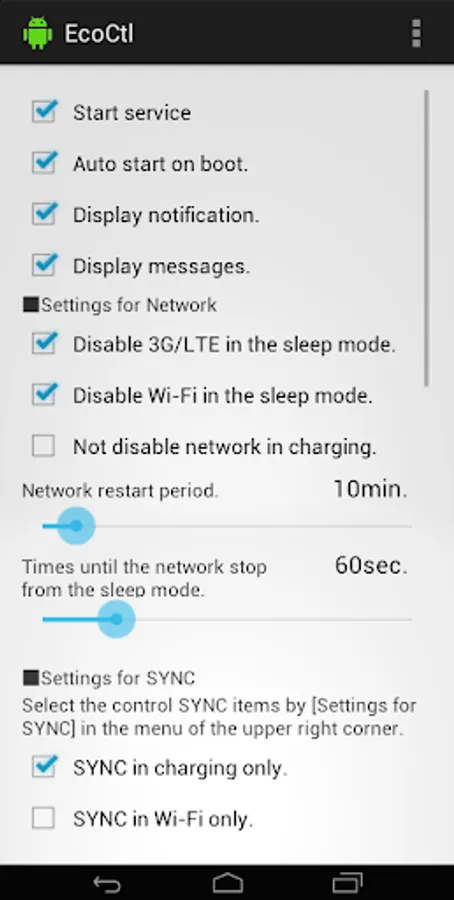
Automatically stop network (3G / LTE, WiFi selectable) when the screen turns off. Automatic restart by unlocking.
Since network is automatically restart periodically even when it is off, receive of e-mail etc. is also possible.
(Because network control is based on Android's security policy, it will not work on non-root Android 5.0 or later.)
2.
You can stop syncing in the battery mode. It will be back automatically by changing to the charge mode.
You can select the syncing items you want to stop in the battery mode.
For example, you can continue synchronization only GMail. (and stop the other synchronizations)
3.
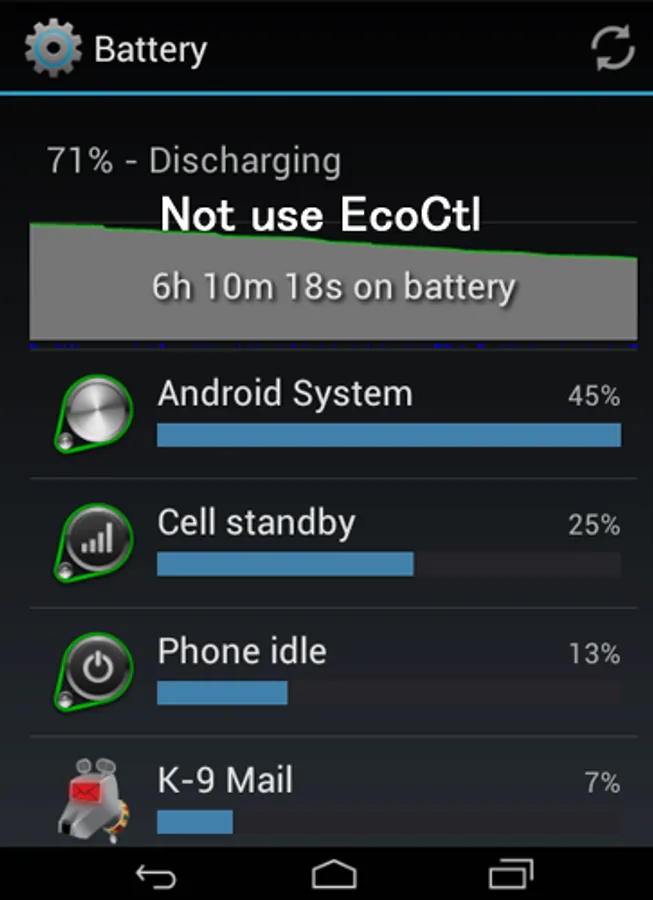
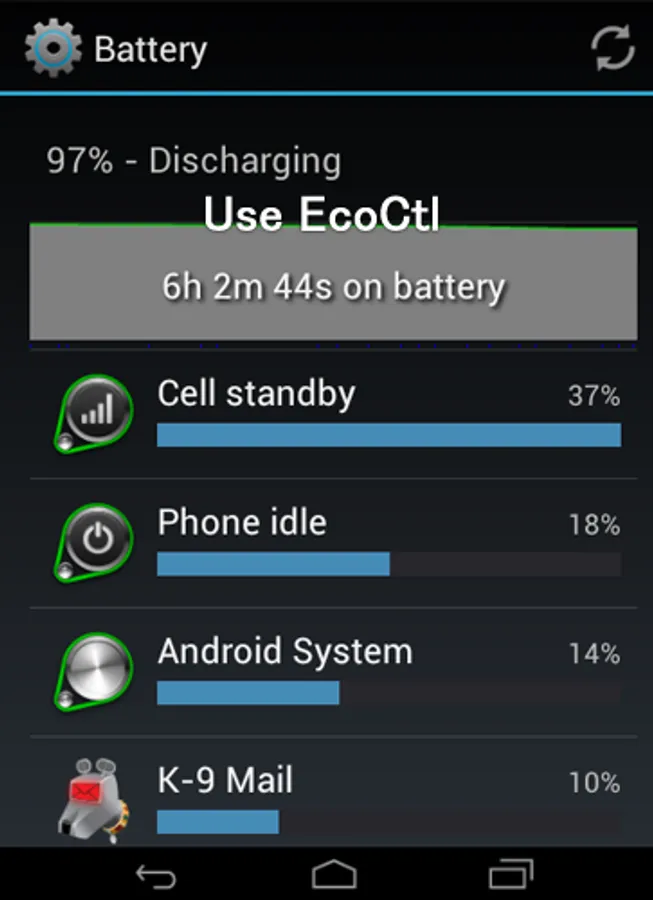
EcoCtl itself consumes almost no battery.
・We have confirmed receipt of mail by Gmail, K - 9 Mail. Depending on the mailer, it may not be received successfully at the timing of network return.
・The network stop function is automatically disabled during tethering.
4.
You can change some settings with the shell command.
am startservice -n com.jp.ssipa.ecoctl/.MyService --es SERVICE_STATUS SET_SETTING --es SUB_STATUS {*1} --ez VALUEb {true|false}
*1
DATA_NW_CHECK Disable 3G/LTE in sleep mode.
WIFI_NW_CHECK Disable Wi-Fi in sleep mode.
BATTERY_NW_CHECK Keeping network connections ON while charging.
BATTERY_SYNC_CHECK SYNC on charging only.
WIFI_SYNC_CHECK SYNC on Wi-Fi only.
Example, Stop "disable 3G/LTE in sleep mode".
am startservice -n com.jp.ssipa.ecoctl/.MyService --es SERVICE_STATUS SET_SETTING --es SUB_STATUS DATA_NW_CHECK --ez VALUEb false
Any requests are wellcome, please comment on Google Play.
Battery Saver EcoCtl Screenshots
Tap to Rate:
Reviews for Battery Saver EcoCtl
Mateen Zaidee
12/16/2025
good
Siyabonga Zulu
12/3/2025
Very nice app