Panasonic Image App
Panasonic Holdings Corporation
2.9 ★
32K ratings
5,000,000+
downloads
Free
In this app, you can remotely control your Wi-Fi-compatible digital camera and playback images on your smartphone. Includes Wi-Fi connection setup, remote shooting controls, and social media sharing features.
AppRecs review analysis
AppRecs rating 2.8. Trustworthiness 84 out of 100. Review manipulation risk 21 out of 100. Based on a review sample analyzed.
★★☆☆☆
2.8
AppRecs Rating
Ratings breakdown
5 star
35%
4 star
12%
3 star
4%
2 star
6%
1 star
43%
What to know
✓
Low review manipulation risk
21% review manipulation risk
⚠
Mixed user feedback
Average 2.9★ rating suggests room for improvement
⚠
High negative review ratio
50% of sampled ratings are 1–2 stars
About Panasonic Image App
The following major functions are available with this application.
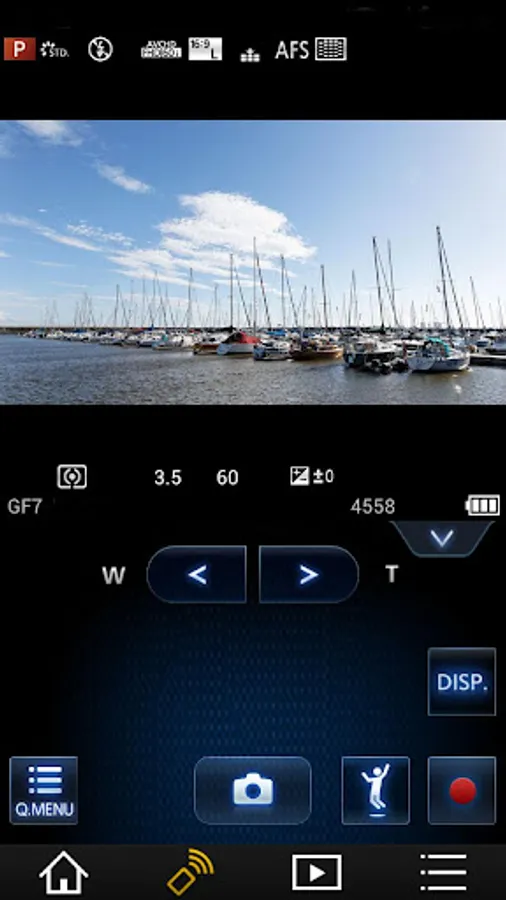
・You can watch the same image as on the Live View screen of your digital camera/digital video camera on your smartphone, and control shooting and other camera operations as with a wireless remote controller. (*1)
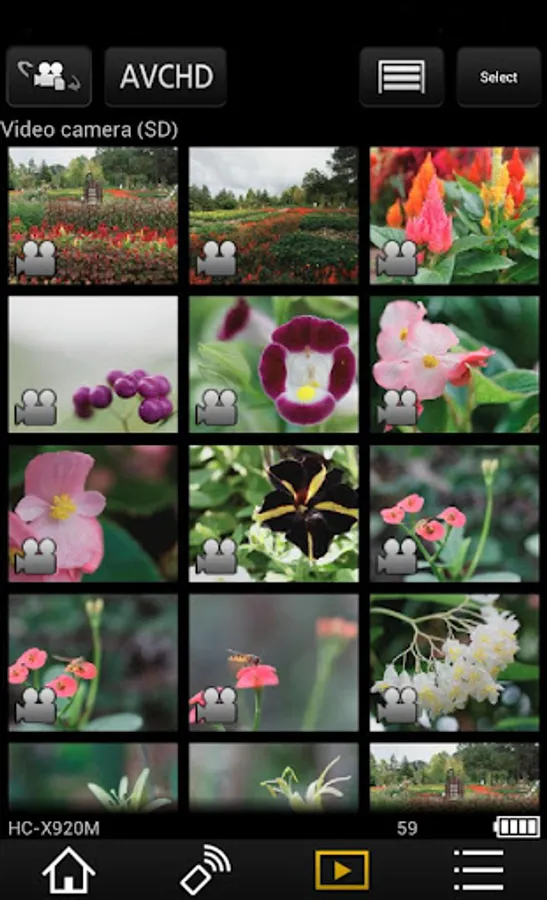
・You can play back still pictures and videos recorded using your digital camera/digital video camera on your smartphone. (*2) (*3) You can also copy them to your smartphone, and upload them to SNS sites. (*3)
Additional functions for digital cameras
・This app allows you to implement continuous connection with a digital camera that has Bluetooth function and make Wi-Fi connections and perform remote operation just with your smart phone. It also allows you to apply location information to recorded images and easily perform automatic transfer of images.(*4)
・You can make settings to automatically transfer still pictures recorded with your digital camera to your smartphone.
・You can add location information acquired with your smartphone to pictures recorded using your digital camera.
(*1) With DMC-SZ8 / SZ9 / SZ10 / TZ55 / TZ56 / TZ57 / TZ58 / ZS35 / ZS45, it is not possible to remotely record videos from a smartphone.
(*2) With DMC-FT5 / GF6 / LF1 / SZ8 / SZ9 / SZ10 / TS5 / TZ37 / TZ40 / TZ41 / TZ55 / TZ56 / TZ57 / TZ58 / ZS27 / ZS30 / ZS35 / ZS45, it is only possible to play back still pictures.
(*3) Not supported on HC-X1000.
(*4) This function can only be used with devices that support Bluetooth 4.0 or above (Bluetooth low energy technology).
[Compatible Operating Systems]
Android 10 - 15
[Notes]
・Bluetooth function can only be used with smart phones (Android 5.0 and above) equipped with Bluetooth 4.0 and above (Bluetooth low energy technology).
・Be aware that when using the location information recording function, continued use of the GPS function can lead to a dramatic decrease in battery capacity.
・In order to use the SNS upload functions or the Cloud Sync. Service, you must first obtain a service user ID for Panasonic’s LUMIX CLUB (free of charge).
・For information on using this app or compatible models, visit the following support page.
https://panasonic.jp/support/global/cs/soft/image_app/
・Please understand that we will not be able to contact you directly even if you use the “Email Developer” link.
・The function to transfer images to an AV device can no longer be used. (Version 1.10.7 and later)
・The function to delete images can no longer be used. (Version 1.10.15 and later)
・The function of ""Home Monitor"" can no longer be used. (Version 1.10.19 and later)
・The function of ""Baby Monitor"" can no longer be used. (Version 1.10.19 and later)
Panasonic Image App Screenshots



Tap to Rate:
Reviews for Panasonic Image App
Tim Groombridge
12/29/2025
Absolute garbage app. I couldn't get my TZ99 to pair with it using ANY of the available options. Waste of time.
Viktor Lopatin
12/27/2025
Image transfer is incredibly unstable. Sometimes it works, sometimes it doesn't, sometimes it crashes the app. Parts of the UI are in Japanese. This is an unacceptable level of quality for a top level camera manufacturer.