Panasonic LUMIX Sync
Panasonic Holdings Corporation
3.0 ★
2K ratings
100,000+
downloads
Free
In this app, users can remotely control Panasonic Wi-Fi compatible cameras and transfer images to smartphones. Includes camera registration, high-speed image transfer, and location data recording features.
AppRecs review analysis
AppRecs rating 2.9. Trustworthiness 84 out of 100. Review manipulation risk 14 out of 100. Based on a review sample analyzed.
★★☆☆☆
2.9
AppRecs Rating
Ratings breakdown
5 star
30%
4 star
17%
3 star
12%
2 star
9%
1 star
32%
What to know
✓
Low review manipulation risk
14% review manipulation risk
✓
Credible reviews
84% trustworthiness score from analyzed reviews
⚠
High negative review ratio
41% of sampled ratings are 1–2 stars
About Panasonic LUMIX Sync
Compatible models
S series: DC-S1 / S1R / S1H / S5 / BS1H / S5M2 / S5M2X / S9
G series: DC-G100 / G110 / GH5M2 / BGH1 / GH6 / G9M2 / G100D / GH7 / G97
* Remote recording and image transfer functions can be used with DC-GH5 / GH5S / G9.
For using all functions, use Panasonic Image App.
* For models other than the above, use Panasonic Image App.
--
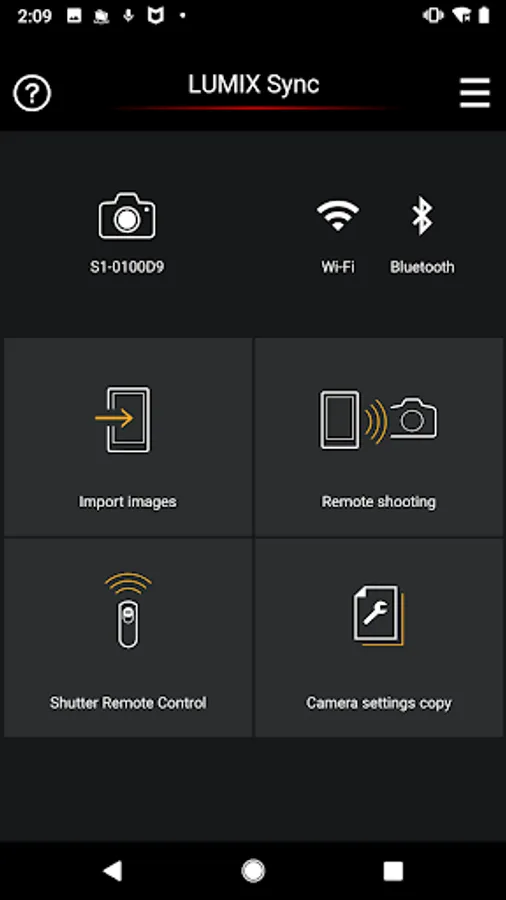
The Panasonic LUMIX Sync application software allows you to operate a Panasonic digital camera supporting Wi-Fi with your smartphone. With it, you can copy images into your smartphone, take pictures from your smartphone by remote control, and do more.
The following major functions are available with this application.
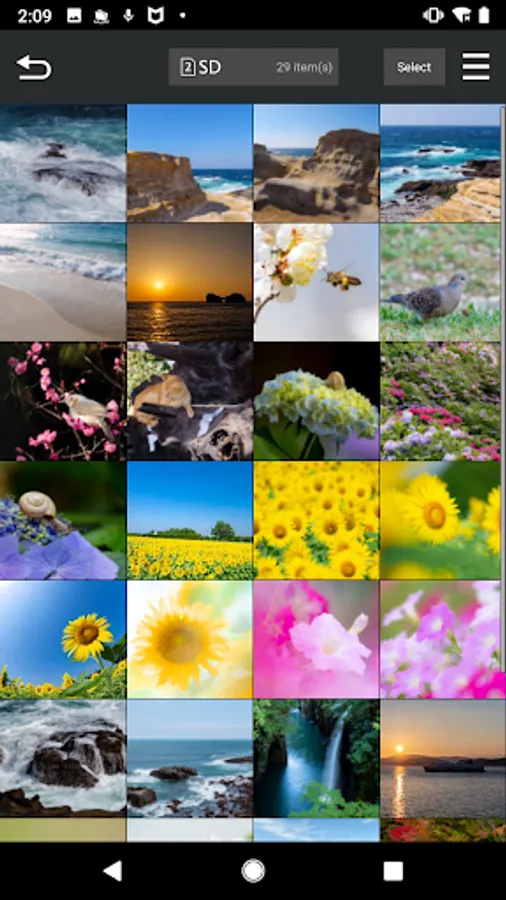
・LUMIX Sync allows you to copy pictures and videos from the digital camera to your smartphone.
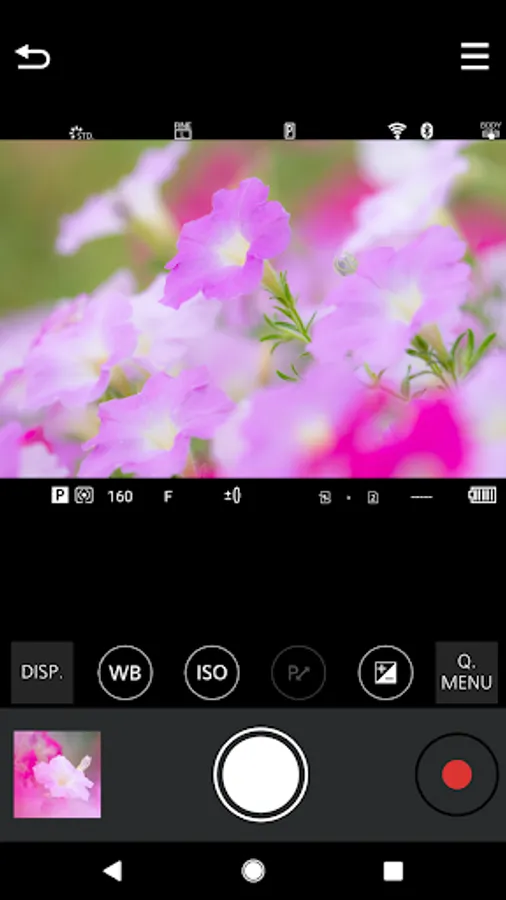
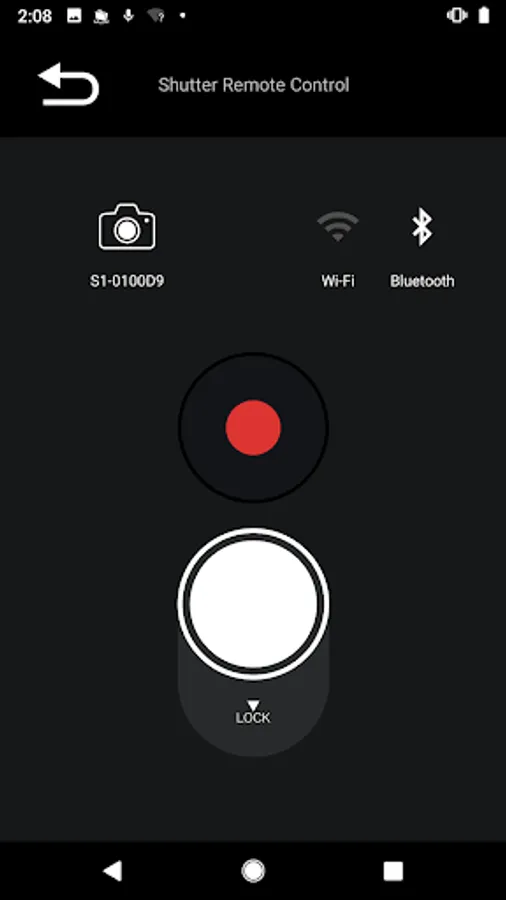
・LUMIX Sync allows you to take pictures by remote control, checking the digital camera live view on your smartphone.
・LUMIX Sync allows you to easily register a camera (camera pairing) through guidance.
・LUMIX Sync allows you to easily make a Wi-Fi connection through Bluetooth.
・The photographic location (location information) is automatically recorded to pictures, which is handy for sorting pictures later on.
・LUMIX Sync, which supports 802.11ac Wi-Fi, allows you to copy images at a higher speed through a Wi-Fi router. (*1)
・LUMIX Sync includes """"User Guide"""", which allows you to know more about how to use it.
*1: The Wi-Fi router and smartphone must support 802.11ac.
[Compatible Operating Systems]
Android 10 - 16
[Notes]
・Be aware that when using the location information recording function, continued use of the GPS function can lead to a dramatic decrease in battery capacity.
・For information on using this app or compatible models, visit the following support page.
https://panasonic.jp/support/global/cs/soft/lumix_sync/en/index.html
・Please understand that we will not be able to contact you directly even if you use the “Email Developer” link.
S series: DC-S1 / S1R / S1H / S5 / BS1H / S5M2 / S5M2X / S9
G series: DC-G100 / G110 / GH5M2 / BGH1 / GH6 / G9M2 / G100D / GH7 / G97
* Remote recording and image transfer functions can be used with DC-GH5 / GH5S / G9.
For using all functions, use Panasonic Image App.
* For models other than the above, use Panasonic Image App.
--
The Panasonic LUMIX Sync application software allows you to operate a Panasonic digital camera supporting Wi-Fi with your smartphone. With it, you can copy images into your smartphone, take pictures from your smartphone by remote control, and do more.
The following major functions are available with this application.
・LUMIX Sync allows you to copy pictures and videos from the digital camera to your smartphone.
・LUMIX Sync allows you to take pictures by remote control, checking the digital camera live view on your smartphone.
・LUMIX Sync allows you to easily register a camera (camera pairing) through guidance.
・LUMIX Sync allows you to easily make a Wi-Fi connection through Bluetooth.
・The photographic location (location information) is automatically recorded to pictures, which is handy for sorting pictures later on.
・LUMIX Sync, which supports 802.11ac Wi-Fi, allows you to copy images at a higher speed through a Wi-Fi router. (*1)
・LUMIX Sync includes """"User Guide"""", which allows you to know more about how to use it.
*1: The Wi-Fi router and smartphone must support 802.11ac.
[Compatible Operating Systems]
Android 10 - 16
[Notes]
・Be aware that when using the location information recording function, continued use of the GPS function can lead to a dramatic decrease in battery capacity.
・For information on using this app or compatible models, visit the following support page.
https://panasonic.jp/support/global/cs/soft/lumix_sync/en/index.html
・Please understand that we will not be able to contact you directly even if you use the “Email Developer” link.
Panasonic LUMIX Sync Screenshots
Tap to Rate:
Reviews for Panasonic LUMIX Sync
Pritpal Momi
12/27/2025
Trash
Martin Backhaus
12/26/2025
The Lumix Sync App recently always crashes, trying to load a single image via Wifi/Bluetooth from a GH7