With this app, you can learn how to build and manage websites using WordPress, including installing, customizing themes, and managing content. Includes tutorials on setup, plugin management, user roles, and site optimization.
AppRecs review analysis
AppRecs rating 3.6. Trustworthiness 0 out of 100. Review manipulation risk 0 out of 100. Based on a review sample analyzed.
★★★☆☆
3.6
AppRecs Rating
Ratings breakdown
5 star
41%
4 star
20%
3 star
20%
2 star
0%
1 star
20%
What to know
✓
Good user ratings
61% positive sampled reviews
✓
Authentic reviews
Natural distribution, no red flags
About Learn WordPress
【Wordpress】
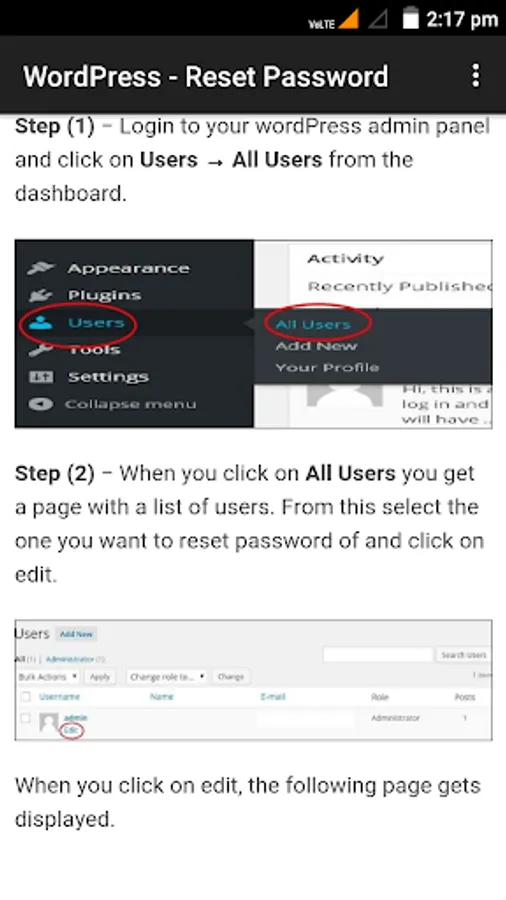
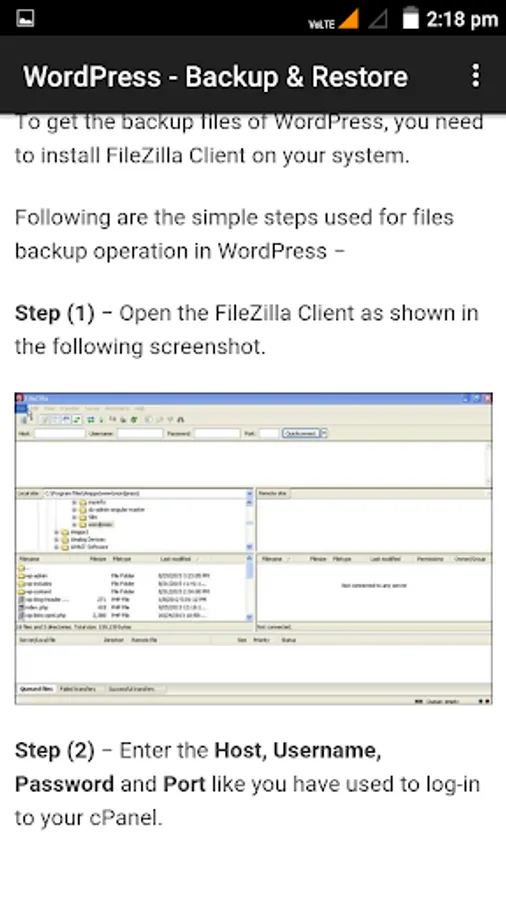
WordPress is an open source Content Management System (CMS), which allows the users to build dynamic websites and blog. WordPress is the most popular blogging system on the web and allows updating, customizing and managing the website from its back-end CMS and components. This tutorial will teach you the basics of WordPress using which you can create websites with ease. The tutorial is divided into various sections for convenience. Each of these sections contain related topics with screenshots explaining the WordPress admin screens.
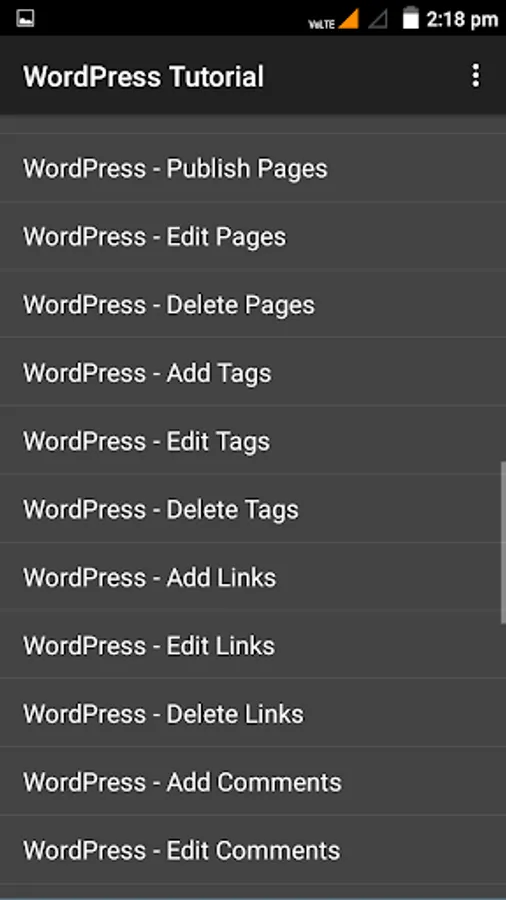
【Topics Covered in this App are Listed Below】
WordPress - Home
WordPress - Overview
WordPress - Installation
WordPress - Dashboard
WordPress - General Setting
WordPress - Writing Setting
WordPress - Reading Setting
WordPress - Discussion Setting
WordPress - Media Setting
WordPress - Permalink Setting
WordPress - Plugin Setting
WordPress - Add Category
WordPress - Edit Category
WordPress - Delete Category
WordPress - Arrange Categories
WordPress - Add Posts
WordPress - Edit Posts
WordPress - Delete Posts
WordPress - Preview Posts
WordPress - Publish Posts
WordPress - Media Library
WordPress - Add Media
WordPress - Insert Media
WordPress - Edit Media
WordPress - Add Pages
WordPress - Publish Pages
WordPress - Edit Pages
WordPress - Delete Pages
WordPress - Add Tags
WordPress - Edit Tags
WordPress - Delete Tags
WordPress - Add Links
WordPress - Edit Links
WordPress - Delete Links
WordPress - Add Comments
WordPress - Edit Comments
WordPress - Moderate Comments
WordPress - View Plugins
WordPress - Install Plugins
WordPress - Customize Plugins
WordPress - User Roles
WordPress - Add Users
WordPress - User Photo
WordPress - Edit Users
WordPress - Delete Users
WordPress - Personal Profile
WordPress - Theme Management
WordPress - Customize Theme
WordPress - Widget Management
WordPress - Background
WordPress - Host Transfer
WordPress - Version Update
WordPress - Spam Protection
WordPress - Backup & Restore
WordPress - Optimization
WordPress - Reset Password
【Important Notice】
This Apk Icon or Logo Goes To Totally Credit-
Icon made by " Hopstarter" from http://www.iconarchive.com [Free Commercial]
http://www.iconarchive.com/show/book-icons-by-hopstarter/Things-Book-icon.html (Img Homepage)
https://hopstarter.deviantart.com [Author Website]
WordPress is an open source Content Management System (CMS), which allows the users to build dynamic websites and blog. WordPress is the most popular blogging system on the web and allows updating, customizing and managing the website from its back-end CMS and components. This tutorial will teach you the basics of WordPress using which you can create websites with ease. The tutorial is divided into various sections for convenience. Each of these sections contain related topics with screenshots explaining the WordPress admin screens.
【Topics Covered in this App are Listed Below】
WordPress - Home
WordPress - Overview
WordPress - Installation
WordPress - Dashboard
WordPress - General Setting
WordPress - Writing Setting
WordPress - Reading Setting
WordPress - Discussion Setting
WordPress - Media Setting
WordPress - Permalink Setting
WordPress - Plugin Setting
WordPress - Add Category
WordPress - Edit Category
WordPress - Delete Category
WordPress - Arrange Categories
WordPress - Add Posts
WordPress - Edit Posts
WordPress - Delete Posts
WordPress - Preview Posts
WordPress - Publish Posts
WordPress - Media Library
WordPress - Add Media
WordPress - Insert Media
WordPress - Edit Media
WordPress - Add Pages
WordPress - Publish Pages
WordPress - Edit Pages
WordPress - Delete Pages
WordPress - Add Tags
WordPress - Edit Tags
WordPress - Delete Tags
WordPress - Add Links
WordPress - Edit Links
WordPress - Delete Links
WordPress - Add Comments
WordPress - Edit Comments
WordPress - Moderate Comments
WordPress - View Plugins
WordPress - Install Plugins
WordPress - Customize Plugins
WordPress - User Roles
WordPress - Add Users
WordPress - User Photo
WordPress - Edit Users
WordPress - Delete Users
WordPress - Personal Profile
WordPress - Theme Management
WordPress - Customize Theme
WordPress - Widget Management
WordPress - Background
WordPress - Host Transfer
WordPress - Version Update
WordPress - Spam Protection
WordPress - Backup & Restore
WordPress - Optimization
WordPress - Reset Password
【Important Notice】
This Apk Icon or Logo Goes To Totally Credit-
Icon made by " Hopstarter" from http://www.iconarchive.com [Free Commercial]
http://www.iconarchive.com/show/book-icons-by-hopstarter/Things-Book-icon.html (Img Homepage)
https://hopstarter.deviantart.com [Author Website]
Learn WordPress Screenshots
Tap to Rate: