Samsung Find: Location Sharing
Samsung Electronics Co., Ltd.
4.0 ★
3K ratings
10,000,000+
downloads
Free
In this location sharing app, you can share your real-time location with trusted contacts and receive location updates, or find your lost Samsung devices using GPS tracking and security features. Includes location sharing, device-finding tools, and security options.
AppRecs review analysis
AppRecs rating 3.9. Trustworthiness 82 out of 100. Review manipulation risk 26 out of 100. Based on a review sample analyzed.
★★★☆☆
3.9
AppRecs Rating
Ratings breakdown
5 star
63%
4 star
10%
3 star
7%
2 star
5%
1 star
15%
What to know
✓
Low review manipulation risk
26% review manipulation risk
✓
Credible reviews
82% trustworthiness score from analyzed reviews
✓
High user satisfaction
73% of sampled ratings are 4+ stars (4.0★ average)
About Samsung Find: Location Sharing
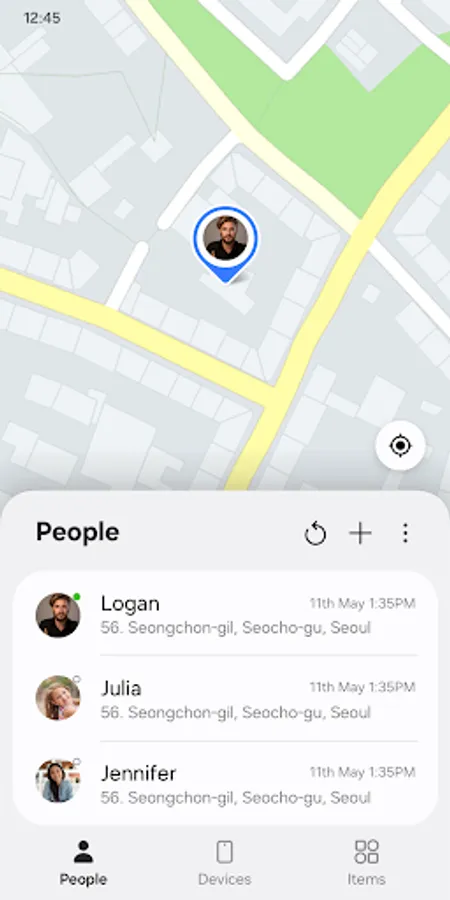
Samsung Find lets you share your location with your loved ones, like your family and friends, and see where your connected family and friends are in real time.
It also protects you and your family’s Galaxy devices from loss, and provides real-time GPS location tracking so you can easily find them. Try Samsung Find!
Samsung Find offers the following key features to keep you and your family safe.
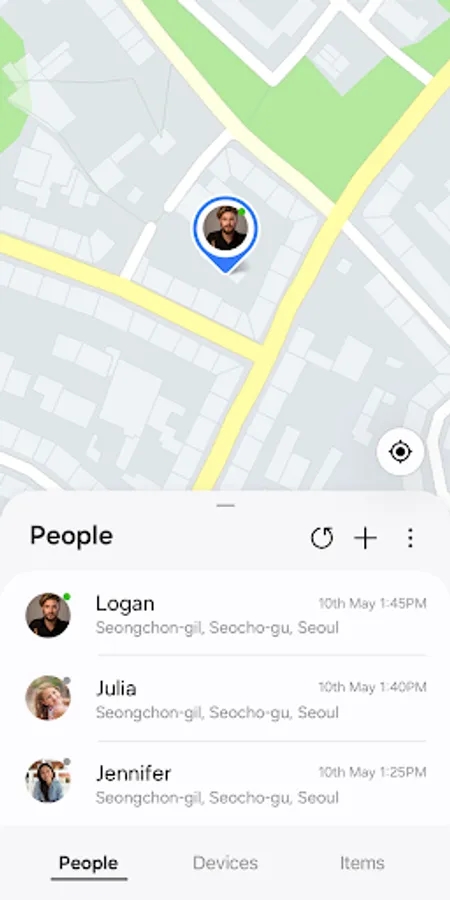
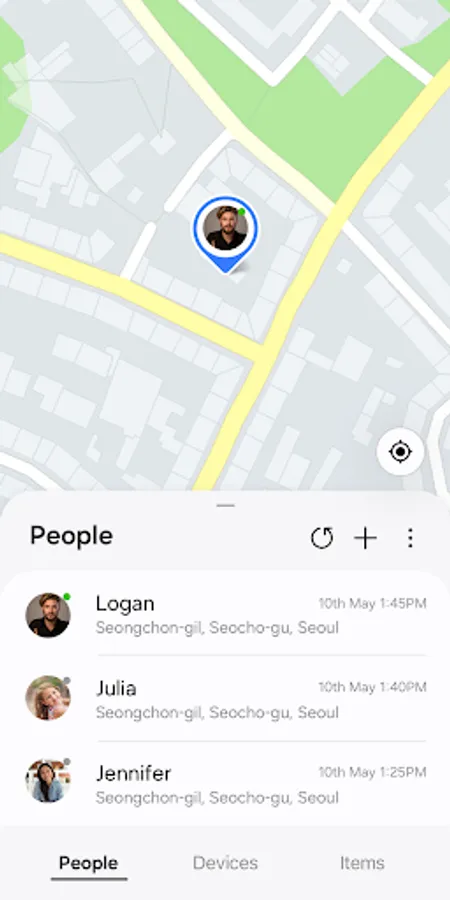
□ Location sharing and location notifications between family and friends (“People” tab)
- Worried about the safety of your loved ones? Want to know where your family and friends are and if they’re safe, but don’t want to have to ask them every time? If so, try Samsung Find.
- You can share your location with family and friends in your contacts, or ask them to share theirs with you.
- Worried about your location being shared all the time? Samsung Find can be set to securely share your location with family and friends for set periods of time.
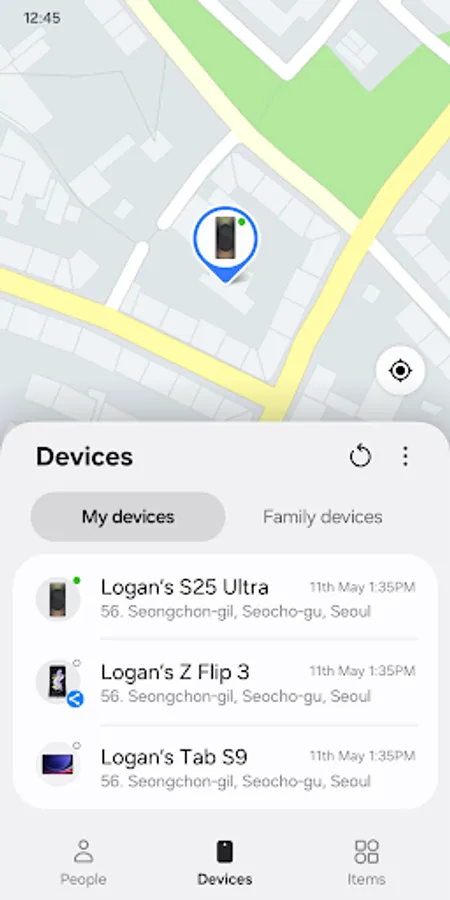
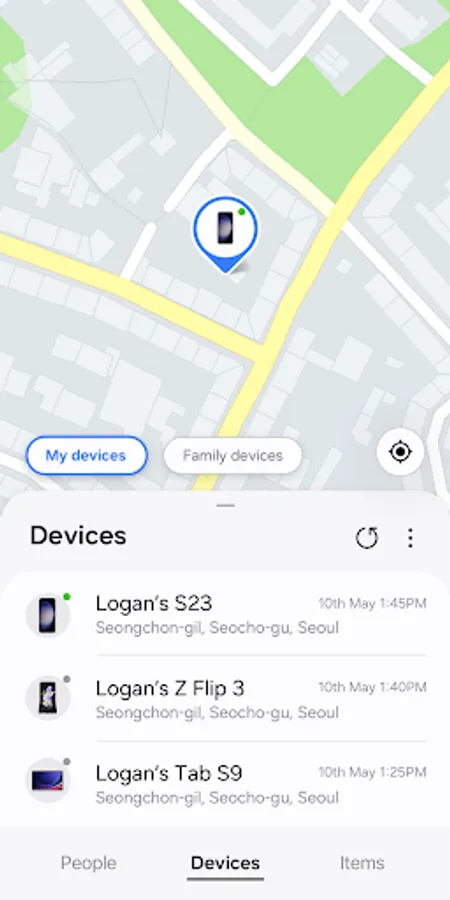
□ Device-finding and security features (“Devices” tab)
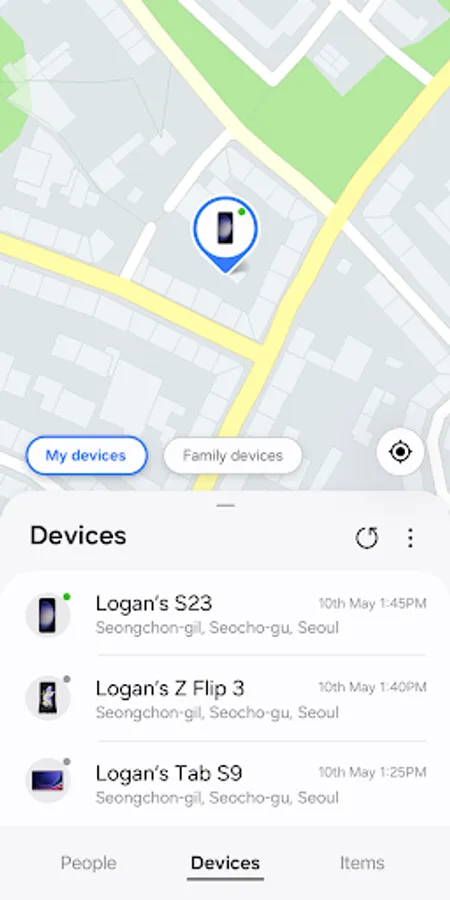
- Use Samsung Find to prevent losing your devices. Samsung Find can help you find your devices or even a family member’s device.
- You can see the location of all of your devices on the map, including your Galaxy phone, tablet, Watch, and Buds, and use navigation to get directions to them!
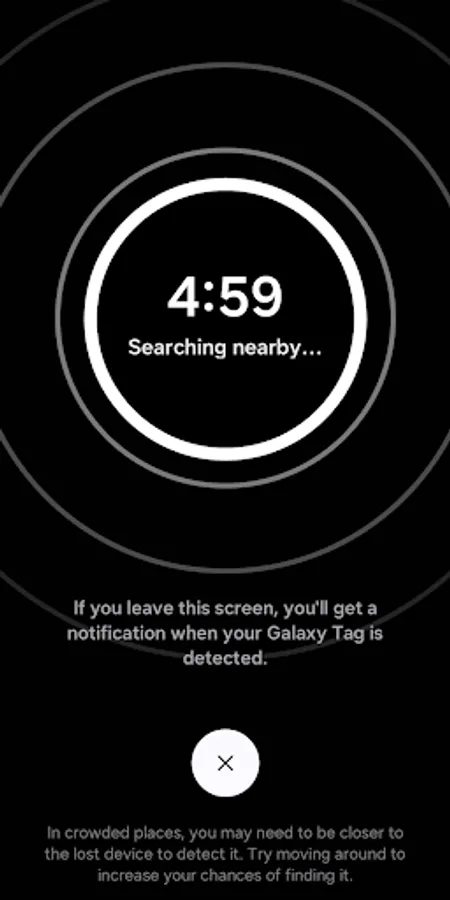
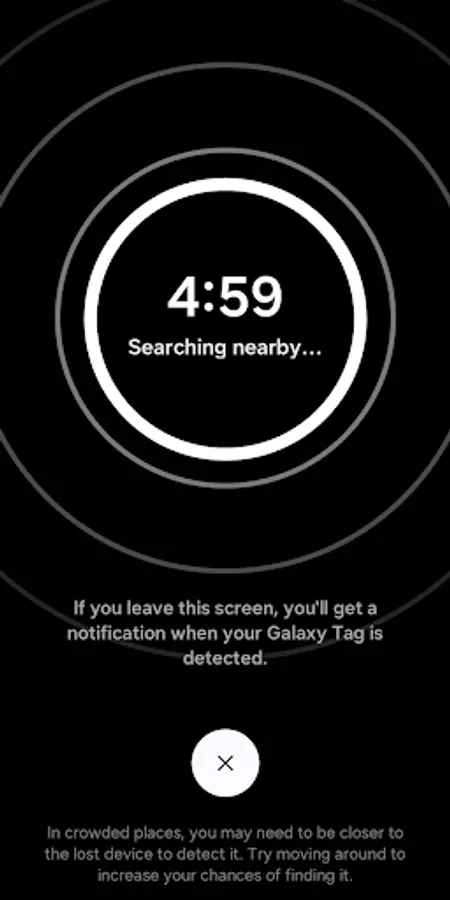
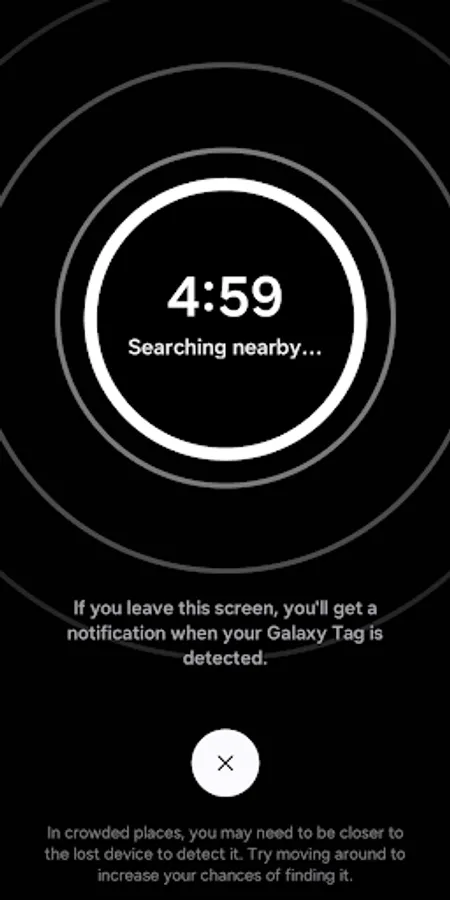
- You can use the “Search nearby” feature to search 360 degrees around you, making it quick and easy to find small devices like Buds and Rings.
- You can also use the “Make sound” feature to quickly locate your devices by making them sound, even when set to Silent.
- Lost your device? You can track your device’s location and battery information by GPS directly from the Samsung Find website (samsungfind.samsung.com), or you can find it on a shared family member’s device.
- If you’re concerned about the security of your lost device, use the “Lock device” and “Clear data” features on the Samsung Find website (samsungfind.samsung.com) to keep your and your family’s devices safe.
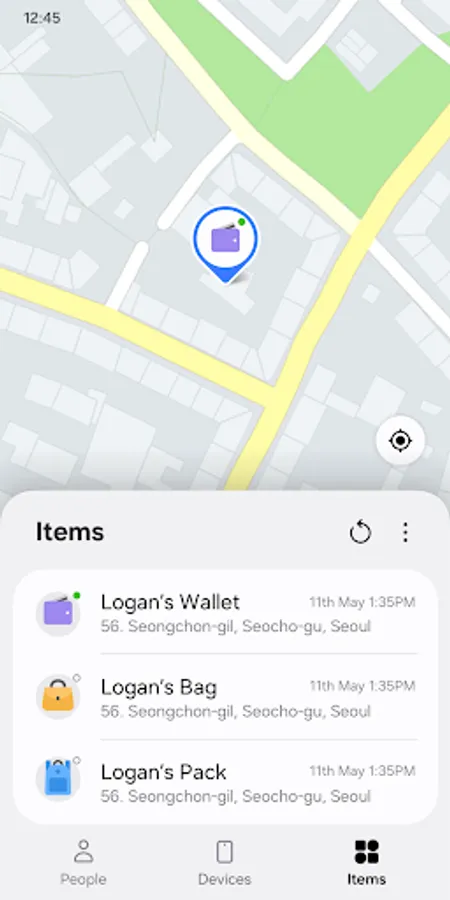
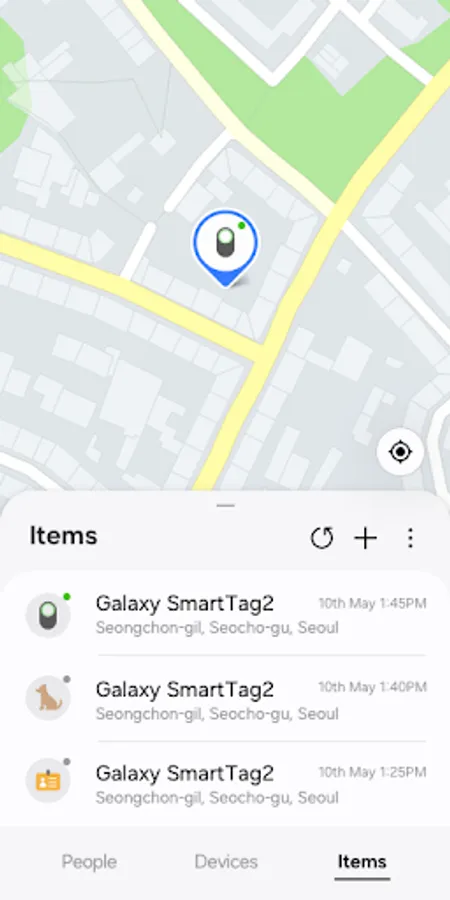
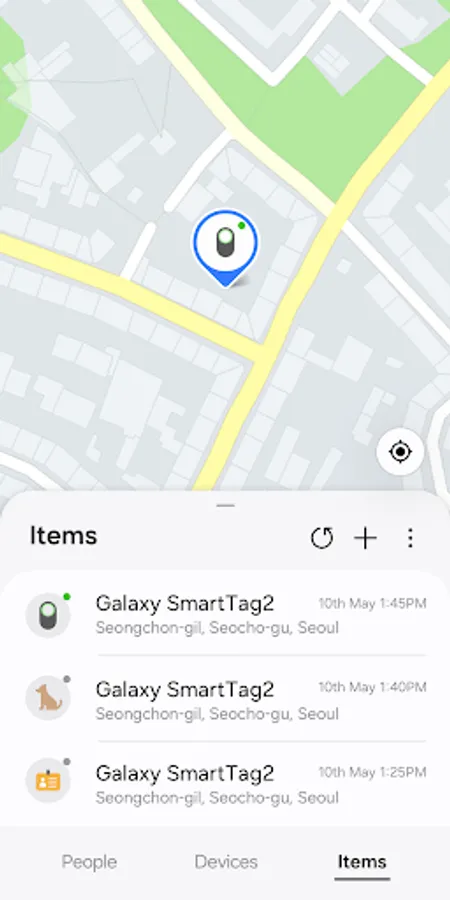
□ Track the real-time location of your and your family’s precious items (“Items” tab)
- Worried about losing your pet, favorite bike, or suitcase? Simply attach a SmartTag to them and register them on Samsung Find for real-time location tracking with GPS.
Easily connect with your loved ones with Samsung Find, and keep your and your family’s things safe from loss. Register now!
[Usage Environment]
Samsung Find is available on Galaxy devices that support One UI 2 (Q OS) or later versions.
* Information on access permissions
Access permission as follows is required for service provision.
Basic service features can be used even if optional access permissions are not granted.
[Required Access Permissions]
ㆍContacts: To search for people to share your location with
ㆍLocation: To track the location of your device when lost, and share your location with others
ㆍNotifications: To receive notifications when someone checks your location or shares their location with you
[Optional Access Permissions]
ㆍCamera: To search for nearby devices
ㆍNearby devices: To find the location of devices around you
It also protects you and your family’s Galaxy devices from loss, and provides real-time GPS location tracking so you can easily find them. Try Samsung Find!
Samsung Find offers the following key features to keep you and your family safe.
□ Location sharing and location notifications between family and friends (“People” tab)
- Worried about the safety of your loved ones? Want to know where your family and friends are and if they’re safe, but don’t want to have to ask them every time? If so, try Samsung Find.
- You can share your location with family and friends in your contacts, or ask them to share theirs with you.
- Worried about your location being shared all the time? Samsung Find can be set to securely share your location with family and friends for set periods of time.
□ Device-finding and security features (“Devices” tab)
- Use Samsung Find to prevent losing your devices. Samsung Find can help you find your devices or even a family member’s device.
- You can see the location of all of your devices on the map, including your Galaxy phone, tablet, Watch, and Buds, and use navigation to get directions to them!
- You can use the “Search nearby” feature to search 360 degrees around you, making it quick and easy to find small devices like Buds and Rings.
- You can also use the “Make sound” feature to quickly locate your devices by making them sound, even when set to Silent.
- Lost your device? You can track your device’s location and battery information by GPS directly from the Samsung Find website (samsungfind.samsung.com), or you can find it on a shared family member’s device.
- If you’re concerned about the security of your lost device, use the “Lock device” and “Clear data” features on the Samsung Find website (samsungfind.samsung.com) to keep your and your family’s devices safe.
□ Track the real-time location of your and your family’s precious items (“Items” tab)
- Worried about losing your pet, favorite bike, or suitcase? Simply attach a SmartTag to them and register them on Samsung Find for real-time location tracking with GPS.
Easily connect with your loved ones with Samsung Find, and keep your and your family’s things safe from loss. Register now!
[Usage Environment]
Samsung Find is available on Galaxy devices that support One UI 2 (Q OS) or later versions.
* Information on access permissions
Access permission as follows is required for service provision.
Basic service features can be used even if optional access permissions are not granted.
[Required Access Permissions]
ㆍContacts: To search for people to share your location with
ㆍLocation: To track the location of your device when lost, and share your location with others
ㆍNotifications: To receive notifications when someone checks your location or shares their location with you
[Optional Access Permissions]
ㆍCamera: To search for nearby devices
ㆍNearby devices: To find the location of devices around you
Samsung Find: Location Sharing Screenshots
Tap to Rate:
Reviews for Samsung Find: Location Sharing
Cesar Vega
12/28/2025
can't stall on tab 10
Thomas Dungeni
12/28/2025
work fully i appreciate