Text Summarizer
MoEssa Apps
3.3 ★
1K ratings
500,000+
downloads
Free
+ in-app
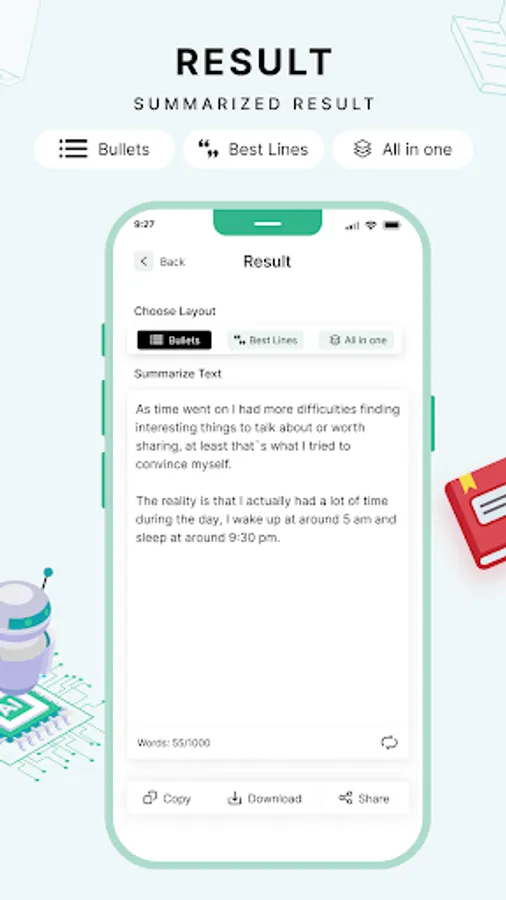
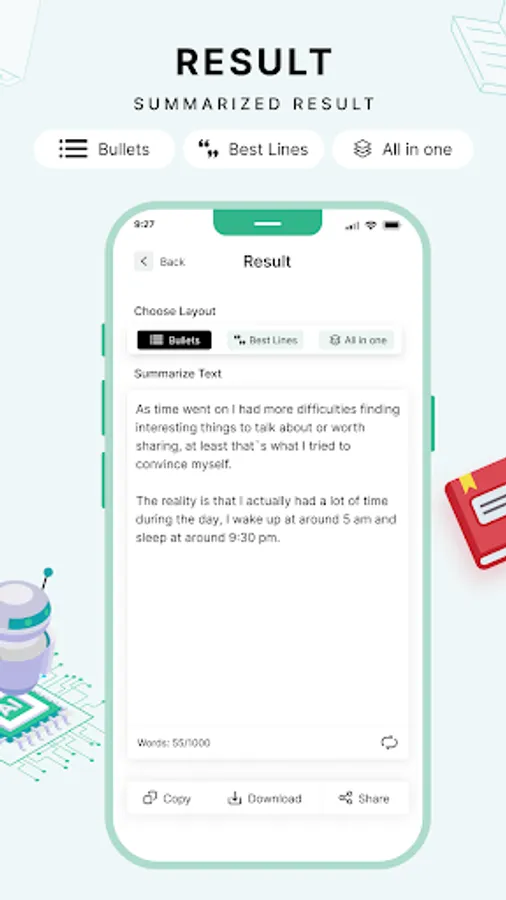
In this text summarizer app, you can generate concise versions of lengthy content by adjusting the summary length and choosing bullet point formats. Includes features for setting summary percentage and displaying results in bullets.
AppRecs review analysis
AppRecs rating 3.3. Trustworthiness 76 out of 100. Review manipulation risk 35 out of 100. Based on a review sample analyzed.
★★★☆☆
3.3
AppRecs Rating
Ratings breakdown
5 star
39%
4 star
17%
3 star
9%
2 star
0%
1 star
35%
What to know
✓
Credible reviews
76% trustworthiness score from analyzed reviews
✓
Authentic reviews
Natural distribution, no red flags
⚠
High negative review ratio
35% of sampled ratings are 1–2 stars
About Text Summarizer
What is a Summarizing Tool?
Summarizing Tool is an AI-based tool that sums up the long text into the shortened one. Summarized text usually has the key sentences that are an overview of the whole context.
To understand this tool better, here is the definition by YourDictionary.com:
“Summarizing is defined as taking a lot of information and creating a condensed version that covers the main points”.
Summarizing tool can convert the 3-4 paragraphs into a single paragraph with just a single click.
Here is an example of how the above tool condensed 1000+ words into 200 words
Features of Text Summarizer:
Whether you want to summarize for educational career or official use, the Prepostseo’s Text Summarizer is very helpful.
This is because this tool is accurate and efficient for making an overview of an article.
Our Text Summarizer is developed with advanced algorithms that work to understand your content and then generate an overview of your written words.
Remember, this tool doesn’t change the meaning of the actual content instead it just understands the whole content and finds the best overview.
Here are some of the amazing features of this tool:
• Set Summarization Percent
This is not obvious that this summary generator would auto summarize the text in random lines instead you can set the percentage of the length of the summarized content.
For example, if you want 50% of the summarized content then below this tool, you can use the feature of setting the required percentage.
Between 0 and 100, you can easily select any number to get the content according to your requirements.
• Show in Bullets
This is a button below the tool that can help you to get the format according to your desire. When you are summarizing the content, clicking this button will make your result in the bullets.
This is usually helpful when you have made a presentation and you want to convert this presentation into a quick overview for preparation
Summarizing Tool is an AI-based tool that sums up the long text into the shortened one. Summarized text usually has the key sentences that are an overview of the whole context.
To understand this tool better, here is the definition by YourDictionary.com:
“Summarizing is defined as taking a lot of information and creating a condensed version that covers the main points”.
Summarizing tool can convert the 3-4 paragraphs into a single paragraph with just a single click.
Here is an example of how the above tool condensed 1000+ words into 200 words
Features of Text Summarizer:
Whether you want to summarize for educational career or official use, the Prepostseo’s Text Summarizer is very helpful.
This is because this tool is accurate and efficient for making an overview of an article.
Our Text Summarizer is developed with advanced algorithms that work to understand your content and then generate an overview of your written words.
Remember, this tool doesn’t change the meaning of the actual content instead it just understands the whole content and finds the best overview.
Here are some of the amazing features of this tool:
• Set Summarization Percent
This is not obvious that this summary generator would auto summarize the text in random lines instead you can set the percentage of the length of the summarized content.
For example, if you want 50% of the summarized content then below this tool, you can use the feature of setting the required percentage.
Between 0 and 100, you can easily select any number to get the content according to your requirements.
• Show in Bullets
This is a button below the tool that can help you to get the format according to your desire. When you are summarizing the content, clicking this button will make your result in the bullets.
This is usually helpful when you have made a presentation and you want to convert this presentation into a quick overview for preparation
Text Summarizer Screenshots








Tap to Rate:
Reviews for Text Summarizer
Ewan Ko
6/24/2025
ads
Ayushi Singh
4/5/2025
extremely satisfied