XnConvert - Photo Resize
XnView
3.9 ★
802 ratings
100,000+
downloads
Free
+ in-app
With this photo resize app, you can batch resize, compress, add watermarks, and convert images. Includes features for cropping, rotating, and maintaining EXIF metadata.
AppRecs review analysis
AppRecs rating 4.0. Trustworthiness 83 out of 100. Review manipulation risk 23 out of 100. Based on a review sample analyzed.
★★★★☆
4.0
AppRecs Rating
Ratings breakdown
5 star
56%
4 star
14%
3 star
11%
2 star
9%
1 star
11%
What to know
✓
Low review manipulation risk
23% review manipulation risk
✓
Credible reviews
83% trustworthiness score from analyzed reviews
✓
Good user ratings
69% positive sampled reviews
About XnConvert - Photo Resize
It's the best way to resize, compress, add a logo, watermark or text on your photos or pictures, fast and easy.
XnConvert allows you to easily and quickly reduce the picture size or resolution before to send emails, or to share on social media like Instagram, Facebook, Twitter.
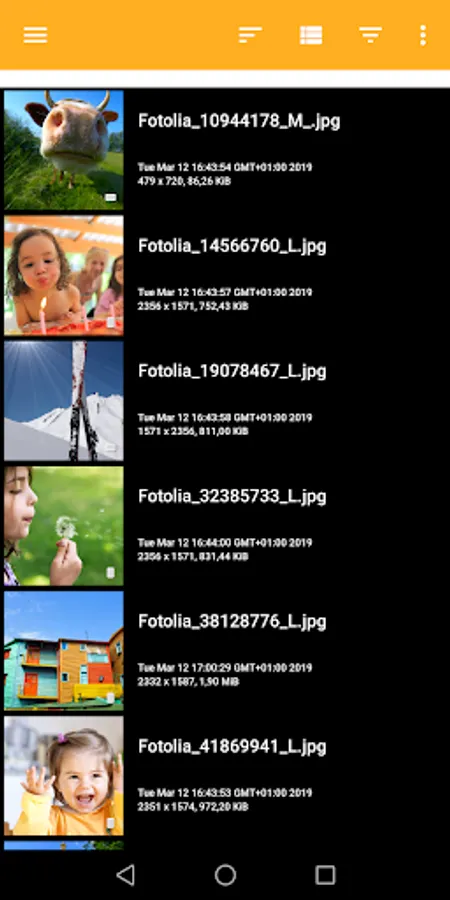
-- SELECT your photos
* Select in the gallery your photos
* Grid or Detail mode
* Sort by filename, pathname, date
* Group photos following criteria
-- BATCH convert, resize, compress photos
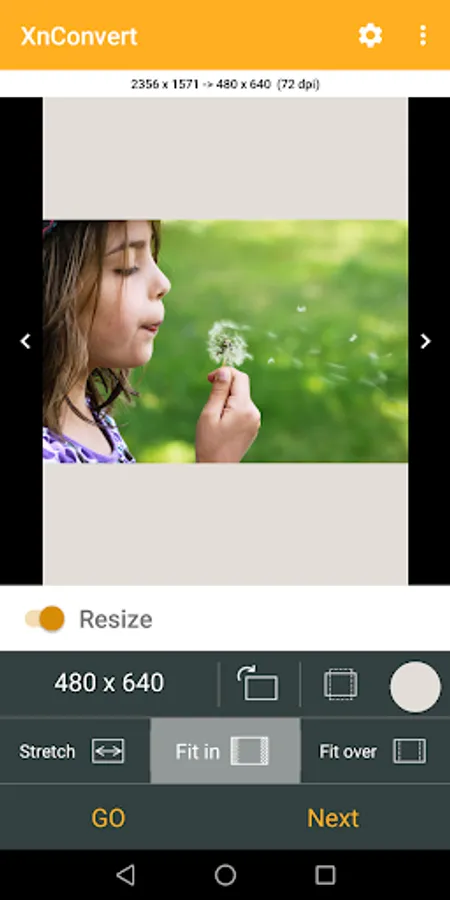
* Mode to resize photos: Stretch, Fit In, Fit over
* Predefined most-used photo resolutions
* Bilinear or Lanzcos method
* Sharpen
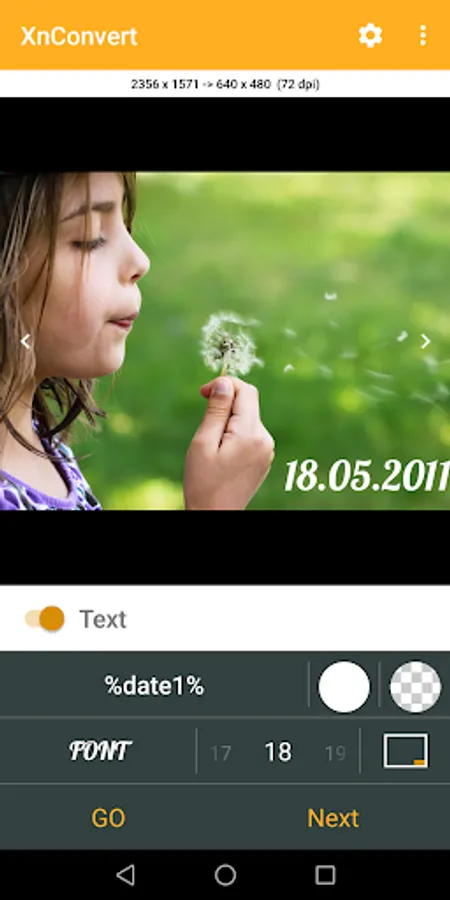
* Add text to your photos
* Add your watermark or logo to mark your photos - Affix your professional footprint
* Convert into JPEG, PNG or WEBP format
-- EDIT single photo
* Crop or rotate
* Resize
-- Features:
* Original photos are not modified
* Choose the compression of output photos
* Keep EXIF metadata
* Keep original modified file's date
* Custom image resolution
* Create your own template, and use it for a batch convert
- You can purchase the Pro version
* No Ads
* No template limit
* No limit for batch convert
RESIZE PHOTO - RESIZE IMAGE - CROP IMAGE - PHOTO BATCH CONVERT
WATERMARK, TEXT, LOGO on Photos
Help us to improve XnConvert by sending your bugs or requests on contact@xnview.com
Facebook: http://www.facebook.com/xnview
Twitter: http://www.twitter.com/xnview
Icon based on work of ArrayOfLilly
Beta tester: Jens Pous
XnConvert allows you to easily and quickly reduce the picture size or resolution before to send emails, or to share on social media like Instagram, Facebook, Twitter.
-- SELECT your photos
* Select in the gallery your photos
* Grid or Detail mode
* Sort by filename, pathname, date
* Group photos following criteria
-- BATCH convert, resize, compress photos
* Mode to resize photos: Stretch, Fit In, Fit over
* Predefined most-used photo resolutions
* Bilinear or Lanzcos method
* Sharpen
* Add text to your photos
* Add your watermark or logo to mark your photos - Affix your professional footprint
* Convert into JPEG, PNG or WEBP format
-- EDIT single photo
* Crop or rotate
* Resize
-- Features:
* Original photos are not modified
* Choose the compression of output photos
* Keep EXIF metadata
* Keep original modified file's date
* Custom image resolution
* Create your own template, and use it for a batch convert
- You can purchase the Pro version
* No Ads
* No template limit
* No limit for batch convert
RESIZE PHOTO - RESIZE IMAGE - CROP IMAGE - PHOTO BATCH CONVERT
WATERMARK, TEXT, LOGO on Photos
Help us to improve XnConvert by sending your bugs or requests on contact@xnview.com
Facebook: http://www.facebook.com/xnview
Twitter: http://www.twitter.com/xnview
Icon based on work of ArrayOfLilly
Beta tester: Jens Pous
XnConvert - Photo Resize Screenshots


Tap to Rate:
Reviews for XnConvert - Photo Resize
ABJ photography & video
12/18/2025
As far as I can see so far it's as good as the Linux version.
Somsak
12/6/2025
สนใจ