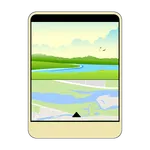
About WiPE, camera wipe on video.
You can put the camera wipe on your video.
Choose your video, adjust the wipe screen position and size, then start recoding!
When the video completed, the video with the wipe screen is created.
Instructions:
1. CAMERA button switches the front and back camera.
2. LIGHT button switches the flash light on/off.
3. EYE button changes the position of the wipe screen.
4. PLUS button changes the size of the wipe screen.
5. FOLDER button shows the list of the videos in your device.
6. MOVIE button starts recording.
7. PLAY button plays the video.
8. MOON button ends the app.
Have a big fun with this app!
Note:
This app needs front and back camera.
Choose your video, adjust the wipe screen position and size, then start recoding!
When the video completed, the video with the wipe screen is created.
Instructions:
1. CAMERA button switches the front and back camera.
2. LIGHT button switches the flash light on/off.
3. EYE button changes the position of the wipe screen.
4. PLUS button changes the size of the wipe screen.
5. FOLDER button shows the list of the videos in your device.
6. MOVIE button starts recording.
7. PLAY button plays the video.
8. MOON button ends the app.
Have a big fun with this app!
Note:
This app needs front and back camera.
WiPE, camera wipe on video. Screenshots












Tap to Rate: