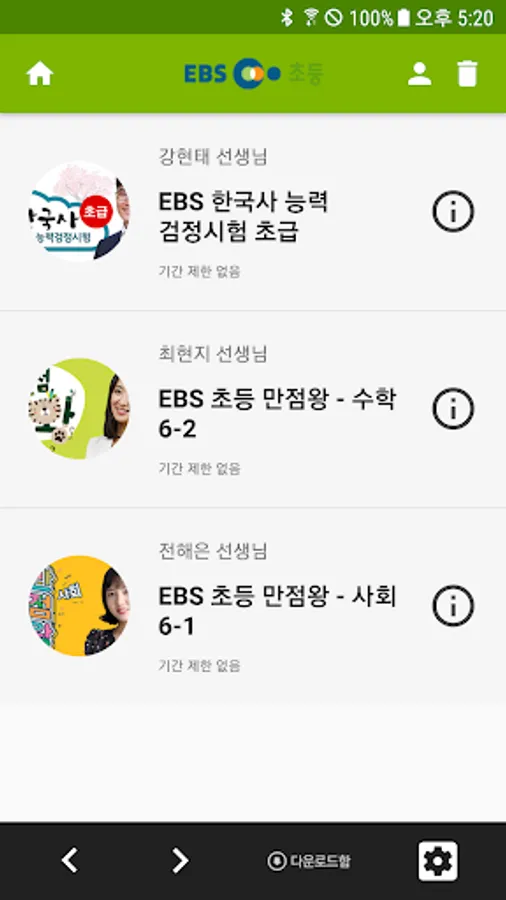
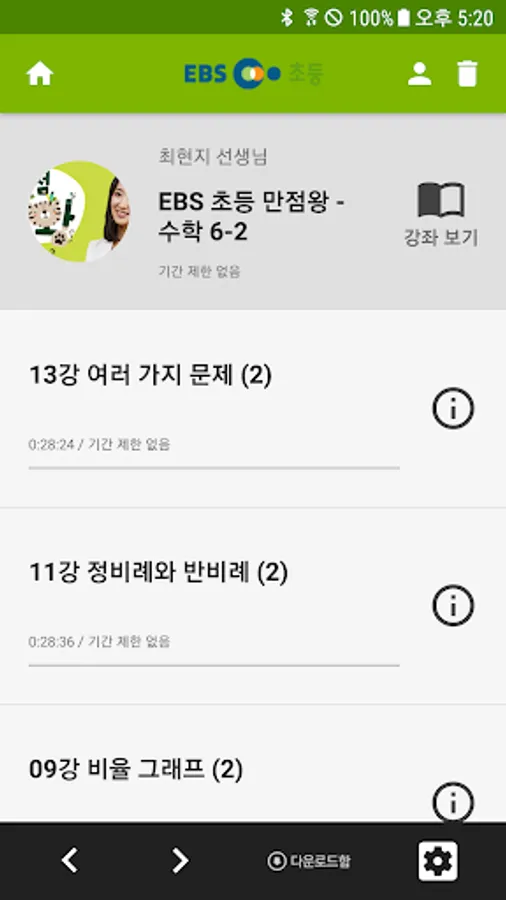
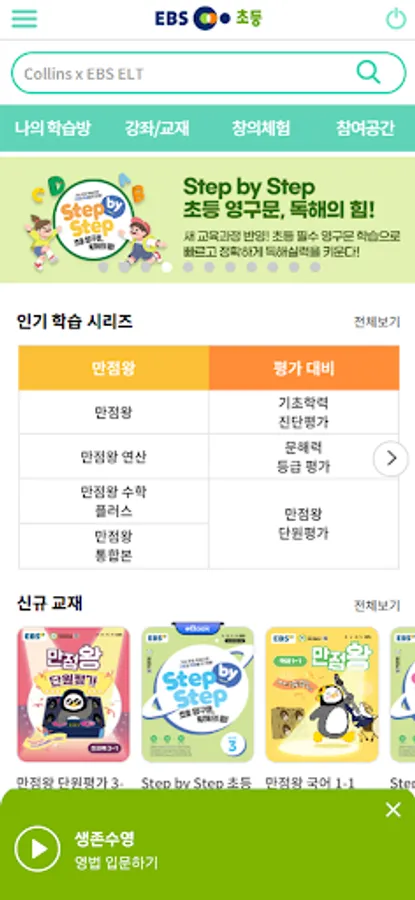
Use this educational app to access EBS elementary school lectures, control playback speed, and download content. Includes features like web bookmarks, lecture previews, and a Q&A board for student questions.
AppRecs review analysis
AppRecs rating 3.5. Trustworthiness 59 out of 100. Review manipulation risk 36 out of 100. Based on a review sample analyzed.
★★★☆☆
3.5
AppRecs Rating
Ratings breakdown
5 star
56%
4 star
0%
3 star
4%
2 star
4%
1 star
36%
What to know
⚠
High negative review ratio
40% of sampled ratings are 1–2 stars
About EBS 초등
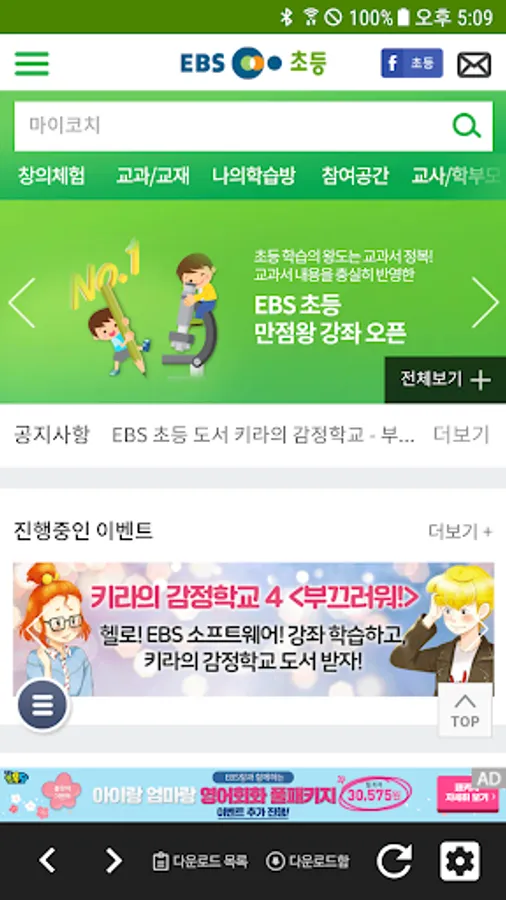
- Study EBS elementary school site lectures conveniently and easily on your mobile phone! - A learning player with various features, including speed control, web bookmarks, and downloads.
- Key Services
◎ Easily sign up and reissue your password on your mobile device.
◎ A learning player exclusive to the EBS Elementary mobile website.
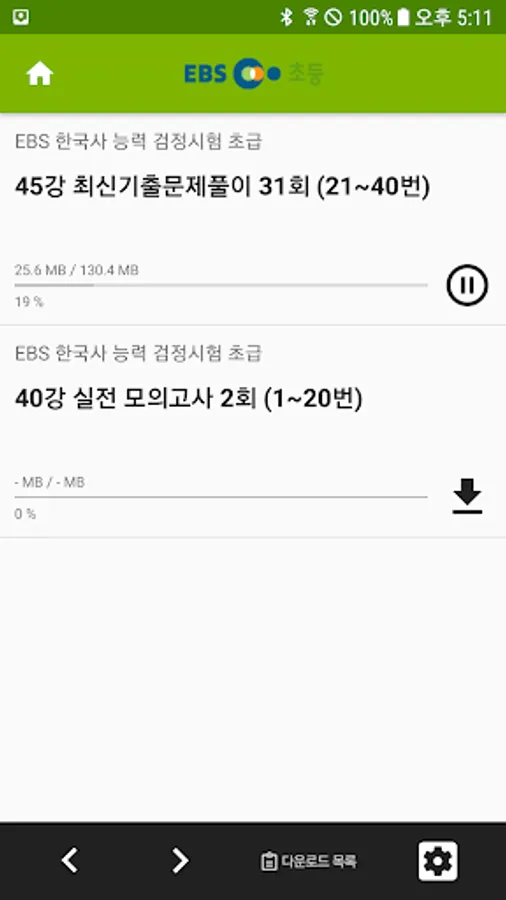
◎ Lecture downloads available on the EBS Elementary Learning Player.
◎ A 5-minute preview of the lecture before taking it.
◎ Ask the teacher questions at any time on the Q&A board.
◎ Retake courses that have expired can be done in My Learning Room.
[Service Access Permission Information]
[Required Access Permissions]
- Storage: Permission to save (write) and play (read) downloaded media content.
[Optional Access Permissions]
- Camera: Permission to use photo capture and attachment functions.
- Microphone: Permission to record during Puribot service/diagnostic assessments.
- Notifications: Permission to receive service announcements and event notifications (PUSH).
** Optional access permissions require permission to use the corresponding functions. If not granted, the service can still be used. Please allow the above permissions to use EBS Elementary.
[If the permission consent window does not appear]
- Go to Settings > Application Manager > Select App > Permissions and agree to the permissions.
[How to Set and Revoke Access Permissions]
- OS 6.0 or higher: Go to Settings > Application Manager > Select App > Permissions > Set and Revoke Access Permissions.
- OS 6.0 or lower: Access permissions cannot be revoked. Instead, delete the app.
- Key Services
◎ Easily sign up and reissue your password on your mobile device.
◎ A learning player exclusive to the EBS Elementary mobile website.
◎ Lecture downloads available on the EBS Elementary Learning Player.
◎ A 5-minute preview of the lecture before taking it.
◎ Ask the teacher questions at any time on the Q&A board.
◎ Retake courses that have expired can be done in My Learning Room.
[Service Access Permission Information]
[Required Access Permissions]
- Storage: Permission to save (write) and play (read) downloaded media content.
[Optional Access Permissions]
- Camera: Permission to use photo capture and attachment functions.
- Microphone: Permission to record during Puribot service/diagnostic assessments.
- Notifications: Permission to receive service announcements and event notifications (PUSH).
** Optional access permissions require permission to use the corresponding functions. If not granted, the service can still be used. Please allow the above permissions to use EBS Elementary.
[If the permission consent window does not appear]
- Go to Settings > Application Manager > Select App > Permissions and agree to the permissions.
[How to Set and Revoke Access Permissions]
- OS 6.0 or higher: Go to Settings > Application Manager > Select App > Permissions > Set and Revoke Access Permissions.
- OS 6.0 or lower: Access permissions cannot be revoked. Instead, delete the app.
EBS 초등 Screenshots
Tap to Rate:
Reviews for EBS 초등
Philip Choi
7/14/2023
The app is not programmed well. It paused when I was listening to the lesson, and kicked me out. Also, it asked me to log in when I reopened the app. EBS should delete this app or reboot the app in order to make the app great for home-schoolers and learners. lol
Trendy Shopbd
7/26/2022
그래도 공부는 되니까