
he.net - Network Tools
Hurricane Electric, LLC
4.2 ★
3K ratings
100,000+
downloads
Free
In this network tools app, you can perform diagnostics such as ping, traceroute, and DNS lookups to analyze network connections. Includes device management, IP calculation, port scanning, and SSL/TLS analysis features.
AppRecs review analysis
AppRecs rating 4.3. Trustworthiness 77 out of 100. Review manipulation risk 23 out of 100. Based on a review sample analyzed.
★★★★☆
4.3
AppRecs Rating
Ratings breakdown
5 star
62%
4 star
15%
3 star
12%
2 star
2%
1 star
9%
What to know
✓
Low review manipulation risk
23% review manipulation risk
✓
Credible reviews
77% trustworthiness score from analyzed reviews
✓
High user satisfaction
77% of sampled ratings are 4+ stars (4.2★ average)
About he.net - Network Tools
he.net's Network Tools by Hurricane Electric.
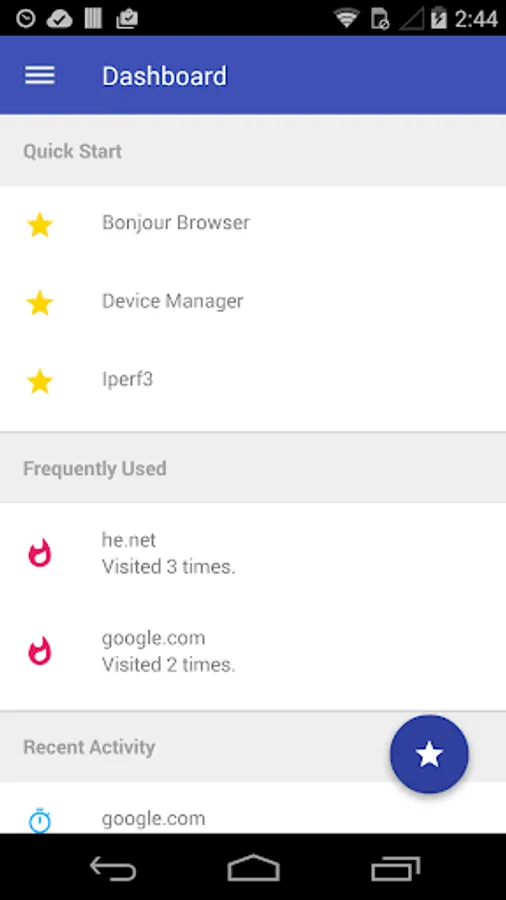
This suite of networks tools implements most of the network diagnostics that you need as a Network Engineer or System Administrator. This is our first version, please help us improve it by giving us feedback.
+ Interface Information: Get information regarding your devices current network state.
+ ARP / NDP: Resolve either IPv4 or IPv6 network layer addresses into link layer addresses.
+ Bonjour Browser: Browser mDNS/ZeroConf services on your Network.
+ Device Manager: Lookup local devices' MAC, NETBIOS, IP, and other information.
+ DNS lookup: Search for a servers DNS zone records such as SOA, NS, A, AAAA, MX, TXT, and rDNS.
+ IP Calculator: Calculate the Netmask, Wildcard, Network, Host range, and Broadcast for a given subnet.
+ Iperf (v2 and v3): Run TCP and UDP performance tests.
+ MAC Browser: Lookup the vendor name and address of an OUI.
+ One Time Password: Add HOTP and TOTP two factor authentication accounts.
+ Ping: Send ICMP packets to a single IPv6/v4 address.
+ Ping Sweep: Send ICMP packets to an entire subnet range.
+ Traceroute: Find the route packets take to reach your IPv6/v4 destination.
+ Progressive Traceroute: Get detailed statistics for a given IPv6/v4 route.
+ Port Scan: Scan a list of custom or pre-defined TCP ports on any IPv6/v4 server.
+ SSL/TLS Analyzer: Inspect SSL/TLS certificates of domain names.
+ Whois: Get information regarding domain registration, ASN, IP allocations and more.
+ NO ADS!
he.net's Network Tools are also available on IOS
The feature graphic is a derivative of "West Texas Lightning Storm" [https://www.flickr.com/photos/jeffk/24820923] by jeffk, used under CC BY 2.0 [https://creativecommons.org/licenses/by/2.0/legalcode].
he.net - Network Tools Screenshots


Tap to Rate:
Reviews for he.net - Network Tools
Емилиян Николов
9/20/2025
I'm using it only for iperf3. In version 0.6.4 it worked as expected. In version 0.7.0 the reverse ( -R) command does not give any results. So something was broken in the new version. I had to downgrade back to 0.6.4 to use it. Also now it gives all the results at the same time in normal mode rather than giving them one at a time when they are ready. This isn't great but is usable. Edit 09.2025: This app is useless for iperf3. Just install Termux to have proper experience.
Mater Mater
8/21/2025
i want login my account to set my domain DNS