Real Time Internet Speed Meter
Nu-Kob
4.2 ★
330 ratings
10,000+
downloads
Free
In this app, you can monitor real-time internet upload and download speeds directly on your screen while using other applications. Includes network type information, customizable display options, and per-reboot visibility.
AppRecs review analysis
AppRecs rating 4.2. Trustworthiness 44 out of 100. Review manipulation risk 44 out of 100. Based on a review sample analyzed.
★★★★☆
4.2
AppRecs Rating
Ratings breakdown
5 star
81%
4 star
0%
3 star
0%
2 star
0%
1 star
19%
What to know
✓
Authentic reviews
No red flags detected
⚠
Questionable review patterns
44% review manipulation risk - some review patterns appear unusual
⚠
Review quality concerns
59% of sampled 5-star reviews are very short
About Real Time Internet Speed Meter
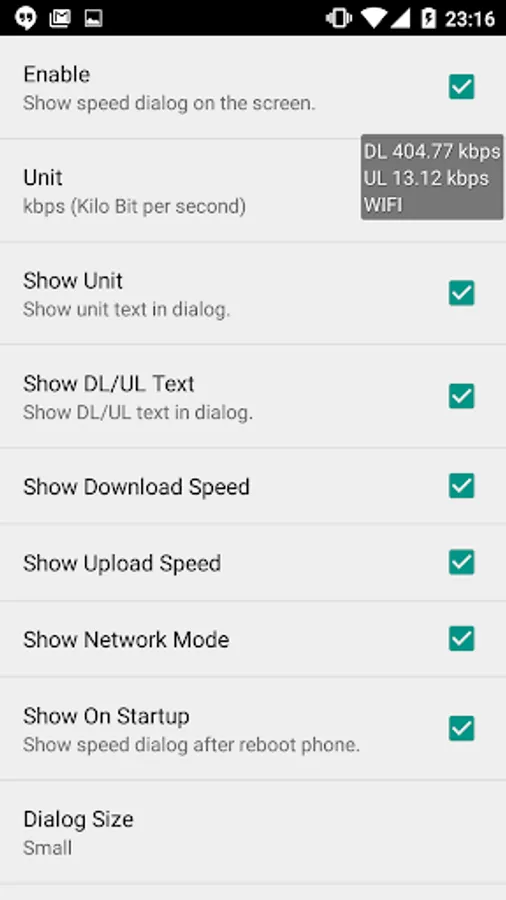
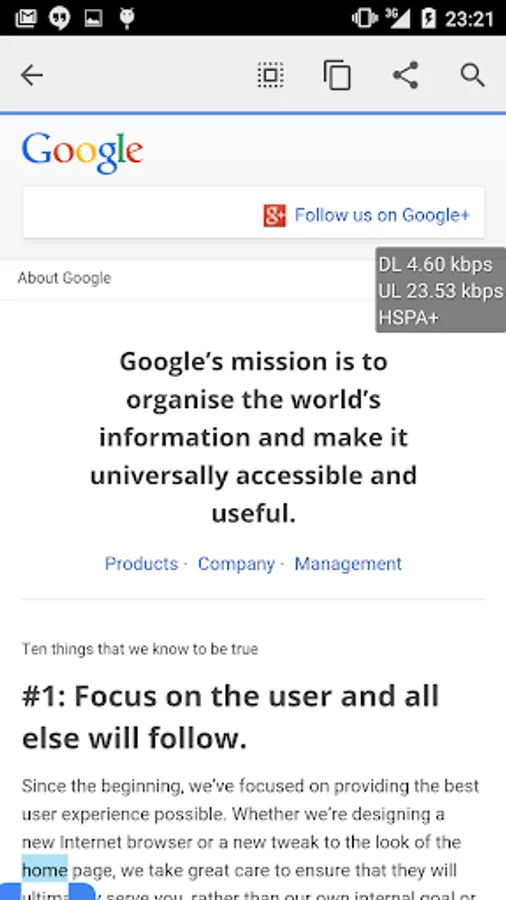
"Real Time Internet Speed Meter" displays/shows internet speed or instance throughput in small dialog on your phone screen. You can see real time download speed and upload speed dialog while using other applications such as browsing a webpage, downloading files, uploading files, playing game, etc...
Features
- Real time download speed, upload speed and network type in small box. (Update every second)
- Always display dialog although you open other applications or on home screen.
- Network type including WIFI, HSPA, HSPA+, EDGE, GPRS, LTE, HSUPA, HSDPA, CDMA
- Select unit type as follows : Kilo Bit per Second (kbps) , Kilo Byte per Second (kB/s)
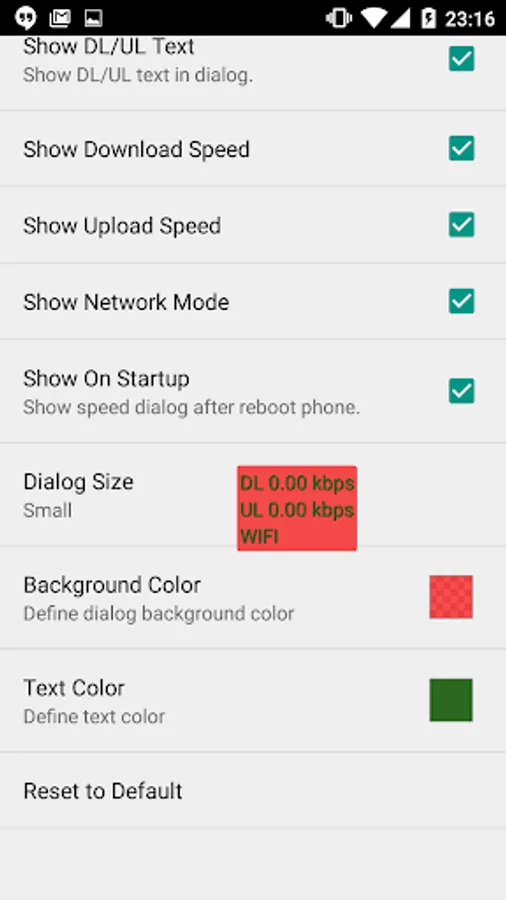
- Customization of things to show in small dialog such as size of text, text color, background color, displaying ul/dl speed, etc...
- Show dialog after reboot phone.
- Long click dialog to open settings.
- Use less battery power.
Features
- Real time download speed, upload speed and network type in small box. (Update every second)
- Always display dialog although you open other applications or on home screen.
- Network type including WIFI, HSPA, HSPA+, EDGE, GPRS, LTE, HSUPA, HSDPA, CDMA
- Select unit type as follows : Kilo Bit per Second (kbps) , Kilo Byte per Second (kB/s)
- Customization of things to show in small dialog such as size of text, text color, background color, displaying ul/dl speed, etc...
- Show dialog after reboot phone.
- Long click dialog to open settings.
- Use less battery power.
Real Time Internet Speed Meter Screenshots
Tap to Rate:
Reviews for Real Time Internet Speed Meter
Moto
6/3/2025
reports false speeds 10x actual, uninstalling
S
1/29/2024
Thank you for this app. Helped greatly and I appreciate greatly