One Button Navigation Bar
Nu-Kob
4.0 ★
4K ratings
1,000,000+
downloads
Free
In this app, you can replace a broken or unresponsive navigation button with a customizable single button that performs multiple actions. Includes options for color, size, position, and various shortcut functions.
AppRecs review analysis
AppRecs rating 4.0. Trustworthiness 76 out of 100. Review manipulation risk 28 out of 100. Based on a review sample analyzed.
★★★★☆
4.0
AppRecs Rating
Ratings breakdown
5 star
54%
4 star
18%
3 star
11%
2 star
7%
1 star
10%
What to know
✓
Low review manipulation risk
28% review manipulation risk
✓
Credible reviews
76% trustworthiness score from analyzed reviews
✓
Good user ratings
72% positive sampled reviews
About One Button Navigation Bar
trouble using buttons or navigation bar panels that are not working properly.
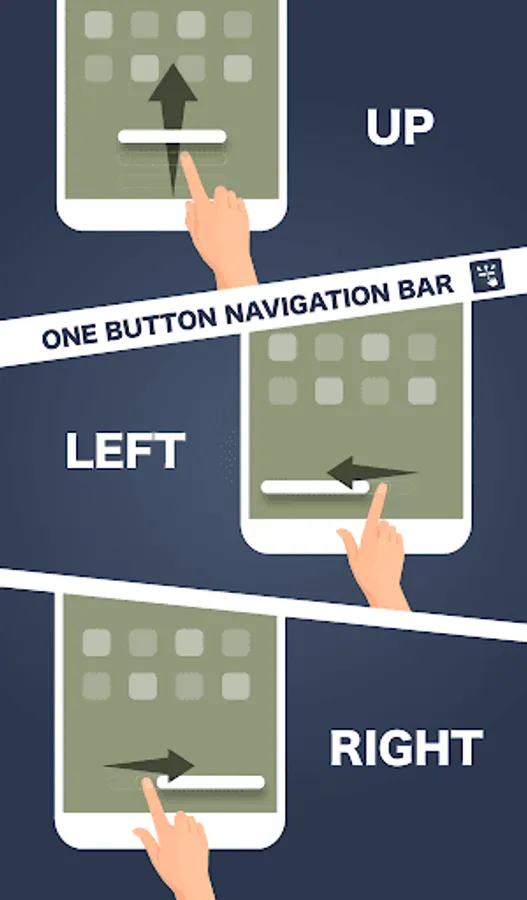
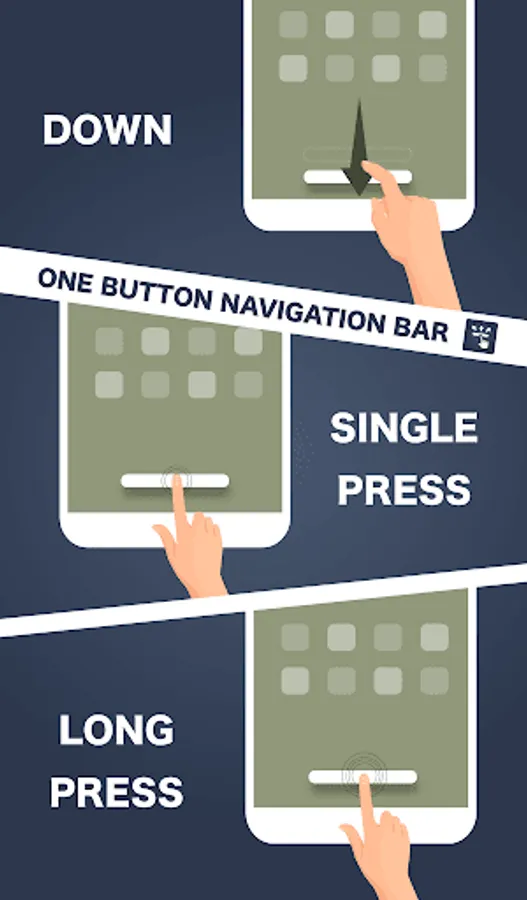
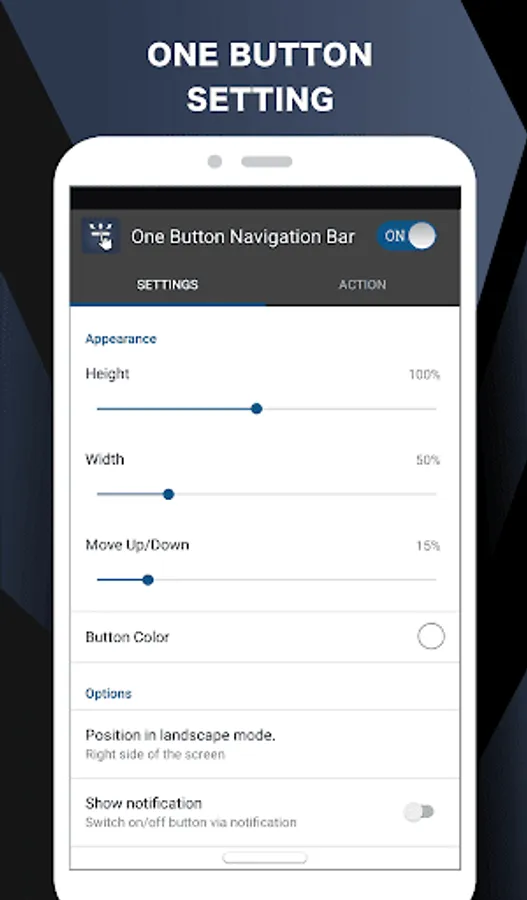
This app provides only one button at the bottom of the screen and is able to do many actions such as Back, Home, Recent.
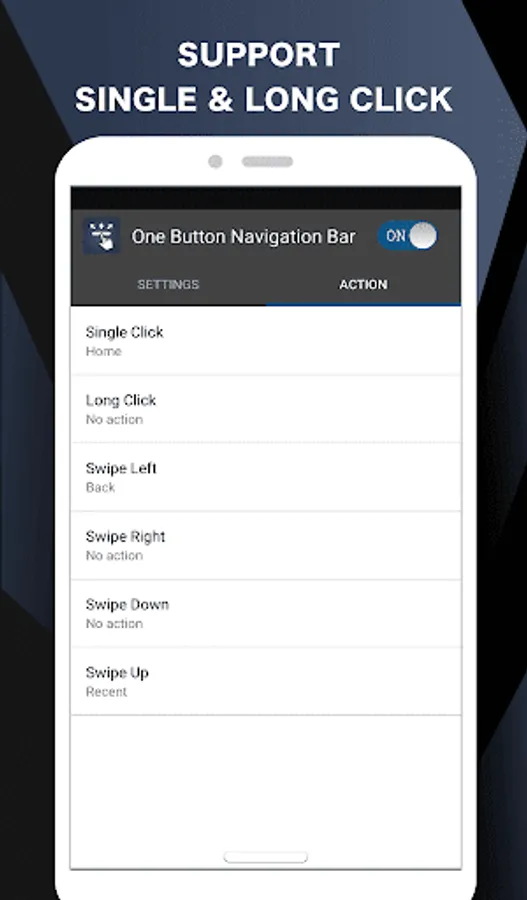
Key Features:- There are 6 actions you can set for this button (Swipe Left, Swipe Right, Swipe Top, Swipe Down, Single Press, Long Press)
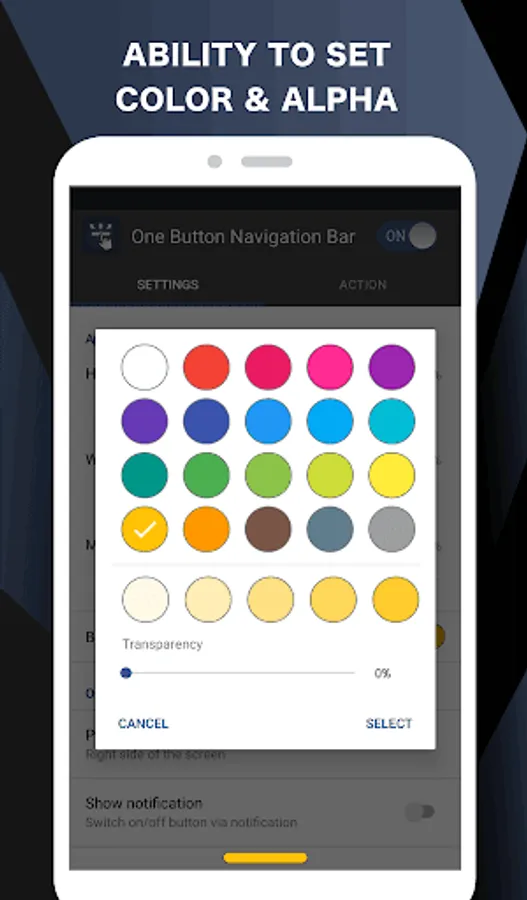
- Ability to change button color.
- Ability to set button width, height and position.
- Ability to Set vibrate on touch.
- Options to adjust position of button in landscape mode.
- Switch on/off via notification.
- Switch on/off via quick settings tile. (Android 7.0+)
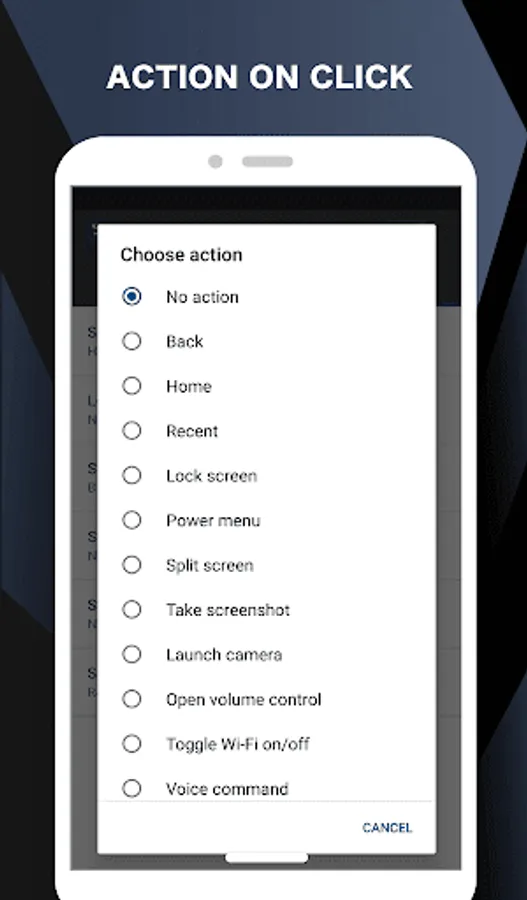
Supported actions
- Back
- Home
- Recent
- Lock screen
- Toggle Wi-Fi on/off
- Power menu
- Split screen
- Launch camera
- Open volume control
- Voice command
- Web search
- Toggle notification panel
- Toggle quick setting panel
- Launch dialer
- Launch web browser
- Launch settings
- Launch this application
- Launch any application
- Take a screenshot
- Switch off button for 10 seconds
Accessibility Service Usage.
One Button Navigation Bar requires accessibility service permission in order to enable core functionality. The application will not read the sensitive data and any content on your screen. In addition, the application will not collect and share the data from accessibility service with any third-party.
By enabling the service, the application will support commands for press and long press actions with the following features:
- Back, Home and Recent actions (Core feature)
- Lock Screen
- Popup notification, Quick settings, Power dialogs
- Toggle split screen
- Take a screenshot
If you disable the accessibility service, the main features cannot work properly.
Permissions Explain
CALL_PHONE
- for long press action of shortcut for Direct dial to someone in contact list
ACCESS_NOTIFICATION_POLICY
- for long press action to toggle DND mode on/off.
ACCESS_WIFI_STATE, CHANGE_WIFI_STATE
- for long press action to toggle Wi-Fi on/off.
BLUETOOTH, BLUETOOTH_ADMIN, BLUETOOTH_CONNECT
- for long press action to toggle Bluetooth on/off.
QUERY_ALL_PACKAGES
- for long press action to open installed application.
READ_EXTERNAL_STORAGE, WRITE_EXTERNAL_STORAGE
- for long press action to save screenshot.
REQUEST_DELETE_PACKAGES
- for menu uninstall this app (this menu will show if user activate device admin for lock screen action for Android O and below)
SYSTEM_ALERT_WINDOW
- for show navigation bar on the screen
VIBRATE
- for option to vibrate when touch the navigation button
WRITE_SETTINGS
- for long press action to toggle auto rotate screen, lock portrait or landscape, toggle auto brightness, increase/decrease brightness
One Button Navigation Bar Screenshots
Tap to Rate:
Reviews for One Button Navigation Bar
Nightcore Clips
12/25/2025
Configuring the app on my Google Pixel 10 Pro XL is really confusingly difficult. And this app replaces the navigation bar with a gesture nob, not actual buttons. I wanted to rearrange the layout to swap the back button to Samsung style, on the right, I have a Google Pixel 10 Pro XL, and coming from an S22 I've had for 3 years, this app basically just gives you that iPhone feel. edit: ignore this review, I didn't check the app name.
Kingsley Less
12/20/2025
very nice