With this assistive app, you can replace a broken home button and customize its appearance with different colors and sizes. Includes features like vibration feedback, command support for functions like back, home, recents, and accessibility options.
AppRecs review analysis
AppRecs rating 3.6. Trustworthiness 76 out of 100. Review manipulation risk 27 out of 100. Based on a review sample analyzed.
★★★☆☆
3.6
AppRecs Rating
Ratings breakdown
5 star
57%
4 star
15%
3 star
6%
2 star
7%
1 star
15%
What to know
✓
Low review manipulation risk
27% review manipulation risk
✓
Credible reviews
76% trustworthiness score from analyzed reviews
⚠
Ad complaints
Many low ratings mention excessive ads
About Home Button
“Home Button” application can replace a failed and broken home button for those people who has trouble using button.
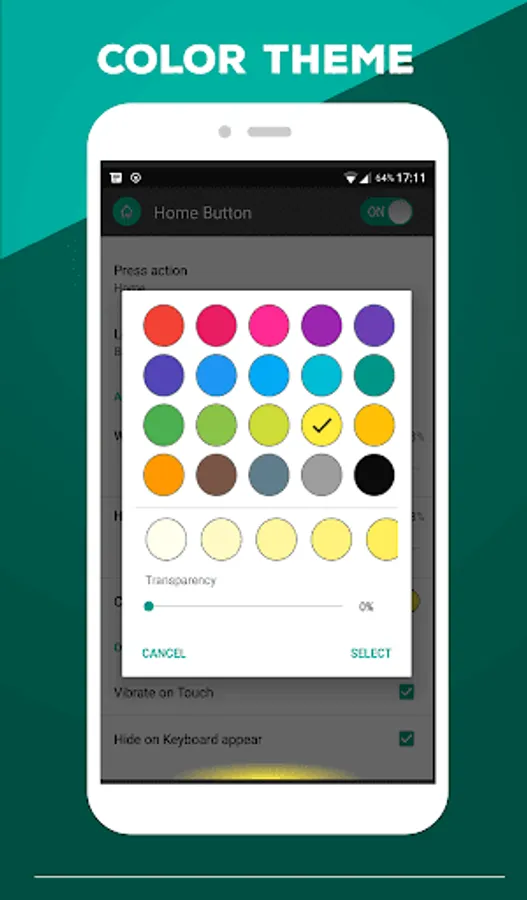
This app provides several features and colors to make awesome home button.
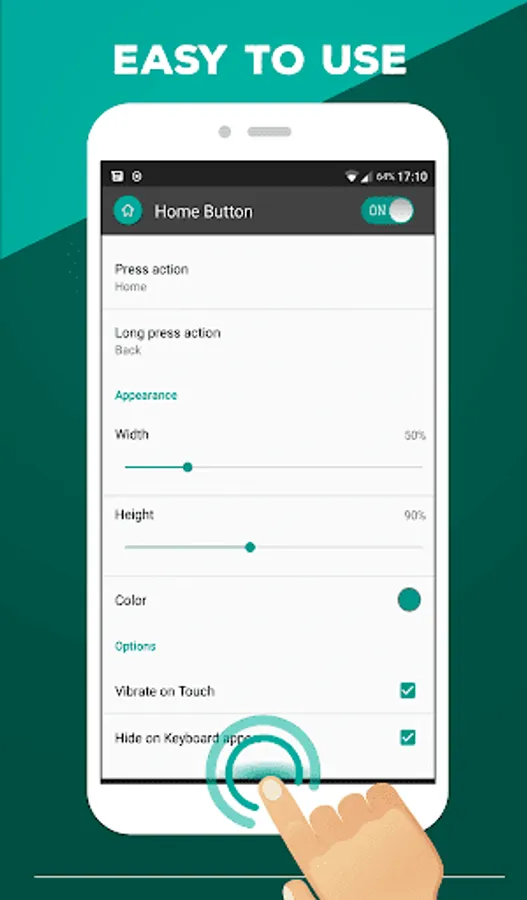
It is easy to press or long press on a button as assistive touch.
Key Features:
- Ability to change color button
- Ability to set button size with height and width
- Ability to set vibrate on touch
- Option to hide on keyboard appear
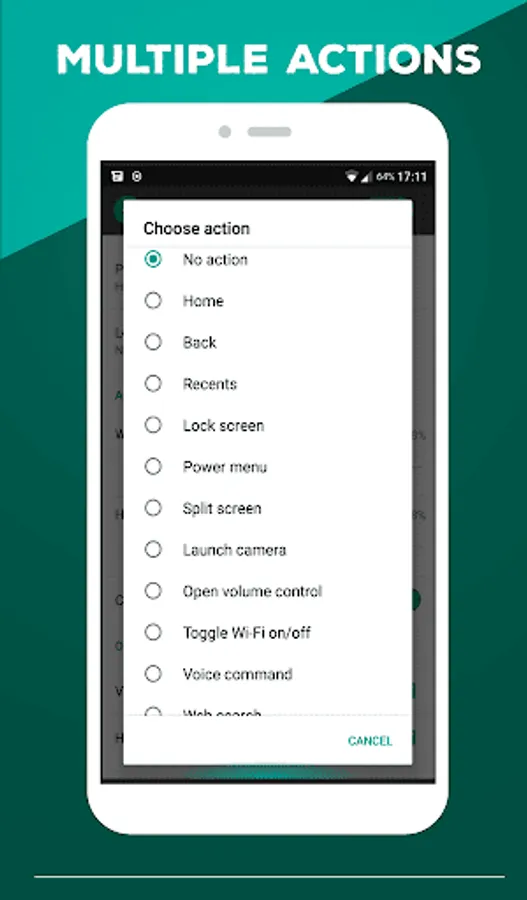
Support command for press and long press action
- Back
- Home
- Recents
- Lock screen (require Device Administrator activation)
- Toggle Wi-Fi on/off
- Power menu
- Split screen
- Launch camera
- Open volume control
- Voice command
- Web search
- Toggle notification panel
- Toggle quick setting panel
- Launch dialer
- Launch web browser
- Launch settings
- Launch this application
Note: If you already activate Device Administrator and you want to uninstall this application, it need to deactivate Device Administrator first. There will be an uninstall menu in 'Help' section to help you easily uninstall this application.
Accessibility Service Usage.
"Home Button" requires accessibility service permission in order to enable some functionality. The application will not read the sensitive data and any content on your screen. In addition, the application will not collect and share the data from accessibility service with any third-party.
By enabling the service, the application will support commands for press and long press actions with the following features:
- Back
- Recent
- Lock Screen
- Popup notification, Quick settings, Power dialogs
- Toggle split screen
- Take a screenshot
If you disable the accessibility service, the main features cannot work properly.
This app provides several features and colors to make awesome home button.
It is easy to press or long press on a button as assistive touch.
Key Features:
- Ability to change color button
- Ability to set button size with height and width
- Ability to set vibrate on touch
- Option to hide on keyboard appear
Support command for press and long press action
- Back
- Home
- Recents
- Lock screen (require Device Administrator activation)
- Toggle Wi-Fi on/off
- Power menu
- Split screen
- Launch camera
- Open volume control
- Voice command
- Web search
- Toggle notification panel
- Toggle quick setting panel
- Launch dialer
- Launch web browser
- Launch settings
- Launch this application
Note: If you already activate Device Administrator and you want to uninstall this application, it need to deactivate Device Administrator first. There will be an uninstall menu in 'Help' section to help you easily uninstall this application.
Accessibility Service Usage.
"Home Button" requires accessibility service permission in order to enable some functionality. The application will not read the sensitive data and any content on your screen. In addition, the application will not collect and share the data from accessibility service with any third-party.
By enabling the service, the application will support commands for press and long press actions with the following features:
- Back
- Recent
- Lock Screen
- Popup notification, Quick settings, Power dialogs
- Toggle split screen
- Take a screenshot
If you disable the accessibility service, the main features cannot work properly.
Home Button Screenshots
Tap to Rate:
Reviews for Home Button
Vikash Prajapat
10/12/2025
no use
GRIFFIN REBERO
9/28/2025
Please include more options to customise the app use.