
AppRecs review analysis
AppRecs rating 3.8. Trustworthiness 83 out of 100. Review manipulation risk 29 out of 100. Based on a review sample analyzed.
★★★☆☆
3.8
AppRecs Rating
Ratings breakdown
5 star
50%
4 star
11%
3 star
17%
2 star
8%
1 star
14%
What to know
✓
Low review manipulation risk
29% review manipulation risk
✓
Credible reviews
83% trustworthiness score from analyzed reviews
✓
Good user ratings
61% positive sampled reviews
About Stratus Horizon Pro
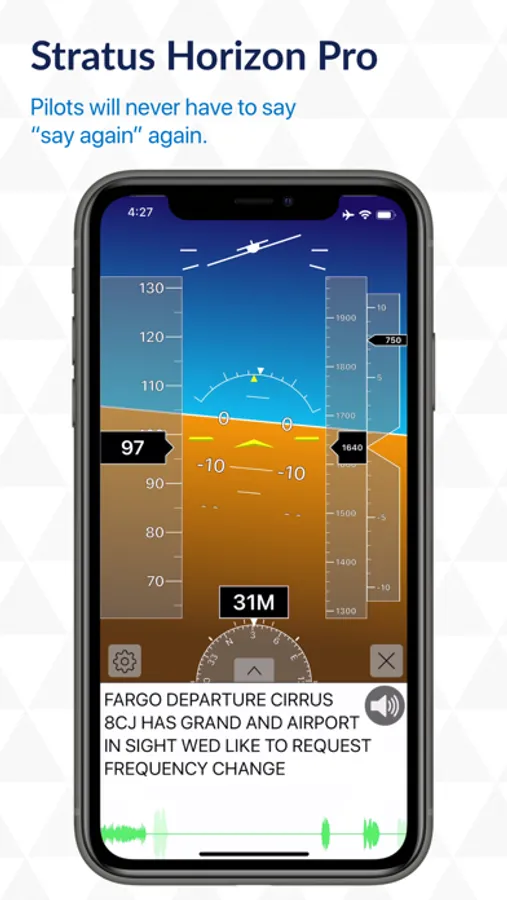
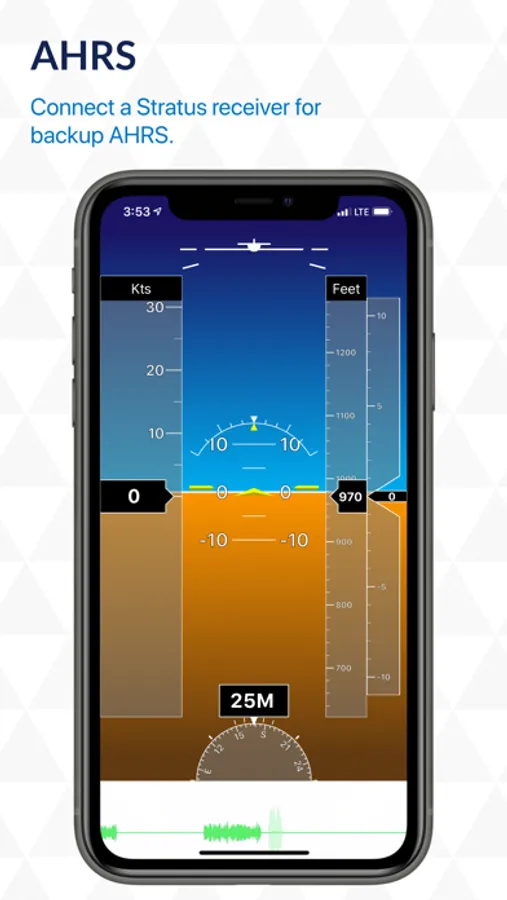
Stratus Horizon Pro displays a complete Attitude Heading Reference System (AHRS) for supplemental attitude information in your cockpit. Driven by a Stratus receiver, the AHRS feature will display a super responsive pitch and bank instrument on your iPad. It aligns itself automatically, so you can just turn it on and fly. This provides an excellent backup for emergency situations.
Radio Transcription & Playback
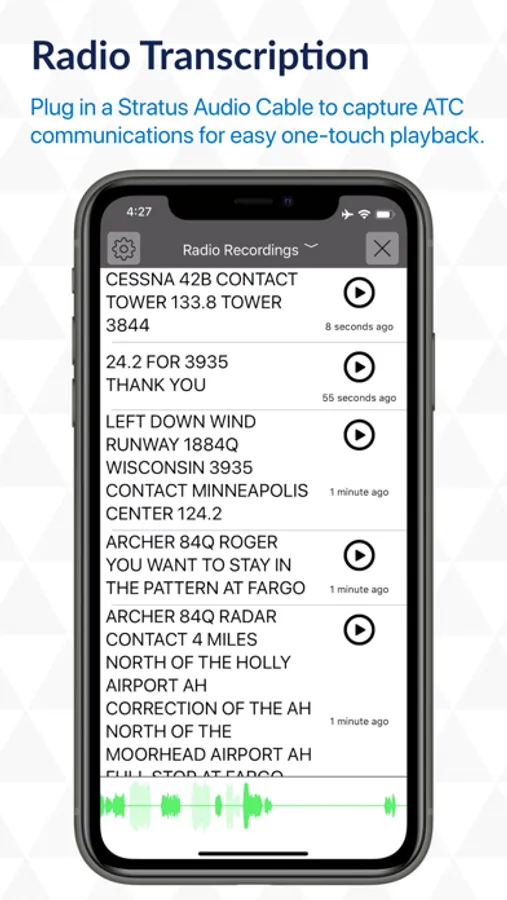
Plug in and play back. You’ll never have to say “say again” again when you use the radio playback feature. Plug in a Stratus Audio Cable to capture ATC communications for easy one-touch playback. Similar to how visual voicemail works, the ATC communications will be converted into text, providing a visual assist for referencing previous audio clips for playback. This enables pilots to receive a clearance, ATIS, or other important ATC communications without needing to write them down
Stratus Audio Cable
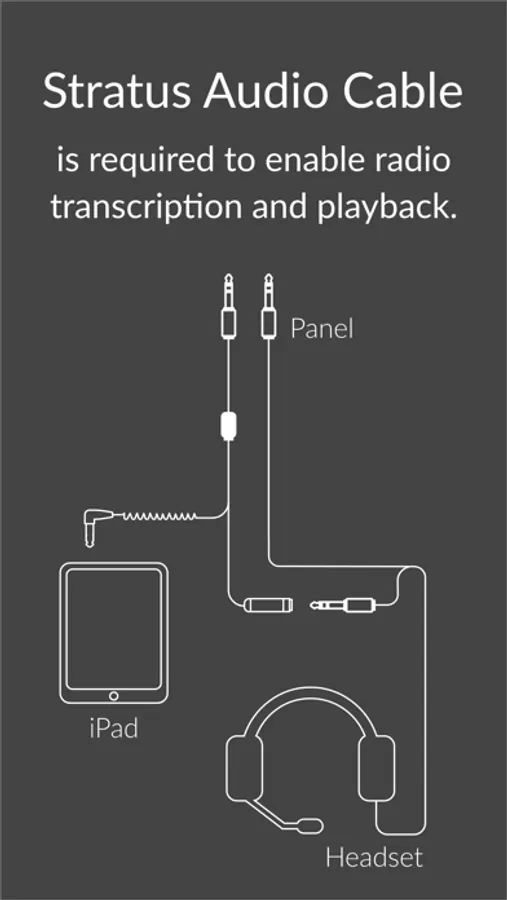
The Stratus Audio Cable (available to purchase for $49.99 from the Appareo web store) is needed to enable the radio transcription and playback feature. No cellular service or internet connection is required to operate the app.
Stratus Device Management
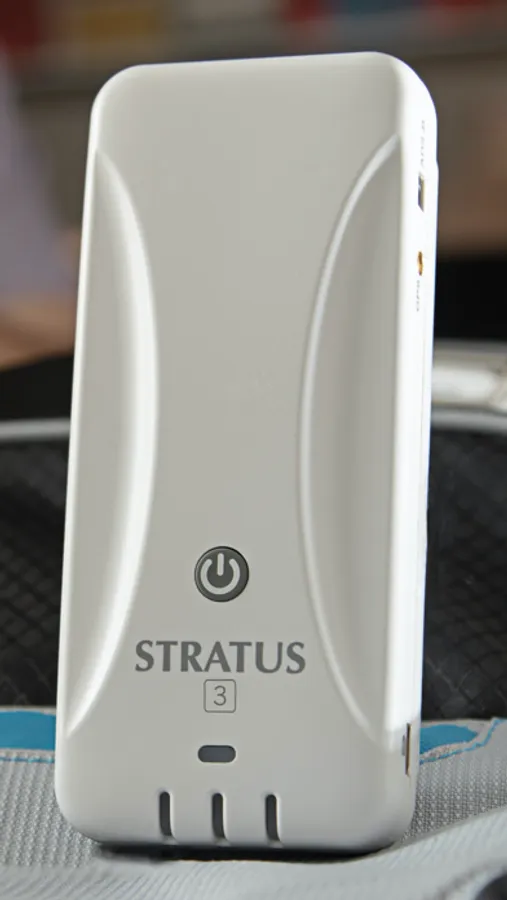
Download firmware updates for all models of Stratus portable ADS-B receivers, Stratus 1, 2, 1S, 2S, 2i, 3, and 3i. Switch your Stratus 3 to "Open ADS-B Mode" to utilize its GDL-90 protocol that integrates Stratus with most flight apps.
Stratus Horizon Pro is a flight app that can be viewed in day mode, night mode, or via heads-up display.
App Multitasking
Stratus Horizon Pro supports app multitasking with split view and overlay view, so you can use radio transcription and playback alongside your favorite EFB. The EFB app must be able to support multitasking.
Stratus Horizon Pro Screenshots
Tap to Rate:
Reviews for Stratus Horizon Pro
Cheyenne Captain
Don’t transcribe ATC well at all
I paid for transcriptions several times. Transcriptions were terrible. Found Google Live Transcribe did a much better job and a lot more ACCURATE. Tried contacting Stratus Horizon several times to talk with someone about it. They didn’t really seem to care! Do, I use Google Live Transcribe! I am an 8250 hour pilot and Flight Instructor! By the way, look at the ages of the reviews!
RobertoHoskin
Great App
I’ve had my stratus 2s for over 5 years now with no issues, one day however the ADS-B function stopped working. Downloaded this app and installed the firmware and it’s good as new. Only issue I see with the app is if you turn might mode on it disrupts the firmware download screen.