AppRecs review analysis
AppRecs rating 3.2. Trustworthiness 65 out of 100. Review manipulation risk 28 out of 100. Based on a review sample analyzed.
★★★☆☆
3.2
AppRecs Rating
Ratings breakdown
5 star
100%
4 star
0%
3 star
0%
2 star
0%
1 star
0%
What to know
✓
Low review manipulation risk
28% review manipulation risk
✓
Good user ratings
100% positive sampled reviews
About LogCalendar - Time Tracker
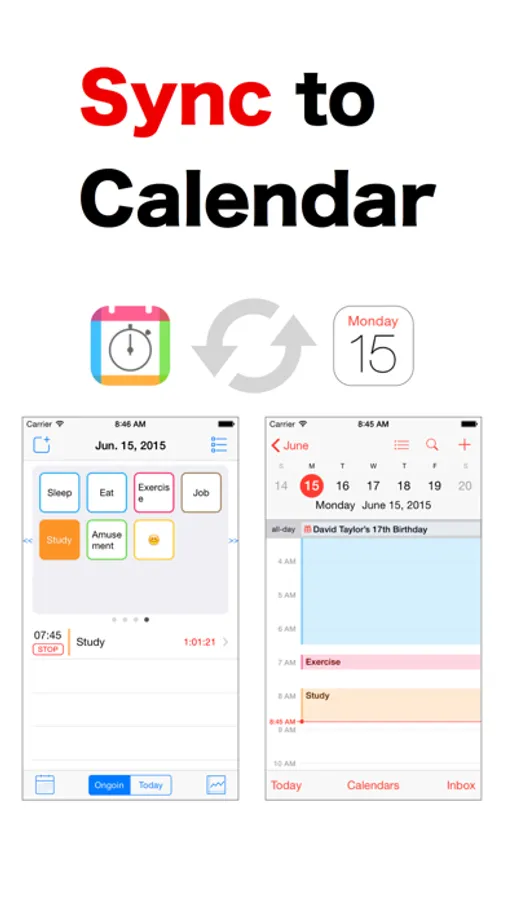
The Log is recorded to iOS Calendar.
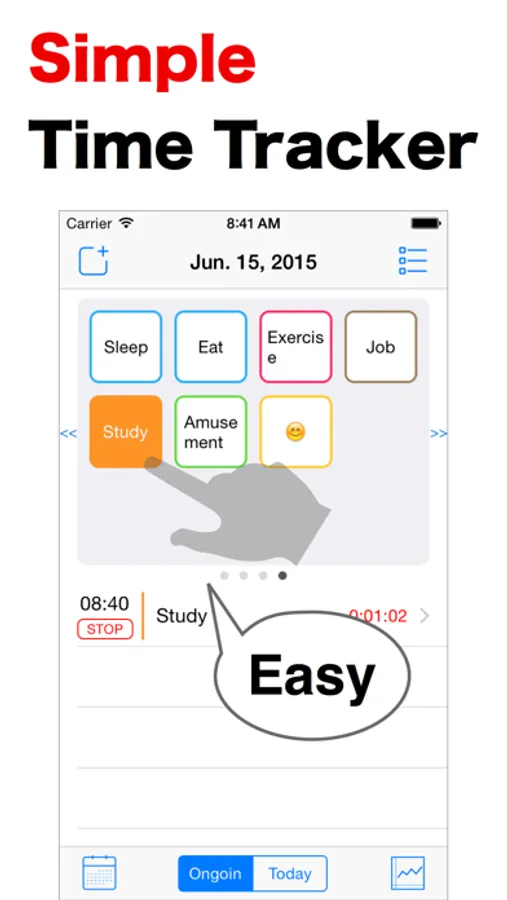
It’s very easy because to start the track in one-tap.
Application features:
- Easy operations for start and end (just one tap)
- Record to iOS calendar
- Color-coded multiple calendars
- Recorded events can be edited
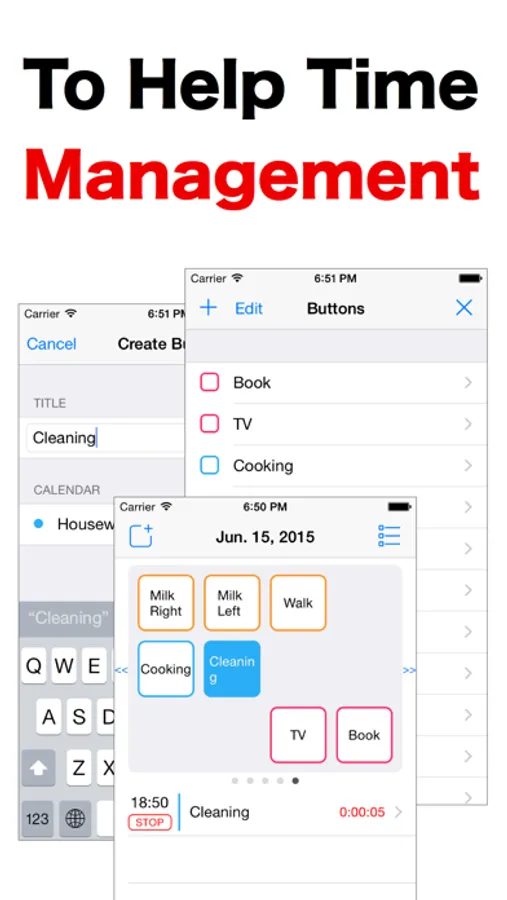
- Task buttons can make any number of
- Free placement of the task button by long press
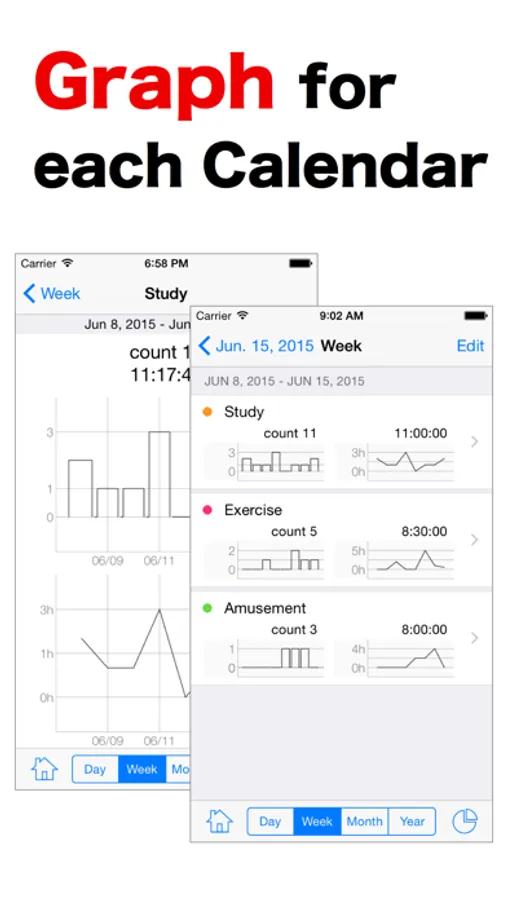
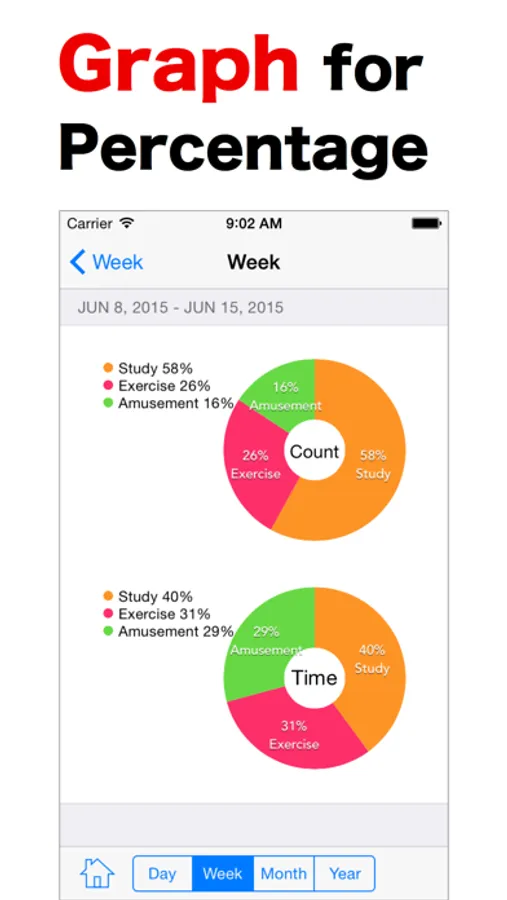
- Graph (day/week/month/year)
- Apple Watch support
- Apple Watch can work without iPhone
- Support for watch complications
Attention:
In the default setting of the iPhone, the event synchronization of calendar has become a [Events 1 Month Back].
Check
[Settings] > [Mail,Contacts,Calendars] > [Sync]
Please change to [All Events] from [Events 1 Month Back].
As an alternative to the diary and time card.
Such as a time log of learning and training.
This app help you time log and time management.
Thank you.
LogCalendar - Time Tracker Screenshots
Tap to Rate:
Reviews for LogCalendar - Time Tracker
Roxanayw
Calendars, tasks tracking all in 1
I have so many calendars and was looking for a seamless way to track the time spent on various calendars. It syncs to all calendars on iCal and you can select which ones to track. You can even manually sort the list. And on an ongoing basis items that are not preset in calendar I can track with a simple button that I was able to set up. That task start automatically syncs to my calendar and when I’m down with it I can simple press stop and the calendar is updated. No need to type in a new task every time. My presets are my various duties (short button name). Could be job, parenting, household, errands, side gig or even me time.
PG2day
Gem of a Little App
It's a one-trick pony, but that's exactly what is needed to handle the job. My sole regret: no way to "pause." -1star, but a Super bonus adds that 1star right back: set up different activity categories (eg: Writing, CleanUp), and select a different gCal for each one. A solid no-fuss, friendly UI 5-star app, beautifully responding to the desire to auto-toss time entries to a gCal.