
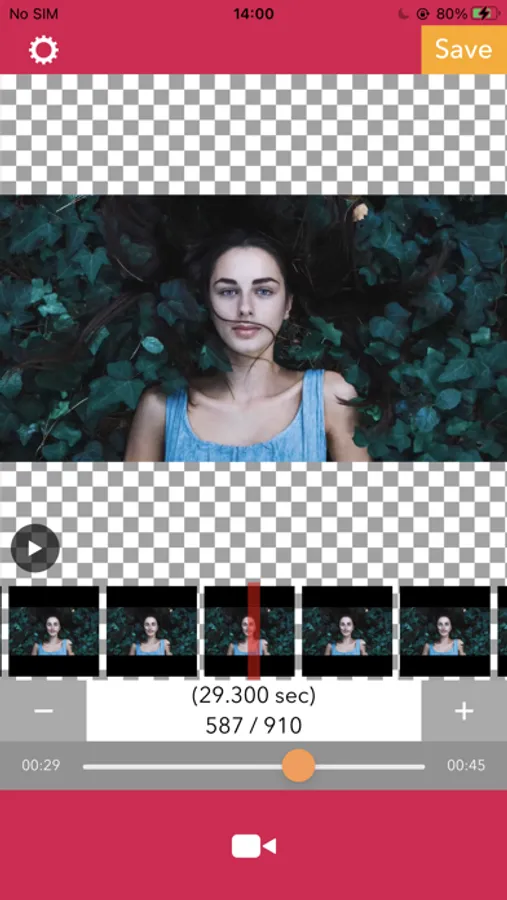
With this app, you can extract still images from videos and save them to your camera roll. Includes video selection, frame seeking, and image exporting features.
AppRecs review analysis
AppRecs rating 4.4. Trustworthiness 71 out of 100. Review manipulation risk 25 out of 100. Based on a review sample analyzed.
★★★★☆
4.4
AppRecs Rating
Ratings breakdown
5 star
90%
4 star
4%
3 star
2%
2 star
2%
1 star
2%
What to know
✓
Low review manipulation risk
25% review manipulation risk
✓
Credible reviews
71% trustworthiness score from analyzed reviews
✓
High user satisfaction
90% of sampled ratings are 5 stars
About iDrip - Video To Photo
How to use.
1. Select a video.
2. Seek the frame you want to save as a photo.
3. Press save button.
iDrip - Video To Photo Screenshots


Tap to Rate:
Reviews for iDrip - Video To Photo
Dollar Store Mettaton
Yee
It’s a pretty good app tbh but the ads are really annoying, like at this point I’d rather have an option to pay real money for a no ads mode.
CJMaxReady
Easy, intuitive, and free
I was trying to find a simple way to extract a single frame from a video on my iPad. I think Apple should provide that capability, but not from what I can see. So after scrolling (a lot) on my App Store search, I saw this with one lone reviewer. I thought what the heck, and tried it. So far I agree completely with the other reviewer, I just needed to acknowledge a single ad to get my photo. I’m happy to do that to support the free apps.