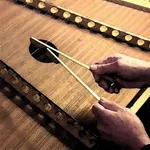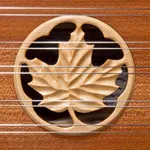
In this musical app, you can simulate playing a chromatic hammered dulcimer by tapping and dragging across the strings. Includes adjustable tone settings, note labels, and bridge configurations for customized play.
AppRecs review analysis
AppRecs rating 5.0. Trustworthiness 71 out of 100. Review manipulation risk 27 out of 100. Based on a review sample analyzed.
★★★★★
5.0
AppRecs Rating
Ratings breakdown
5 star
90%
4 star
0%
3 star
10%
2 star
0%
1 star
0%
What to know
✓
Low review manipulation risk
27% review manipulation risk
✓
Credible reviews
71% trustworthiness score from analyzed reviews
✓
High user satisfaction
90% of sampled ratings are 5 stars
About Dusty Strings D550 Dulcimer
This virtual dulcimer sounds and plays like the real thing!
The D550 is one of the popular Chromatic Series models made by Dusty Strings, builders of hammered dulcimers in Seattle, WA since 1979.
This model features standard fifth-interval hammered dulcimer tuning, plus an extended bass range (down to G2) and some additional chromatic notes to enable playing in any key.
The overall range is 3.75 octaves, with a fully chromatic range of 3.5 octaves.
To play, just touch the strings next to the black and white bridge markers. The Treble bridge (in the middle) has playable notes on either side, which are a fifth interval apart.
The Bass bridge (on the right) can be played to the left of the markers, and the Superbass bridge (on the left) has the lowest notes, playable to the right of the markers.
Toggle between a bright, clear ringing tone using hard hammers and a gentler, more piano tone using soft hammers by touching the image of the hammer in the upper left corner.
To get repeated note "drag roll" effects, drag quickly horizontally across the strings. The drag roll sensitivity can be set on the settings screen. The higher the sensitivity, the shorter distance you need to move your finger to get the effect.
Touch the ABC button on the upper left area to toggle the note names on/off.
Touch the iPad icon on the playing area controls to toggle between "Full" and "Treble/Bass Bridge Only" style instruments.
"Full" provides the full D550 instrument including the Superbass bridge.
"Treble/Bass Bridge Only" focuses on the treble and bass bridges and provides the maximum string spacing for easier play on smaller screens like the iPad Mini.
Touch the mixer icon on the upper left area to show the controls screen where you can adjust the balance and pan for the bass and treble bridges, enable or disable the drag rolls, as well as set the sensitivity for how far you need to drag to get the roll effect.
The "Hammer Touches" setting chooses between no visible touches, visible touches, and visible touches + note label highlighting.
On the controls screen you may use the "Soft Hammer Filter" control to choose between equalization of the soft hammer sounds for best sound through the iPad speaker or through headphones. The "iPad" setting optimizes the soft hammer equalization for playback through the iPad speaker. The "Headphones" setting optimizes the soft hammer sound equalization for headphones or for use when connected to an amplifier through the headphone jack. The "Headphones" setting allows the full fidelity of the lowest sound to pass through for best quality.
On the iPad Pro, with its amazing stero speakers, set the "Soft Hammer Filter" to "Headphones" for best quality sound when playing with the soft hammers.
From the controls screen you can also visit the Dusty Strings website to learn more about their amazing hand-crafted instruments.
Touch the "Shhh" icon on the upper right corner to quiet all the strings.
The app may be used as a MIDI sound module for use with CoreMIDI-enabled MIDI file player apps or controlled from an external MIDI keyboard using a hardware MIDI interface.
Select the MIDI channel on the controls page.
When used via MIDI, the app responds to MIDI note-on (with velocity), note-off, and volume change messages on the selected MIDI channel.
The treble bridge volume and panning is used for all MIDI sounds and will respond to MIDI volume messages.
The app is also a Audiobus compatible source module.
To truly experience the full stereo spread of the instrument, plug in a set of headphones or amplified speakers. If plugged in, switch the "Soft Hammer Filter" setting to "Headphones" for the fullest possibly sound when playing with the soft hammers.
Tap to Rate:
Reviews for Dusty Strings D550 Dulcimer
rpsqueezer
Hammer Dulcimer App a Real Hit!
I knew of Michael's other music apps and had downloaded and had fun with his two row button accordion app. But I didn't know about the hammer dulcimer app until I tripped over it via YouTube. Well, I downloaded it and was able to practice a few of my dulcimer tunes right away. For someone who loves the hammer dulcimer, but hates tuning or hauling it around, this app lets you get in a dulcimer playing fix without the hassle of tuning or setting up - and you can practice quietly with headphones so no one else is bothered. My only gripe has nothing to do with the app itself: I now need a bigger iPad to play more and faster!
JRSIV1975
Incredible sounds, this app is full of musical possibilities
UPDATE: My original review is below, I’m updating it since the dev has added MIDI & AudioBus, the only things I felt were keeping it from being a 5 Star app. The MIDI works great & Audiobus too..thank you for the update! The sounds are crazy good, so realistic. The interface and design are wonderful. The only thing keeping the app from 5 star perfection is the lack of iOS music production integration. This app needs Audiobus and Inter-App Audio compatibility. MIDI would be really useful, but at the very least let us get these sounds to our DAW apps, etc. Aside from the mildly curious who'll mess with it once or twice, the people who would really use the app are musicians/producers who are using iOS and other great apps to make music. Budge up to that market and you'll have a big time following.