
AppRecs review analysis
AppRecs rating 3.5. Trustworthiness 84 out of 100. Review manipulation risk 26 out of 100. Based on a review sample analyzed.
★★★☆☆
3.5
AppRecs Rating
Ratings breakdown
5 star
54%
4 star
8%
3 star
8%
2 star
0%
1 star
31%
What to know
✓
Low review manipulation risk
26% review manipulation risk
✓
Credible reviews
84% trustworthiness score from analyzed reviews
✓
Good user ratings
62% positive sampled reviews
About Off Book! Pro
** Please note: there is currently no way to import lines from the Free version of OffBook!, but I am working on a converter **
Off Book! is an app designed by an actor for actors. I perform regularly and designed this app for myself to assist in script memorization.
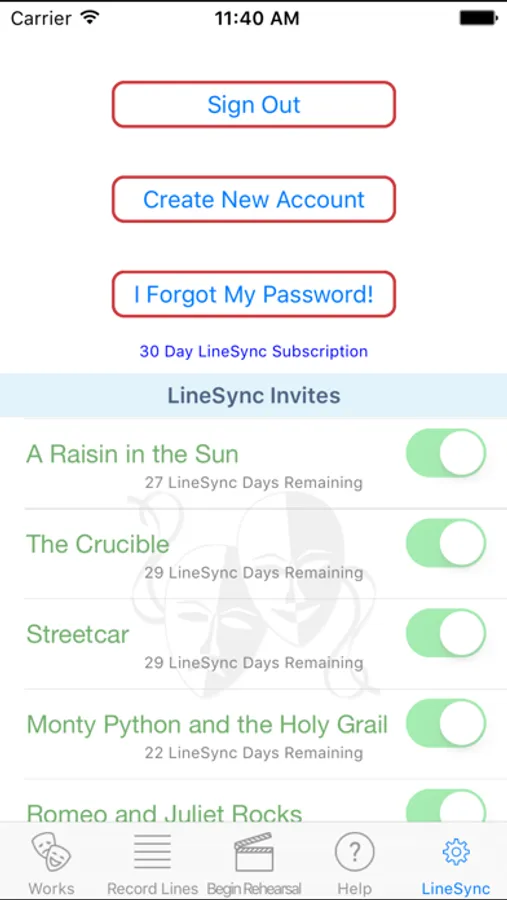
New for version 4.0 - LineSync! will enable you to share your lines with other performers (available through in-app purchase)
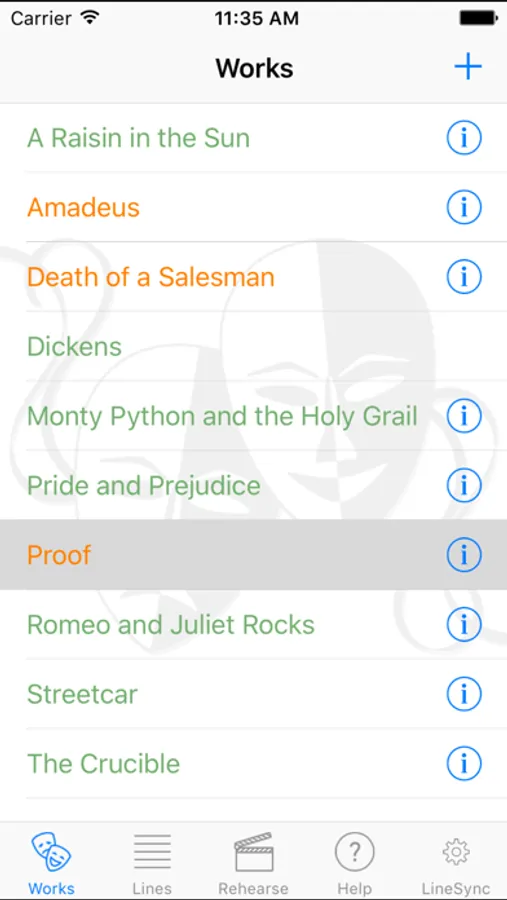
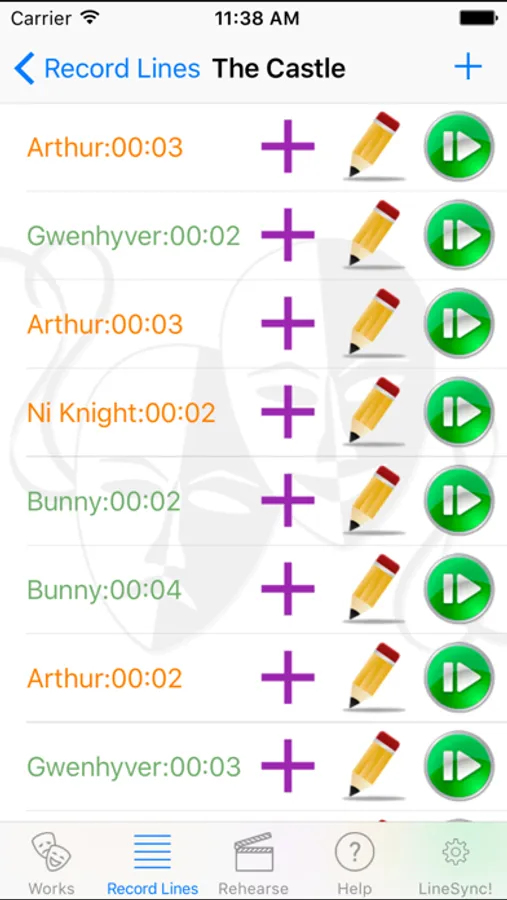
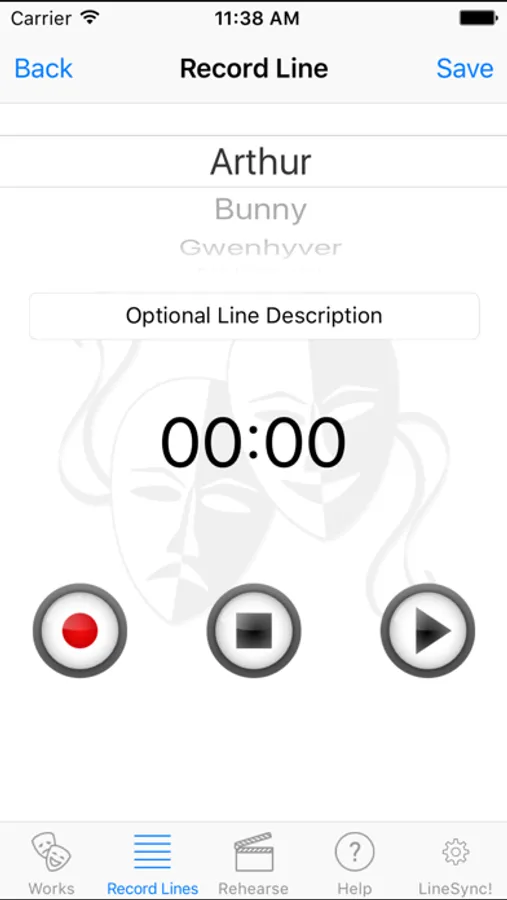
It's really simple to use. You basically create your Works, Scenes, add Characters, and Record Lines! Should you accidentally record a 30+ line scene and realize that you have one of the lines out of order, you don't have to start over! Either hit the line "plus" signet insert a new line immediately after, or simply press on the offending line, and drag it to a new position! Voilà! You are all set.
If your scenes are out of order: same deal. Long press on the scene and move it to the position you like.
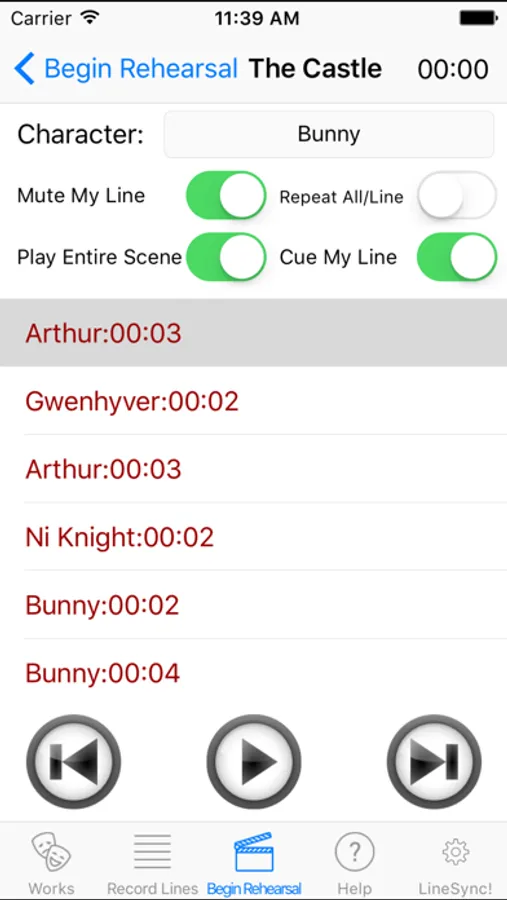
Once you are done recording the lines for the scene you wish to rehearse, tap on the rehearse icon and you are presented with the rehearse screen. From here you can choose to play through the entire scene, as well as mute/cue your line. To mute your line, simply select the character you will be playing by tapping the "down arrow", and then clicking the "Mute My Line" switch so that it shows green. The scene will play through and when it gets to your line, it will pause for the line length...giving you time to say it and wait for your next cue. The "Cue My Line" switch will cue the line for you by providing an audible "ding" immediately prior.
Please see the *INSTRUCTIONAL VIDEOS* in the app, or on my website, and if you have any neat feature requests or (gasp!) bug reports, please don't hesitate to contact me about them.
Please do NOT hesitate to contact me at the support web link listed here. There is an email box there at the bottom of the page for you to mail me should you experience any bugs you may need fixed!
Enjoy
--Steve
*************** PRO TIPS ***************
FOR THE PEOPLE WHO SAY IT WON'T SAVE YOUR LINES: It is possible you did not accept the "Let Off Book! have access to your Microphone" permission. If this is a first time install, just uninstall the app, and reinstall. When the popup asks for permissions, approve them.
Alternatively you can go into the iPhone settings, scroll down until you find the Off Book! app, click it, and ensure that the microphone switch is turned ON.
To DELETE Lines, Characters, Scenes, or Works: Simply swipe your finger from right to left on the entry and a "Delete" button will pop up. Be careful with this, because if you delete a character in a work, you will also delete all of its Lines.
TO REORDER Lines: (in case you have one out of order and don't feel like deleting and recording all over again) hold your finger down on the line you want to move and then drag it into the proper position. You can see this demonstrated on the instructional videos I have included.
FOR LONG SCENES: Where you will leave the iPhone unattended, set your sleep timer/auto lock to either off, or maximum length so the phone doesn't go to sleep while you're rehearsing! (I am currently working to see if there is a way around this)
Wagon Wheel - Electronic Kevin MacLeod (incompetech.com)
Licensed under Creative Commons: By Attribution 3.0 License
http://creativecommons.org/licenses/by/3.0/
Off Book! Pro Screenshots
Tap to Rate:
Reviews for Off Book! Pro
backfrogwhatevs
Responsive developer, great app!
I swear by this app! I used the regular version for years and then switched to the pro version. I recommend it to everyone. I sent in feedback and they had the chance I requested in functionality within a week!! That is unheard of! They made me a loyal user for life. This is an actor’s best friend.
Capn Mac
Broken App and No Support
I had a friend recommended this to me for learning lines. Seems like a great tool if it worked. I created a title, added characters and scenes but it won’t let me record anything. The record page does not list the scenes. I read that the microphone may not be enabled, so I uninstalled and reinstalled but nothing. I went into the app settings on my phone and there is no such setting for a microphone. I tried reaching out to the developer but the website no longer exists. I will be requesting a refund.