
In this toll calculator app, you can input truck details and compare toll costs across multiple routes. Includes toll fee estimates, route mapping, and navigation integration.
AppRecs review analysis
AppRecs rating 4.3. Trustworthiness 76 out of 100. Review manipulation risk 23 out of 100. Based on a review sample analyzed.
★★★★☆
4.3
AppRecs Rating
Ratings breakdown
5 star
85%
4 star
8%
3 star
3%
2 star
1%
1 star
3%
What to know
✓
Low review manipulation risk
23% review manipulation risk
⚠
Ad complaints
Many low ratings mention excessive ads
⚠
Pricing complaints
Many low ratings mention paywalls or pricing
About Toll Calculator: Truck & Semi
Accurate. Powerful. Built for Truckers, RV, and Car.
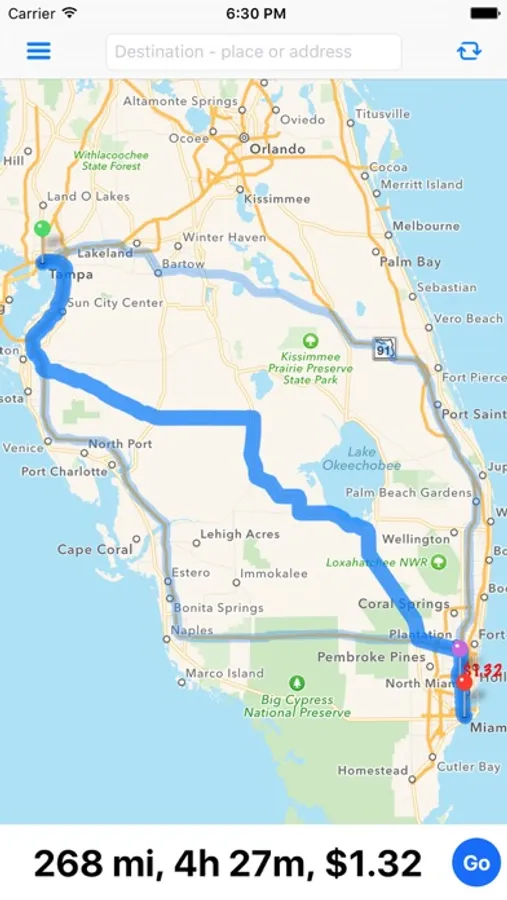
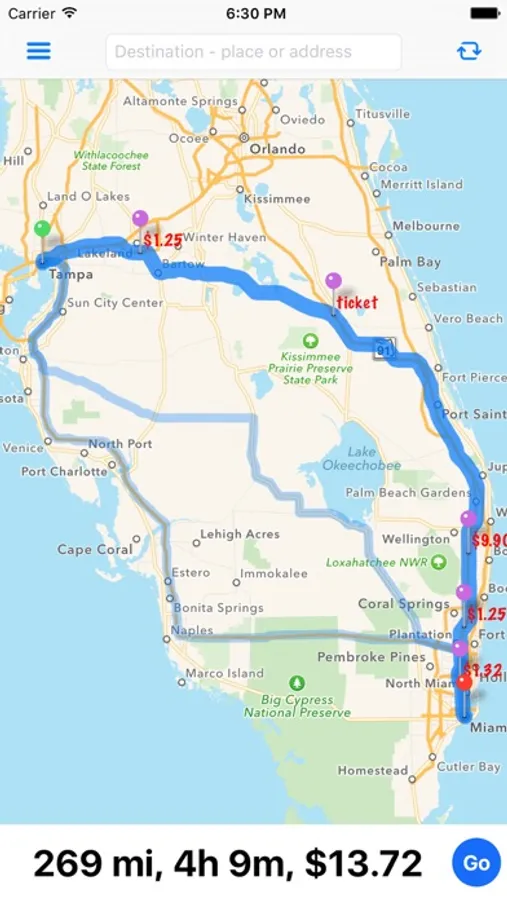
Toll Calculator: Truck, RV & Car is designed for professional drivers who need precise toll estimates across the United States and Canada. Compare toll costs on up to three routes using Apple and Google routing data. Simply enter two addresses to instantly see toll fees, travel time, and distance.
Built for Commercial Trucks
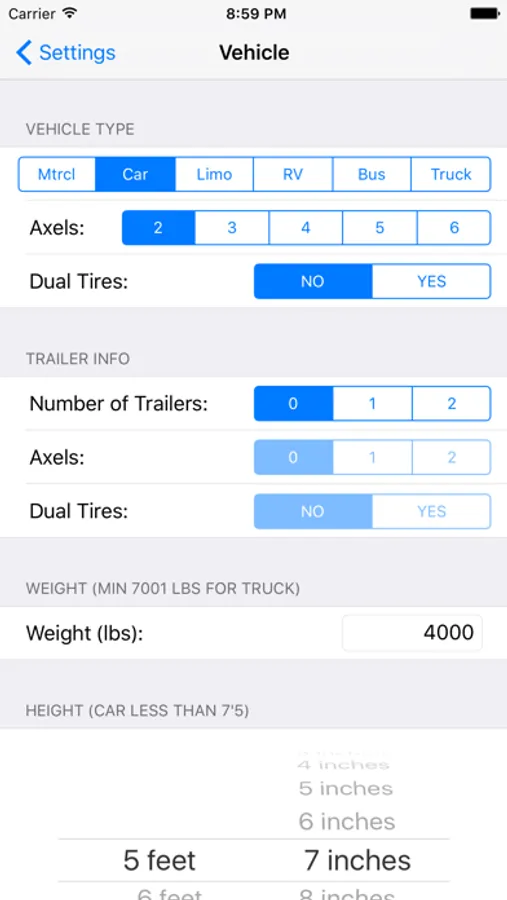
• Enter detailed vehicle information including weight, height, axle count, trailer type, and dual tires
• Supports trucks up to 9 axles
• Also supports bus, RV, motorcycle, and passenger vehicles
• Multi-axle toll calculation for accurate commercial pricing
Maximize Profit on Every Load
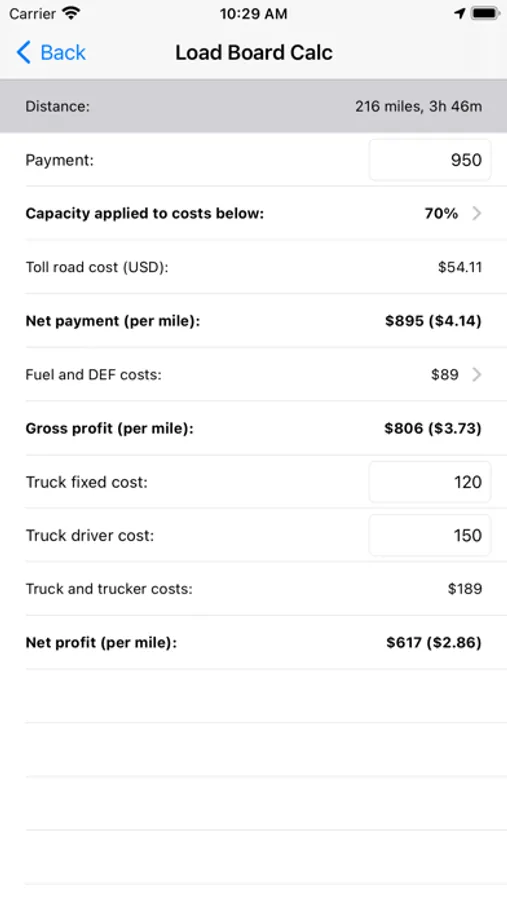
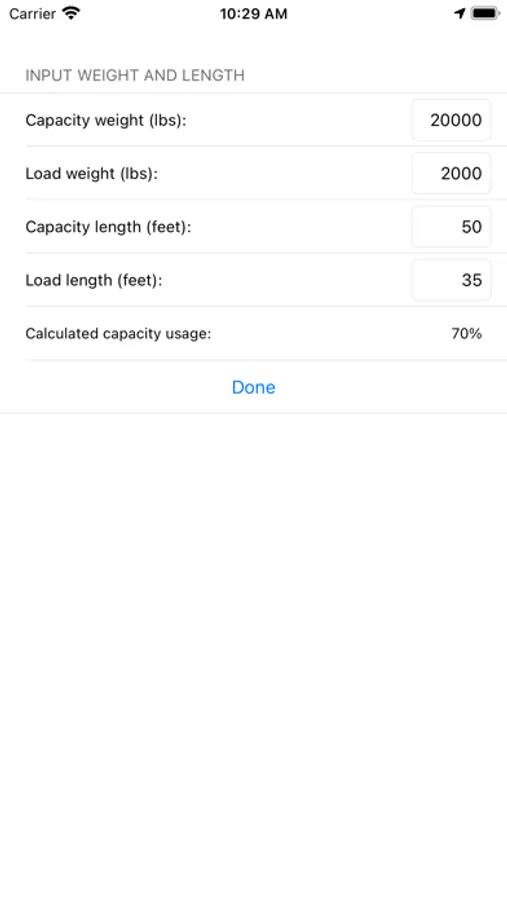
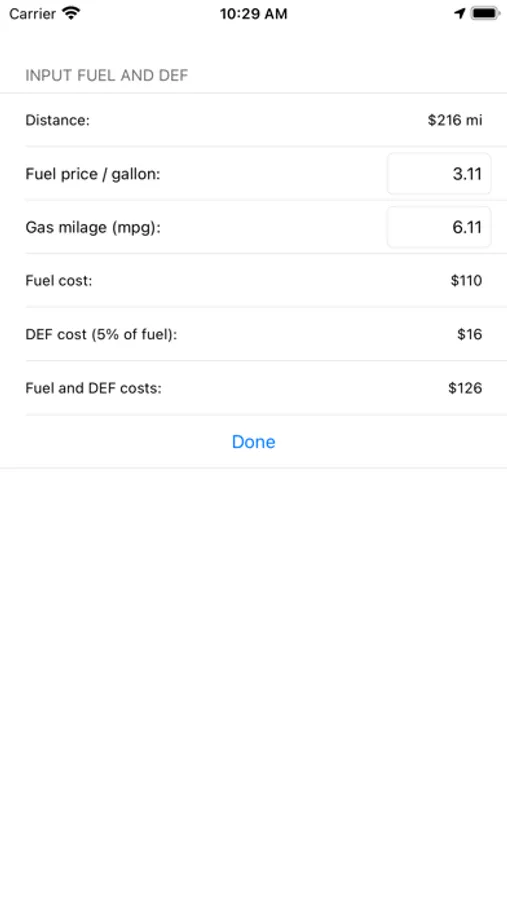
• Built-in load board calculator to evaluate profitability quickly
• Compare toll costs across multiple route options
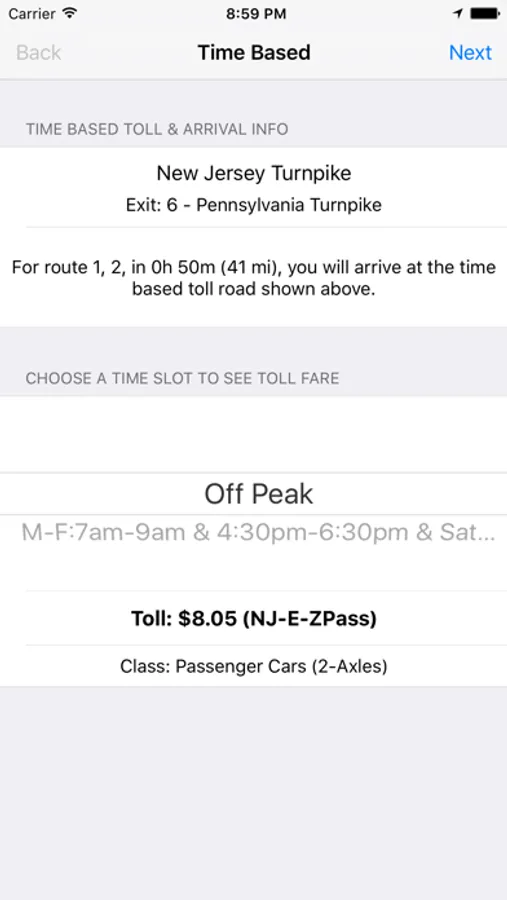
• Choose different time slots for time-based toll roads
Complete US & Canada Toll Coverage
• Covers all toll roads in the United States and Canada, including 407 ETR
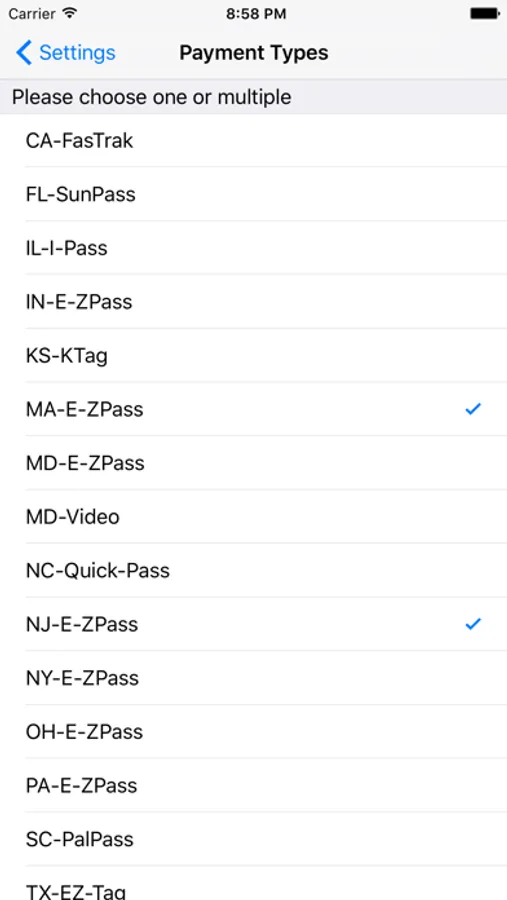
• Supports multiple payment methods and transponders such as E-ZPass, SunPass, FasTrak, TxTag, ExpressToll, KTag, EZ-Tag, TollTag, and Pay-By-Plate
Route Details at a Glance
• View toll booths directly on the map
• See distance and travel time for each route
• Calculate routes from your current location
• Send selected routes to Apple Maps or Google Maps for navigation
Important Disclaimer
Routes are generated using Apple and Google routing services. Some routes may include roads not suitable for large commercial vehicles. Always verify road restrictions before travel. Toll rates are estimates and may vary. This app is not affiliated with any tolling agency.
Terms of the in-app purchases:
Payment for in-app upgrades will be charged to your iTunes Account at confirmation of purchase. Subscriptions automatically renew unless auto-renew is turned off at least 24-hours before the end of the current period. Your iTunes Account will be charged for renewal within 24-hours prior to the end of the current period, at the original subscription amount. Subscriptions may be managed by you and auto-renewal may be turned off by going to your iTunes Account Settings after purchase. Any unused portion of a free trial period, if offered, will be forfeited when the user purchases a subscription to that publication. Privacy Policy and Terms of Service are located at: http://www.infotalkcorporation.com/privacypolicy.html.
Toll Calculator: Truck, RV & Car is designed for professional drivers who need precise toll estimates across the United States and Canada. Compare toll costs on up to three routes using Apple and Google routing data. Simply enter two addresses to instantly see toll fees, travel time, and distance.
Built for Commercial Trucks
• Enter detailed vehicle information including weight, height, axle count, trailer type, and dual tires
• Supports trucks up to 9 axles
• Also supports bus, RV, motorcycle, and passenger vehicles
• Multi-axle toll calculation for accurate commercial pricing
Maximize Profit on Every Load
• Built-in load board calculator to evaluate profitability quickly
• Compare toll costs across multiple route options
• Choose different time slots for time-based toll roads
Complete US & Canada Toll Coverage
• Covers all toll roads in the United States and Canada, including 407 ETR
• Supports multiple payment methods and transponders such as E-ZPass, SunPass, FasTrak, TxTag, ExpressToll, KTag, EZ-Tag, TollTag, and Pay-By-Plate
Route Details at a Glance
• View toll booths directly on the map
• See distance and travel time for each route
• Calculate routes from your current location
• Send selected routes to Apple Maps or Google Maps for navigation
Important Disclaimer
Routes are generated using Apple and Google routing services. Some routes may include roads not suitable for large commercial vehicles. Always verify road restrictions before travel. Toll rates are estimates and may vary. This app is not affiliated with any tolling agency.
Terms of the in-app purchases:
Payment for in-app upgrades will be charged to your iTunes Account at confirmation of purchase. Subscriptions automatically renew unless auto-renew is turned off at least 24-hours before the end of the current period. Your iTunes Account will be charged for renewal within 24-hours prior to the end of the current period, at the original subscription amount. Subscriptions may be managed by you and auto-renewal may be turned off by going to your iTunes Account Settings after purchase. Any unused portion of a free trial period, if offered, will be forfeited when the user purchases a subscription to that publication. Privacy Policy and Terms of Service are located at: http://www.infotalkcorporation.com/privacypolicy.html.
Toll Calculator: Truck & Semi Screenshots
Tap to Rate:
Reviews for Toll Calculator: Truck & Semi
musa_91kg
App socks
S
dgeryb
FOR TRUCK DRIVERS
that app counting like 4 wheels