AppRecs review analysis
AppRecs rating 1.9. Trustworthiness 77 out of 100. Review manipulation risk 26 out of 100. Based on a review sample analyzed.
★☆☆☆☆
1.9
AppRecs Rating
Ratings breakdown
5 star
14%
4 star
0%
3 star
14%
2 star
0%
1 star
71%
What to know
✓
Low review manipulation risk
26% review manipulation risk
✓
Credible reviews
77% trustworthiness score from analyzed reviews
⚠
Mixed user feedback
Average 1.9★ rating suggests room for improvement
About Bluetooth EFP
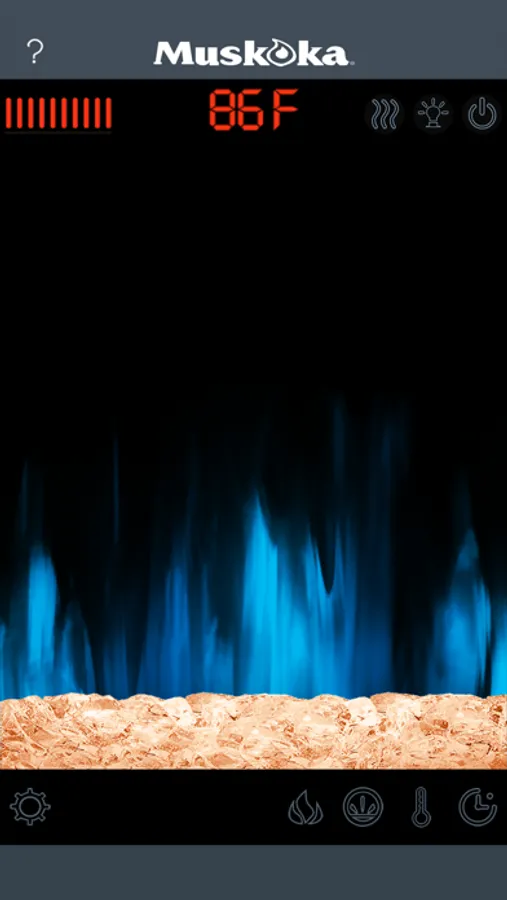
Control every aspect of your bluetooth electric fireplace with the Bluetooth EFP APP for iPhone or iPad. Touch the power button icon to power up and tap the ember bed or background to easily switch between multiple flame and background color options. Slide or tap the thermometer for 13 thermostatic temperature settings and use the timer button for 8 auto shut off settings.The passcode enabled safety feature will ensure your fireplace is always used safely. Support included for multiple languages and choice of Fahrenheit and Celsius readout.
About GHP Group
GHP Group, Inc. is a leading manufacturing company which specializes in electric fireplaces, fireplace glass doors, fireplace accessories, electric log sets, portable heating products, water filtration and barbecue grill products. Our products can be found at most major home centers, hardware stores and internet retailers across North America.
Supports iPhone 4s, iPod 5, iPad 3 and later devices.
About GHP Group
GHP Group, Inc. is a leading manufacturing company which specializes in electric fireplaces, fireplace glass doors, fireplace accessories, electric log sets, portable heating products, water filtration and barbecue grill products. Our products can be found at most major home centers, hardware stores and internet retailers across North America.
Supports iPhone 4s, iPod 5, iPad 3 and later devices.
Bluetooth EFP Screenshots


Tap to Rate:
Reviews for Bluetooth EFP
Turquoise blue
Fire Place App
Works great. Very happy to be able to work the fireplace controls with my phone
JEMJES
What?
Was so excited to brag on my new fireplace with BLUETOOTH. How cool is that? Alas, it would be, if it would work. All it does is open and scan for it. Nothing. Does work. Why have it then? I have an iPhone 11.