With this data tracking app, you can monitor your internet usage across cellular, roaming, and Wi-Fi networks with real-time updates and customizable thresholds. Includes usage details, graphs, remaining data, alerts, and daily summaries.
AppRecs review analysis
AppRecs rating 4.6. Trustworthiness 74 out of 100. Review manipulation risk 33 out of 100. Based on a review sample analyzed.
★★★★☆
4.6
AppRecs Rating
Ratings breakdown
5 star
79%
4 star
8%
3 star
7%
2 star
1%
1 star
4%
What to know
✓
Credible reviews
74% trustworthiness score from analyzed reviews
✓
High user satisfaction
79% of sampled ratings are 5 stars
✓
Authentic reviews
Natural distribution, no red flags
About Internet Data Tracker Lite
Data Tracker Lite helps you stay in control of your mobile and Wi‑Fi data plans.
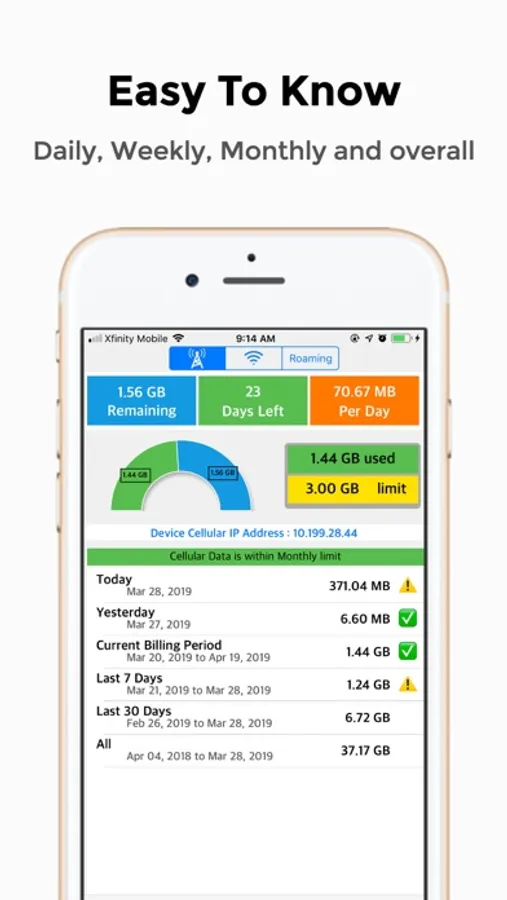
See how much data you’ve used, how much is left and how many days you can safely use it without hitting your limit.
Stay on top of your data plan
Monitor Cellular, Wi‑Fi and Roaming usage in one place
See Remaining data, Days left and Per‑day allowance at a glance
Understand monthly trends with a clear bar graph of your billing periods
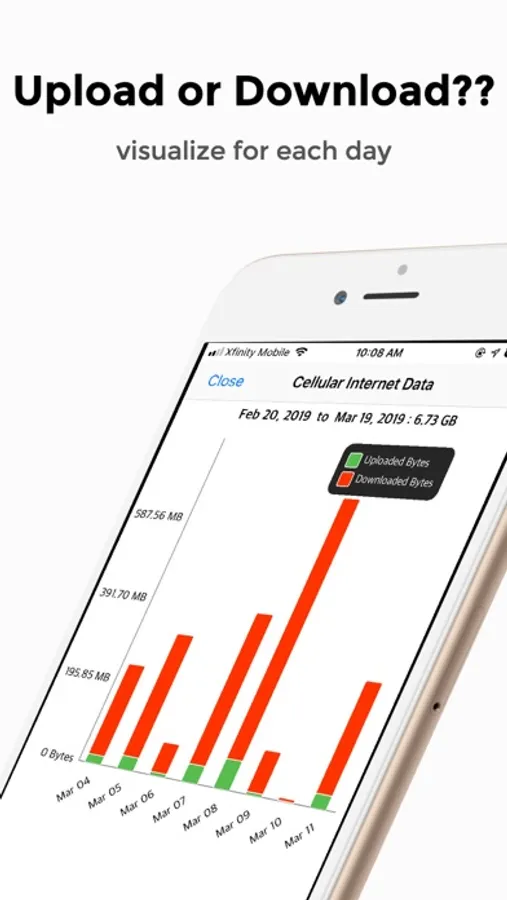
Tap any bar to see a color‑coded upload vs download breakdown
Daily & monthly insights
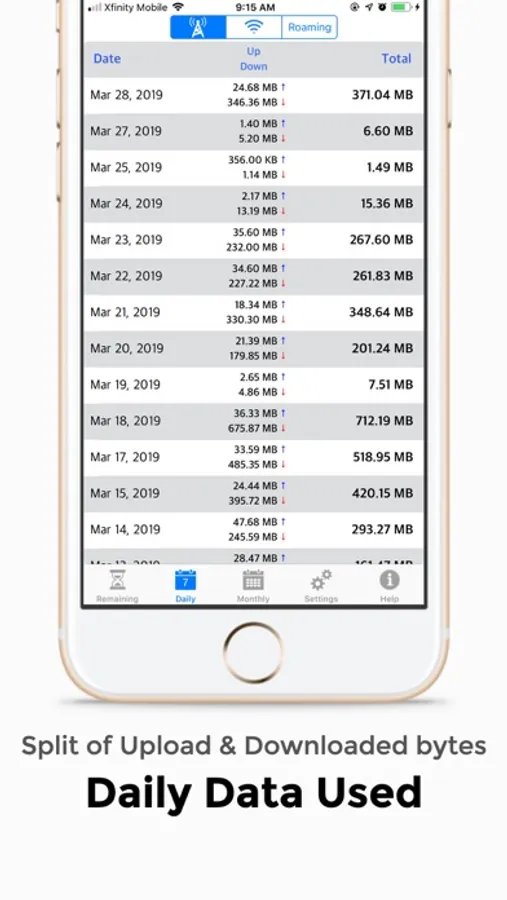
Track today’s and yesterday’s usage separately
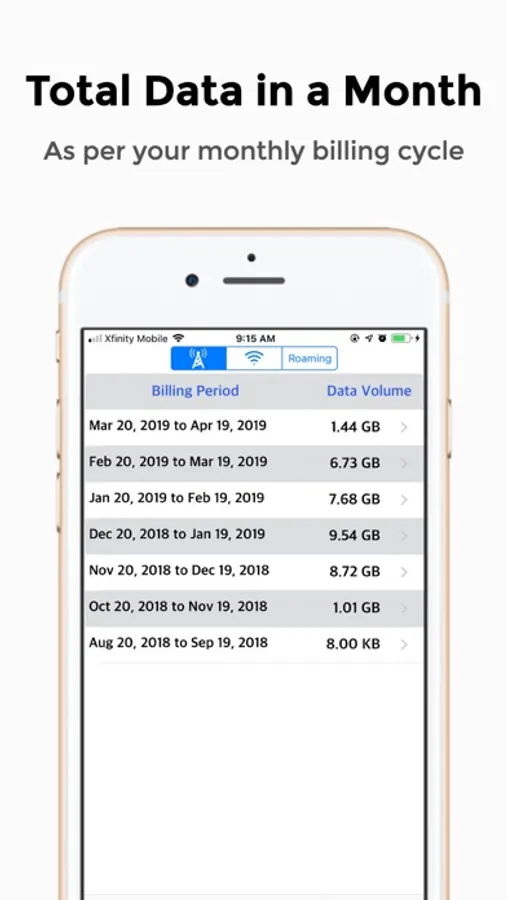
Review up to the last 6 billing cycles with per‑period totals
Quickly spot spikes so you can avoid overages and throttling
Widgets & complications
Add the InternetTracker widget to your Home Screen
See Remaining / Days Left / Per Day plus Today & Yesterday usage without opening the app
Tap the widget to jump straight into the correct mode (Cellular, Wi‑Fi or Roaming)
Use Apple Watch complications to see your status at a glance
Apple Watch companion
View your current remaining data and days left on Apple Watch
Check usage while traveling, right from your wrist
Data is synced from your iPhone so your watch always reflects your latest usage
Smart settings & alerts
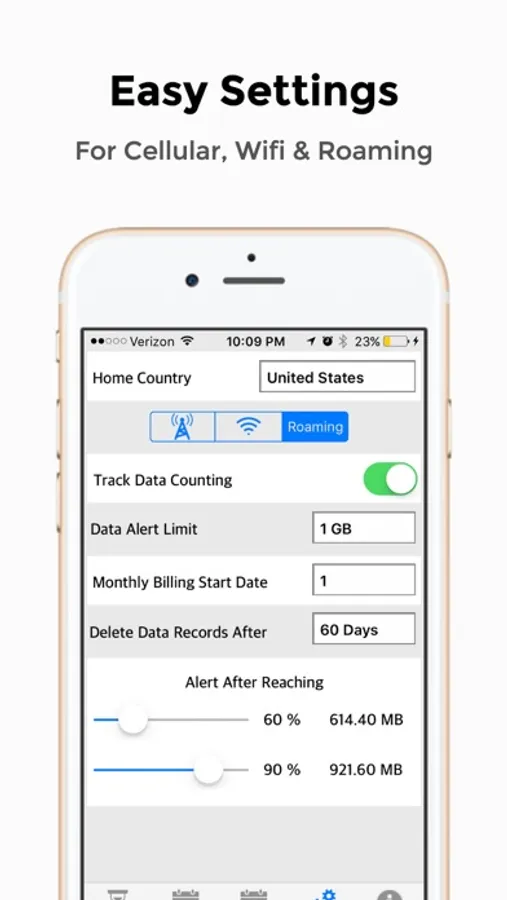
Set your monthly limit and billing cycle day once per bearer (Cellular, Wi‑Fi, Roaming)
See a clear status banner: within limit, nearing limit or exceeded
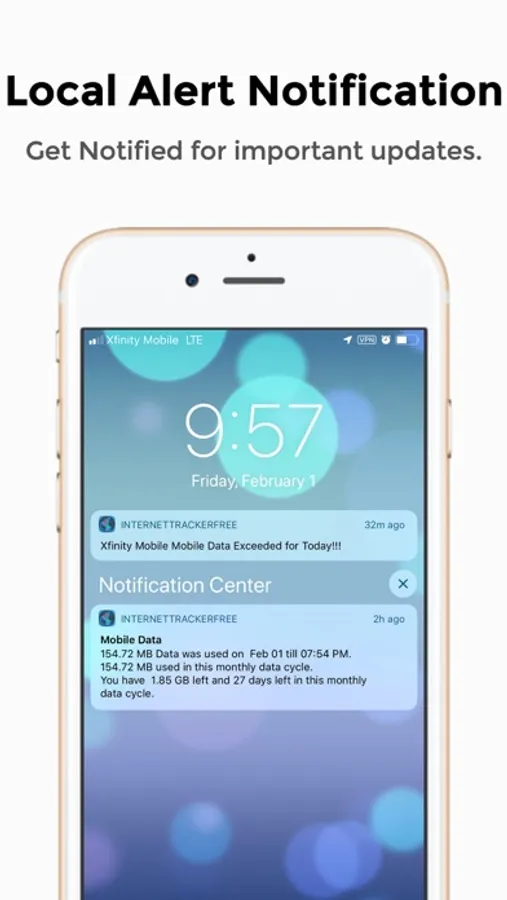
Optional alerts before you hit your configured threshold
InternetTracker Pro
Upgrade to InternetTracker Pro to unlock the full experience:
Remove all banner ads across the app
Unlock full Remaining, Daily and Monthly views with complete history
Enable detailed monthly usage graphs for each data bearer
Use Home Screen widgets and Apple Watch to check usage instantly
InternetTracker is designed for clarity, not clutter. Whether you’re on a strict roaming plan, sharing a hotspot or just want to avoid surprise bills, InternetTracker gives you the numbers that matter—right when you need them.
See how much data you’ve used, how much is left and how many days you can safely use it without hitting your limit.
Stay on top of your data plan
Monitor Cellular, Wi‑Fi and Roaming usage in one place
See Remaining data, Days left and Per‑day allowance at a glance
Understand monthly trends with a clear bar graph of your billing periods
Tap any bar to see a color‑coded upload vs download breakdown
Daily & monthly insights
Track today’s and yesterday’s usage separately
Review up to the last 6 billing cycles with per‑period totals
Quickly spot spikes so you can avoid overages and throttling
Widgets & complications
Add the InternetTracker widget to your Home Screen
See Remaining / Days Left / Per Day plus Today & Yesterday usage without opening the app
Tap the widget to jump straight into the correct mode (Cellular, Wi‑Fi or Roaming)
Use Apple Watch complications to see your status at a glance
Apple Watch companion
View your current remaining data and days left on Apple Watch
Check usage while traveling, right from your wrist
Data is synced from your iPhone so your watch always reflects your latest usage
Smart settings & alerts
Set your monthly limit and billing cycle day once per bearer (Cellular, Wi‑Fi, Roaming)
See a clear status banner: within limit, nearing limit or exceeded
Optional alerts before you hit your configured threshold
InternetTracker Pro
Upgrade to InternetTracker Pro to unlock the full experience:
Remove all banner ads across the app
Unlock full Remaining, Daily and Monthly views with complete history
Enable detailed monthly usage graphs for each data bearer
Use Home Screen widgets and Apple Watch to check usage instantly
InternetTracker is designed for clarity, not clutter. Whether you’re on a strict roaming plan, sharing a hotspot or just want to avoid surprise bills, InternetTracker gives you the numbers that matter—right when you need them.
Internet Data Tracker Lite Screenshots
Tap to Rate:
Reviews for Internet Data Tracker Lite
luisiyi
Me encanta ... muy buena aplicación recomendada para todo tipo de persona
El
Honorably Servered
I’m looking for something better
Not keeping real-time usage. Changes usage once today’s usage is recorded, I’ll look back on it the next day and it shows an increased usage.