With this health app, you can track your steps, flights climbed, distance, and calories burned, and set step goals with visual progress indicators. Includes activity history, custom algorithms, and widgets for quick viewing.
AppRecs review analysis
AppRecs rating 4.5. Trustworthiness 73 out of 100. Review manipulation risk 23 out of 100. Based on a review sample analyzed.
★★★★☆
4.5
AppRecs Rating
Ratings breakdown
5 star
76%
4 star
9%
3 star
7%
2 star
2%
1 star
6%
What to know
✓
Low review manipulation risk
23% review manipulation risk
✓
Credible reviews
73% trustworthiness score from analyzed reviews
✓
High user satisfaction
85% of sampled ratings are 4+ stars (4.5★ average)
About Next Step - Health App
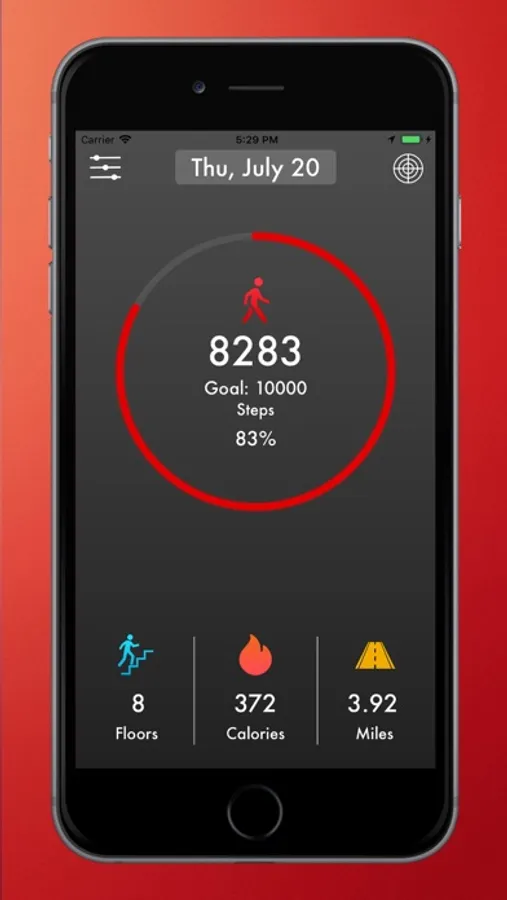
Showing you: Current Steps, Flights Climbed, Distance traveled, and Calories Burned.
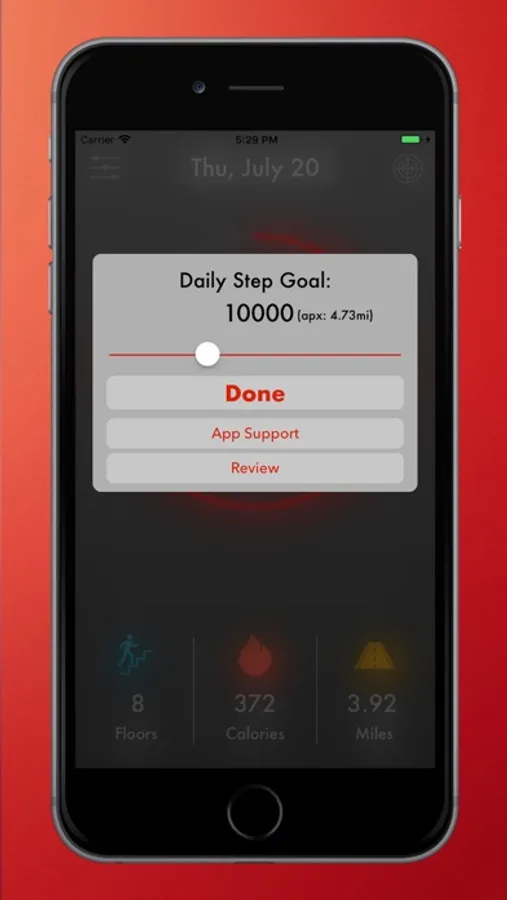
When you set a step goal, it will show you an animated ring that represents the amount of that goal achieved, with the Percentage.
+Calories+
Next Step will also show you the number of active calories you've burned that day. When you set-up the app it will construct an algorithm that is unique to you to give accurate information.
+Widgets+
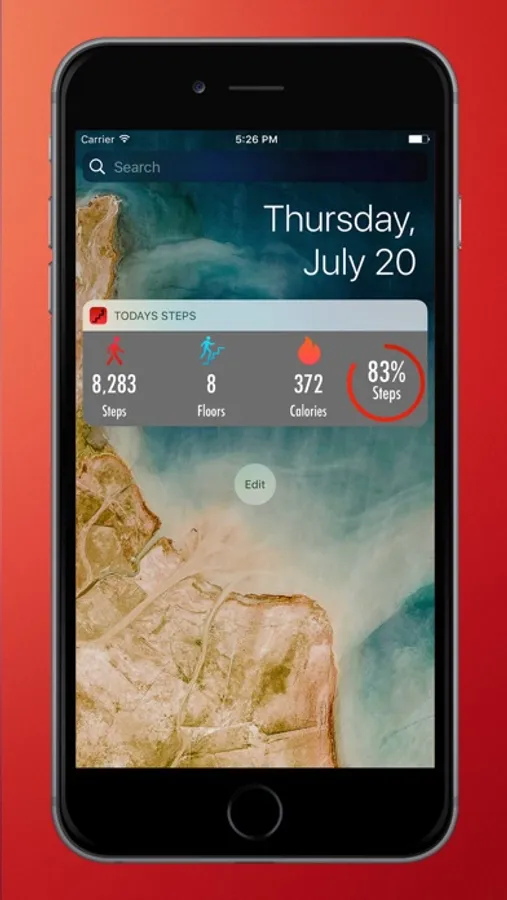
Next step makes it easy to quickly view your Step Count, Floors Climbed, and Calories with widgets.
Once you've added Next Step to your widgets, you can instantly see Current Step Count, Floors Climbed, Calories, and Animated ring percentage.
If you have an iPhone 6s or greater, you can also 3D Touch on the App icon to see all the widget information.
+History+
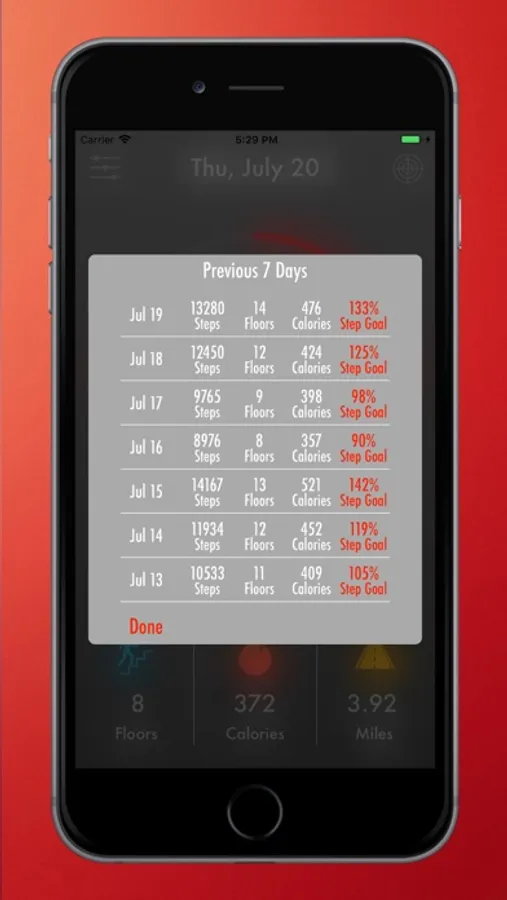
New to Version 2.0 is the ability to view a 7-day history of your activities.
Everyone should try to walk 10,000 steps each day. Next Step is designed to make tracking steps, Calories, and Flights Climbed easier.
*Please Note: iPhone 5 and 5c are not supported due to hardware that is not available in the older generations.
iPhone 5s does not support flights climbed.
Next Step - Health App Screenshots
Tap to Rate:
Reviews for Next Step - Health App
bugsfbunny
As potential, but I see no widget
I have been trying many of these apps lately. This one looks really cool very simple and easy to read. I would have given it five stars, but as advertised to set a widget up, I go into my widgets and I don’t even see an icon for this app. I cannot find the widget anywhere for the lock screen or the regular screen.
14LAM
Doesn’t know what day it is
Good, but is reading Friday when it is Saturday