
In this image annotation app, you can import photos, create annotations with various tools, and customize your work. Includes export options, layer management, and support for multiple input methods.
AppRecs review analysis
AppRecs rating 4.5. Trustworthiness 72 out of 100. Review manipulation risk 27 out of 100. Based on a review sample analyzed.
★★★★☆
4.5
AppRecs Rating
Ratings breakdown
5 star
83%
4 star
6%
3 star
3%
2 star
2%
1 star
5%
What to know
✓
Low review manipulation risk
27% review manipulation risk
✓
Credible reviews
72% trustworthiness score from analyzed reviews
✓
High user satisfaction
83% of sampled ratings are 5 stars
About iMark · Image Annotation Tool
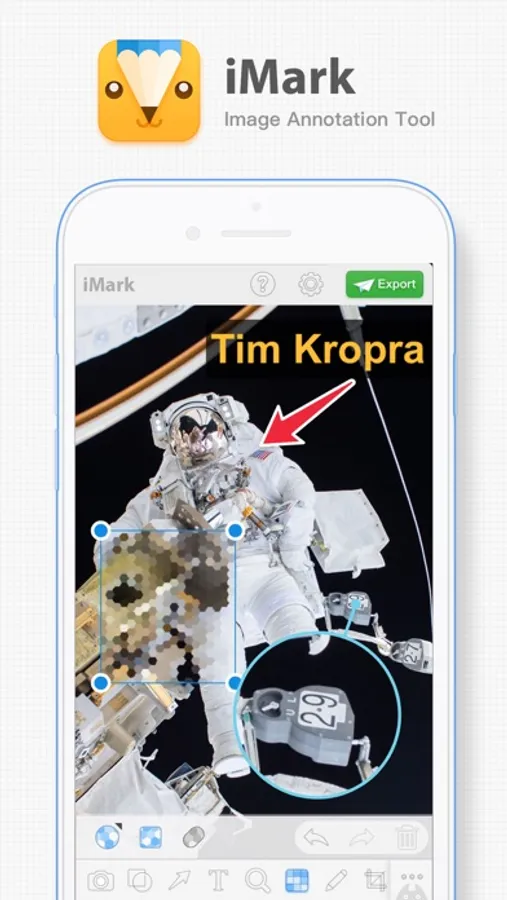
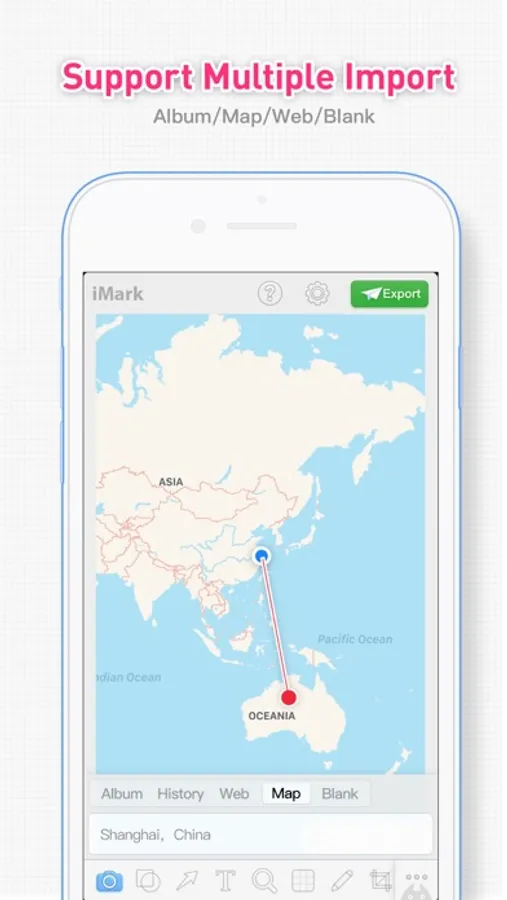
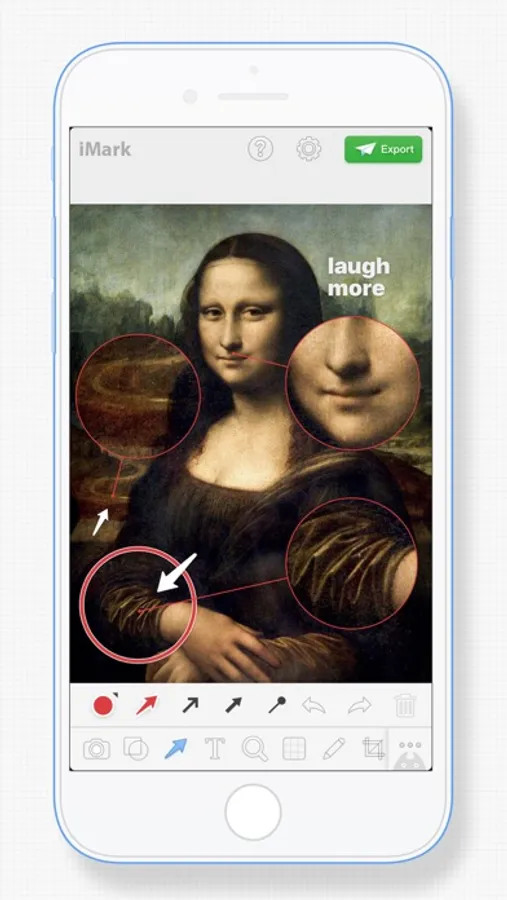
iMark is a simple & powerful image annotation tool. iMark supports various tools & styles. You could import photo from photo library, camera & map.
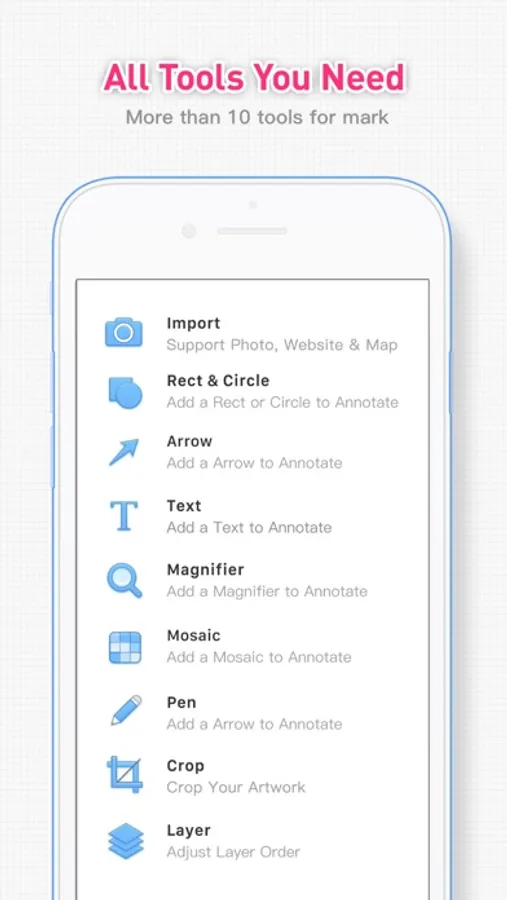
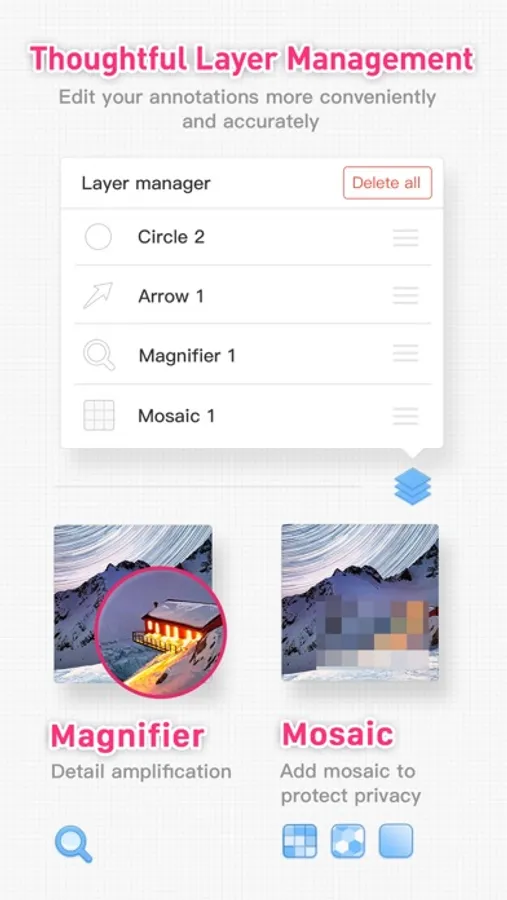
· All Tools You Need: Arrow, Rect, Circle, Text, Magnifier, Mosaic, Pen, Spotlight
· Create annotations from photo library, map or empty canvas
· Easy Export: Export with custom image size. Share with your friends.
· Customize: History sessions, custom color schemes, redo & undo action.
· Advanced Feature: Crop & Layer Management
· Supports iOS Photo Extension
· Supports Home Screen 3D Touch Quick Action
· Supports iPad Multitasking
· All Tools You Need: Arrow, Rect, Circle, Text, Magnifier, Mosaic, Pen, Spotlight
· Create annotations from photo library, map or empty canvas
· Easy Export: Export with custom image size. Share with your friends.
· Customize: History sessions, custom color schemes, redo & undo action.
· Advanced Feature: Crop & Layer Management
· Supports iOS Photo Extension
· Supports Home Screen 3D Touch Quick Action
· Supports iPad Multitasking
iMark · Image Annotation Tool Screenshots
Tap to Rate:
Reviews for iMark · Image Annotation Tool
Holodoctor1
Getting rid of watermark?
Is there a way to get rid of the watermark? This app would be almost perfect if you could do that!
KevLee123
Great App
Full of features. Great Annotation Tools. Recommend