AppRecs review analysis
AppRecs rating 3.3. Trustworthiness 74 out of 100. Review manipulation risk 15 out of 100. Based on a review sample analyzed.
★★★☆☆
3.3
AppRecs Rating
Ratings breakdown
5 star
43%
4 star
0%
3 star
14%
2 star
29%
1 star
14%
What to know
✓
Low review manipulation risk
15% review manipulation risk
✓
Credible reviews
74% trustworthiness score from analyzed reviews
About SoundTools -Studio Six Digital
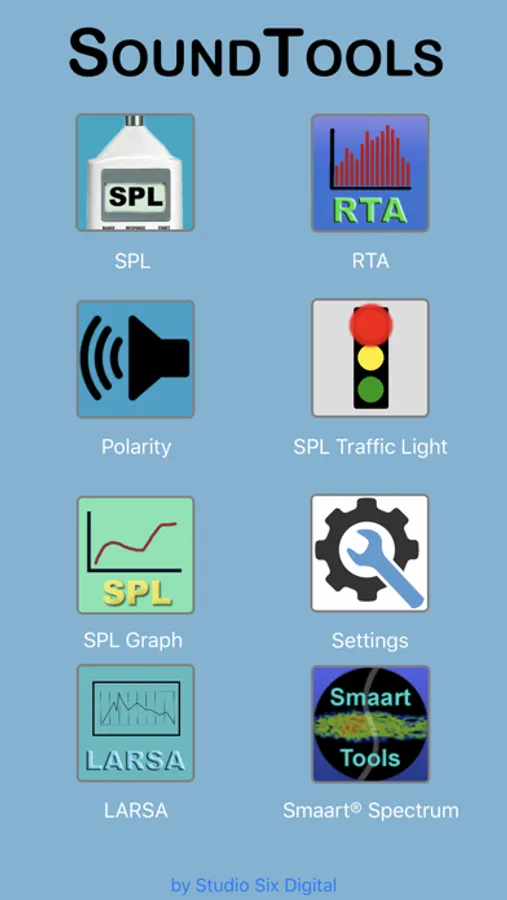
The modules available for purchase are:
* SPL Graph Noise Logging - Record sound levels and events for community noise testing or concert or worship sound tracking
* Dual SPL Traffic Light Noise Monitor - Monitor sound using two different
* LARSA - Loudspeaker And Room Sound Analyzer, advanced and power analysis of sound system performance
* SoundScope - 1/48th octave FFT analyzer with spectrograph, dual plot windows, and VR audio overlayed on video
When iTestMic2 is plugged in, the Dual Traffic Light and SPL Graph modules are unlocked.
SoundTools with iTestMic2 is ideal for:
* Bands
* Clubs
* Community Noise
* Home Audio
* House of Worship sound
Unlocking modules in this app will also unlock them in our pro audio app, AudioTools.
SoundTools -Studio Six Digital Screenshots
Tap to Rate:
Reviews for SoundTools -Studio Six Digital
pjn.
Invaluable if doing speaker repair
Great little app- I use it for polarity checks of individual drivers and checking that everything works. And making sure the crossover works- a crude check, but very helpful.
mm7cc
Great potential but buggy as hell
Really disappointed that such an expensive app is so buggy. I’ve lost hours of data in the RTA by pressing the wrong button in the wrong order. The new Notification feature (which one has to use for something as basic as setting a threshold to record audio events) makes no sense and doesn’t seem to work. Sure I could rtfm but the manual doesn’t work. Pressing Info just brings up a blank screen. The online manual is very old. I sent an email to the developer on all this but his response was basically, “well it works for me”. The last straw came after using the SPL graph. I froze it and saved the reading. Then upon doing another one, my first graph was overwritten! Save/Recall is completely unreliable. So I’m having to take screenshots and save them in the iPad Notes app. These are just the issues I’ve discovered with my limited use. Until they start fixing things I suggest you look elsewhere.