AppRecs review analysis
AppRecs rating 2.4. Trustworthiness 65 out of 100. Review manipulation risk 30 out of 100. Based on a review sample analyzed.
★★☆☆☆
2.4
AppRecs Rating
Ratings breakdown
5 star
26%
4 star
9%
3 star
2%
2 star
4%
1 star
59%
What to know
⚠
Mixed user feedback
Average 2.4★ rating suggests room for improvement
About Aeries EM2
**FOR SCHOOL DISTRCT PERSONNEL ONLY!** This app is not intended for the general public, and cannot be used to check student information by anyone other than school district personnel.
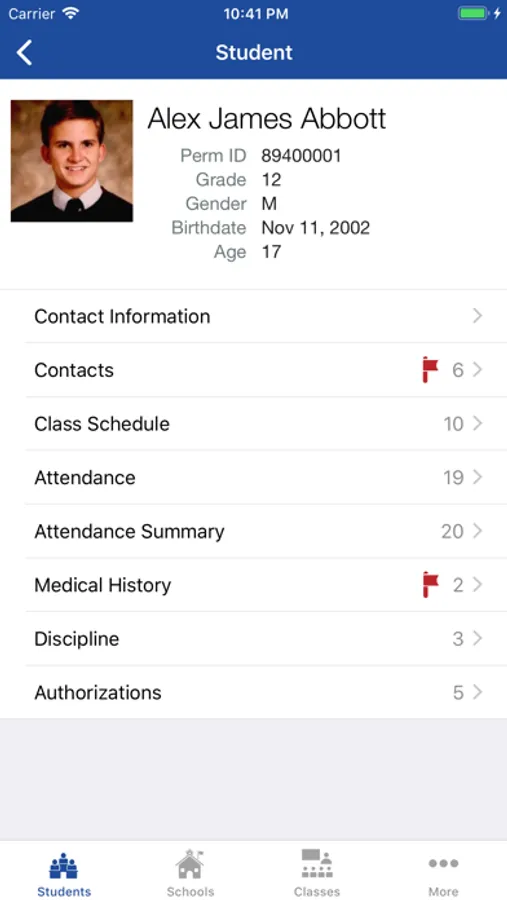
Aeries EM2 (Emergency Management App Version 2) is the completely rewritten version of the Aeries Emergency Management Tool (EMT). It provides remote access to student information contained in the Aeries Student Information System. This application is designed to interface with an existing Aeries SIS web setup.
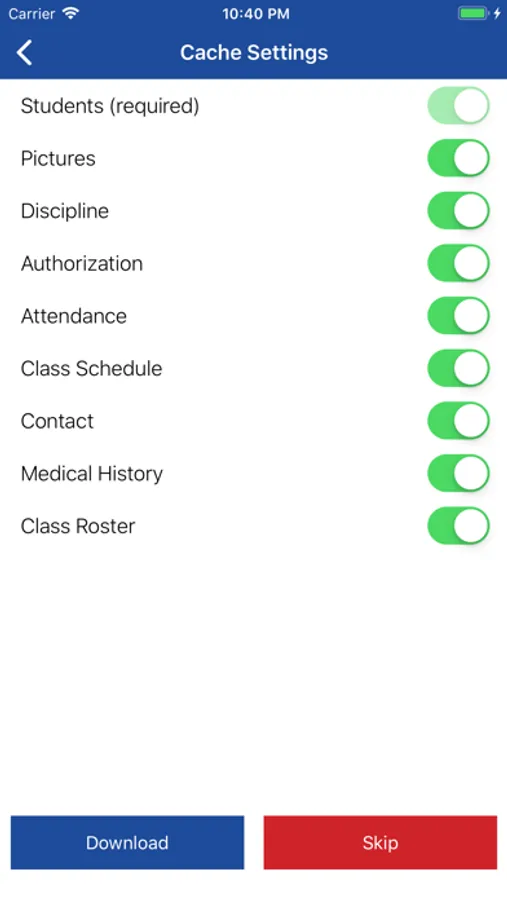
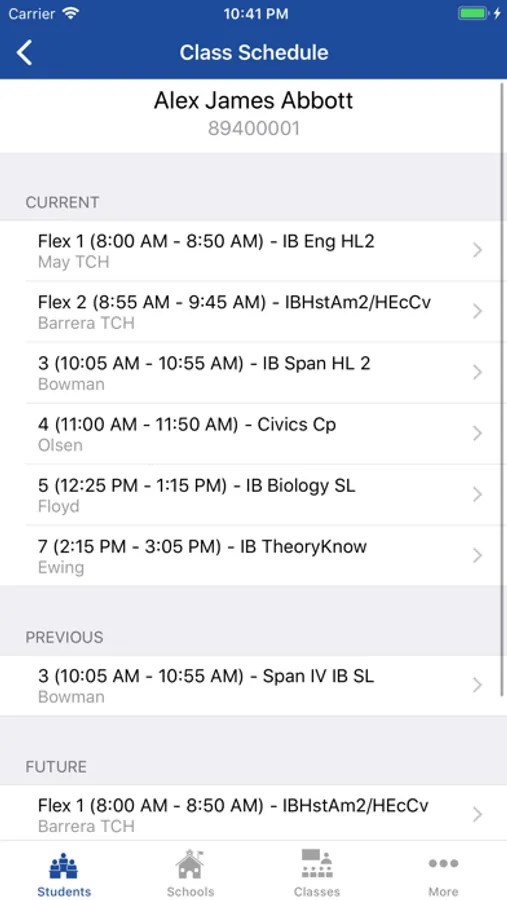
Aeries EM2 provides school-site personnel access to basic student, contact, discipline, medical, class and attendance information. Any of this data can be cached for offline use. This is useful during emergency situations where access to a computer or network is not available.
** This application is only available to school districts that have a license key installed for use. **
For Demo Access, simply start the application, search and select “Eagle Unified School District (demo)”, and login using the user name and password "admin".
Aeries EM2 (Emergency Management App Version 2) is the completely rewritten version of the Aeries Emergency Management Tool (EMT). It provides remote access to student information contained in the Aeries Student Information System. This application is designed to interface with an existing Aeries SIS web setup.
Aeries EM2 provides school-site personnel access to basic student, contact, discipline, medical, class and attendance information. Any of this data can be cached for offline use. This is useful during emergency situations where access to a computer or network is not available.
** This application is only available to school districts that have a license key installed for use. **
For Demo Access, simply start the application, search and select “Eagle Unified School District (demo)”, and login using the user name and password "admin".
Aeries EM2 Screenshots
Tap to Rate:
Reviews for Aeries EM2
horrible badddd1836
Why did it charge me 10$?!!
I hate this
Shadow Wizard Money
Bad
Does not work